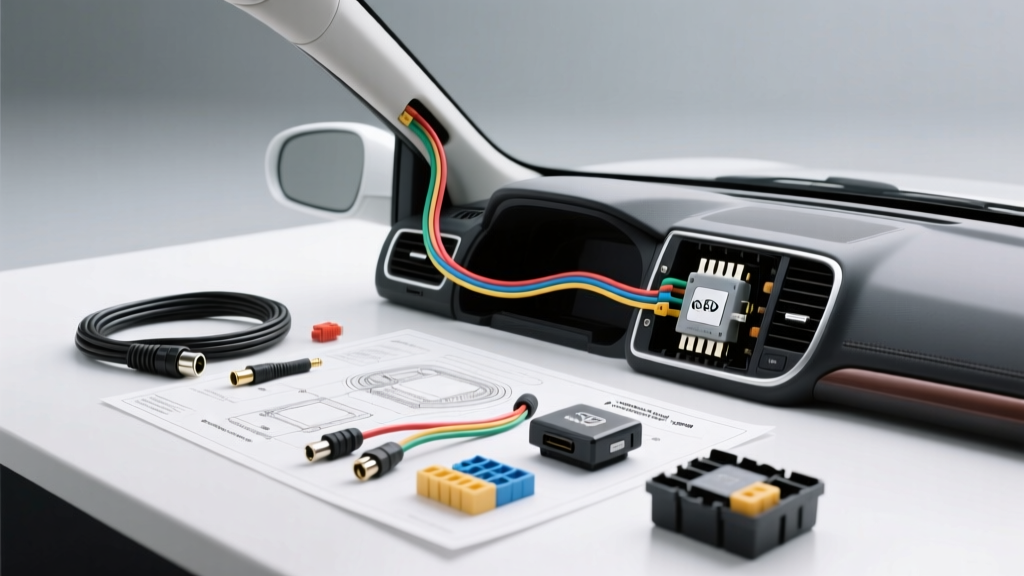
Introduction to Toyota Genuine Dash Cam Integration
The Toyota Genuine Dash Camera (often part of the PT396 series, such as PT396-35210 or PT396-00220) is engineered specifically to interface with Toyota’s existing electrical architecture and interior trim tolerances. Unlike universal aftermarket dash cams that rely on messy 12V cigarette lighter adapters, a proper Toyota genuine dash camera installation requires hardwiring to the vehicle’s constant 12V and accessory (ACC) circuits. This enables seamless ignition-switched recording and integrated parking surveillance mode without draining the vehicle's primary battery.
This comprehensive guide details the electrical specifications, wiring diagrams, and physical routing protocols required for a factory-grade installation. Whether you are integrating via the overhead console map light harness or utilizing a hardwire add-a-circuit kit at the interior fuse panel, adherence to Mobile Electronics Certification Program (MECP) standards and OEM safety protocols is mandatory.
Required Tooling and Electrical Specifications
Before initiating the installation, ensure you have the correct diagnostic and fabrication tools. Improper wire tapping is the leading cause of CAN bus interference and parasitic battery draws in modern Toyota vehicles equipped with Toyota Safety Sense (TSS).
- Digital Multimeter (DMM): Required for verifying constant 12V, ACC 12V, and ground continuity. Do not rely solely on wiring diagrams, as mid-year production changes can alter wire colors.
- Wire Tapping Method: Avoid Scotchlok T-taps, which crush 20-22 AWG harness wires and cause oxidation. Use Posi-Tap connectors or solder-and-heat-shrink methods.
- Fuse Taps: Modern Toyotas (2015+) predominantly use Low-Profile Mini (ATT) or Micro2 fuses. Ensure your Add-A-Circuit matches the exact fuse blade profile.
- Trim Removal Tools: Nylon pry tools to prevent marring the soft-touch plastics on the A-pillar and headliner.
- Torque Driver: Set to 4.0 Nm for overhead console M5x16mm fasteners to prevent cracking the ABS plastic housing.
Wiring Architecture: OEM Overhead Console vs. Hardwire Kit
Depending on your specific Toyota model (e.g., Camry, RAV4, Tacoma, Highlander) and the exact dash cam kit provided by your dealer, you will utilize one of two primary power integration methods.
Method A: Overhead Console Map Light Harness Integration
Many Toyota Genuine Dash Cam kits include a dedicated plug-and-play harness designed to tee into the overhead console map light and HomeLink/SOS module connector. This is the cleanest method as it requires no fuse box modifications.
- Carefully pry down the overhead console lens cover using a nylon spudger.
- Remove the two M5x16mm Phillips head screws securing the console to the roof structure.
- Disconnect the primary multi-pin connector (usually 12-pin or 16-pin depending on the presence of the SOS/Data Communication Module).
- Insert the Toyota OEM dash cam tee-harness inline between the vehicle chassis harness and the overhead module.
- Route the low-profile 22 AWG camera cable down the passenger side A-pillar.
Expert Note: The overhead harness provides Constant 12V (typically Blue/White or Red), ACC 12V (typically Gray or Green), and Ground (White/Black). Always verify with a DMM before securing connections.
Method B: Fuse Box Hardwire via Add-A-Circuit
If your kit includes a standard 3-wire hardwire module (Constant, ACC, Ground) with an inline voltage monitor for parking mode, you will tap into the interior fuse panel, usually located on the driver’s side lower dash or kick panel.
- Locate Constant 12V (BATT): Identify a fuse circuit that maintains 12V with the ignition OFF and the key removed. Common Toyota circuits include the 'OBD', 'POWER OUTLET', or 'ECU-IG' (verify with DMM).
- Locate Accessory 12V (ACC): Identify a circuit that drops to 0V when the ignition is turned off. The 'RADIO' or 'WIPER' circuits are ideal. Avoid SRS, ABS, or CAN-bus related fuses to prevent triggering dashboard warning codes.
- Grounding: Remove an unpainted M6 or M8 bolt from the chassis kick-panel bracket. Crimp the ground wire (usually black) to a 10-gauge ring terminal, apply dielectric grease, and torque to 8 Nm.
Step-by-Step A-Pillar Routing and SRS Airbag Safety
Routing the camera cable through the A-pillar is the most critical safety phase of the Toyota genuine dash camera installation. Modern Toyotas are equipped with side-curtain Supplemental Restraint System (SRS) airbags that deploy downward from the roof rail. According to SAE International J2823 guidelines for aftermarket wiring, cables must never impede airbag deployment trajectories.
- Peel back the weatherstripping along the passenger side roofline and A-pillar.
- Use a trim tool to pop the A-pillar plastic retaining clips. Do not pull forcefully, as the tether strap must remain intact.
- Locate the SRS curtain airbag module and its metal retaining brackets.
- Route the dash cam cable behind the airbag module, keeping it tight against the roof metal.
- Secure the cable using OEM-style felt tape (Tesa tape) every 4 inches to prevent rattles and ensure the cable cannot slip in front of the airbag.
- Re-seat the A-pillar trim and re-insert the weatherstripping.
Toyota Dash Cam Wiring Pinout and Specification Table
Reference the table below when verifying circuits during a hardwire installation. Note that wire colors may vary slightly between the Camry (XV70) and RAV4 (XA50) platforms.
| Circuit Function | Typical Toyota Wire Color | AWG Rating | DMM Voltage (Key OFF) | DMM Voltage (Key ON/ACC) | Recommended Fuse Tap Source |
|---|---|---|---|---|---|
| Constant 12V (BATT) | Blue/White or Red | 20 - 22 AWG | 12.2V - 12.6V | 12.2V - 12.6V | OBD, POWER, ECU-B |
| Accessory 12V (ACC) | Gray or Green | 20 - 22 AWG | 0.0V | 11.8V - 12.4V | RADIO, WIPER, GAUGE |
| Chassis Ground | White/Black or Black | 18 - 20 AWG | 0.0V (Continuity to Batt-) | 0.0V | Unpainted M6/M8 Chassis Bolt |
Initialization, Calibration, and Troubleshooting
Once the physical wiring is secured, proper initialization of the Toyota Genuine Dash Cam is required to ensure the G-sensor and parking mode voltage cutoffs operate correctly. Always format the included SD card using the camera's internal menu or the Toyota Link app, as pre-formatted PC cards often use incompatible allocation unit sizes.
Common Failure Modes and Diagnostics
- Symptom: Camera powers on but shuts down immediately when cranking the engine.
Cause: Voltage drop on the ACC circuit during starter engagement falls below the camera's brownout threshold.
Fix: Install a 12V delay relay or move the ACC tap to a circuit buffered by the vehicle's CAN-bus sleep module, such as the wiper circuit. - Symptom: Parking mode does not engage, or battery drains overnight.
Cause: The hardwire kit's voltage monitor is set too low, or the Constant 12V and ACC wires are swapped at the fuse box.
Fix: Verify DMM readings. Adjust the hardwire module's DIP switches to a 12.0V or 11.8V cutoff threshold to protect the vehicle's starter battery. - Symptom: Rattling noise from the passenger A-pillar over bumps.
Cause: Cable not secured with Tesa tape or zip-tied to an SRS bracket.
Fix: Remove A-pillar trim, apply adhesive felt tape to the entire length of the 22 AWG cable, and secure it to the factory wiring harness loom using plastic push-clips. Never use nylon zip-ties on airbag components.
For model-specific wiring schematics and torque specifications, always consult the official Toyota Technical Information System (TIS) prior to modifying any OEM harness. A meticulous Toyota genuine dash camera installation ensures seamless operation, preserves your vehicle's warranty, and maintains the integrity of the SRS safety systems.