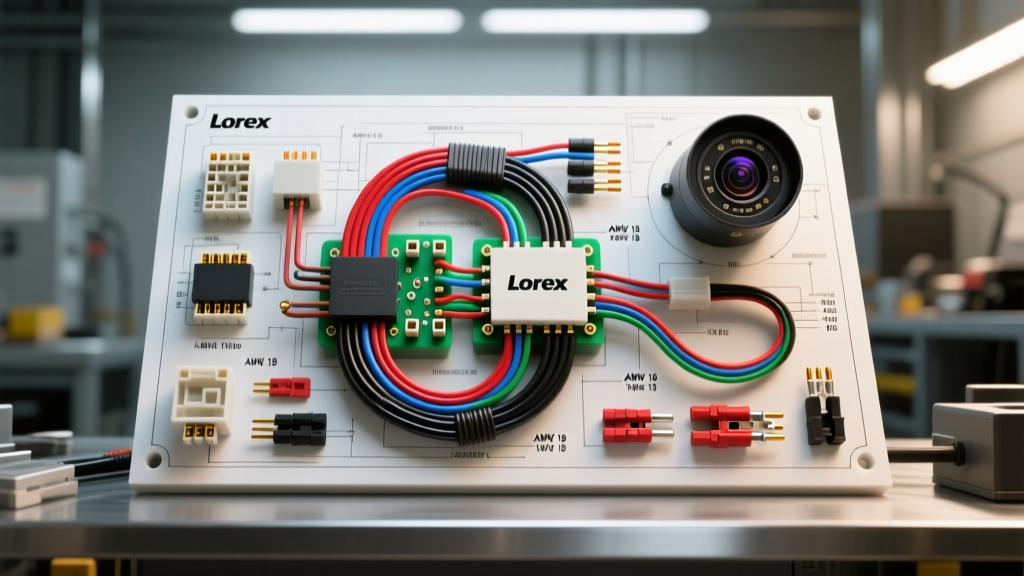
Introduction to Lorex Camera Installation
Upgrading your vehicle or RV with a Lorex backup camera system is one of the most effective ways to improve rear visibility and overall safety. According to the NHTSA Rear Visibility Standards (FMVSS 111), eliminating blind spots directly reduces back-over incidents. However, while Lorex provides excellent hardware, the included wiring kits are often designed for generic, low-power applications and may not meet strict automotive standards for longevity and voltage stability.
This beginner-friendly guide bridges the gap between consumer electronics and professional automotive electrical work. We will walk you through the proper Lorex camera installation process, focusing on tapping the reverse light circuit, upgrading inadequate wiring, and integrating the monitor trigger without compromising your vehicle's CAN bus or BCM (Body Control Module).
Essential Tools and Wiring Materials
Before cutting into any factory harness, gather the correct automotive-grade materials. Relying on the included 'scotch lock' connectors is a primary cause of camera failure due to moisture ingress and strand severing.
- Wire: 18 AWG TXL (Cross-linked polyethylene) stranded copper wire for camera power and ground. TXL is rated for under-hood temperatures and resists abrasion better than standard PVC.
- Connectors: Posi-Tap connectors for tapping factory wires without cutting them, and 3M Marine-Grade adhesive heat shrink butt connectors for all splices.
- Fuse Tap: Littelfuse Add-A-Circuit (ATO, ATM, or Mini2 depending on your fuse box) with a dedicated 3A or 5A mini fuse.
- Testing Equipment: A digital multimeter (DMM) with auto-ranging capabilities. Avoid test lights, as they can draw too much current and trigger fault codes on modern multiplexed lighting circuits.
- Weatherproofing: Dielectric grease and liquid electrical tape for exterior connections.
Step 1: Tapping the Reverse Light Circuit
The most critical step in any Lorex backup camera installation is identifying and tapping the reverse light circuit. This circuit provides two functions: it powers the camera (if wired to the rear) and sends a 12V trigger signal to the front monitor to automatically switch the display to the camera feed.
Locating and Verifying the Reverse Wire
Access the tail light assembly or the BCM output harness. Set your DMM to DC Voltage (20V scale). Connect the black probe to a known good chassis ground and probe the wires in the tail light harness with the red probe.
- With the vehicle in Park (engine running), the voltage should read 0V.
- Shift the vehicle into Reverse (keep your foot firmly on the brake). The voltage should jump to 12.5V - 14.4V.
- Shift back to Park. The voltage must drop back to 0V.
Once verified, use a Posi-Tap to connect your 18 AWG trigger wire. The Posi-Tap uses a set-screw to pierce the factory wire's insulation without severing the copper strands, maintaining the structural integrity of the harness.
Common Vehicle Reverse Wire Colors (2015-2022 Models)
| Vehicle Make / Model | Typical Reverse Wire Color | Location / Notes |
|---|---|---|
| Ford F-150 (2015-2020) | Green with Purple Stripe | Tail light harness or BCM Pin 12 |
| Chevy Silverado 1500 (2014-2018) | Light Green | Tail light harness (verify with DMM) |
| Ram 1500 (2013-2018) | White / Violet | Tail light harness (PWM signal on some trims) |
| Toyota Tacoma (2016-2022) | Red / White | Reverse light socket pigtail |
Note: Always verify with a multimeter. Manufacturers frequently change wire colors mid-production year.
Step 2: Routing and Upgrading Power Cables
Many Lorex wireless and wired kits include 22 AWG or 24 AWG 'zip cord' for power. In automotive and RV applications, this wire is entirely insufficient for runs longer than 10 feet due to voltage drop and vibration-induced fatigue. As documented in SAE International wiring standards, primary automotive wire must withstand high temperatures, chemical exposure, and constant vibration.
The Voltage Drop Problem
If your Lorex camera features infrared (IR) night vision or a built-in defroster, it can draw upwards of 800mA to 1A. Running 1A through 25 feet of 22 AWG wire (50 feet round-trip) will result in a voltage drop of nearly 2.5V. This leaves the camera with only 11.5V, causing it to reboot continuously or display a 'No Signal' error.
The Fix: Run a dedicated 18 AWG TXL power wire from the front fuse box (using an Add-A-Circuit on an ignition-switched accessory fuse) all the way to the rear of the vehicle. Use a standard automotive 4-pin relay at the rear if you need to switch high-current loads, though most standard Lorex cameras can be powered directly via the 18 AWG line protected by a 3A fuse.
Routing Best Practices
- Firewall Pass-through: Use existing rubber grommets. Never drill through the firewall without installing a new rubber grommet and sealing it with RTV silicone to prevent carbon monoxide and water intrusion.
- Headliner Routing: Drop the headliner slightly at the A-pillars and B-pillars. Fish the RCA and power cables above the side curtain airbags. Never zip-tie wires directly to airbag deployment chutes.
- Exterior Routing (Trucks/RVs): Run cables inside the frame rail. Use split-loom tubing and UV-resistant zip ties. Keep wiring at least 6 inches away from exhaust components.
Step 3: Head Unit and Monitor Integration
Lorex monitors and aftermarket stereos utilize a specific trigger wire to switch the display input. On the Lorex RCA video cable, you will typically find a small, bare wire (often purple or yellow) protruding from the connector.
Wiring the Trigger
This trigger wire requires a +12V signal to activate the screen. You must connect this wire to the same reverse light circuit you tapped in Step 1. If you are installing the camera on a trailer, you will tap the trailer's 7-pin connector reverse circuit (Pin 4, typically Center/Aux or dedicated Reverse depending on the standard) to trigger the monitor in the cab.
Use a 2-pin Delphi-style weatherpack connector or AMP Superseal 1.5 connector between the cab and the trailer so the system can be easily disconnected when unhitching.
Step 4: Grounding for Zero Interference
A poor ground is the number one cause of video flickering, rolling horizontal bars, and 'No Signal' errors in aftermarket camera installations. Do not simply wrap the ground wire around a random bolt.
- Locate a solid chassis bolt in the trunk or cargo area.
- Remove the bolt and use 80-grit sandpaper to sand away the paint and clear coat down to bare metal in a 1-inch radius.
- Attach an 18 AWG ring terminal to the camera's ground wire.
- Place a star washer between the ring terminal and the bare metal to bite into the surface and prevent loosening from vibration.
- Reinstall the bolt, torque to factory specifications, and coat the area with dielectric grease to prevent oxidation.
Troubleshooting Common Lorex Video Issues
Even with careful installation, issues can arise. Use this diagnostic decision tree to resolve common problems:
Symptom: Camera works in Park, but screen goes black in Reverse
- Cause: The monitor trigger wire is wired to a constant 12V source instead of the reverse circuit, or the RCA cable is faulty.
- Fix: Verify the purple/yellow trigger wire only receives 12V when the vehicle is in Reverse. Check the RCA pins for bent contacts.
Symptom: Video flickers or shows rolling horizontal lines
- Cause: Ground loop interference or PWM (Pulse Width Modulation) on the reverse light circuit. Many modern European and late-model domestic vehicles use PWM to control tail light brightness, which confuses camera power supplies.
- Fix: Install a 12V DC relay. Use the factory reverse wire to trigger the relay coil, and power the camera from the relay's switched output using a clean, constant 12V battery source (fused). Alternatively, install a 1000µF electrolytic capacitor across the camera's power and ground wires at the camera head to smooth out PWM ripples.
Symptom: 'No Signal' or Camera reboots at night
- Cause: Voltage drop. When the IR LEDs activate at night, current draw spikes. If the wire gauge is too thin, voltage at the camera drops below 10.5V, triggering a low-voltage reset.
- Fix: Upgrade the power and ground wires to 16 AWG or 18 AWG TXL, and ensure all connections are soldered or properly crimped with adhesive heat shrink.
Expert Tips for Longevity
To ensure your Lorex camera installation lasts the lifetime of the vehicle, treat every exterior connection as if it will be submerged. Coat all exposed crimps with liquid electrical tape. Apply a dab of dielectric grease inside the Lorex camera's proprietary 4-pin or RCA weatherproof collar before threading it together. Finally, use a service loop (a small loop of extra wire) before the wire enters the camera housing; this prevents water from wicking down the cable jacket and directly into the camera's internal PCB.