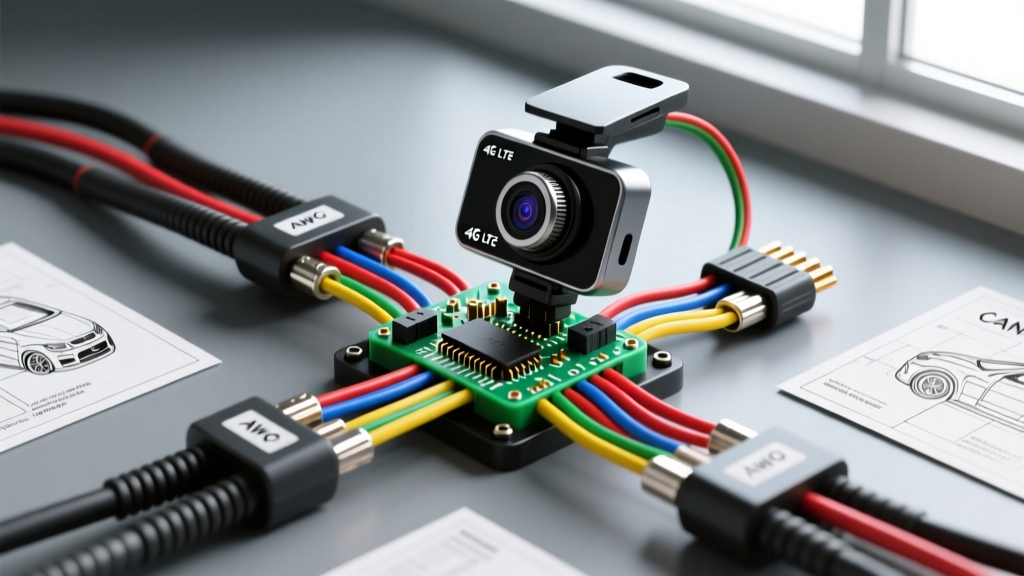
Technical Reference: Alarm.com Camera Installation & Fleet Telematics
While Alarm.com is predominantly recognized for commercial and residential security, the underlying IoT architecture is increasingly adapted for automotive fleet telematics and remote vehicle security. An Alarm.com camera installation in a vehicle context typically refers to integrating 4G LTE cellular dash cams, AI-powered telematics modules, and cloud-connected PTZ (Pan-Tilt-Zoom) surveillance units that push real-time video and CAN-bus data to compatible cloud security dashboards. This technical specification reference outlines the precise wiring diagrams, AWG requirements, CAN-bus integration protocols, and RF antenna routing necessary for a master-level installation of cellular IoT cameras in 12V and 24V automotive platforms.
Power Distribution and Quiescent Current Specifications
Cloud-connected cameras require sophisticated power management to support continuous LTE transmission, GPS polling, and parking-mode video buffering without draining the vehicle’s primary battery. Adherence to strict quiescent current limits is mandatory.
Constant vs. Ignition-Switched Power Mapping
- VBAT (Constant 12V): Must be routed directly to the battery or a constant 12V busbar using 16 AWG primary wire. An inline 3A ATM blade fuse must be installed within 18 inches of the power source. For 24V heavy-duty fleets, a step-down DC-DC buck converter (set to 13.8V output, 5A capacity) is required to prevent module overvoltage.
- ACC (Ignition Sense): Use 18 AWG wire connected to an ignition-switched circuit (e.g., via an Add-A-Circuit fuse tap on the wiper or radio fuse). This signal triggers the camera to switch from low-power sleep mode to active LTE streaming.
- GND (Chassis Ground): Use 16 AWG wire terminated with a copper ring terminal. Secure to bare, unpainted chassis metal using a self-tapping screw or existing factory bolt. Torque specification: 7-10 Nm. Apply dielectric grease to prevent galvanic corrosion.
According to the Mobile Electronics Association (MEA) Installation Guidelines, aftermarket telematics modules must exhibit a quiescent current draw of < 5mA in sleep mode to prevent parasitic battery drain during extended vehicle downtime.
Hardwire Harness Pinout Matrix
The following table details the standard 5-pin Molex Mini-Fit Jr. connector pinout used in most enterprise-grade 4G LTE fleet cameras.
| Pin | Wire Color | Function | AWG | Connection Point / Specification |
|---|---|---|---|---|
| 1 | Red | VBAT (+12V Constant) | 16 | Battery Positive / Constant Busbar (3A Fuse) |
| 2 | Yellow | ACC (Ignition Sense) | 18 | Ignition Switched Fuse (Add-A-Circuit) |
| 3 | Black | GND (Chassis Ground) | 16 | Bare Metal Chassis (7-10 Nm Torque) |
| 4 | White/Green | CAN-H (High) | 22 | OBD-II Pin 6 or J1939 Data Link Connector |
| 5 | White/Brown | CAN-L (Low) | 22 | OBD-II Pin 14 or J1939 Data Link Connector |
LTE, GPS, and Wi-Fi Antenna Routing (FAKRA Specs)
Cellular dropout is the primary failure mode in mobile IoT camera installations. Proper RF antenna routing and grounding are critical to maintain a stable uplink to the cloud dashboard. Most modern telematics cameras utilize FAKRA Z-type coaxial connectors for external antennas.
- Coaxial Cable Handling: RG174 or RG316 coaxial cables must not be kinked or compressed. Maintain a minimum bending radius of 25mm. Routing coaxial cables through metal bulkheads without rubber grommets will sever the shielding and cause catastrophic signal loss.
- Ground Plane Requirements: If using an external magnetic-mount antenna puck, it requires a minimum continuous ferrous metal ground plane of 4x4 inches to achieve proper VSWR (Voltage Standing Wave Ratio). Fiberglass or aluminum roofs require a specialized no-ground-plane antenna with integrated radial counterpoise elements.
- Electromagnetic Interference (EMI): In compliance with SAE J1113 Electromagnetic Compatibility Standards, LTE antenna coaxial cables must be routed at least 12 inches away from high-current DC wiring, alternator outputs, and ignition coil packs to prevent alternator whine and RF desensitization.
CAN-Bus Telematics Integration (J1939 / OBD-II)
To transmit vehicle speed, RPM, DTCs (Diagnostic Trouble Codes), and harsh-braking telemetry alongside video feeds, the camera module must interface with the vehicle’s CAN network. Splicing directly into the CAN-bus requires extreme precision to avoid altering the network’s characteristic impedance.
OBD-II Port Integration (Non-Destructive)
For light-duty fleets, a Y-cable OBD-II harness is preferred. This taps CAN-H (Pin 6) and CAN-L (Pin 14) without cutting factory wires. Ensure the telematics module's internal CAN transceiver is set to high-impedance mode to avoid loading the bus.
Direct Harness Splicing (Heavy Duty / J1939)
When integrating with SAE J1939 networks (common in Class 8 trucks and heavy machinery), direct splicing is often necessary. Follow these parameters as outlined in the SAE J1939 CAN-bus Standards:
- Strip exactly 5mm of insulation from the 22 AWG CAN wires.
- Use a Western Union splice or ultrasonic welder. Solder is discouraged in high-vibration environments as it creates a brittle joint prone to fatigue cracking.
- Seal the splice with dual-wall heat shrink containing polyamide adhesive.
- The CAN-bus requires a 120-ohm terminating resistor at each end of the backbone. If the telematics module is added to the end of the line, ensure its internal 120-ohm resistor is activated via DIP switch or software configuration. Measure the resistance between CAN-H and CAN-L with a DMM; it must read 60 ohms (+/- 5 ohms) across the entire network.
Troubleshooting Decision Tree: Voltage Drop & Cellular Dropout
When an Alarm.com-compatible IoT camera fails to stream or exhibits video artifacts, use this structured diagnostic matrix to isolate the fault.
Symptom 1: Camera Boots but Reports 'Offline' in Cloud Portal
- Step 1: Check LTE Signal Strength via module LED or local Wi-Fi AP interface. If RSSI is worse than -95 dBm, relocate the external FAKRA antenna away from metallic window tint (which contains RF-blocking oxides) and verify the SMA-to-FAKRA adapter is torqued to 0.8 Nm.
- Step 2: Verify SIM Card provisioning. Ensure the IoT SIM is activated for the correct APN (Access Point Name) and has not exceeded its monthly data cap.
- Step 3: Test for ignition-sense failure. If the camera remains in sleep mode, use a DMM to probe the Yellow ACC wire. It must read >11.5V when the key is in the RUN position. If 0V, check the Add-A-Circuit fuse tap orientation (ensure the tapped circuit is actually ignition-switched, not constant).
Symptom 2: Intermittent Reboots or Corrupted Video Files
- Step 1 (Voltage Drop Test): Set DMM to DC Volts. Place the red probe on the battery positive terminal and the black probe directly on the camera module's VBAT pin at the connector. Crank the engine. A voltage drop reading greater than 0.3V indicates undersized wiring (upgrade to 14 AWG) or a corroded inline fuse holder.
- Step 2 (Ground Integrity): Place the red probe on the battery negative terminal and the black probe on the camera's GND pin. Under load (when the LTE modem transmits at peak 2A draw), the voltage drop must not exceed 0.1V. If it does, scrape the chassis ground point to bare metal and re-terminate.
- Step 3 (SD Card I/O Bottleneck): Cloud cameras buffer video locally before upload. If the MicroSD card is not rated for High Endurance (UHS-I U3, V30 minimum), the module will lock up during write cycles. Replace with an industrial-grade SLC (Single-Level Cell) SD card rated for 10,000+ P/E cycles.
By adhering to these strict AWG specifications, RF routing protocols, and CAN-bus termination standards, installers can ensure that their Alarm.com camera installation delivers reliable, low-latency telematics and security surveillance for any automotive or heavy-duty fleet application.