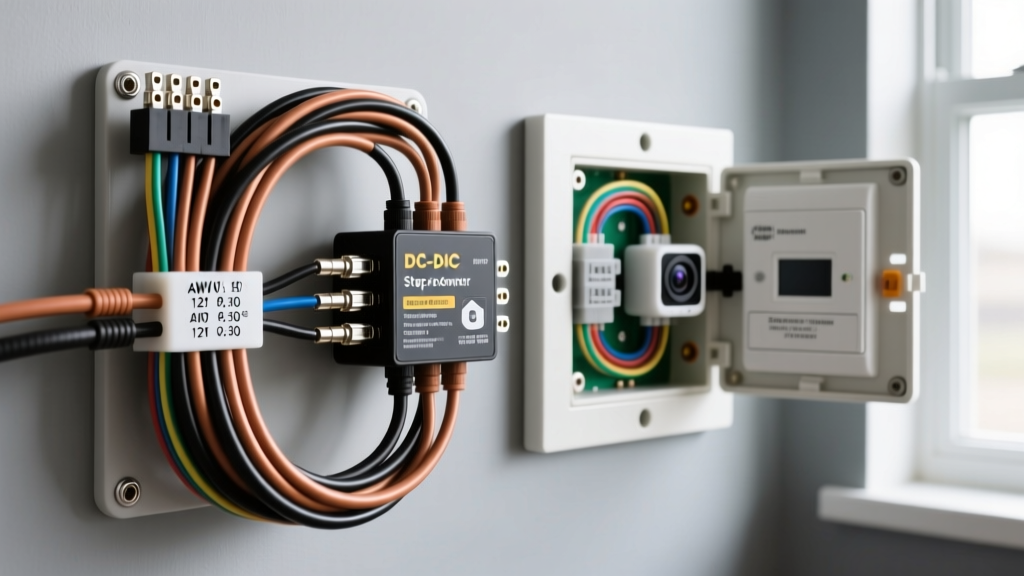
The Paradigm Shift: Residential AC vs. Automotive 12V DC
When DIYers search how does google blink camera install on home, they are met with simple 120V AC Wi-Fi setup guides, USB wall-wart adapters, or AA lithium battery mounting instructions. However, integrating smart security cameras (like Amazon Blink, Google Nest, or Ring) into a 12V DC automotive, RV, or overland expedition vehicle requires a complete rewrite of standard residential electrical practices. You cannot simply wire a 5V DC camera to a 12V vehicle chassis, nor can you rely on standard home Wi-Fi mesh nodes without addressing automotive electromagnetic interference (EMI) and voltage drop over long wire runs.
This technical specification reference outlines the exact wiring diagrams, AWG requirements, and DC-DC step-down architectures required to reliably mount and power smart home cameras on the exterior and interior of 12V vehicle platforms.
Technical Specifications: Home AC vs. Automotive 12V DC Architecture
Residential camera installations assume a stable 120V AC grid and localized 5V/1A USB step-down adapters. Vehicle platforms operate on a nominal 12.6V DC resting voltage that fluctuates between 10.5V (cranking) and 14.4V (alternator charging). Below is the comparative specification matrix for adapting home cameras to automotive environments.
| Parameter | Standard Home Install | 12V RV / Overland Vehicle Install |
|---|---|---|
| Source Voltage | 120V AC (Grid) | 12V-14.4V DC (Aux Battery Bank) |
| Step-Down Method | AC/DC Wall Adapter (Switching) | DC-DC Buck Converter (Isolated) |
| Camera Input | 5V DC / 1.0A - 2.0A | 5V DC / 1.0A - 2.0A |
| Wiring Standard | 18 AWG CL2 In-Wall (Low Voltage) | 16 AWG SAE J1128 GXL (Primary) |
| Overcurrent Protection | Internal Adapter Fuse | 2A ATO Blade Fuse at Source |
| Trigger Mechanism | Always On / Software Sleep | ISO Mini Relay (Ignition/Switch) |
DC-DC Step-Down Integration & Wire Sizing
To power a 5V USB-based smart camera from a 12V auxiliary battery bank, you must utilize a DC-DC buck converter. While cheap LM2596 modules are common in hobbyist circles, automotive environments demand isolated, potted converters capable of handling voltage spikes (load dump) up to 40V without failing and sending 12V straight into the camera's 5V logic board, instantly destroying it.
Recommended Wiring Diagram: Aux Battery to Camera
- Source: 12V+ from Marine/RV Auxiliary Fuse Block (Non-chassis ground return preferred for sensitive RF electronics).
- Fusing: 2A ATO Blade Fuse (Fast-acting).
- Primary Run: 16 AWG SAE J1128 GXL cross-linked polyethylene wire. According to SAE J1128 Low Tension Primary Cable standards, 16 AWG is rated for up to 18A in single-cable applications, providing a massive safety margin and minimizing voltage drop over 15-foot runs typical in RVs.
- Switching: Bosch-style ISO Mini 5-Pin Relay (Triggered by ignition or a manual dashboard toggle).
- Conversion: 12V to 5V 3A Isolated DC-DC Buck Converter (Mounted in a sealed IP67 junction box).
- Pigtail: 22 AWG stranded wire from the converter output to the camera's Micro-USB or proprietary barrel jack.
ISO Mini Relay Pinout for Parasitic Draw Prevention
Smart cameras draw a continuous standby current (typically 150mA to 300mA) to maintain Wi-Fi handshakes. On a home grid, this is irrelevant. On an RV auxiliary battery bank, a 200mA parasitic draw will deplete a 100Ah AGM battery in a matter of weeks if the vehicle is in storage. To prevent this, we wire the camera through an ISO Mini Relay, ensuring power is only delivered when the vehicle is occupied or the inverter system is active.
| Pin Number | Relay Function | Wiring Connection | Wire Color Code (Standard) |
|---|---|---|---|
| 30 | Common (Input) | 12V+ from Aux Fuse Block (Post-Fuse) | Red (12 AWG) |
| 87 | Normally Open (Output) | 12V+ Input to DC-DC Buck Converter | Red (16 AWG) |
| 86 | Coil (+) | 12V+ Trigger (Ignition Run or Manual Switch) | Yellow (18 AWG) |
| 85 | Coil (-) | Chassis Ground or Bus Bar | Black (18 AWG) |
| 87a | Normally Closed | Not Used (Tape and heat-shrink) | N/A |
For comprehensive relay specifications and contact load ratings, installers should refer to the Littelfuse ISO Mini Relay Specifications to ensure the coil can handle the specific trigger voltage without overheating.
Electromagnetic Interference (EMI) & Wi-Fi Degradation
The most common failure mode when adapting home cameras to vehicles is not power-related, but RF-related. Vehicles are saturated with EMI sources: alternator whine, inverter switching noise, and LED driver frequencies. Furthermore, the metal skin of an RV or skoolie acts as a Faraday cage, severely attenuating the 2.4GHz Wi-Fi signals that Blink and Nest cameras rely upon.
Mitigation Strategies for Automotive Camera Installs
- Twisted Pair Routing: When running the 12V primary feed alongside data or antenna cables, use twisted pair wiring to cancel out magnetic field interference.
- Linear vs. Switching Regulators: If your DC-DC buck converter emits high-frequency switching noise that disrupts the camera's internal Wi-Fi antenna, replace the switching regulator with a linear voltage regulator (e.g., LM7805) paired with a adequate heat sink. Linear regulators produce zero switching EMI, ensuring a clean 5V rail for the camera's RF transmitter.
- External Wi-Fi AP Placement: Mount a dedicated 2.4GHz Wireless Access Point (WAP) inside the vehicle's ceiling plenum, utilizing an NMO chassis mount antenna on the roof to bridge the signal to an external mesh node or cellular router. This complies with low-voltage routing guidelines outlined in NFPA 1192 Standard on Recreational Vehicles regarding the separation of communication cables from 120V AC lines.
Weatherproofing & IP Ratings for Exterior Vehicle Mounts
Home cameras are typically mounted under residential soffits, protected from direct rain and high-pressure water. Vehicle-mounted cameras face highway spray, car wash pressures, and extreme thermal cycling. If utilizing a standard indoor/outdoor home camera on an RV exterior, you must construct a secondary weatherproof enclosure.
Use a Polycarbonate IP67-rated junction box. Drill a single rear-entry hole for the 22 AWG power pigtail, sealing it with a marine-grade cord grip and 3M Marine Adhesive Sealant 5200. Ensure the camera's microphone and speaker ports are covered with a breathable, hydrophobic PTFE membrane (like Gore-Tex patches) to allow audio transmission while blocking moisture ingress caused by rapid temperature drops and condensation inside the housing.
Troubleshooting Matrix: 12V Smart Camera Failures
When a home camera fails in an automotive environment, the root cause is almost always tied to the DC power architecture. Use this diagnostic matrix to isolate faults.
| Symptom | Probable Automotive Cause | Technical Fix / Measurement |
|---|---|---|
| Camera reboots randomly while driving | Voltage drop below 4.5V at the camera due to undersized wire or high resistance connections. | Measure voltage at the camera pigtail under load. Upgrade 18 AWG to 16 AWG; check crimp terminals for corrosion. |
| Wi-Fi drops only when engine is running | Alternator EMI bleeding into the 5V DC line or RF interference from unshielded ignition coils. | Install a 1000µF electrolytic capacitor across the 5V output of the buck converter to filter high-frequency noise. |
| Camera fails to power on after storage | Parasitic draw drained the aux battery, or relay coil failed due to voltage spikes. | Verify 12V at Pin 30 of the ISO relay. Check the 2A ATO fuse. Ensure the buck converter has over-voltage protection. |
| Camera lens fogs internally | Thermal cycling caused condensation inside a non-sealed vehicle mount. | Desicant packs inside the IP67 housing; seal all cable entry points with marine cord grips. |
Summary
Adapting a smart home security camera for a 12V vehicle requires abandoning residential assumptions. By utilizing SAE-rated primary wire, isolated DC-DC step-down converters, and ISO relay switching, you can create a robust, automotive-grade security system that rivals factory-installed telematics and dash-cam arrays, all while leveraging the advanced cloud processing of consumer smart cameras.