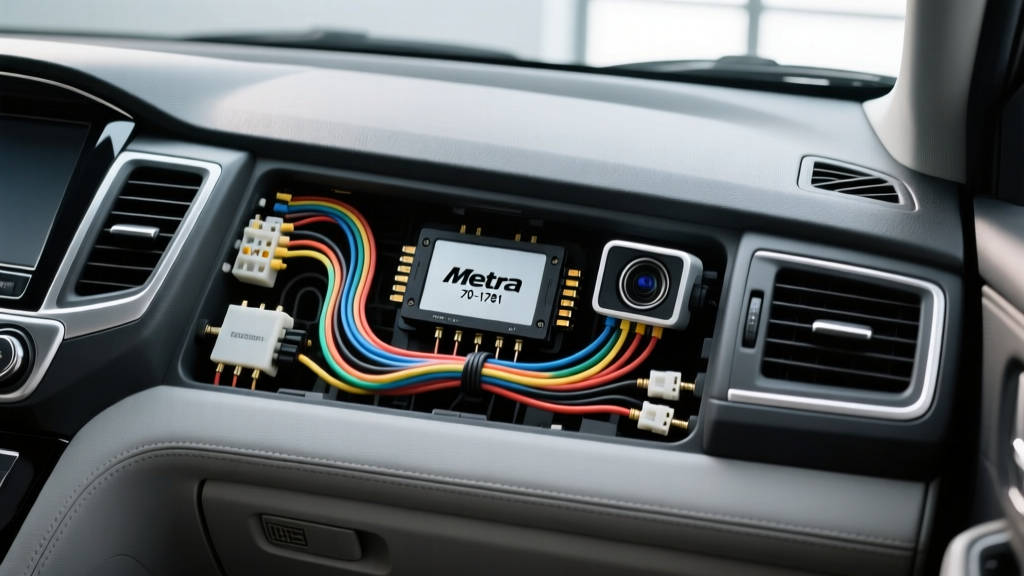
Project Overview: Upgrading with the Metra 70-1761
When executing a comprehensive infotainment and safety upgrade on select 2001-2005 Honda and Acura platforms (including the Civic, Accord, CR-V, RSX, and TL), the Metra 70-1761 receiver wiring harness is the foundational interface. This harness bridges the gap between the vehicle's proprietary 17-pin factory radio connector and the standardized EIA RS-770 color-coded leads of an aftermarket double-DIN head unit. However, simply plugging in the harness is only the first step in a modern upgrade project. To properly integrate a backup camera and a hardwired dash cam, installers must understand how to tap into the 70-1761's power distribution network without introducing voltage drop, ground loop interference, or parasitic battery drain.
This guide details the exact wiring methodology for integrating reverse camera triggers and dash cam hardwire kits using the Metra 70-1761, adhering to SAE J1128 Low Tension Primary Cable standards and ASE Electrical/Electronic Systems (A6) best practices.
Vehicle Compatibility and Harness Anatomy
The Metra 70-1761 is designed for analog, non-amplified Honda/Acura audio systems from the early 2000s. It features a molded 17-pin connector on the vehicle side and a bundle of bare 18 AWG and 22 AWG leads on the radio side. Because these older platforms lack complex CAN-bus data networks for audio wake-up signals, the 70-1761 provides a direct, hardwired +12V Accessory (Red) and +12V Constant (Yellow) feed. This analog simplicity makes it an ideal candidate for splicing in auxiliary camera power and dash cam hardwire modules directly behind the dashboard.
Wire Color and Pinout Reference Chart
Before making any splices for camera integration, verify the EIA standard color codes on your Metra 70-1761 harness against the table below. Always cross-reference with the official Metra 70-1761 spec sheet as manufacturing runs can occasionally vary.
| Wire Color | Function | AWG | Camera/Tech Integration Use |
|---|---|---|---|
| Yellow | +12V Constant (Battery) | 18 AWG | Dash Cam Hardwire VCC (Memory/Parking Mode) |
| Red | +12V Accessory (Ignition) | 18 AWG | Dash Cam Hardwire ACC / Camera Power Relay Coil |
| Black | Chassis Ground | 18 AWG | Dash Cam Ground / Camera Power Ground |
| Blue/White | Amp Turn-On / Accessory | 22 AWG | Can be repurposed to trigger a 12V relay for camera power |
| Orange | Illumination (Dimmer) | 22 AWG | Not typically used for camera systems |
| White / White-Black | Left Front Speaker (+/-) | 22 AWG | N/A |
| Gray / Gray-Black | Right Front Speaker (+/-) | 22 AWG | N/A |
| Green / Green-Black | Left Rear Speaker (+/-) | 22 AWG | N/A |
| Purple / Purple-Black | Right Rear Speaker (+/-) | 22 AWG | N/A |
Integrating the Backup Camera Reverse Trigger
The most common failure point in backup camera installations is an improperly wired reverse trigger. The aftermarket head unit requires a +12V signal on its dedicated 'BACK' or 'REVERSE' input wire (often Purple/White) to automatically switch the display to the camera RCA feed. Furthermore, the camera itself requires a clean 12V power source.
Method 1: Direct Taillight Tap vs. Front-to-Back Trigger Wire
While tapping the reverse light wire at the taillight (typically Green/Black or Red/Blue on 2001-2005 Hondas) provides the physical trigger, running that same wire 15 feet to the dashboard to trigger the head unit is prone to voltage drop and signal degradation. Instead, use a dedicated 20 AWG trigger wire. Run this wire from the reverse light circuit at the rear, through the vehicle's rubber door jamb grommet or underbody harness channel, directly to the head unit's reverse trigger input behind the Metra 70-1761.
Method 2: Utilizing a 12V SPDT Relay for Clean Power
If your backup camera exhibits rolling horizontal lines (ground loop noise) when powered directly from the taillight's PWM (Pulse Width Modulated) or multiplexed circuit, you must isolate the power. Wire a standard Bosch-style 30A SPDT relay behind the dashboard:
- Pin 86 (Coil +): Connect to the dedicated reverse trigger wire run from the taillight.
- Pin 85 (Coil -): Connect to a clean chassis ground.
- Pin 30 (Common): Connect to the +12V Accessory (Red) wire on the Metra 70-1761.
- Pin 87 (Normally Open): Run an 18 AWG wire to the rear of the vehicle to power the backup camera directly.
This configuration ensures the camera receives clean, regulated 12V from the front ignition circuit, completely eliminating taillight-induced ground loops while still activating only when the vehicle is in reverse.
Dash Cam Hardwire Integration via the 70-1761
For a clean dash cam installation that supports parking mode without draining the battery, tapping the Metra 70-1761 behind the radio is vastly superior to using add-a-circuit fuse taps in the under-dash fuse box. The fuse box often shares circuits with critical SRS (airbag) or ABS modules, and tapping them can introduce resistance or void warranties.
Soldering and Tapping the Power Feeds
The dash cam hardwire kit typically terminates in three wires: VCC (Constant), ACC (Switched), and GND. Because the Metra 70-1761 uses 18 AWG GXL wire, you must strip the insulation carefully without nicking the copper strands.
- VCC (Constant 12V): Solder the dash cam's yellow VCC wire to the Metra's Yellow (+12V Constant) wire.
- ACC (Switched 12V): Solder the dash cam's red ACC wire to the Metra's Red (+12V Accessory) wire.
- Termination: Seal all splices with 3:1 marine-grade, adhesive-lined heat shrink tubing. This prevents oxidation and ensures the connection survives the thermal cycling and vibration inherent to automotive environments.
Expert Warning: Never use generic 'T-taps' or 'scotch locks' for dash cam integrations. These pierce the wire insulation, exposing the copper to moisture and causing green corrosion that leads to intermittent camera shutdowns and radio reboots.
Troubleshooting Common Camera & Harness Failures
Even with meticulous wiring, integration issues can arise. Use this diagnostic decision tree to resolve common post-installation anomalies:
- Symptom: Camera displays 'No Signal' when shifted into reverse.
Cause: The head unit's reverse trigger wire is not receiving +12V, or the RCA video cable is unseated.
Fix: Use a digital multimeter (DMM) to probe the head unit's reverse trigger wire while the vehicle is in reverse. If voltage is absent, check the inline fuse on your trigger wire run or verify the taillight tap. - Symptom: High-pitched whining or scrolling bars on the camera feed.
Cause: Ground loop interference caused by the camera and head unit referencing different ground potentials.
Fix: Ensure the head unit's Black ground wire from the 70-1761 is bolted to a bare, unpainted metal chassis point using a star washer. If the issue persists, install a 12V DC Ground Loop Isolator on the camera's power feed or the RCA signal line. - Symptom: Dash cam remains on after the vehicle is turned off, draining the battery.
Cause: The ACC and VCC wires are swapped, or the Honda/Acura accessory circuit retains power due to a retained accessory power (RAP) relay.
Fix: Verify the Metra Red wire drops to 0V within 5 seconds of removing the key. If it stays hot, you may have tapped an illumination or constant circuit by mistake. Re-verify with a DMM.
Final Verification and Looming
Once all camera triggers, RCA shields, and dash cam hardwire splices are complete, wrap the entire Metra 70-1761 harness bundle in split loom tubing or Tesa cloth tape. This prevents the harness from rattling against the HVAC housing or metal dash supports, ensuring a silent, professional-grade installation that meets OEM durability standards.