Vehicle Security: Garage Mains vs. Driveway 12V DC Systems
When securing a vehicle, enthusiasts and fleet managers typically choose between two distinct electrical ecosystems: mounting a smart home camera in the garage or carport, or hardwiring a dedicated automotive dash cam for driveway parking mode. While a Google Nest camera installation is highly effective for enclosed garage monitoring, it relies on 120V AC mains power and Wi-Fi infrastructure. Conversely, an automotive dash cam relies on the vehicle's 12V DC electrical system, requiring precise integration with the fuse box to monitor the perimeter without draining the battery. This guide compares the electrical requirements, wiring methodologies, and failure modes of both systems to help you select the optimal vehicle security solution.
Google Nest Camera Installation: Garage & Carport Configuration
The Google Nest Cam (Wired) requires a continuous 5V DC / 1.5A power supply, typically delivered via the included 25-foot USB-A to Micro-USB/USB-C cable connected to a 120V AC wall adapter. For garage or carport installations, running this low-voltage 5V DC cable over long distances introduces significant voltage drop, leading to camera brownouts and boot loops.
Optimizing the AC to DC Power Run
According to standard electrical principles, pushing 5V DC through standard 22 AWG USB wiring over 30 feet results in a voltage drop exceeding 0.5V, which falls below the Nest Cam's minimum operating threshold. The professional automotive-electrician approach to a Google Nest camera installation in a detached garage or carport is to extend the 120V AC side, not the 5V DC side.
- Conduit & Wire: Run 14 AWG THHN copper wire through 1/2-inch EMT (Electrical Metallic Tubing) or PVC conduit from the main breaker to the camera location.
- Junction Box: Terminate the AC run in a NEMA 4X weatherproof junction box mounted within 3 feet of the camera.
- Step-Down: Plug the OEM 120V-to-5V adapter into a weatherproof outlet inside the box, and use only the short, thick OEM 5V cable to connect to the camera.
Automotive Dash Cam Hardwiring: Parking Mode Integration
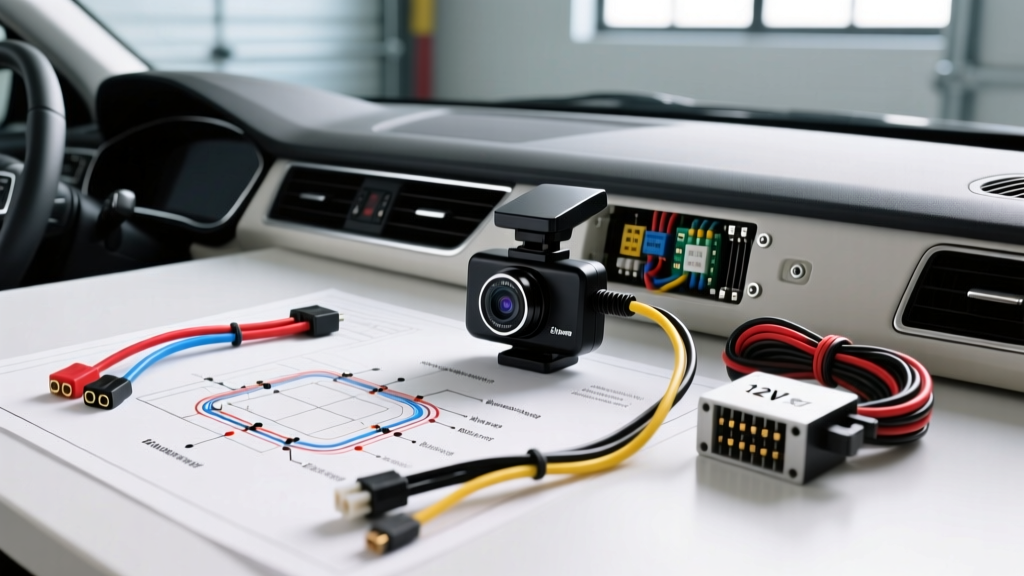
For vehicles parked on the street or in open driveways, a hardwired dash cam with "Parking Mode" (e.g., BlackVue, Thinkware, Garmin) is superior. These systems utilize a hardwire kit (HWK) that connects directly to the vehicle's interior fuse panel, drawing power from the vehicle's 12V lead-acid or AGM battery.
Understanding the 3-Wire Hardwire Kit
Most premium dash cam hardwire kits utilize a 3-wire configuration built with 18 AWG to 20 AWG stranded copper wire, protected by a DC-DC buck converter and an inline voltage monitor. The standard aftermarket wire color code is:
- Red Wire (BATT / Constant 12V): Connects to a circuit that is always hot, even when the ignition is off (e.g., Interior lighting, OBD2 diagnostic port, Hazard flashers). This powers the camera's standby memory and impact sensors.
- Yellow Wire (ACC / Switched 12V): Connects to a circuit that only receives power when the ignition is in the ON or ACCESSORY position (e.g., Windshield wipers, 12V cigarette lighter, Radio). This tells the camera when to start recording and when to enter parking mode.
- Black Wire (GND): Must be secured to a bare, unpainted chassis metal point using an M6 or M8 ring terminal.
The CAN Bus Sleep Problem & OBD2 Alternatives
Modern vehicles (2018+) feature complex CAN bus networks that may remain awake for hours if a circuit is improperly tapped. Tapping directly into an ECU or infotainment fuse can cause parasitic draws exceeding 500mA. For these vehicles, utilizing an OBD2 port hardwire cable is often safer. The OBD2 port provides verified Constant 12V (Pin 16) and Chassis Ground (Pin 4), bypassing the need to probe the interior fuse panel. However, you must still use a hardwire kit with an active voltage monitor to prevent battery depletion, as detailed in Bosch Automotive Electronics guidelines regarding modern vehicle power management systems.
Technical Specification & Wiring Comparison Chart
| Specification | Google Nest Cam (Garage Install) | Hardwired Automotive Dash Cam |
|---|---|---|
| Primary Power Source | 120V AC Mains (Stepped down to 5V DC) | Vehicle 12V DC Battery System |
| Operating Voltage | 5.0V DC (Tolerance: 4.8V - 5.2V) | 12.0V - 14.4V DC (Cut-off at 12.0V) |
| Wire Gauge (AWG) | 14 AWG (AC Run) / 20 AWG (OEM DC Cable) | 18 AWG to 20 AWG Stranded (Hardwire Kit) |
| Overcurrent Protection | 15A/20A AC Breaker (Mains Panel) | 2A to 5A ATO/Micro2 Fuse Tap (Inline) |
| Standby Current Draw | ~1.5A at 5V (Continuous AC draw) | ~2mA to 5mA at 12V (Sleep/Parking Mode) |
| EMI / EMC Compliance | FCC Part 15 (Consumer Electronics) | SAE J1113 / CISPR 25 (Automotive EMI) |
Step-by-Step Automotive Dashcam Hardwire Installation
To install a parking-mode dash cam without triggering parasitic battery drain or CAN bus faults, follow these precise electrical steps:
- Circuit Identification: Use a digital multimeter (DMM). With the vehicle OFF, probe the fuse panel to find a Constant 12V source for the Red wire. Turn the ignition to ACCESSORY and find a circuit that jumps to 12V for the Yellow wire. Avoid airbag (SRS), ECU, or CAN bus communication circuits to prevent SAE J1113 electromagnetic interference issues.
- Fuse Tap Selection: Select the correct Add-A-Circuit fuse tap (Micro2, Low Profile Mini, or ATO). Insert the original OEM fuse into the bottom slot (closest to the pins) and a new 2A or 3A fuse for the camera into the top slot. This ensures the camera circuit is independently protected and does not overload the OEM ECU circuit.
- Chassis Grounding: Strip the Black wire and crimp on an M6 ring terminal. Locate a factory grounding bolt on the vehicle's A-pillar or kick panel. Remove the bolt, sand away any paint or clear coat to expose bare steel, attach the terminal, and re-torque to 10 Nm. A poor ground will cause the camera's DC-DC buck converter to whine and output unstable 5V DC.
- Voltage Cut-off Calibration: Set the hardwire kit's low-voltage cutoff switch to 12.2V. This ensures the camera shuts down before the vehicle's battery drops below the threshold required to crank the starter motor.
Common Failure Modes & Troubleshooting
Nest Cam Garage Installation Failures
- Symptom: Camera frequently reboots or drops offline during night vision activation.
- Cause: Infrared (IR) LEDs draw peak current (up to 1.5A). If a thin, extended 5V USB cable is used, the voltage drops below 4.7V at the camera's logic board during IR activation.
- Fix: Eliminate 5V extension cables. Run 120V AC to a local NEMA 4X junction box and use the OEM power adapter.
Automotive Dash Cam Parking Mode Failures
- Symptom: Dash cam stays on continuously after the engine is turned off, draining the battery overnight.
- Cause: The Red (Constant) and Yellow (Switched) wires are swapped at the fuse box, or the chosen "Switched" circuit is a modern CAN bus "keep-awake" module that stays powered for 30+ minutes after ignition off.
- Fix: Swap the fuse taps. Verify with a DMM that the Yellow wire drops to 0V within 5 minutes of turning the ignition off and closing all doors.
Conclusion: Selecting the Right System
A Google Nest camera installation is the undisputed choice for comprehensive garage monitoring, provided the 120V AC infrastructure is properly routed to avoid 5V DC voltage drop. However, for vehicles parked on public streets, in open driveways, or in shared lots, a hardwired automotive dash cam utilizing a 3-wire fuse tap integration provides superior, localized perimeter security. By respecting AWG limitations, utilizing proper Add-A-Circuit topology, and adhering to automotive grounding standards, you can deploy either system with professional-grade reliability.