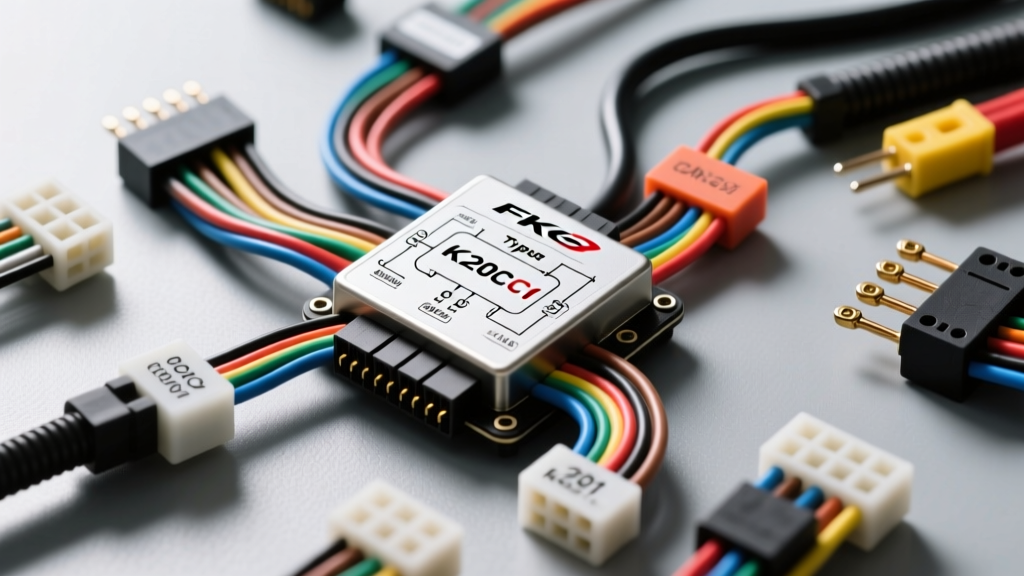
Understanding the FK8 K20C1 Electrical Architecture
Installing aftermarket electronics, data loggers, or standalone engine management systems in the 2017-2021 Honda Civic Type R requires a thorough understanding of the FK8 Type R wiring diagram. Unlike older Honda platforms that relied heavily on simple analog signals, the FK8 utilizes a complex Bosch MED17.9.3 ECU paired with a Multiplex Integrated Control Unit (MICU). The vehicle communicates via dual Controller Area Network (CAN) buses: the high-speed F-CAN (powertrain) and the lower-speed B-CAN (body and comfort modules).
When tapping into the FK8 Type R wiring diagram for an aftermarket digital dash, boost controller, or ECU flash interface, you must respect the strict impedance and voltage tolerances of the Bosch MED17. A poor splice or incorrect wire gauge can introduce electromagnetic interference (EMI), leading to ghost codes, limp mode, or complete ECU failure. This practical how-to guide will walk you through safely accessing, identifying, and splicing into the FK8’s critical data and sensor networks.
Essential Tools and Wiring Materials
Before cutting into any factory harness, gather the correct materials. The FK8’s high-speed data lines require specific wiring to maintain signal integrity.
- Wire: 22 AWG Shielded Twisted Pair (STP) for all CAN-bus connections. Use 18 AWG TXL (cross-linked polyethylene) wire for 12V power and ground taps.
- Connectors: Deutsch DT series or sealed Sumitomo connectors for any sensors routed to the engine bay. Avoid standard vinyl butt connectors.
- Splicing Tools: Posi-Taps (for non-destructive testing) or a temperature-controlled soldering station with marine-grade adhesive-lined heat shrink (3:1 shrink ratio).
- Testing Equipment: A digital multimeter (DMM) capable of reading DC millivolts and resistance, plus a logic probe or oscilloscope for verifying CAN-H and CAN-L square waves.
Step 1: Safe Power Isolation on the FK8
The FK8 Type R is equipped with highly sensitive SRS (airbag) modules and an AGM-style battery management system. Disconnecting the battery incorrectly or working on a "hot" harness can trigger SRS fault codes that require a dealer-level HDS (Honda Diagnostic System) scan tool to clear.
- Turn the ignition OFF and remove the key fob from the vehicle interior.
- Open the hood and locate the positive and negative terminals on the engine bay battery.
- Disconnect the negative (-) terminal first, followed by the positive (+) terminal.
- Critical Wait Time: Wait a minimum of 10 minutes. This allows the MICU and SRS backup capacitors to fully discharge, preventing accidental airbag deployment and protecting the Bosch ECU from voltage spikes during your splicing work.
Step 2: Accessing the OBD2 and ECU Harnesses
For most aftermarket data loggers and CAN-bus dashes, the OBD2 port provides the cleanest access to the F-CAN network without needing to pull the entire engine bay wiring harness. According to Honda OEM Service Information, the OBD2 Data Link Connector (DLC) is located under the driver-side dashboard.
- Use a plastic trim removal tool to pop the lower driver-side kick panel cover.
- Remove the two 10mm bolts securing the lower dash trim beneath the steering column.
- Gently pull the trim panel downward, releasing the metal tension clips.
- Locate the 16-pin OBD2 DLC. You will see the main harness zip-tied to a metal bracket. Carefully cut the zip-tie to give yourself 6-8 inches of working slack.
Step 3: Identifying F-CAN Lines and Pinout Reference
The F-CAN network operates at 500 kbps and carries vital powertrain data (RPM, MAP, TPS, ECT). Below is the pinout table for the FK8 OBD2 port, which is the safest place to tap the CAN network for aftermarket accessories. Always verify these colors with a multimeter, as Honda occasionally updates sub-harness colors mid-production year.
| OBD2 Pin | Function | Typical Wire Color | Recommended Tap AWG |
|---|---|---|---|
| 6 | F-CAN High (CAN-H) | Red / White Stripe | 22 AWG STP |
| 14 | F-CAN Low (CAN-L) | White / Red Stripe | 22 AWG STP |
| 4 | Chassis Ground | Black | 18 AWG TXL |
| 5 | Signal Ground | Brown | 18 AWG TXL |
| 16 | Battery Positive (Ignition Switched) | White / Green Stripe | 18 AWG TXL |
Step 4: Splicing Techniques for High-Speed Data
Never use "scotch locks" or cheap T-taps on the FK8’s CAN-bus. These pierce the wire insulation unevenly, allowing moisture ingress and altering the twisted pair geometry, which changes the impedance and causes data packet loss. The SAE J2284 CAN-Bus Standard strictly dictates that high-speed CAN lines must remain a twisted pair with a characteristic impedance of 120 ohms.
The Military Splice Method:
- Strip back 1.5 inches of the outer jacket on your 22 AWG STP wire, but do not untwist the inner pair more than necessary (keep untwisted length under 1 inch).
- Carefully slice the insulation of the factory CAN-H and CAN-L wires longitudinally (about 1/2 inch) without nicking the copper strands.
- Wrap your aftermarket wire tightly around the exposed factory copper, then fold it back and solder the joint using rosin-core solder.
- Cover the joint with 3:1 adhesive-lined heat shrink. The adhesive will melt and seal the connection against moisture and vibration.
Step 5: Tapping Analog Sensors (TMAP and ECT)
If your installation requires direct analog sensor readings (e.g., for a standalone boost gauge or water/meth injection controller), you will need to tap the K20C1’s TMAP (Temperature Manifold Absolute Pressure) sensor located on the intake manifold. The K20C1 uses a Bosch-style 4-pin TMAP sensor combining IAT and MAP signals.
| TMAP Pin | Function | Wire Color (ECU Side) | Voltage Range |
|---|---|---|---|
| 1 | IAT Signal | Red / Yellow | 0.5V - 4.5V |
| 2 | IAT Sensor Ground | Green / Black | N/A (Ground) |
| 3 | MAP Signal | Red / Green | 0.5V - 4.8V |
| 4 | MAP 5V Reference | Yellow / Red | 5.0V Constant |
Note: Always verify pinouts using a back-probe and a DMM. Referencing the official Helm Incorporated Service Manuals is highly recommended before piercing any sensor wires, as tapping the 5V reference wire incorrectly can pull the voltage down and cause the ECU to throw a P0107 (MAP Circuit Low) code.
Troubleshooting Common FK8 CAN-Bus Faults
If your aftermarket dash or logger fails to communicate, or if the FK8 throws a U-code (e.g., U0100 - Lost Communication with ECM/PCM), follow this diagnostic tree:
- Check Termination Resistance: With the battery disconnected, set your multimeter to Ohms. Measure between OBD2 Pin 6 (CAN-H) and Pin 14 (CAN-L). You should read exactly 60 ohms. If you read 120 ohms, one of the network's termination resistors (located inside the ECU and the MICU) has dropped off the network due to a broken wire or bad splice.
- Verify Voltage Levels: Reconnect the battery and turn the ignition to the ON position (engine off). Measure DC voltage from CAN-H to ground (should be ~2.6V) and CAN-L to ground (should be ~2.4V). If both read 12V or 0V, you have a short to power or ground.
- Inspect Twisted Pair Geometry: Ensure your aftermarket STP wire is still tightly twisted all the way to the solder joint. Untwisted CAN wires act as antennas, picking up EMI from the FK8’s high-output alternator and direct injection ignition coils.
Final Routing and Reassembly
Once all splices are verified and heat-shrunk, route your new wiring harness away from high-heat sources like the K20C1’s turbocharger heat shield and the exhaust manifold. Use split-loom tubing and secure the harness to factory wire looms using UV-resistant zip ties or Tesa tape. Reinstall the driver-side kick panel, reconnect the battery (positive first, then negative), and clear any residual MICU codes using an OBD2 scanner. By strictly adhering to the FK8 Type R wiring diagram and utilizing proper aerospace-style splicing techniques, your installation will remain reliable, safe, and free of ghost electrical gremlins.