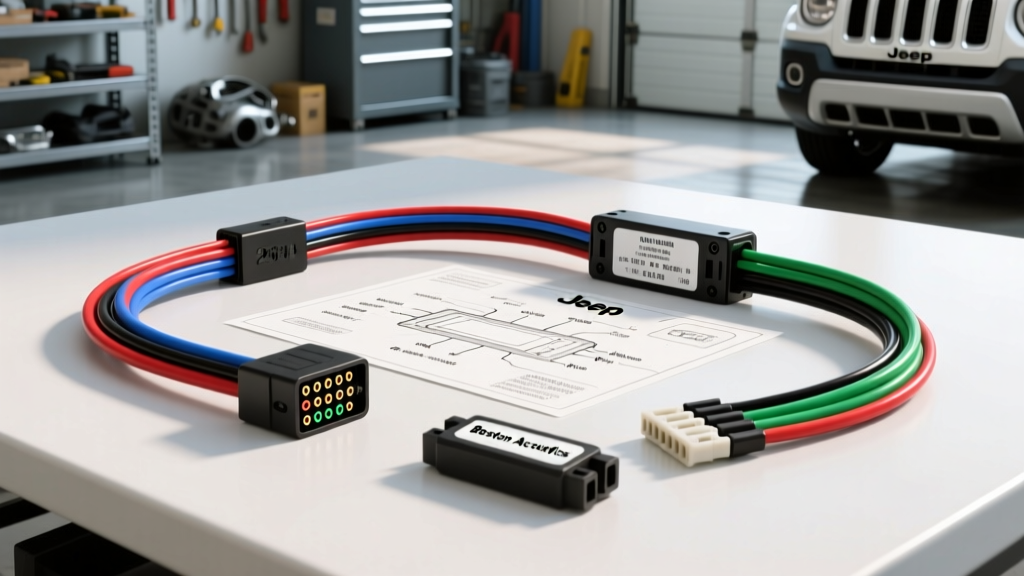
Decoding the 2014 Jeep Patriot Radio Wiring Diagram
Upgrading the head unit in a 2014 Jeep Patriot requires more than just a standard DIN swap; it demands a thorough understanding of Chrysler's multiplexed CAN-bus network and proprietary connector layouts. Whether your Patriot is equipped with the base 4-speaker AM/FM/CD unit, the Uconnect infotainment system, or the premium Boston Acoustics amplified setup, the factory radio relies on digital data signals to manage power states, steering wheel controls, and vehicle chimes.
This guide breaks down the exact OEM wiring schematic, compares the top aftermarket wiring harness solutions on the market, and provides actionable technical data to ensure your installation avoids common pitfalls like parasitic battery drains and lost door-ajar chimes.
OEM C2 and C3 Connector Pinout Architecture
The 2014 Jeep Patriot utilizes a dual-connector setup at the back of the factory radio: a 22-pin (C2) connector for power, ground, and data, and a 10-pin (C3) connector dedicated to speaker outputs. Understanding these pinouts is critical before selecting an aftermarket interface.
2014 Patriot C2 (22-Pin) Power & Data Table
| Pin | Wire Color | Function | Technical Notes |
|---|---|---|---|
| 1 | Red/White | Fused B+ (Constant 12V) | Memory circuit; 16 AWG |
| 2 | Red/White | Fused B+ (Constant 12V) | Secondary memory / high current |
| 7 | Black/Light Green | Chassis Ground | Must be secured to bare metal |
| 9 | White | CAN-I Bus (+) | Interior network (125 kbps) |
| 10 | Yellow | CAN-C Bus (+) | High-speed network (500 kbps) |
| 11 | Orange/Gray | Illumination | PWM dimming signal from BCM |
| 14 | Pink/Yellow | Fused Ignition (Run/Start) | Switched 12V source |
2014 Patriot C3 (10-Pin) Speaker Output Table
| Pin | Wire Color | Speaker Location | Polarity |
|---|---|---|---|
| 1 | Dark Green | Front Left | Positive (+) |
| 2 | Dark Green/Black | Front Left | Negative (-) |
| 3 | Violet | Front Right | Positive (+) |
| 4 | Violet/Dark Gray | Front Right | Negative (-) |
| 5 | Brown/White | Rear Left | Positive (+) |
| 6 | Brown | Rear Left | Negative (-) |
| 7 | Dark Green/White | Rear Right | Positive (+) |
| 8 | Dark Green/Black | Rear Right | Negative (-) |
Harness Selection Guide: Standard vs. CAN-Bus Data Modules
Choosing the correct wiring harness is the most critical decision in your upgrade path. The 2014 Patriot's Body Control Module (BCM) dictates Retained Accessory Power (RAP), steering wheel controls (SWC), and warning chimes via the CAN-I bus. Below is a technical comparison of the three primary harness categories available for this platform.
1. Metra 70-6523 (Base Audio / Non-Amplified Systems)
Best For: Budget builds on base-model Patriots without steering wheel controls or premium amplifiers.
Technical Profile: This is a standard plug-and-play harness that maps the OEM C2/C3 pins to standard EIA color codes. It includes a 12V accessory wire (Red) and a constant 12V wire (Yellow).
Limitations: Because it lacks a CAN-bus translator, the vehicle's BCM will not recognize the aftermarket radio. This results in the loss of the factory door-ajar chime, and the radio will not auto-power-off when the key is removed (RAP loss). You must manually wire the Red accessory wire to the ignition fuse in the TIPM (Totally Integrated Power Module) to prevent battery drain.
2. Axxess AX-CHY-04 (Data Interface & SWC Retention)
Best For: Drivers who want to retain OEM steering wheel controls and vehicle chimes without splicing into the BCM.
Technical Profile: The AX-CHY-04 is an active data module. It intercepts the CAN-I (White) and CAN-C (Yellow) data lines, translating the digital BCM commands into analog resistance signals for aftermarket SWC interfaces (like the Axxess ASWC-1). Furthermore, it generates a synthetic 12V accessory output and a dedicated amplifier remote turn-on (Blue/White) triggered by the CAN-bus wake signal.
Installation Note: Requires programming via the Axxess mobile app or built-in auto-detect sequence upon initial power-up.
3. PAC RP4-CH11 (Premium Amplified Bypass & Data Retention)
Best For: 2014 Patriots equipped with the Boston Acoustics premium audio system and factory navigation.
Technical Profile: The factory Boston Acoustics amplifier requires a differential balanced audio signal, which standard aftermarket radios cannot provide natively. The RP4-CH11 features a built-in line-level converter and data translator. It steps down the high-level speaker outputs from the new head unit, balances the signal, and feeds it to the factory amp via the OEM C3 connector, while simultaneously retaining CAN-bus chimes and RAP.
The Boston Acoustics Premium Audio Bypass Strategy
If your 2014 Patriot features the Boston Acoustics upgrade (identifiable by the 6x9-inch front door speakers and a subwoofer in the rear hatch), you have two wiring paths:
Path A: Retain the Factory Amplifier
Use the PAC RP4-CH11 mentioned above. This is the fastest route but limits your audio tuning capabilities, as you are forced to rely on the factory amp's internal crossovers and EQ curves.
Path B: Bypass the Factory Amplifier (Recommended for Audio Quality)
For high-fidelity aftermarket setups, bypassing the factory amp is mandatory. The Boston Acoustics amp is located behind the rear passenger-side trim panel. To bypass it:
- Cut the speaker wires at the factory amp harness.
- Run new 16 AWG Oxygen-Free Copper (OFC) speaker wire from your aftermarket head unit (or external DSP/amplifier) directly to the speaker locations.
- Front Doors: Route the new 16 AWG wire through the firewall, under the dash, and through the A-pillar into the rubber door jamb boot. Use a silicone-based wire lubricant to prevent tearing the OEM rubber grommet.
- Rear Hatch: The subwoofer wiring runs through the top hatch hinge. Use 14 AWG wire if you are installing an aftermarket powered subwoofer enclosure in this location.
Warning: Bypassing the factory amp will eliminate the factory subwoofer output unless you run a dedicated RCA signal and remote turn-on wire to the rear of the vehicle.
Installation Standards & Real-World Troubleshooting
According to Metra Electronics installation guidelines and SAE wiring standards, relying on 'T-taps' or twist-tape connections in modern CAN-bus vehicles is a recipe for failure. Always use adhesive-lined polyolefin heat shrink tubing or crimp-and-solder connectors when mating an aftermarket pigtail to a data module.
Troubleshooting Matrix: Common Patriot Wiring Failures
| Symptom | Root Cause | Technical Fix |
|---|---|---|
| Parasitic Battery Drain (Overnight) | Aftermarket radio not sending 'sleep' command; BCM stays awake. | Verify CAN-I (White) and CAN-C (Yellow) are not crossed. Ensure data module firmware is updated. |
| Radio Turns Off When Cranking Engine | Radio wired to 'Run' instead of 'Accessory' circuit. | Move Red accessory wire to a true ACC circuit in the TIPM, or use a CAN-bus module's generated ACC wire. |
| Alternator Whine in Speakers | Ground loop between radio chassis and OEM amp ground. | Ensure all grounds are sanded to bare metal. Use a 12V DC ground loop isolator on RCA cables if bypassing the amp. |
| Loss of Turn Signal / Door Chimes | Standard harness used; speaker-level chime integration missing. | Upgrade to Axxess AX-CHY-04 or PAC RP4-CH11 to synthesize chimes through the front left speaker. |
Final Wiring Verification Checklist
Before sliding the new head unit into the dash and snapping the trim bezel into place, perform a multimeter continuity and voltage test. With the ignition ON, verify that the switched 12V source reads between 13.5V and 14.2V (alternator charging). With the ignition OFF and the driver's door open, verify that the CAN-bus module powers down completely within 45 seconds (the standard Chrysler BCM sleep timer). For further reference on Chrysler multiplexed networks, consult the the12volt.com CAN-bus diagnostic archives and your specific harness manufacturer's instruction sheet.