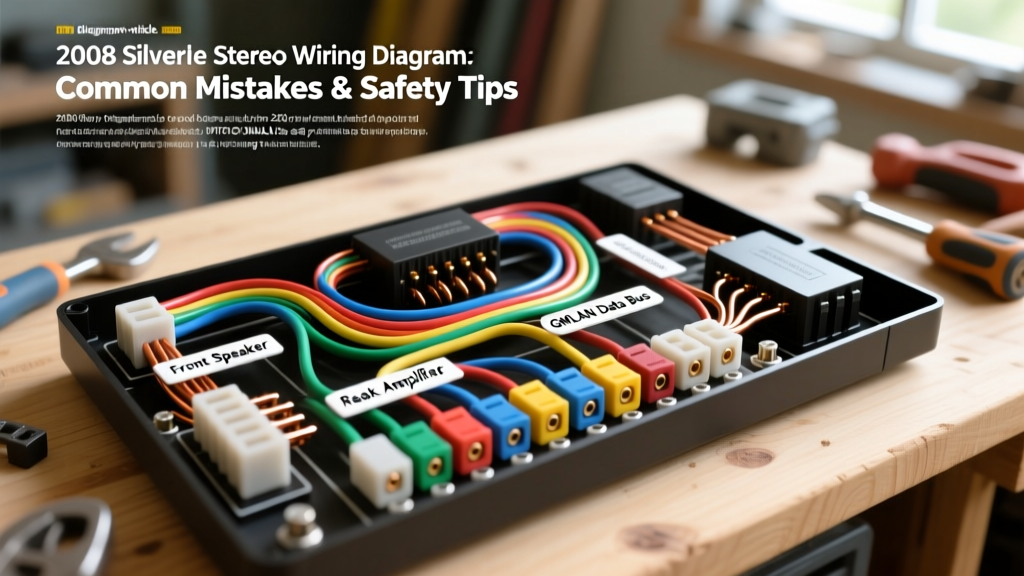
The GMT900 Electrical Architecture: Why the 2008 Silverado is Different
Upgrading the audio system in a GMT900 platform truck requires a fundamental shift in how you approach automotive electrical work. When enthusiasts search for a 2008 Silverado stereo wiring diagram, they often expect to find a simple 12V constant, a 12V switched ignition wire, and a ground. However, General Motors completely overhauled the electrical architecture for this generation. The 2008 Chevy Silverado relies heavily on the Body Control Module (BCM) and a GMLAN (General Motors Local Area Network) data bus to manage radio wake-up signals, Retained Accessory Power (RAP), and vehicle chimes.
Treating this vehicle like an older GMT800 model is the fastest way to drain your battery, trigger a Check Engine Light, or permanently disable your dashboard warning chimes. This guide outlines the critical safety warnings, common installation mistakes, and exact pinout specifications required to safely integrate an aftermarket head unit or amplifier into your 2008 Silverado.
Critical Safety Warnings Before Splicing
Before uncrimping a single terminal, you must adhere to strict automotive electrical safety protocols to protect both yourself and the truck's sensitive multiplexed networks.
- SIR (Airbag) System Proximity: The wiring harness behind the Silverado's dashboard shares routing paths with the Supplemental Inflatable Restraint (SIR) system. SIR wires are always encased in yellow looms or feature yellow connectors. Never probe, splice, or apply test lights to yellow wires. A short circuit here can deploy the airbags or set permanent SRS codes.
- Capacitor Discharge Wait Time: Disconnect the negative battery terminal and wait a minimum of 10 minutes before working near the dash. This allows the Sensing Diagnostic Module (SDM) capacitors to discharge, preventing accidental deployment and protecting the BCM from voltage spikes during reconnection.
- Avoid T-Taps on Data Buses: Never use Scotchlok T-taps on the GMLAN twisted pair. T-taps introduce parasitic capacitance and alter the impedance of the twisted pair, leading to data packet loss, U-codes (communication DTCs), and erratic BCM behavior.
Top 4 Wiring Mistakes on the 2008 Silverado
Mistake 1: Hunting for a Phantom 12V Switched Ignition Wire
The most frequent error documented in GMT900 forums is the desperate search for a pink or yellow 12V switched ignition wire at the radio harness. It does not exist. The 2008 Silverado radio is woken up via a digital signal on the GMLAN data bus. When installers cannot find a switched 12V source, they often tap into the cigarette lighter fuse or the ignition switch cylinder harness. This bypasses the BCM's Retained Accessory Power (RAP) logic, meaning your aftermarket radio will instantly shut off when you turn the key to the 'Accessory' position, or worse, cause a parasitic draw that kills your battery overnight.
Mistake 2: Severing the GMLAN Data Bus
The GMLAN bus consists of a twisted pair of wires (typically Green/White and Brown/White). Some installers, mistaking these for unused illumination or dimmer circuits, cut or cap them. Severing the GMLAN bus at the radio connector breaks the network topology. This results in the loss of OnStar functionality, steering wheel audio controls, and critically, the driver's door chime (which warns you if you leave the headlights on or the door ajar).
Mistake 3: Bypassing the Factory Amplifier Enable Circuit
If your 2008 Silverado is equipped with the premium Bose audio system (RPO Y91) or the external factory amplifier, the head unit does not send pre-amp level signals directly to the speakers. Instead, it sends a digital audio signal or low-level balanced audio, and relies on an Amplifier Enable wire to wake the external amp. Failing to trigger this circuit with an aftermarket interface will result in a powered-on stereo with zero audio output.
Mistake 4: Poor Chassis Grounding Causing Alternator Whine
Alternator whine in a Silverado is rarely a ground loop isolator issue; it is almost always a poor ground connection. Grounding your aftermarket head unit or amplifier to a painted seatbelt anchor bolt or a zinc-plated dash brace creates a high-resistance ground. As the alternator's AC ripple voltage seeks the path of least resistance, it travels through your audio shield grounds. You must sand the chassis down to bare, untreated steel, use a properly crimped 16 AWG ring terminal, and seal it with dielectric grease to prevent oxidation.
2008 Silverado Radio Harness Pinout & Color Code Reference
The 2008 Silverado utilizes a primary 24-pin GM radio connector (C1). Below is the critical pinout data for the main power, ground, and data circuits. Always verify with a digital multimeter (DMM) before making connections, as mid-year production changes can occasionally alter wire colors.
| Pin | Function | Wire Color | AWG |
|---|---|---|---|
| 1 | +12V Battery (Constant) | Red / White Stripe | 16 AWG |
| 13 | Main Ground | Black / White Stripe | 16 AWG |
| 14 | GMLAN Low (Data -) | Brown / White Stripe | 20 AWG (Twisted) |
| 15 | GMLAN High (Data +) | Green / White Stripe | 20 AWG (Twisted) |
| 16 | Amplifier Enable (Turn-On) | Blue / White Stripe | 18 AWG |
| 2 | Left Front Speaker (+) | Tan | 18 AWG |
| 3 | Left Front Speaker (-) | Gray | 18 AWG |
| 6 | Right Front Speaker (+) | Light Green | 18 AWG |
| 7 | Right Front Speaker (-) | Dark Green | 18 AWG |
Note: Speaker wire colors may vary slightly if the vehicle is equipped with the Bose amplifier package, as the Bose system utilizes different impedance loads and active noise cancellation (ANC) microphones.
Data Bus & Retained Accessory Power (RAP) Solutions
To safely extract a 12V switched signal and retain factory features without splicing into the BCM, you must use a GMLAN-compatible data interface module. Industry-standard modules like the Axxess GMOS-LAN-04 or the PAC RP5-GM11 plug directly inline with the 24-pin factory harness. These modules read the digital GMLAN wake-up commands and output a clean, isolated 12V switched wire (usually Red) and an Amplifier turn-on wire (usually Blue/White) for your aftermarket stereo.
Furthermore, these interfaces include a built-in chime retention circuit. The 2008 Silverado routes the driver's door chime through the left-front audio channel. A proper interface module captures the BCM's chime data and plays it through a localized speaker or injects it into the aftermarket amplifier's pre-amp inputs, ensuring you never lose critical safety warnings. For deeper integration standards, refer to the GM Upfitter Electrical Guidelines, which detail the strict parameters for tapping into GM multiplexed networks.
AWG Wire Sizing and Terminal Crimping Standards
When extending wires or building custom harnesses for your 2008 Silverado, adhere to SAE J1113 and SAE J1128 standards for low-tension automotive primary wire.
- Main Power/Ground: Use 16 AWG stranded copper wire. The factory harness uses 16 AWG for the main 12V and Ground pins. Stepping down to 18 AWG will cause voltage drop, leading to the head unit rebooting when the bass hits.
- Speaker Outputs: 18 AWG is standard. If you are running high-power aftermarket amplifiers directly from the head unit's internal 50W x 4 IC chip, 16 AWG is recommended to minimize damping factor loss over long runs to the rear doors.
- Data Bus Splicing: If you must repair a broken GMLAN wire, you must maintain the twisted pair geometry. Strip the wires, solder them using a staggered Western Union splice (so the bare solder joints do not overlap and short), and seal them with adhesive-lined marine heat shrink. Never use twist-caps or electrical tape on data bus wires.
For comprehensive, model-year-specific teardown procedures and multimeter testing flows, the Haynes GM Full-Size Trucks Repair Manual remains an essential bench reference for verifying BCM pinouts and ground distribution block locations under the Silverado's driver-side kick panel.