2008 Dodge Ram Radio Wiring Harness Overview
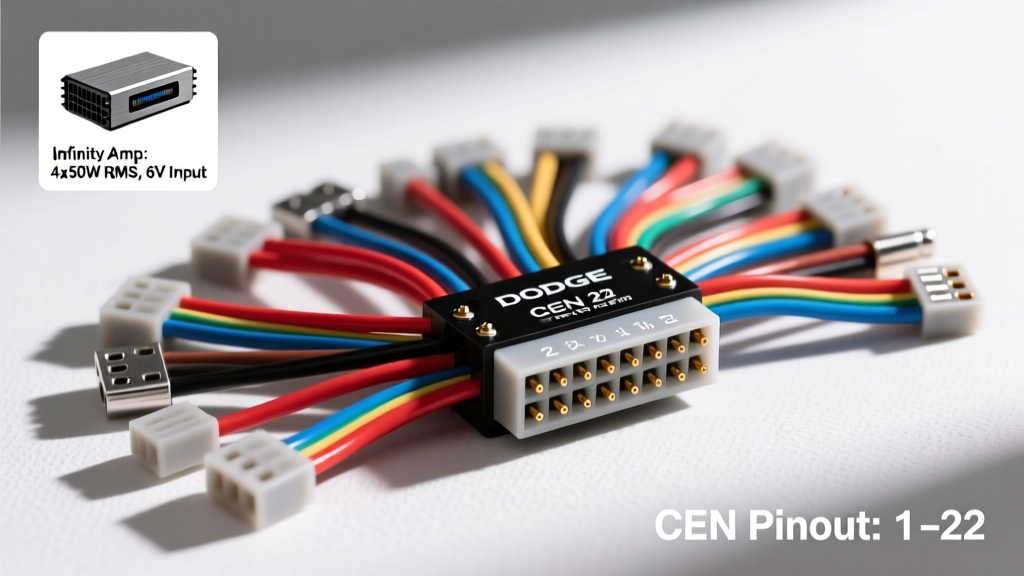
When integrating aftermarket electronics or diagnosing factory audio faults, referencing an accurate 2008 Dodge Ram radio wiring harness diagram is critical. The 2008 model year (part of the third-generation DH/D1 platform) utilizes Chrysler's standardized CEN (Chrysler Electronic Nexus) 22-pin connector for base audio systems, alongside a secondary harness for CAN-C bus communication and premium audio control. Understanding the exact pinout, wire gauge (AWG), and color codes prevents catastrophic shorts to the Totally Integrated Power Module (TIPM) and ensures proper CAN bus network termination.
Understanding the Chrysler CEN 22-Pin Connector
The primary power and speaker-level audio signals are routed through the gray 22-pin CEN connector. This Molex-designed housing features a secondary locking tab and terminal position assurance (TPA) comb. The speaker circuits utilize 18 AWG stranded copper, while the main battery (B+) and ignition feeds utilize 16 AWG to handle the continuous memory and wake-up current draws. The ground circuit is 14 AWG, terminating at chassis ground point G201 located behind the left kick panel.
Complete 2008 Dodge Ram Radio Wiring Pinout Table (Base Audio)
The following table details the standard base-audio 22-pin CEN connector pinout. Always verify with a digital multimeter (DMM) before splicing, as mid-year production changes or previous owner modifications can alter standard OEM color codes.
| Pin | Wire Color | Function | AWG |
|---|---|---|---|
| 1 | Dark Blue / White | Right Rear Speaker (+) | 18 |
| 2 | Dark Blue / Orange | Right Rear Speaker (-) | 18 |
| 3 | Purple | Right Front Speaker (+) | 18 |
| 4 | Purple / White | Right Front Speaker (-) | 18 |
| 7 | Dark Green | Left Front Speaker (+) | 18 |
| 8 | Dark Green / Red | Left Front Speaker (-) | 18 |
| 9 | Brown | Left Rear Speaker (+) | 18 |
| 10 | Brown / White | Left Rear Speaker (-) | 18 |
| 13 | Pink | Fused Battery 12V+ (IOD) | 16 |
| 14 | Dark Green / Red | Fused Ignition (Run/Start) | 16 |
| 15 | Orange / Dark Blue | Panel Illumination | 18 |
| 16 | Black / Light Green | Chassis Ground | 14 |
Infinity Premium Audio System Wiring Differences
If your 2008 Dodge Ram is equipped with the factory Infinity premium audio system, the head unit does not output amplified speaker-level signals. Instead, it acts as a source controller, outputting low-level (line-level) analog signals via shielded twisted-pair cables to an external amplifier. This external amplifier is typically mounted to the rear cab wall or under the rear seat in Mega Cab configurations.
Amplifier Turn-On and CAN-C Bus Integration
The Infinity amplifier requires a dedicated high-current 12V+ feed (usually 10 AWG directly from the TIPM) and a heavy chassis ground. The head unit triggers the amplifier via a dedicated turn-on circuit. Furthermore, the radio integrates with the vehicle's CAN-C (High Speed) network to manage steering wheel audio controls, EVIC (Electronic Vehicle Information Center) chime routing, and anti-theft protocols.
| Connector / Pin | Wire Color | Function | Network / Type |
|---|---|---|---|
| 10-Pin / Pin 1 | White / Light Green | CAN-C Bus (+) | High Speed Data (20 AWG) |
| 10-Pin / Pin 2 | White / Dark Green | CAN-C Bus (-) | High Speed Data (20 AWG) |
| 10-Pin / Pin 3 | Dark Green / White | Amplifier Turn-On | 12V Trigger (18 AWG) |
| 10-Pin / Pin 5 | Dark Green / Orange | Mute Signal | Logic Level |
Common Wiring Faults and Diagnostic Procedures
Diagnosing electrical faults in the 2008 Ram audio system requires a systematic approach. Below is a symptom-cause-fix decision tree for the most prevalent failures documented in Chrysler Factory Service Manuals and technical service bulletins (TSBs).
Symptom: Radio Completely Dead / No Wake-Up
- Cause 1: Blown IOD (Ignition Off Draw) fuse in the TIPM. The Pink 12V+ wire (Pin 13) shares a fuse circuit with interior lighting. Fix: Inspect TIPM fuse J13 (20A). Check for a short to ground in the dome light wiring.
- Cause 2: CAN-C bus communication timeout (DTC U0184 - Lost Communication With Radio). If the radio cannot see the CAN network, it will not wake up from sleep mode. Fix: Measure resistance across CAN-C (+) and (-) at the OBD-II port (Pins 6 and 14). It should read exactly 60 ohms. If 120 ohms, a terminating resistor or module is offline. If 0 ohms, the bus is shorted.
Symptom: Intermittent Audio Cut-Out or Static
- Cause 1: Terminal fretting corrosion in the CEN connector. Fix: Disconnect the battery. Inspect the 22-pin female terminals for 'pin spread'. Use a terminal drag tester; if the pin slides out without resistance, replace the pigtail using a Molex crimp tool and heat-shrink solder splices.
- Cause 2: Chafing behind the HVAC housing. The main dash harness routes tightly behind the radio and HVAC control head. Fix: Remove the radio bezel and inspect the harness loom for abrasion against the metal dash support bracket. Wrap in Tesa tape and secure with a zip tie.
Symptom: Display Backlighting Failure
- Cause: Loss of the Orange/Dark Blue illumination feed (Pin 15). This circuit is driven by the parking lamp relay. Fix: Verify 12V at Pin 15 with the headlight switch in the 'Park' or 'On' position. If voltage is missing, check the splice pack located under the driver's side dash near the emergency brake pedal.
Installation and Torque Specifications
When reinstalling the radio or an aftermarket DIN adapter bracket, proper hardware torque is essential to prevent rattling and ensure the chassis ground strap maintains continuity. The factory radio mounting brackets utilize M5 x 0.8 flange bolts. According to ALLDATA repair procedures, these should be torqued to 4.5 Nm (40 in-lbs). Over-torquing can strip the soft aluminum threads in the dash sub-frame or crack the plastic DIN sleeve.
For aftermarket installations requiring a Crutchfield or Metra wiring adapter, always use solder-seal heat shrink connectors rather than crimp caps. The 18 AWG speaker wires are prone to oxidation in humid environments, and solder-seal provides a waterproof, vibration-resistant joint that meets SAE J1128 standards for automotive low-tension cable.
Summary
Mastering the 2008 Dodge Ram radio wiring harness diagram requires understanding the distinction between the base CEN 22-pin architecture and the Infinity low-level/CAN-C bus integration. By adhering to OEM wire color codes, verifying AWG ratings, and utilizing proper diagnostic trees for CAN bus faults, technicians and DIYers can ensure reliable audio system performance and seamless vehicle network communication.