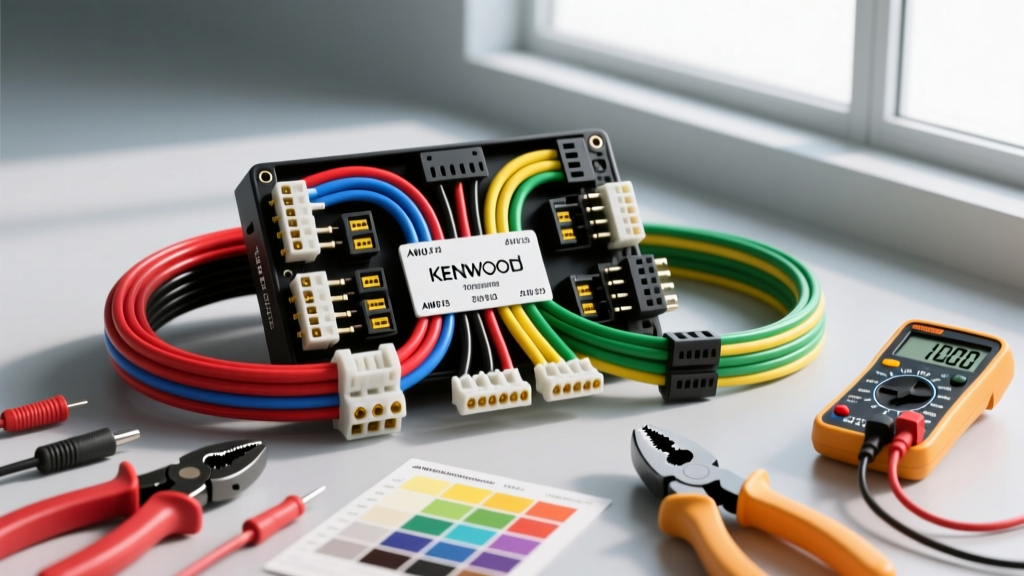
Decoding Kenwood Wiring Diagram Colors: The Baseline
When upgrading a vehicle's audio system, understanding kenwood wiring diagram colors is only the first step. The true differentiator between a factory-quality installation and a fire-hazard waiting to happen lies in the tools used and the economic strategy behind the materials. Matching the EIA/CEA-2002 standard color codes requires precision, and attempting to save money by skipping proper crimping tools or OEM harness adapters inevitably leads to voltage drops, alternator whine, and damaged head units.
Kenwood, like most reputable aftermarket manufacturers, adheres strictly to the Consumer Technology Association (CTA) color standards. Before analyzing the cost of tools and materials, you must establish the baseline schematic for the Kenwood ISO 10487 connector pigtail.
| Wire Color | Function | Typical AWG | Max Current Draw |
|---|---|---|---|
| Yellow | Constant 12V (Memory/ECU) | 18 AWG (Upgrade to 16 AWG) | 15A (Fused at 10A-15A) |
| Red | Switched 12V (Ignition) | 18 AWG | 10A |
| Black | Chassis Ground | 18 AWG (Upgrade to 16 AWG) | 15A+ |
| Blue | Power Antenna Trigger | 18 AWG | 5A (Internal trace limit) |
| Blue/White | Amplifier Turn-On (Remote) | 18 AWG | 300mA - 500mA |
| White / White-Black | Front Left Speaker (+/-) | 18 AWG | N/A (Signal) |
| Gray / Gray-Black | Front Right Speaker (+/-) | 18 AWG | N/A (Signal) |
| Green / Green-Black | Rear Left Speaker (+/-) | 18 AWG | N/A (Signal) |
| Purple / Purple-Black | Rear Right Speaker (+/-) | 18 AWG | N/A (Signal) |
While the Kenwood pigtail uses 18 AWG stranded copper, the SAE J1128 Standard for low-voltage primary cable dictates that 18 AWG is rated for roughly 14A to 16A in chassis wiring applications. Because modern Kenwood Excelon units with built-in DSPs and high-power internal amps (like the KDC-X704) can pull close to 12A-14A at peak volume, upgrading the Yellow, Red, and Black wires to 16 AWG on the adapter side is a highly recommended, low-cost preventative measure.
Tool Requirements Analysis: Budget vs. Professional Grade
The most common mistake in aftermarket car audio is underestimating the tooling required for 18 AWG and 16 AWG stranded wire. Standard household wire strippers often nick the copper strands, reducing the cross-sectional area and creating a high-resistance bottleneck. Here is a cost-benefit analysis of the required tooling.
Essential Tooling Cost Breakdown
| Tool Category | Budget Option (Cost) | Professional Option (Cost) | ROI & Justification |
|---|---|---|---|
| Wire Strippers (18-22 AWG) | Standard Stripper ($8) | Knipex Automatic ($45) | Auto-strippers prevent nicking stranded copper, preserving ampacity. |
| Wire Crimper | Standard Pliers ($10) | Ratcheting Crimper ($35) | Ratcheting tools ensure a gas-tight, cold-weld crimp that won't vibrate loose. |
| Digital Multimeter | Basic DC Meter ($15) | Fluke 115 ($150) | Essential for verifying OEM harness pinouts before connecting the Kenwood pigtail. |
| Heat Gun / Lighter | Bic Lighter ($2) | Variable Heat Gun ($30) | Lighters cause uneven shrink and soot; heat guns ensure adhesive-lined tubing seals out moisture. |
| Soldering Iron (Optional) | 30W Pencil ($15) | Temperature Controlled ($60) | Soldering is optional if using high-quality ratcheting crimps and marine-grade heat shrink. |
Total Investment: A reliable, semi-professional bench setup costs between $85 and $125. This is a one-time cost that prevents the hidden expenses of blown fuses, melted ISO connectors, and head unit warranty voids caused by electrical shorts.
Material Costs: Harness Adapters vs. Hardwiring
When analyzing the costs associated with Kenwood wiring diagram colors, the debate between hardwiring directly into the vehicle's factory harness versus using an OEM adapter harness is critical. Hardwiring is often mistakenly viewed as the 'free' route.
The Hidden Economics of Hardwiring
- T-Taps and Scotch Locks ($5): These pierce the factory wire insulation, exposing bare copper to moisture and galvanic corrosion. Over time, the pierced wire fractures from vibration, leading to an open circuit. Diagnosing this later costs hundreds in dealership electrical diagnostic fees.
- Electrical Tape ($3): Standard vinyl tape degrades in the high-heat environment of a dashboard, unraveling and leaving exposed 12V sources that can short against the metal dash frame, instantly blowing the vehicle's main accessory fuse.
The ROI of OEM Harness Adapters
Purchasing a vehicle-specific adapter (such as those from Metra Electronics or Axxess) costs between $12 and $25. This adapter plugs directly into the factory ISO or proprietary connector without cutting a single factory wire. You then splice the adapter's wires to the Kenwood pigtail on a workbench. This 'bench-wiring' strategy reduces installation time by 40%, ensures perfect heat-shrink application, and preserves the vehicle's resale value and factory warranty. The $20 upfront cost yields a massive return in labor savings and risk mitigation.
Real-World Failure Modes: The Blue vs. Blue/White Dilemma
A frequent and costly error when interpreting Kenwood wiring diagram colors is confusing the Solid Blue wire with the Blue/White striped wire. While both are 18 AWG and output +12V, their internal circuitry and intended loads are vastly different.
- Solid Blue (Power Antenna): This wire is designed to trigger a motorized mast antenna. It is wired through an internal 5A polyfuse or thin PCB trace. If you use this wire to turn on a high-draw external amplifier or a DSP, the initial inrush current will blow the internal trace, requiring a costly head-unit teardown and micro-soldering repair.
- Blue/White (Amplifier Turn-On): This wire is tied directly to the head unit's main power regulation circuit and is designed to handle the remote turn-on current for multiple amplifiers and processors (typically up to 300mA-500mA safely, but robust enough for standard amp relays).
Troubleshooting Tip: If your external amplifier turns on, but shuts off momentarily when you start the engine or insert a CD, you have likely connected the amp's remote wire to the Solid Blue (Antenna) wire instead of the Blue/White wire. The Kenwood unit momentarily drops the antenna circuit during high-draw operations to protect its internal traces.
Step-by-Step Cost-Effective Installation Strategy
To maximize your tool investment and ensure a flawless connection between the Kenwood pigtail and your vehicle adapter, follow this optimized workflow:
- Prep the Bench: Do not wire the harness inside the vehicle dash. Strip 1/4 inch of insulation from both the Kenwood pigtail and the adapter harness using your auto-strippers.
- Pre-Slide Heat Shrink: Slide a piece of 3:1 adhesive-lined marine heat shrink onto one side of the wire pair before crimping. (Forgetting this step is the #1 cause of wasted time and materials).
- Butt Splice & Crimp: Insert both wires into a nylon-insulated 22-18 AWG butt connector. Use the ratcheting crimper to compress the connector. The ratchet will not release until the exact compression force is achieved, guaranteeing a gas-tight seal.
- Seal and Shrink: Slide the heat shrink over the crimped barrel and apply heat evenly until the adhesive oozes slightly from the ends. This creates a waterproof, vibration-proof seal that outlasts the vehicle itself.
- Verify with Multimeter: Before plugging the adapter into the car, use a multimeter to check for continuity between the adapter's ground pin and the Black wire, and ensure no stray copper strands are bridging the Yellow (Constant) and Red (Switched) terminals.
Conclusion: The True Cost of Quality
Mastering kenwood wiring diagram colors is fundamentally an exercise in risk management. By allocating $20 for a proper OEM harness adapter and $90 for ratcheting crimpers and auto-strippers, you eliminate the primary failure points of aftermarket audio installations. As noted in the Crutchfield Installation Guide, taking the time to properly match, crimp, and seal these connections ensures that your Kenwood head unit receives clean, uninterrupted voltage, resulting in optimal audio performance and long-term electrical reliability.