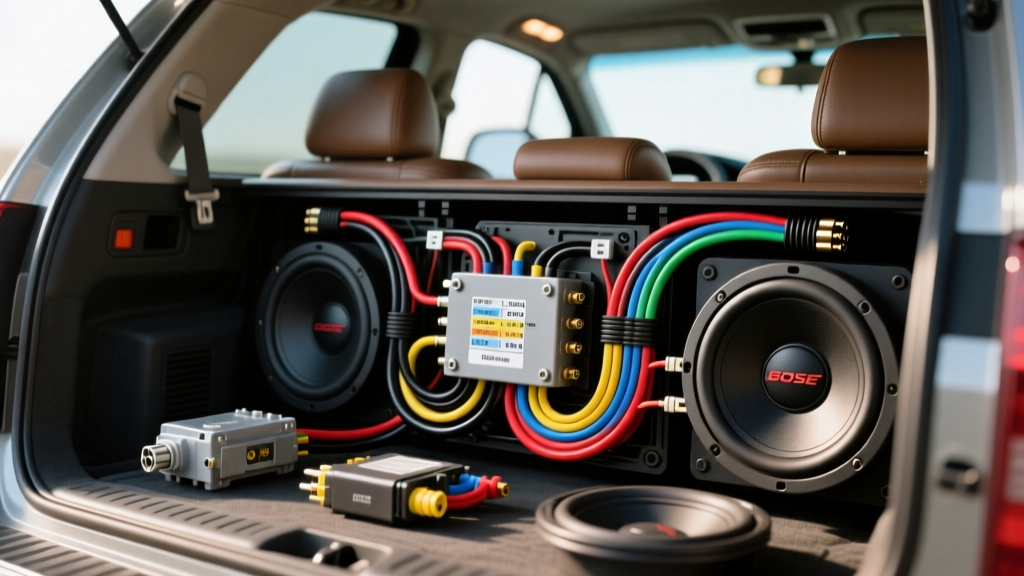
Understanding the 2004 GMC Yukon SLT Bose Audio Architecture
Upgrading the audio system in a GMT800 platform vehicle presents a unique set of electrical challenges. The 2004 GMC Yukon SLT equipped with the premium Bose audio system (RPO code UQA) utilizes a distributed amplifier network rather than a traditional high-power head unit. The factory 8-inch subwoofer, typically housed in the center console or rear quarter panel enclosure, is driven by a dedicated Bose amplifier that processes low-level analog signals and Class 2 Serial Data commands from the factory radio.
When undertaking an upgrade and modification project to replace the blown factory subwoofer or add a high-output aftermarket amplifier, relying on a generic wiring schematic will lead to catastrophic failures, including shorted head units and disabled vehicle chimes. This guide provides the exact 2004 GMC Yukon SLT Bose subwoofer wiring diagram, pinout configurations, and the critical integration steps required to retain your vehicle's data bus functionality while achieving audiophile-grade bass response.
Factory Bose Amplifier Pinout & Wiring Diagram
The Bose amplifier in the 2004 Yukon is typically located behind the driver-side rear quarter panel trim or under the center console, depending on the specific seating configuration. It connects to the vehicle harness via two primary connectors: C1 (Power, Ground, and Data) and C2 (Audio Inputs and Outputs).
Connector C1: Power, Ground, and Class 2 Data
| Pin | Wire Color | Function | AWG / Notes |
|---|---|---|---|
| A | Orange | Battery Positive (Constant 12V+) | 14 AWG |
| B | Black/White | Chassis Ground | 14 AWG |
| C | Light Green | Class 2 Serial Data Bus | 20 AWG (Twisted Pair) |
| D | Yellow | Switched Ignition (Accessory 12V+) | 16 AWG |
| E | Gray | Illumination (PWM Dimming) | 20 AWG |
Connector C2: Audio Inputs & Subwoofer Outputs
The factory head unit sends low-level, unamplified audio signals to the Bose amp. The amp then amplifies these signals and sends them to the door speakers and the subwoofer. To integrate an aftermarket subwoofer amplifier, you must tap into these wires.
| Pin | Wire Color | Function |
|---|---|---|
| 1 | Brown | Left Rear Audio Input (+) |
| 2 | Yellow | Left Rear Audio Input (-) |
| 3 | Dark Blue | Right Rear Audio Input (+) |
| 4 | Light Blue | Right Rear Audio Input (-) |
| 5 | Dark Green | Subwoofer Output (+) |
| 6 | Light Green/Black | Subwoofer Output (-) |
The Class 2 Data Trap: Retaining Vehicle Chimes
The most common mistake made during GMT800 Bose subwoofer upgrades is physically removing or bypassing the factory Bose amplifier without addressing the Class 2 Serial Data network. In the 2004 Yukon, the factory radio does not generate door ajar, seatbelt, or turn signal chimes directly. Instead, it sends a digital command via the Light Green Class 2 data wire to the Bose amplifier, which then synthesizes and plays the chime through the driver's door speaker.
If you cut the Bose amp out of the circuit to wire an aftermarket head unit and subwoofer amp, you will lose all safety warning chimes, and the vehicle's DIC (Driver Information Center) may throw a 'Service Audio System' code. To solve this, your modification project must include a GMOS-04 (or equivalent Axxess GMOS-LAN-04) Chime Retention Interface. This module intercepts the Class 2 data, translates the chime commands, and provides a clean, switched 12V+ accessory wire to turn on your new aftermarket subwoofer amplifier.
Step-by-Step Modification: Wiring the Line Output Converter (LOC)
Because the factory Bose system outputs amplified signals to the subwoofer (and low-level signals between the HU and Amp), integrating a high-power aftermarket subwoofer requires a Line Output Converter (LOC) like the AudioControl LC2i. The LC2i is capable of handling up to 400W of amplified input, making it ideal for tapping directly into the factory speaker runs.
Step 1: Tapping the Signal
For the cleanest signal-to-noise ratio, tap the rear speaker inputs before they enter the Bose amplifier at Connector C2. Strip back the insulation on the following wires using a precision wire stripper, avoiding T-taps which can pierce the copper strand and cause corrosion over time.
- Left Channel (+): Brown Wire
- Left Channel (-): Yellow Wire
- Right Channel (+): Dark Blue Wire
- Right Channel (-): Light Blue Wire
Solder 18 AWG OFC (Oxygen-Free Copper) jumper wires to these factory leads and seal them with dual-wall adhesive heat shrink tubing. Route these jumpers into the Channel 1 and Channel 2 inputs of your LOC.
Step 2: Setting the LOC Crossover and Gain
The factory Bose head unit applies heavy bass roll-off (a high-pass filter) to the door speakers to prevent distortion at high volumes. To recover this lost sub-bass frequencies, you must use an LOC with Bass Restoration circuitry. Set the LOC's internal crossover to 'Full Range' or 'Low Pass' at 80Hz, and adjust the gain potentiometers using a digital multimeter (DMM) to match the output voltage to your aftermarket amplifier's RCA input sensitivity (typically 2V to 4V RMS).
Power, Ground, and AWG Specifications
Running power to your new subwoofer amplifier requires strict adherence to SAE J1128 standards for automotive primary cable. Do not use CCA (Copper-Clad Aluminum) wire, as it has higher resistance and is prone to snapping under the vibration of a moving SUV.
| Circuit | Recommended AWG | Material | Routing Notes |
|---|---|---|---|
| Main Amp Power | 4 AWG | OFHC Copper | Route through driver-side firewall grommet. Keep away from SRS airbag harnesses. |
| Amp Ground | 4 AWG | OFHC Copper | Must terminate to bare, unpainted chassis metal within 18 inches of the amp. Use a star washer. |
| Remote Turn-On | 18 AWG | Standard Primary | Connect to the Blue/White wire on the GMOS-04 interface module. |
| RCA Interconnects | N/A (Shielded) | OFC Twisted Pair | Route strictly down the passenger side to avoid alternator whine from the driver-side power wire. |
Real-World Troubleshooting & Failure Modes
Even with the correct 2004 GMC Yukon SLT Bose subwoofer wiring diagram, GMT800 modifications are notorious for specific electrical gremlins. Here is how to diagnose them:
Alternator Whine in the Subwoofer
If you hear a high-pitched whine that pitches up with engine RPM, you have a ground loop. This occurs when the factory Bose amplifier and your new aftermarket amplifier are grounded at different electrical potentials. The Fix: Ensure the aftermarket amp ground is sanded down to bare steel. Do not ground to a seatbelt bolt, as these are coated with thread-locker and isolated by rubber gaskets. Ground directly to the main chassis floor pan.
Subwoofer Plays Constantly (Amp Won't Turn Off)
If your amplifier stays on after you remove the key and open the door, you have likely tapped the Remote Turn-On wire to the Orange (Constant 12V+) wire instead of the Yellow (Switched) or the GMOS-04 remote output. The GMT800 data bus keeps certain modules 'awake' for up to 10 minutes after key-off. Always use the dedicated Blue/White remote wire from your data interface module to trigger the amp relay.
Loss of Fader Control
When using a basic 2-channel LOC tapped into the rear speakers, adding an aftermarket subwoofer amp will often disable the front-to-rear fader function on the factory head unit. This is because the factory radio detects the impedance change on the rear circuit. To maintain full DSP and fader control, advanced modifiers bypass the Bose amp entirely and use a PAC Audio GMOS-LAN-04 combined with a multi-channel DSP to re-sum the factory channels.
Authoritative References
- SAE International - J1128 Low Tension Primary Cable Standard
- Crutchfield Vehicle Fit Guide & GM Audio Integration
- GM Truck Club - GMT800 Audio Wiring Archives
By respecting the Class 2 data network, utilizing proper OFC wire gauges, and carefully splicing into the C2 audio inputs, your 2004 Yukon SLT will deliver massive, clean bass while retaining all factory safety and convenience features.