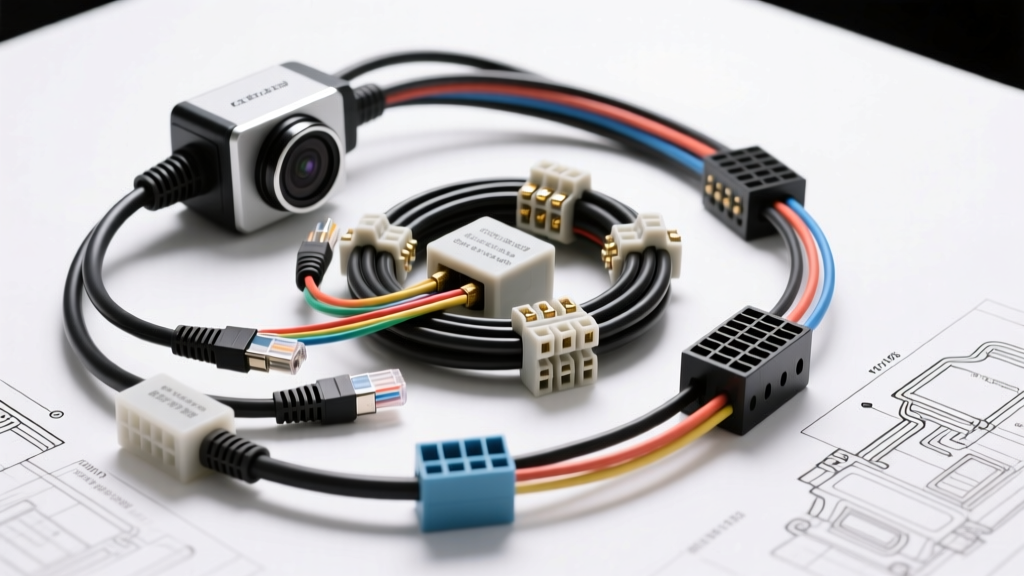
The Shift from Analog to PoE in Mobile Applications
For decades, recreational vehicles, expedition trucks, and horse trailers relied on analog RCA or coaxial camera systems. While sufficient for short runs, analog signals degrade rapidly over the 25-to-40-foot lengths typical of a trailer setup, resulting in ghosting, latency, and severe susceptibility to electromagnetic interference (EMI) from inverters and alternators. Enter Power over Ethernet (PoE). By utilizing digital IP cameras powered via Ethernet cabling, mobile technicians can achieve crystal-clear 1080p or 4K resolution with zero signal degradation over distances up to 100 meters. However, integrating standard IEEE 802.3af/at PoE technology into a 12V DC or 24V DC automotive environment requires a fundamental understanding of DC-DC step-up conversion, shielded data termination, and strict grounding protocols. This beginner-friendly guide breaks down the exact wiring diagrams, wire gauges, and pin configurations required for a bulletproof mobile PoE camera installation.
Core System Architecture: The 12V to 48V Step-Up Injector
Standard automotive electrical systems operate at 12.6V (engine off) to 14.4V (alternator charging). Conversely, active PoE IP cameras require a standardized 48V DC supply delivered over the Ethernet cable's copper pairs. To bridge this gap, you must install a 12V-to-48V PoE Injector (often referred to as a DC-DC step-up PoE module). This device takes the vehicle's 12V house battery or accessory circuit, steps it up to 48V, and injects it into the Ethernet data lines.
The injector must be mounted in a dry, ventilated interior compartment (such as the RV's main electrical bay or the truck's cab interior) to protect the step-up circuitry from moisture and extreme thermal cycling. According to the RV Industry Association (RVIA) Low Voltage Code, all 12V feeds to conversion devices must be protected by an inline fuse or circuit breaker located within 18 inches of the power source.
Sizing the 12V DC Supply (AWG & Voltage Drop)
A common failure point in beginner PoE installations is undersizing the 12V supply wire. A standard 802.3af PoE injector outputs 48V at roughly 1 Amp (approx. 48 Watts). However, DC-DC step-up converters are typically 85% to 90% efficient. To output 48W, the injector will draw roughly 55W to 60W from the 12V battery. At a nominal 12V, this equates to a continuous draw of 4.5 to 5 Amps. If the camera utilizes PTZ (Pan-Tilt-Zoom) motors or heavy IR night-vision arrays, peak startup surges can temporarily spike this draw to 8 Amps.
Using standard SAE J1128 GXL primary automotive wire, you must size your conductors to prevent voltage drop. If the voltage at the injector's input terminals drops below 10.5V under load, the injector's low-voltage protection will trigger, causing the camera to endlessly reboot. Always use stranded copper wire—never solid core house wire, which will fracture under vehicular vibration.
12V Supply Wire AWG vs. Distance (Based on 5A Continuous Draw)
| Total Wire Length (Out & Back) | 14 AWG GXL Voltage Drop | 12 AWG GXL Voltage Drop | 10 AWG GXL Voltage Drop | Recommendation |
|---|---|---|---|---|
| 10 Feet | 0.25V | 0.16V | 0.10V | 14 AWG is acceptable |
| 20 Feet | 0.50V | 0.32V | 0.20V | 12 AWG recommended |
| 30 Feet | 0.75V | 0.48V | 0.30V | 12 AWG minimum |
| 40+ Feet | 1.00V+ (Risk of shutoff) | 0.64V | 0.40V | 10 AWG required |
Wiring Color Code (SAE Standard): Use Red for the 12V+ positive feed and Black or White for the chassis ground. Install a 10A Mini-ATO blade fuse on the positive lead.
Ethernet Cable Selection: Shielding Against Automotive EMI
In a residential setting, Unshielded Twisted Pair (UTP) CAT5e or CAT6 cable is perfectly fine. In a vehicle, UTP is a recipe for disaster. The high-frequency switching from solar charge controllers, 3000W pure sine wave inverters, and alternator stators generates massive electromagnetic fields. If this EMI couples into your unshielded Ethernet cable, it will cause packet loss, video stuttering, and severe audio interference (alternator whine).
You must use F/UTP or S/FTP Shielded CAT6 Outdoor Cable. The 'F' denotes an overall foil shield wrapped around the twisted pairs, accompanied by a bare copper drain wire. This shield acts as a Faraday cage, diverting EMI away from the data signals. Furthermore, outdoor-rated jackets (CMX or PE) are mandatory for exterior runs, as standard PVC CAT6 jackets will crack and degrade under UV exposure and extreme temperature swings within months.
T568B Termination and PoE Pinout Mapping
When terminating shielded CAT6 for automotive IP cameras, always use the T568B wiring standard. More importantly, you must use Shielded RJ45 Connectors featuring a metal outer shell. The bare copper drain wire from the CAT6 cable must be wrapped around the metal shell of the RJ45 connector before crimping. This ensures the cable's shield is electrically bonded to the injector's metal chassis, which is then grounded to the vehicle frame, safely routing EMI harmlessly to the earth.
The IEEE 802.3af Standard defines two methods for delivering DC power over Ethernet: Mode A (power on data pairs) and Mode B (power on spare pairs). Most modern automotive IP cameras support both, but understanding the pinout is critical for troubleshooting continuity issues.
RJ45 T568B Pinout & PoE Power Delivery Mapping
| RJ45 Pin | T568B Wire Color | 10/100 Data Function | PoE Mode A (48V DC) | PoE Mode B (48V DC) |
|---|---|---|---|---|
| 1 | White/Orange | TX+ (Transmit) | Positive (+) | - |
| 2 | Orange | TX- (Transmit) | Negative (-) | - |
| 3 | White/Green | RX+ (Receive) | Positive (+) | - |
| 4 | Blue | Unused (Spare) | - | Positive (+) |
| 5 | White/Blue | Unused (Spare) | - | Negative (-) |
| 6 | Green | RX- (Receive) | Negative (-) | - |
| 7 | White/Brown | Unused (Spare) | - | Positive (+) |
| 8 | Brown | Unused (Spare) | - | Negative (-) |
Step-by-Step Routing and Grounding Protocol
- Mount the Injector: Secure the 12V-to-48V PoE injector to a grounded metal chassis or backboard near the RV's main 12V distribution block.
- Run 12V Power: Pull the appropriately gauged Red (12V+) and Black (Ground) SAE J1128 wires from the battery/distribution block to the injector. Install a 10A fuse at the source. Crimp a ring terminal to the Black wire and secure it to a clean, bare-metal chassis point using a star washer to ensure a low-resistance ground.
- Trigger Wire (Optional): If you want the camera to power on only when the vehicle is in reverse or the ignition is on, wire the injector's 12V+ input through a standard 12V automotive relay. Trigger the relay coil using the reverse light circuit (usually Light Green or Black/Pink depending on the OEM).
- Terminate the CAT6: Strip the outdoor CAT6 jacket, fold the foil shield back, and twist the bare drain wire tightly. Terminate the 8 conductors into a Shielded RJ45 plug using the T568B color sequence. Fold the drain wire over the metal shielding of the RJ45 plug before crimping the strain relief boot.
- Connect and Seal: Plug the Ethernet cable into the injector's 'PoE + Data' port. Run the cable to the exterior camera. Use IP67-rated silicone seals or dielectric grease on exterior connections to prevent corrosion.
Troubleshooting Common PoE Camera Failure Modes
Even with perfect wiring diagrams, mobile environments introduce unique variables. Use this decision tree to diagnose common installation anomalies.
| Symptom | Probable Cause | Technical Fix |
|---|---|---|
| Camera boots during the day, but reboots constantly at night. | Voltage drop under load. The camera's IR LEDs draw peak amperage, causing the 12V supply to drop below the injector's 10.5V cutoff threshold. | Upgrade the 12V supply wire to a thicker AWG (e.g., move from 14 AWG to 10 AWG) or shorten the 12V cable run. |
| Video feed shows horizontal tearing, scrolling lines, or severe alternator whine in the audio. | EMI coupling or Ground Loop. Unshielded cable is acting as an antenna, or the camera and injector are referencing different ground potentials. | Replace UTP with Shielded CAT6. Ensure the CAT6 drain wire is bonded to the shielded RJ45 connector and that the injector chassis is grounded to the vehicle frame. |
| Injector link light flashes, but the DVR/NVR cannot assign an IP address to the camera. | Pair split or mis-crimp. The data pairs (1,2,3,6) are not making solid contact, or T568A and T568B standards were accidentally mixed at opposite ends. | Cut off the RJ45 connectors. Re-terminate both ends strictly to T568B. Test continuity with a cable certifier to verify all 8 pins map 1-to-1. |
| Camera works perfectly when parked, but drops connection when driving over bumps. | Vibration-induced micro-fractures in solid-core wire or loose RJ45 retention clips. | Verify that stranded patch cables are used for any vibration-heavy zones. Replace standard plastic RJ45 clips with metal-locking or screw-down terminal connectors. |
By respecting the physics of DC-DC conversion, adhering to SAE wiring standards, and properly utilizing shielded data infrastructure, your PoE camera installation will deliver reliable, high-definition surveillance regardless of the terrain or electrical noise present in the vehicle.