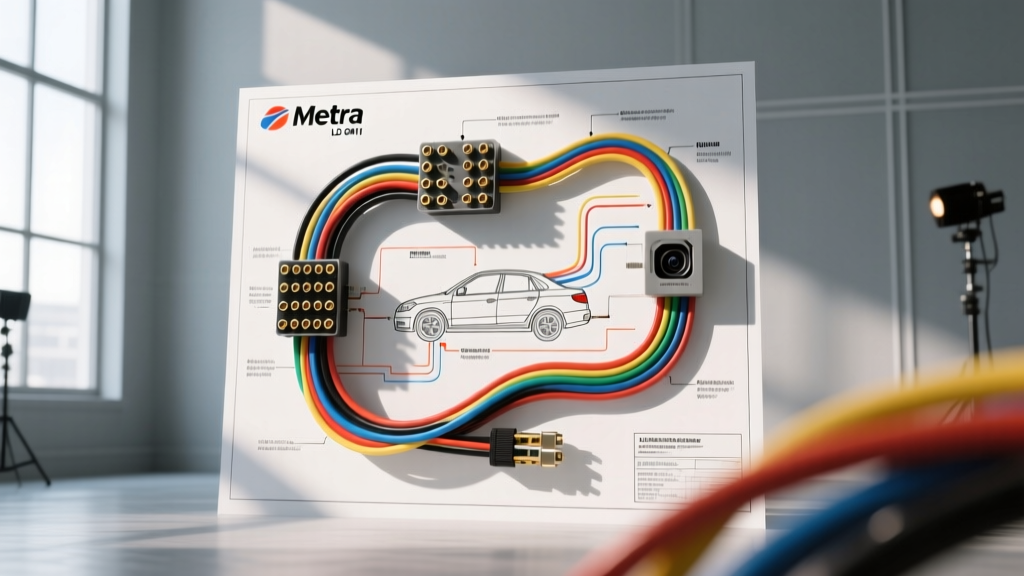
Mastering the Metra LD GM11 Wiring Diagram for Camera Integration
Integrating aftermarket backup cameras and dash cams into General Motors vehicles equipped with the GMLAN data bus requires more than just tapping into a reverse light bulb. The Metra LD GM11 wiring diagram serves as the critical blueprint for installing a data interface module that translates GM's proprietary Single Wire CAN (SWCAN) and High-Speed GMLAN network messages into clean, usable 12V DC outputs for your aftermarket tech. Whether you are retaining Retained Accessory Power (RAP), preserving OnStar functionality, or seeking a stable reverse trigger for a backup camera, understanding this harness is mandatory.
Many installers make the costly mistake of tapping directly into the GM reverse taillight circuit. Modern GM vehicles utilize Pulse Width Modulation (PWM) for exterior lighting to extend bulb life and allow the Body Control Module (BCM) to monitor bulb resistance. Tapping a PWM circuit with a high-impedance camera trigger will result in a strobing, flickering, or completely dead camera feed. The Metra LD-GM11 data interface bypasses this by reading the GMLAN 'Reverse Gear Engaged' network message and outputting a clean, dedicated 12V DC trigger wire. Below is our comprehensive, step-by-step troubleshooting flow and wiring reference to ensure a flawless installation.
Metra LD GM11 Pinout and Wiring Specification Table
Before beginning your diagnostic flow, verify your physical connections against this specification chart. Proper wire gauge selection and termination methods are critical to preventing voltage drops and GMLAN network corruption.
| Wire Color | Function | AWG Size | Connection Point / Notes |
|---|---|---|---|
| Red | 12V Constant (Battery) | 12 AWG | Direct to battery or main 12V distribution block. Fuse at 15A. |
| Yellow | 12V Accessory (Ignition) | 14 AWG | Ignition switch harness or fuse panel (ACC circuit). |
| Black | Chassis Ground | 12 AWG | Bare metal chassis. Use a star washer and ring terminal. Max 18 inches. |
| Light Green | Reverse Camera Trigger Output | 18 AWG | Connects to aftermarket head unit reverse trigger input & camera relay. |
| Brown | GMLAN SWCAN Data (-) | 18 AWG | GM Radio Harness Pinout (Do not solder directly; use T-taps or breakout). |
| Brown/White | GMLAN SWCAN Data (+) | 18 AWG | GM Radio Harness Pinout. Crucial for RAP and OnStar retention. |
| Orange/White | Illumination / Dimmer | 18 AWG | Connects to head unit illumination wire for display dimming. |
Step-by-Step Troubleshooting Flow: Backup Camera & Data Integration
When a backup camera installation fails or the vehicle throws a GMLAN communication code (U-codes), use this decision-tree troubleshooting flow to isolate the fault. Grab your digital multimeter (DMM) and follow the steps below.
Symptom 1: Backup Camera Flickers, Strobes, or Shows 'No Signal'
Probable Cause: The installer tapped the physical reverse taillight bulb wire instead of using the Metra LD-GM11's dedicated Light Green reverse trigger output, falling victim to GM's PWM lighting control.
- Step 1 (Verify the Trigger Source): Disconnect the camera's RCA and trigger wire at the back of the head unit. Set your DMM to DC Voltage (20V scale).
- Step 2 (Measure the Signal): Probe the wire feeding the camera trigger with the vehicle in Reverse. If the voltage rapidly fluctuates between 0V and 12V (PWM signal) or sits at a steady but low 6V-8V, you are tapped into the taillight circuit.
- Step 3 (The Fix): Remove the taillight tap. Route the camera's 12V trigger wire to the front of the dash and connect it exclusively to the Light Green wire on the Metra LD-GM11 harness. This wire receives a logic-level signal from the GMLAN network and outputs a rock-solid 12V DC signal, eliminating PWM interference.
Symptom 2: Camera Does Not Power On in Reverse (Solid 0V on Trigger)
Probable Cause: The Metra data module is not receiving the GMLAN reverse message, or the module lacks proper constant power/ground to process the network data.
- Step 1 (Check Module Power): Probe the Red wire at the Metra module connector. You must read 12.4V-12.6V. If 0V, check the inline fuse and the battery distribution block.
- Step 2 (Check Module Ground): Measure resistance (Ohms) between the Black wire at the module and the vehicle's negative battery terminal. It must read less than 0.5 ohms. If higher, remove the ground bolt, sand the paint down to bare metal, apply dielectric grease, and re-secure with a star washer.
- Step 3 (Verify GMLAN Data Presence): Set the DMM to AC/DC Voltage. Probe the Brown and Brown/White data wires at the radio harness. On a GM SWCAN bus, the dormant state should read near 0V or 5V depending on the specific network topology. If both read 0V with the ignition ON, the data bus is shorted to ground or the BCM is asleep.
- Step 4 (The Fix): If power and ground are verified but the Light Green wire remains dead in reverse, the Metra module's internal microcontroller may not be detecting the VIN/CAN handshake. Disconnect the vehicle battery for 10 minutes to force a BCM hard reset and GMLAN network re-initialization upon reconnect.
Symptom 3: Retained Accessory Power (RAP) Fails to Drop / Battery Drain
Probable Cause: The Metra LD-GM11 module is failing to recognize the 'Driver Door Open' GMLAN message, keeping the 12V Accessory (Yellow) output active and draining the vehicle battery.
- Step 1 (Test the RAP Logic): Turn the ignition off and open the driver's door. Measure the voltage on the Yellow (Accessory) wire at the module. It should drop from 12V to 0V within 1-2 seconds of the door opening.
- Step 2 (Check for Aftermarket Interference): Ensure no other aftermarket devices (like hardwired dash cams or alarm systems) are back-feeding 12V into the Yellow accessory circuit. Back-feeding will trick the Metra module into thinking the ignition is still on.
- Step 3 (The Fix): Isolate the Metra Yellow wire from all other accessories. If the RAP still fails to drop, check the Brown/White and Brown GMLAN wires for poor continuity. A high-resistance connection on the data lines will corrupt the 'Door Ajar' message packet, causing the module to default to a 'stay-on' safety mode.
Symptom 4: Alternator Whine or Ground Loop in Camera Audio/Video
Probable Cause: Improper RCA routing or a ground loop created by tying the camera's RCA shield ground to a different chassis potential than the head unit or the Metra module.
- Step 1 (Inspect RCA Routing): Ensure the backup camera RCA video cable is routed down the opposite side of the vehicle's interior from the main wiring harness and alternator power cables. Running data/video parallel to 12V power cables induces electromagnetic interference (EMI).
- Step 2 (Check Shield Grounding): The outer metal shield of the RCA cable acts as the camera's ground reference. If the camera's 12V power ground and the RCA shield ground are at different electrical potentials, a ground loop occurs, manifesting as a high-pitched whine or rolling horizontal bars on the display.
- Step 3 (The Fix): Power the backup camera using a dedicated 12V-to-6V step-down regulator (if required by the camera) or a clean 12V source triggered by the Metra's Light Green wire. Ensure the camera's ground wire is bolted to the exact same chassis ground point as the taillight assembly or a verified clean chassis ground near the rear hatch. Do not use 'T-tap' connectors for camera power; solder and heat-shrink all connections to prevent resistance-induced voltage drops.
Advanced GMLAN Network Diagnostics
If your Metra LD GM11 wiring diagram connections are verified but the module refuses to communicate with the BCM, you may be dealing with a terminated or shorted GMLAN bus. According to SAE network standards and GM-specific service documentation, the Single Wire CAN (SWCAN) bus relies on specific termination resistors within the BCM and other modules.
To test the bus integrity, locate the OBD-II port under the dash. Pin 1 is typically the SWCAN line. With the ignition OFF and all modules asleep, measuring resistance between the SWCAN pin and chassis ground should yield a specific high-impedance reading (often >10k ohms). If you read near 0 ohms, a module on the network has internally shorted the data line to ground, preventing the Metra interface from waking up and sending the reverse trigger signal. In these cases, consult official GM service manuals via Helm Inc. for the specific node-drop diagnostic procedure to isolate the faulty factory module.
Best Practices for Long-Term Reliability
When executing the Metra LD GM11 wiring diagram for camera and tech integration, always prioritize connection integrity over speed. The GMLAN network operates in a high-EMI environment beneath the dashboard. Use only rosin-core solder and dual-wall adhesive heat shrink for all splices. Avoid 'scotch-lock' or T-tap connectors entirely, as they oxidize over time, increasing resistance and corrupting the delicate 5V CAN data pulses. Finally, always verify your aftermarket head unit's reverse trigger settings in the hidden service menu to ensure it is set to 'Battery' or '12V' trigger mode, rather than 'Camera Detect' or 'Data Bus', ensuring seamless synchronization with the Metra module's output.
For further technical support and harness verification, always reference the Metra Electronics official tech portal to confirm the exact pinout revisions for your specific GM model year, as connector cavities shifted between the 2007-2013 and 2014+ GMT900/K2XX platforms.