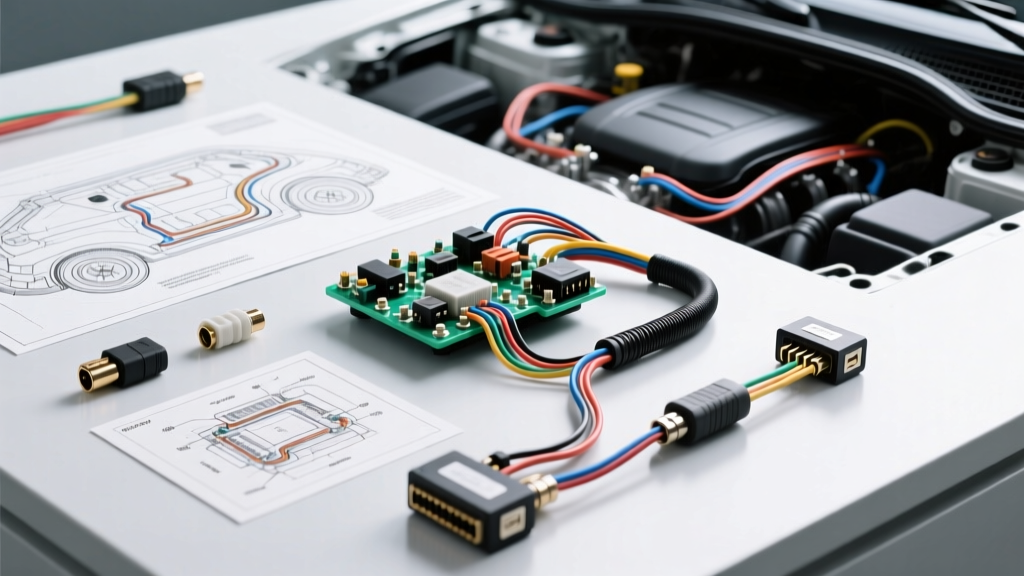
The Hidden Dangers of a Factory Computer Camera Install
Integrating an aftermarket backup or 360-degree camera system into a modern vehicle's factory infotainment head unit is no longer a simple 12-volt splice job. Today's vehicles rely on complex Controller Area Network (CAN-bus) architectures and Body Control Modules (BCM) to manage everything from lighting to transmission shift-by-wire logic. When performing a computer camera install, you are effectively bridging high-speed data networks and sensitive pulse-width modulated (PWM) circuits with aftermarket video hardware.
A single wiring error during a computer camera install can result in catastrophic failure modes: frying a $1,500 infotainment computer, triggering parasitic battery drains, or worse, compromising side-curtain airbag deployment zones. This guide details the most severe electrical and safety mistakes made during factory integration and provides the exact engineering solutions required to execute the installation safely.
Catastrophic Mistake #1: PWM Reverse Light Backfeed
The Failure Mode
To trigger the camera video feed on the infotainment screen, installers traditionally tap the reverse light wire at the tail light assembly. However, modern vehicles (particularly European and late-model domestic platforms) do not supply a steady 12V DC to the reverse bulbs. Instead, the BCM uses Pulse Width Modulation (PWM) to monitor bulb health and reduce heat. If you use a standard T-tap or vampire clip to connect an 18 AWG camera trigger wire to a PWM circuit, the camera's internal voltage regulator and capacitors can store a charge. When the vehicle is turned off, this stored energy backfeeds through the BCM's low-side driver transistor, eventually shorting the transistor and destroying the BCM.
The Expert Solution
Never tap a PWM circuit directly for a camera trigger. Instead, use an isolated trigger interface module like the PAC TR-4 or build a diode-isolated relay circuit. If building a custom harness, solder a 1N4001 rectifier diode in-line with the reverse trigger wire, ensuring the silver stripe (cathode) faces the camera. This allows the 12V PWM signal to pass through to the camera but physically blocks any backfeed voltage from returning to the BCM. For absolute safety, use an opto-isolator circuit to completely separate the vehicle's BCM ground from the aftermarket camera's ground plane.
Catastrophic Mistake #2: Crushing the CAN-Bus Twisted Pair
The Failure Mode
In many modern vehicles, the infotainment computer does not have a dedicated physical 'reverse trigger' pin on the 24-pin or 54-pin harness. Instead, the transmission control module (TCM) broadcasts a 'Reverse Gear Engaged' message across the CAN-bus. To force the factory computer to switch to the camera input, some installers attempt to splice a CAN-bus decoder directly into the OBD2 port's CAN-High (Pin 6) and CAN-Low (Pin 14) wires. Using a Posi-Tap or scotch-lock on these wires crushes the delicate 22 AWG twisted pair.
According to SAE J1939 CAN-Bus Standards, the network relies on a strict 120-ohm impedance and precise twist rates to cancel out electromagnetic interference (EMI). Crushing the wire alters the impedance, causing signal reflection. This throws U-codes (such as U0140 - Lost Communication with BCM) and can cause the vehicle's digital instrument cluster to go black or the transmission to enter limp mode.
The Expert Solution
Never use mechanical piercing connectors on CAN-bus data lines. If you must interface with the CAN network for a computer camera install, use a dedicated, plug-and-play CAN-bus T-harness that plugs in-line behind the BCM or head unit. If splicing is absolutely unavoidable, strip exactly 5mm of insulation using precision wire strippers, solder the 22 AWG data lines using a parallel splice joint, and seal with dual-wall adhesive heat shrink. Maintain the physical twist of the wires right up to the solder joint to preserve the differential signaling geometry.
Catastrophic Mistake #3: Fakra-Z Ground Loops and Alternator Whine
The Failure Mode
Factory infotainment computers utilize Fakra-Z (cream colored) or HSD coaxial connectors for video inputs, not standard RCA jacks. Installers often use cheap, unshielded RCA-to-Fakra adapter pigtails. Because the factory computer's video ground is tied to the vehicle's clean digital ground, and the aftermarket camera's ground is tied to the noisy chassis ground near the license plate, a ground loop is formed. The RCA shield acts as an antenna, picking up the alternator's AC ripple and displaying it as rolling horizontal bars across the infotainment screen, accompanied by a high-pitched whine in the audio system.
The Expert Solution
To eliminate ground loops during a computer camera install, you must isolate the video shield ground at the camera end. Cut the outer ground shield braid of the RCA cable approximately two inches before it connects to the camera's PCB. Insulate this severed shield with liquid electrical tape or heat shrink so it cannot touch the camera's metal housing. This forces the video signal's ground reference to be established solely at the infotainment computer's Fakra-Z input, completely breaking the ground loop path. Always use double-shielded RG-59 or RG-174 coaxial cable for the video extension run.
Crucial Safety Warning: A-Pillar Airbag Routing
When routing the 18 AWG video extension cable and the reverse trigger wire from the rear hatch to the front infotainment computer, the path of least resistance is often down the driver or passenger A-pillar. This is a severe safety hazard.
The A-pillar houses the side-curtain airbag deployment zone and the pyrotechnic tensioner wiring. If your camera wiring is routed over or across the airbag module, the explosive force of deployment will turn your 18 AWG copper wire into a high-speed projectile, potentially causing fatal lacerations to the vehicle's occupants. Always consult the NHTSA Airbag Safety Guidelines and the vehicle's specific service manual. Your camera wiring must be zip-tied securely behind the airbag curtain, routed through the factory rubber grommets, and secured with friction tape to prevent rattling against the airbag housing.
Computer Camera Install: Wire Gauge & Interface Specifications
| Circuit Function | Recommended Wire Gauge | Connector / Interface Type | Expert Installation Rule |
|---|---|---|---|
| CAN-High / CAN-Low Data | 22 AWG - 24 AWG | Molex / Deutsch / Solder Splice | Never use piercing taps; maintain twisted pair geometry. |
| Reverse Trigger (PWM) | 18 AWG | 1N4001 Diode or Opto-Isolator | Mandatory diode protection to prevent BCM backfeed. |
| Video Signal (Coaxial) | RG-59 / RG-174 Coax | Fakra-Z to RCA Adapter | Isolate camera-end shield ground to prevent alternator whine. |
| Camera 12V Power | 16 AWG | Fused Posi-Tap or Add-A-Circuit | Tap ignition-switched accessory, NOT BCM lighting circuits. |
| Camera Chassis Ground | 16 AWG | Ring Terminal (10mm bolt) | Must ground to bare, unpainted chassis metal near the trunk latch. |
Troubleshooting Decision Tree: Post-Install Diagnostics
If your computer camera install results in erratic behavior, use this diagnostic tree before tearing into the dashboard:
- Symptom: Infotainment screen switches to camera view, but displays 'No Signal' or a blue screen.
- Cause: Fakra-Z adapter pin is pushed back inside the plastic housing, failing to make contact with the head unit's female terminal.
- Fix: Use a micro-pick tool to pull the Fakra locking tab forward until it clicks into the outer shell.
- Symptom: Camera works, but the vehicle throws a 'Check Taillight' warning on the dash and the reverse lights flicker.
- Cause: The camera's 12V power draw is altering the PWM resistance threshold, tricking the BCM into thinking a bulb is out.
- Fix: Wire a 10-ohm, 50-watt power resistor in parallel with the camera's power feed to simulate the load of an incandescent bulb.
- Symptom: Dash cam or backup camera turns on randomly while the car is parked and locked.
- Cause: Tapped into a 'keep-alive' or CAN-bus wake-up circuit instead of a true ignition-switched 12V source.
- Fix: Use a digital multimeter to verify the power source drops to 0V exactly when the CAN-bus goes to sleep (usually 15-20 minutes after locking the doors). Reference the Crutchfield Vehicle Wiring Database for verified switched 12V sources specific to your make and model.
Final Thoughts on Automotive Network Integration
A successful computer camera install requires respecting the vehicle's electrical ecosystem. By treating data lines with the same reverence as airbag circuits, isolating PWM backfeeds, and managing coaxial ground planes, you ensure that your aftermarket technology enhances the vehicle's safety and utility without compromising its core electronic architecture. Always verify pinouts with a factory service manual and test all circuits with a high-impedance digital multimeter before making any permanent solder connections.