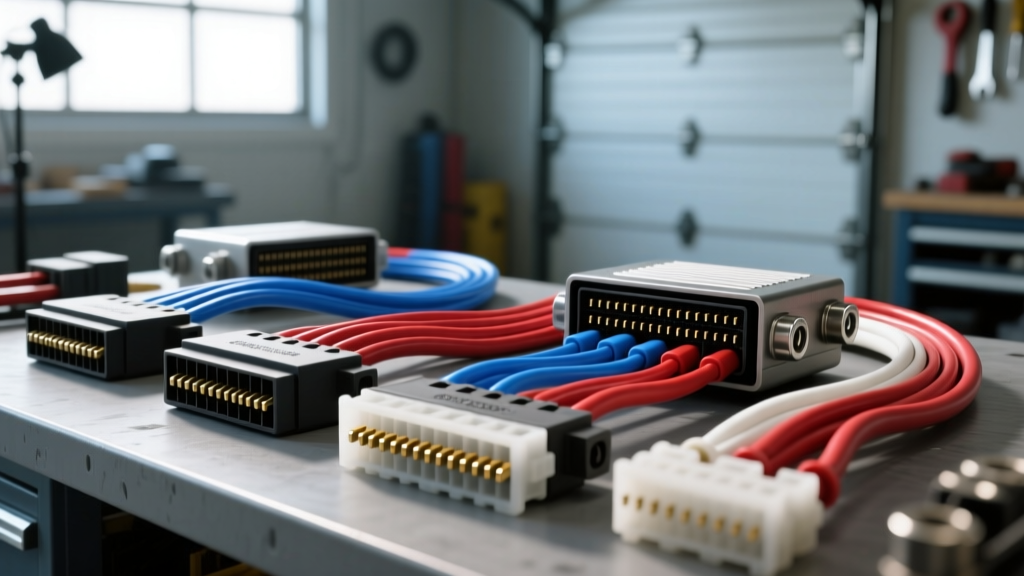
Decoding the GM E38 ECM Connector Ecosystem
When executing a Gen IV LS or Gen V LT engine swap, the Engine Control Module (ECM) is the nerve center of the operation. The GM E38 ECM relies on a highly specific, high-density connector ecosystem to manage everything from sequential fuel injection to high-speed CAN bus communication. When fabricating a standalone loom or adapting an OEM harness for a custom chassis, selecting the correct pin connectors for wiring harness integration is the difference between a reliable build and a stranded vehicle.
The E38 utilizes three primary connectors: two 58-pin cavities (X1 and X2) and one 73-pin cavity (X3). These housings accept Molex MX150 or Delphi GT 150/280 series terminals. Unlike older, bulkier weather-pack connectors, these high-density terminals require microscopic precision during crimping and insertion. A backed-out pin in the X2 injector driver circuit will cause a dead cylinder, while a poorly seated CAN bus pin in the X1 connector will throw U-codes and disable the electronic throttle body.
X1 (Gray) 58-Pin Connector Diagram Walkthrough
The X1 connector (identifiable by its gray housing and gray mat seal) primarily handles ECM power, main grounds, serial data, and high-speed communication networks. Because this connector houses the CAN bus and 5-volt reference circuits, wire gauge selection and twisted-pair routing are critical.
| Pin | Function | Wire Color (OEM) | AWG / Spec | Notes |
|---|---|---|---|---|
| 1 | Ignition 1 Power | Pink | 14 AWG TXL | Switched 12V+ via relay |
| 20 | ECM Main Ground | Black/White | 12 AWG TXL | Must ring-terminal to block |
| 32 | CAN High | Dark Green | 18 AWG GXL | Twisted pair with Pin 33 |
| 33 | CAN Low | Dark Green/White | 18 AWG GXL | Twisted pair with Pin 32 |
| 42 | Serial Data (GMLAN) | Light Blue | 18 AWG TXL | OBD2 Port Pin 6 |
| 54 | 5-Volt Reference 1 | Light Green | 18 AWG TXL | Shared by MAP, TPS, APP |
CAN Bus Routing and EMI Rejection
Pins 32 and 33 on the X1 connector dictate the high-speed CAN bus network. According to the SAE J1128 Low-Tension Primary Cable Standard, automotive data lines must be shielded from Electromagnetic Interference (EMI). When building your harness, the Dark Green and Dark Green/White wires must be twisted at a rate of 10 to 12 twists per foot. Failure to maintain this twist rate near the ECM connector will result in signal degradation, causing the ECM to default to limp mode.
X2 (Black) 58-Pin Connector Diagram Walkthrough
The X2 connector (black housing, black mat seal) is the muscle of the E38. It houses the low-side drivers for the ignition coils and fuel injectors, as well as the electronic throttle control (ETC) motor circuits. Because these circuits switch high inductive loads, the pin connectors for wiring harness applications here must exhibit zero voltage drop under high-frequency pulsing.
| Pin | Function | Wire Color (OEM) | AWG / Spec | Notes |
|---|---|---|---|---|
| 1-4 | Ignition Coil Control (Bank 1) | Varies (e.g., White, Purple) | 18 AWG TXL | Low-side drivers |
| 13-16 | Fuel Injector Control (Bank 1) | Varies (e.g., Tan, Gray) | 18 AWG TXL | Pulse-width modulated |
| 21 | Throttle Actuator Motor (+) | Dark Blue | 16 AWG TXL | High current H-Bridge |
| 22 | Throttle Actuator Motor (-) | Dark Blue/White | 16 AWG TXL | High current H-Bridge |
| 56-58 | Battery / IGN Power Feed | Red / Pink | 12 AWG TXL | Direct battery via fuse |
Inductive Kickback and Flyback Diodes
When the ECM cuts the ground path to an ignition coil (Pins 1-8), the collapsing magnetic field generates a massive voltage spike (inductive kickback). While the E38 has internal flyback protection, using undersized wire or poor-quality terminals on the X2 connector can increase resistance, exacerbating heat and causing internal ECM driver failure. Always use 18 AWG TXL (Thin Cross-Linked) wire for injector and coil drivers to ensure maximum copper strand count and flexibility.
Selecting the Right Pin Connectors for Wiring Harness Builds
Understanding how to properly terminate these pin connectors for wiring harness applications requires strict adherence to OEM crimp profiles. The E38 uses the Molex MX150 and Aptiv (formerly Delphi) GT 150 terminal families. These are not standard stamped-and-formed open-barrel terminals; they are closed-barrel, precision-machined contacts.
- Wire Barrel: Must crimp tightly around the bare copper strands. A proper crimp will show a microscopic 'bell mouth' (approx. 0.5mm) at the front and rear of the wire barrel, ensuring the strands are locked without being sheared.
- Insulation Barrel: Must crimp tightly around the TXL wire jacket to act as a strain relief. It must not pierce the insulation and bite into the copper, which creates a severe failure point under engine vibration.
- Terminal Locking Lance: MX150 terminals feature an integral locking lance. When inserted into the housing, this lance catches on an internal plastic tang, securing the pin.
Precision Crimping and Terminal Insertion Protocol
Do not use generic, open-barrel crimpers for MX150 or GT150 terminals. You must use a dedicated ratcheting crimper with closed-barrel dies (such as the IWISS SN-28B or specific Molex hand tools). Follow this exact insertion protocol to guarantee harness integrity:
- Strip the Wire: Strip exactly 3.0mm to 3.5mm of insulation using a precision wire stripper. Do not nick the copper strands; nicked strands reduce the AWG rating and invite corrosion.
- Crimp the Wire Barrel: Insert the bare wire until it bottoms out in the terminal. Squeeze the ratcheting crimper until the cycle releases. Inspect for the bell-mouth.
- Crimp the Insulation Barrel: Position the wire jacket in the rear crimp tabs and compress. The jacket should be held firmly without bulging.
- Insert into Housing: Align the terminal perfectly straight with the cavity (e.g., X2 Pin 13). Push firmly until you hear and feel a distinct 'click'. This indicates the locking lance has engaged the internal housing tang.
- The Drag Test: Gently pull back on the wire (approx. 2-3 lbs of force). If the terminal backs out, the lance is bent or was inserted crooked. Use a terminal extraction tool to remove it, replace the terminal, and re-crimp.
Expert Warning: Never attempt to 'fix' a backed-out terminal by simply pushing it back in. If a terminal pulls out during the drag test, the locking lance is compromised. Discard the terminal and crimp a new one. Reusing compromised terminals is the leading cause of intermittent misfire codes in custom LS swap harnesses.
TPA Installation and Final Harness Validation
Once all 58 pins are inserted and drag-tested in the X1 or X2 connector, you must install the Terminal Position Assurance (TPA) comb. The TPA is a secondary plastic lock that slides over the rear of the terminals. If even one terminal is not fully seated, the TPA will not sit flush against the connector housing. This is your visual and tactile confirmation that every pin is perfectly locked.
After the TPA is seated, wrap the harness in split loom or Tesa cloth tape, leaving a 6-inch service loop of bare wire directly behind the ECM connectors. This service loop prevents strain on the pin connectors for wiring harness transitions when the ECM is mounted to the firewall or inner fender. Finally, use a digital multimeter to perform a continuity test from the sensor/actuator end to the ECM cavity end to verify zero-resistance paths before applying 12-volt power to the system.