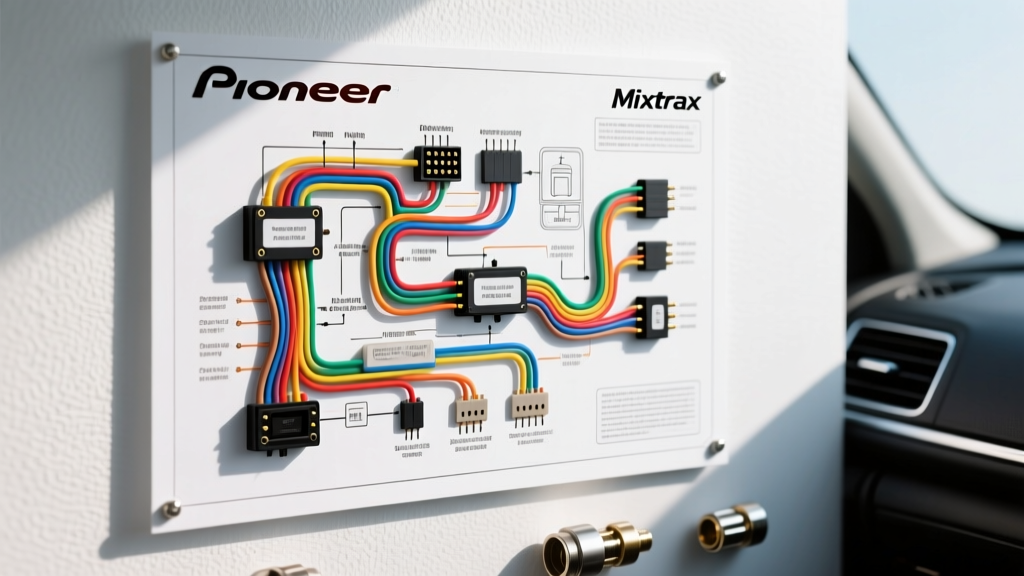
Diagnostic Flow: Interpreting the Wiring Diagram for a Pioneer Mixtrax
Upgrading to a Pioneer head unit featuring the Mixtrax ecosystem (such as the MVH-S21BT, DEH-S31BT, or AVH-series multimedia receivers) introduces a new layer of audio-visual integration to your vehicle. However, improper harness adaptation is the leading cause of post-installation faults. When referencing the wiring diagram for a Pioneer Mixtrax equipped head unit, technicians and DIY installers must account for standard 16-pin ISO power/speaker connections, RCA preouts, and specialized illumination triggers. This guide provides a step-by-step troubleshooting flow to diagnose and resolve the most common electrical gremlins associated with Pioneer aftermarket installations.
Reference: Pioneer Standard 16-Pin Harness Specifications
Before beginning any diagnostic flow, verify your physical connections against the OEM Pioneer 16-pin standard. According to Pioneer Electronics USA, the baseline color codes and AWG (American Wire Gauge) requirements are as follows:
| Wire Color | Function | Min. AWG | DMM Expectation (Key ON) |
|---|---|---|---|
| Yellow | Constant 12V+ (Memory) | 14 AWG | 12.0V - 14.4V (Always) |
| Red | Switched 12V+ (Accessory) | 14 AWG | 12.0V - 14.4V (Key ON/ACC) |
| Black | Chassis Ground | 14 AWG | < 0.5 Ohms to chassis |
| Blue/White | System Remote Turn-On | 18 AWG | +12V (Unit ON) / 0V (Unit OFF) |
| Orange/White | Illumination / Dimmer | 18 AWG | +12V (Headlights ON) |
| White/White-Black | Front Left Speaker (+/-) | 18 AWG | AC Voltage (Audio Signal) |
| Gray/Gray-Black | Front Right Speaker (+/-) | 18 AWG | AC Voltage (Audio Signal) |
| Green/Green-Black | Rear Left Speaker (+/-) | 18 AWG | AC Voltage (Audio Signal) |
| Purple/Purple-Black | Rear Right Speaker (+/-) | 18 AWG | AC Voltage (Audio Signal) |
Troubleshooting Flow 1: Head Unit Powers On, But No Audio from External Amplifiers
Symptom: The Pioneer Mixtrax display boots up, the UI is responsive, and Bluetooth pairs successfully, but no sound is emitted from the subwoofers or external door speakers.
Primary Suspect: Amplifier Remote Turn-On wire misconfiguration.
Step 1: Isolate the Remote Wire
A common mistake when reading a Pioneer wiring schematic is confusing the Blue wire (Power Antenna) with the Blue/White wire (System Remote Turn-On). If your vehicle uses a motorized power antenna, the solid Blue wire only outputs +12V when the AM/FM tuner is active. If you connect your amplifier's remote terminal to the solid Blue wire, the amp will shut off the moment you switch to Bluetooth, USB, or Auxiliary (which are core Mixtrax sources).
- Turn the head unit ON and switch the source to Bluetooth.
- Set your Digital Multimeter (DMM) to DC Voltage.
- Probe the Blue/White wire at the back of the 16-pin ISO connector.
- Pass: The DMM reads +12V. Proceed to Step 2.
- Fail: The DMM reads 0V. Re-route the amplifier remote wire to the Blue/White stripe wire.
Step 2: Verify Voltage Drop at the Amplifier
If the Blue/White wire outputs +12V at the head unit but the amp remains in protect/standby mode, you have a voltage drop issue. The remote circuit is limited to roughly 300mA. If you are daisy-chaining multiple amplifiers, a DSP, and a line driver to this single 18 AWG wire, the voltage will sag below the amplifier's turn-on threshold (usually 9V).
- Fix: Install a 12V SPST automotive relay. Use the Pioneer Blue/White wire to trigger the relay coil (Terminal 86), and run a dedicated 12 AWG fused constant 12V+ line to the relay's common terminal (Terminal 30) to feed the amplifiers via the NO terminal (Terminal 87).
Troubleshooting Flow 2: Mixtrax Illumination Fails to Sync or Display Dims Erratically
Symptom: The signature Mixtrax pulsing light show and display dimming features behave erratically, freeze, or fail to activate when the vehicle headlights are turned on.
Primary Suspect: Incompatible vehicle PWM dimmer circuits or improper Orange/White wire integration.
Step 1: Analyze the Vehicle's Illumination Circuit
Modern vehicles (especially Chrysler/Dodge/Jeep and late-model GM trucks) do not use a simple +12V analog switch for the dashboard illumination wire. Instead, the Body Control Module (BCM) sends a Pulse Width Modulated (PWM) signal or a low-voltage multiplexed data signal to dim the dash cluster. Connecting the Pioneer's Orange/White illumination wire directly to a PWM circuit will confuse the head unit's microcontroller, causing the Mixtrax display to strobe or shut down.
Step 2: Test with an Oscilloscope or Logic Probe
- Disconnect the Orange/White wire from the vehicle harness.
- Turn the vehicle headlights ON.
- Probe the vehicle-side illumination wire.
- Observation: If your DMM reads a fluctuating voltage (e.g., jumping between 2V and 11V rapidly) rather than a steady +12V, you have a PWM dimmer circuit.
Step 3: Implement the Correct Bypass or Interface
Pioneer Mixtrax units require a clean, solid +12V trigger on the Orange/White wire to engage the 'Night Mode' dimming and sync the internal LED lighting to the low-light environment.
- Solution A (Analog Bypass): If your vehicle has a dedicated +12V cigarette lighter or accessory fuse that turns on with the headlight switch, tap the Orange/White wire there using a 1A fuse tap.
- Solution B (Data Interface): Use a CAN-bus integration module (such as those from PAC or Axxess) that translates the vehicle's PWM lighting data into a clean +12V analog output specifically for the aftermarket radio's illumination wire.
Troubleshooting Flow 3: Intermittent Power Loss, DSP Resets, and Mixtrax Preset Wipes
Symptom: The radio randomly reboots when the engine is cranked, or the customized Mixtrax EQ presets and Bluetooth pairing history are erased every time the vehicle is turned off.
Primary Suspect: Yellow (Constant) and Red (Switched) 12V+ wires are swapped, or the constant wire is suffering from high resistance.
Step 1: The Memory vs. Accessory Verification
The Pioneer DSP (Digital Signal Processor) relies on the Yellow wire to maintain volatile memory and keep the Bluetooth module in a low-power sleep state. If the Yellow and Red wires are swapped at the T-harness, the radio will turn on and off with the key, but it will experience a 'hard reset' every time the key is removed, wiping your Mixtrax configurations.
- Turn the ignition OFF and remove the key.
- Probe the Yellow wire at the back of the radio harness.
- Pass: DMM reads battery voltage (12.2V - 12.6V).
- Fail: DMM reads 0V. The Yellow and Red wires are reversed at the vehicle adapter. Swap them.
Step 2: Diagnosing Voltage Sag During Cranking
If the wires are correct but the unit still reboots when the starter motor engages, the Yellow wire circuit cannot handle the transient voltage drop. According to SAE International standard J1128 for low-tension automotive cables, undersized wiring or corroded fuse taps will cause severe voltage sag. If the Yellow wire drops below 9V during engine cranking, the Pioneer's internal low-voltage protection will trigger a reboot.
- Diagnostic Test: Set your DMM to 'Min/Max' hold mode. Probe the Yellow wire and have an assistant crank the engine.
- Threshold: If the minimum voltage drops below 10.5V, you must upgrade the power delivery.
- Fix: Bypass the factory radio fuse tap. Run a dedicated 12 AWG power wire directly from the battery's positive terminal, through a 15A inline ATC fuse mounted within 18 inches of the battery, directly to the Yellow wire on the Pioneer harness. This guarantees stable voltage during high-amperage starter draws.
Expert Wiring & Termination Best Practices
To ensure long-term reliability of your Pioneer Mixtrax installation, adhere to these professional termination standards:
- Avoid Twist-and-Tape: Twisting wires and wrapping them in electrical tape is a fire hazard and a primary cause of intermittent audio cutting out due to vibration. The copper strands will oxidize and separate over time.
- Use Heat-Shrink Butt Connectors: For 18 AWG speaker and remote wires, use nylon-insulated, adhesive-lined heat shrink butt connectors. The internal adhesive melts and seals the connection against moisture and corrosion.
- Solder High-Current Joints: For the 14 AWG Yellow, Red, and Black power/ground wires, soldering the connection and sealing it with dual-wall heat shrink provides the lowest possible resistance path, ensuring the head unit receives maximum current for its internal 50W x 4 MOSFET amplifier.
- Chassis Grounding: Never ground the Black wire to a painted surface or a plastic trim screw. Scrape away paint and primer to bare, untreated steel. Use a self-tapping sheet metal screw or an existing M6/M8 factory ground bolt. Verify the ground with a DMM; resistance between the Black wire and the negative battery terminal must read less than 0.1 Ohms.
For further vehicle-specific T-harness pinouts and adapter identification, always consult the Crutchfield Vehicle Wiring Guide before cutting or splicing any factory OEM wiring. Proper interpretation of the wiring diagram for a Pioneer Mixtrax system ensures that you retain all steering wheel controls, factory amplifiers, and the signature Mixtrax visual experience without compromising the vehicle's CAN-bus network.