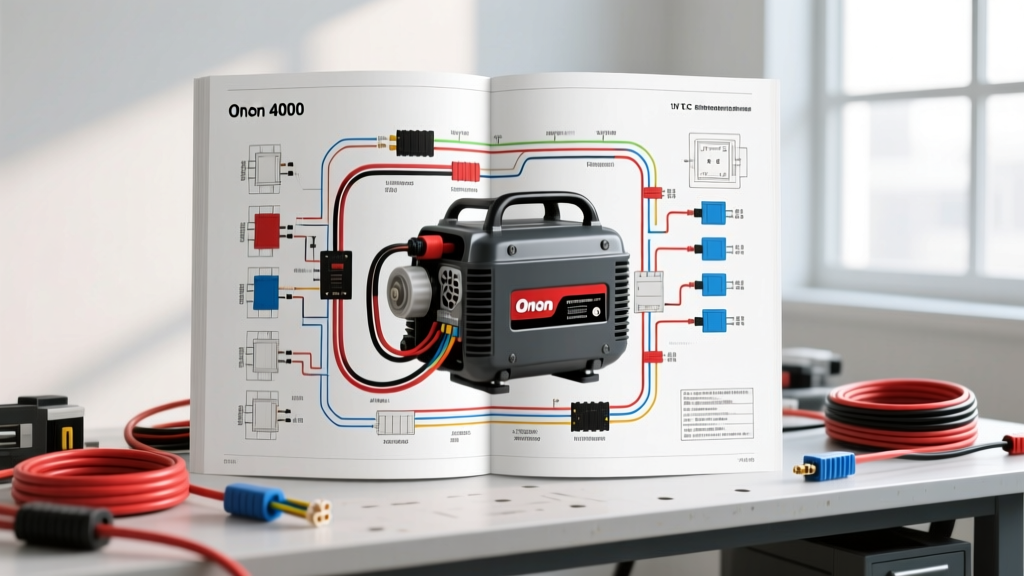
Introduction to the Onan 4000 Generator Wiring Diagram PDF
Searching for an Onan 4000 generator wiring diagram PDF is the first step toward taking control of your recreational vehicle's electrical system. Whether you are operating a MicroQuiet 4000 (KY series) or an older Emerald Plus 4000 (BGE/NHE series), the generator is the heart of your off-grid power setup. However, opening the junction box and staring at a complex web of wires can be intimidating for beginners. This guide breaks down the fundamental architecture of the Onan 4000 wiring schematic, translating complex engineering diagrams into actionable, beginner-friendly knowledge.
Before attempting any repairs, it is vital to understand that RV generator wiring is split into two entirely separate systems: the 12V DC control circuit and the 120V AC power circuit. Mixing these up or misinterpreting the schematic symbols can lead to catastrophic control board failure or severe electrical shock. By mastering the basics outlined below, you will be able to trace faults, verify pinouts, and safely maintain your Onan 4000 unit.
Critical Safety Protocols and RVIA Standards
Before downloading your Onan 4000 generator wiring diagram PDF and grabbing a multimeter, you must adhere to strict safety protocols. According to the RV Industry Association (RVIA) low-voltage and high-voltage separation standards, 12V DC and 120V AC wiring must be routed separately to prevent electromagnetic interference and short-circuit hazards. Always disconnect the coach battery bank and unplug from shore power before removing the generator's junction box cover.
Furthermore, ensure you are wearing insulated gloves and using a Category III (CAT III) rated digital multimeter. The Onan 4000 produces enough amperage on the AC side to be lethal, and the 12V DC side can easily deliver hundreds of amps in a dead short, posing a severe fire risk if a wrench or screwdriver bridges the wrong terminals.
Decoding Schematic Symbols for Beginners
When you open your Onan 4000 generator wiring diagram PDF, you will encounter standardized electrical symbols governed by SAE J1128 and NEMA guidelines. Understanding these symbols is crucial for tracing circuits:
- Relay Coils and Contacts: Represented by rectangles (coils) and parallel lines with a diagonal slash (contacts). The Onan 4000 uses internal relays on the control board to manage the fuel pump and starter solenoid.
- Capacitors: Shown as two parallel lines separated by a gap. In the Onan schematic, these are typically found in the voltage regulator circuit to smooth out AC ripple.
- Stator and Rotor Windings: Depicted as overlapping loops or sine waves. The stator generates the main 120V AC power, while the rotor (field winding) receives a low-voltage DC excitation signal to create the magnetic field.
- Ground Symbols: A triangle pointing downward with horizontal lines. In RV applications, this refers to the chassis ground or the dedicated generator frame ground strap.
The 12V DC Control Circuit: Starting and Managing
The 12V DC side of the Onan 4000 is responsible for starting the engine, powering the fuel pump, and providing the logic signals to the microprocessor. The power originates from the RV's house battery bank and enters the generator through a heavy-gauge positive cable.
Main Battery Feed and Fusing
The primary B+ (Battery Positive) wire is typically a 6 AWG or 4 AWG red cable, depending on the distance from the battery bank to the generator. This cable connects to the starter solenoid and a 15A or 20A blade fuse that protects the control board's logic circuit. If your generator cranks but the control board does not illuminate, checking this inline fuse and verifying 12V at the P1 connector's B+ pin is your first troubleshooting step.
Chassis Grounding
The DC ground is just as critical as the positive feed. The Onan 4000 utilizes a heavy black 6 AWG wire that bonds the generator frame to the RV chassis. A poor ground connection often manifests as erratic control board behavior, random shutdowns, or a failure of the 12V fuel pump to prime. Always clean the ring terminal and chassis mounting point with a wire brush and apply dielectric grease to prevent corrosion.
The 120V AC Power Circuit: Generation and Distribution
Once the engine is running, the mechanical energy turns the alternator assembly. The Onan 4000 generator wiring diagram PDF will show the AC side originating at the stator windings, passing through the main circuit breaker, and exiting to the RV's automatic transfer switch or sub-panel.
Stator, Rotor, and Voltage Regulation
The stator outputs raw AC voltage, which is regulated by controlling the DC excitation current sent to the rotor via the carbon brushes. The voltage regulator monitors the AC output and adjusts the rotor's magnetic field strength to maintain a steady 120V at 60Hz. If the schematic shows a fault in the exciter circuit, the generator will run but produce zero AC voltage.
Main Circuit Breakers and Terminal Blocks
The AC hot wire (usually 10 AWG or 12 AWG black) exits the stator and passes through a push-button thermal-magnetic circuit breaker (typically rated for 20A, 30A, or 34.2A depending on the exact 4000W model). The terminal block where these wires connect requires precise torque. According to Cummins Onan service specifications, AC terminal block screws should be torqued to 25-30 in-lbs to prevent arcing and heat buildup under heavy loads like roof air conditioners.
Onan 4000 Wire Color Codes and AWG Specifications
Referencing the correct wire gauge and color code is essential when using your wiring diagram PDF to trace a fault. The table below outlines the standard color codes and American Wire Gauge (AWG) sizes for the Onan 4000 series:
| Circuit Function | Wire Color | AWG Size | Connector / Termination Type |
|---|---|---|---|
| B+ Battery Feed (DC) | Red | 6 AWG or 4 AWG | 5/16-inch Ring Terminal |
| Chassis Ground (DC) | Black | 6 AWG or 4 AWG | 5/16-inch Ring Terminal |
| Control Board Logic Feed | Red (with inline fuse) | 10 AWG | P1 Molex Connector / Spade |
| AC Hot Output | Black | 10 AWG or 12 AWG | AC Terminal Block (Screw) |
| AC Neutral Output | White | 10 AWG or 12 AWG | AC Terminal Block (Screw) |
| AC Ground (Safety) | Green or Bare Copper | 10 AWG or 12 AWG | Frame Bonding Screw |
P1 Control Connector Pinout Fundamentals
The brain of the Onan 4000 is the control board, which interfaces with the RV's interior switches and the generator's sensors via a multi-pin connector, commonly referred to as the P1 connector. While pinouts vary slightly between the Emerald and MicroQuiet series, the fundamental logic remains consistent. Below is a generalized representation of the primary P1 pins you will trace using your Onan 4000 generator wiring diagram PDF:
- Pin 1 (B+ 12V): Constant 12V battery power. If missing, check the main DC fuse.
- Pin 2 (Ground): Logic ground reference.
- Pin 3 (Start Switch): Receives a ground signal from the RV's interior start switch to initiate cranking.
- Pin 4 (Stop Switch): Receives a ground signal to kill the ignition and fuel pump.
- Pin 5 (Ignition/Preheat): Provides 12V to the glow plugs or choke solenoid during the pre-heat cycle.
- Pin 6 (Hourmeter): Outputs a pulsed or constant 12V signal to drive the dashboard hourmeter.
When troubleshooting a no-start condition, use your multimeter to verify that pressing the interior start switch successfully grounds Pin 3. If the switch is faulty or the wire is broken, the control board will never receive the command to engage the starter solenoid.
Beginner Troubleshooting: Using the Diagram with a Multimeter
The true value of your Onan 4000 generator wiring diagram PDF is realized when you pair it with a digital multimeter. One of the most common beginner mistakes is testing for voltage without testing for voltage drop. A wire might show 12V with no load, but if the internal copper is corroded, it will drop to 4V when the starter solenoid engages.
Performing a Voltage Drop Test
Set your multimeter to DC Volts. Place the red probe on the battery positive post and the black probe on the generator's B+ terminal lug. Have an assistant press the start button. If the meter reads more than 0.5V, you have excessive resistance in the positive cable or connections. Repeat the test on the ground side by placing the red probe on the generator frame and the black probe on the battery negative post. High resistance on the ground side is a leading cause of premature Onan control board failure, as the logic board attempts to find an alternative path to ground through delicate sensor wires.
Verifying AC Frequency and Voltage
If the generator runs but the RV's air conditioner trips the breaker immediately, the issue may not be the breaker itself, but the engine governor. The Onan 4000 must run at exactly 3600 RPM to produce 120V at 60Hz. If the engine is surging or running too fast, the voltage and frequency will spike, causing sensitive electronics and thermal breakers to react unpredictably. Use a multimeter with a Hz (Hertz) function to verify the AC output at the generator's terminal block. It should read between 59.5Hz and 60.5Hz at no load.
Conclusion and Further Resources
Mastering the Onan 4000 generator wiring diagram PDF does not require an engineering degree, but it does demand patience, respect for electrical safety, and a methodical approach to tracing circuits. By understanding the separation of the 12V DC control logic and the 120V AC power generation, you can confidently diagnose no-start conditions, low-voltage faults, and AC distribution issues. Always refer to the official Cummins Onan Operator and Service Manuals for the exact schematic corresponding to your specific model and specification letter (e.g., KY-FA, NHE-FA), as minor revisions occur across production years. Equip yourself with a quality multimeter, keep your terminal connections clean and properly torqued, and your Onan 4000 will provide reliable off-grid power for years to come.