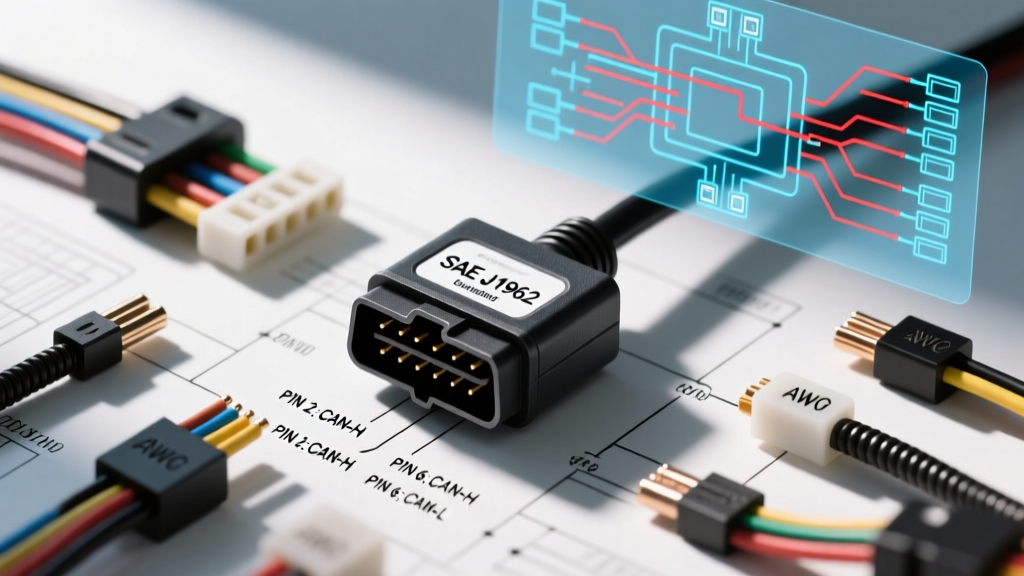
Introduction to SAE J1962 and OBD2 DLC Architecture
When analyzing an OBD2 diagram wiring schematic, technicians are not merely looking at a diagnostic port; they are interfacing with the central nervous system of the modern vehicle. The Data Link Connector (DLC) is standardized under SAE J1962, which dictates the physical 16-pin connector layout, terminal assignments, and minimum electrical requirements. However, while the physical port is universal, the underlying network topology, wire gauges, and protocol assignments vary wildly between OEMs. Understanding the advanced electrical characteristics of the DLC is critical for diagnosing communication faults, parasitic draws, and module initialization failures.
Standard 16-Pin DLC Connector Pinout Matrix
Below is the definitive SAE J1962 pinout matrix, augmented with real-world AWG specifications and common OEM wire color codes. Note that while Pins 4, 5, 16, 6, and 14 are heavily standardized, the remaining pins are manufacturer-discretionary.
| Pin | SAE J1962 Assignment | Typical Wire Color | AWG Size | Circuit Function & Notes |
|---|---|---|---|---|
| 1 | OEM Discretionary | Varies (Often Purple) | 20-22 | GM Class 2 / GMLAN or Ford MS-CAN High |
| 2 | SAE J1850 Bus (+) | White/Black | 20 | Ford SCP / PWM (Legacy pre-CAN) |
| 3 | OEM Discretionary | Varies | 20-22 | Often used for proprietary telematics or hybrid battery management |
| 4 | Chassis Ground | Black | 14-16 | Heavy gauge to handle scanner power and module grounding |
| 5 | Signal Ground | Black/White | 18 | Isolated logic ground for PCM/BCM data reference |
| 6 | ISO 15765-4 CAN High | Green or White | 20-22 | HS-CAN Differential Pair (+). Twisted with Pin 14. |
| 7 | ISO 9141-2 K-Line | Yellow/Black | 20 | Legacy UART/KWP2000 diagnostic line |
| 8 | OEM Discretionary | Varies | 20-22 | Ford MS-CAN Low or GM Single Wire CAN |
| 9 | OEM Discretionary | Varies | 20-22 | Often used for proprietary immobilizer or ABS sub-networks |
| 10 | SAE J1850 Bus (-) | Blue/White | 20 | Ford SCP / PWM (Legacy pre-CAN) |
| 11 | OEM Discretionary | Varies | 20-22 | Toyota B-EAN or Nissan proprietary multiplex |
| 12 | OEM Discretionary | Varies | 20-22 | Often Ethernet (DoIP) on modern luxury platforms |
| 13 | OEM Discretionary | Varies | 20-22 | Chrysler PCI Bus or Flash VPP control |
| 14 | ISO 15765-4 CAN Low | Blue or Green/Black | 20-22 | HS-CAN Differential Pair (-). Twisted with Pin 6. |
| 15 | ISO 9141-2 L-Line | Yellow/White | 20 | Legacy initialization line (rarely used post-2004) |
| 16 | Battery Power (B+) | Orange or Red | 14-16 | Unswitched 12V. Fused (usually 15A-20A). Powers scan tools. |
Power and Ground Circuit Analysis: Pins 4, 5, and 16
A common misdiagnosis in OBD2 diagram wiring is assuming the DLC power and ground circuits are merely for the scan tool. In reality, Pins 4, 5, and 16 often serve as the primary power distribution and logic grounding hub for the PCM, BCM, and gateway modules.
Voltage Drop Testing Protocols
Never rely on a simple test light or basic multimeter continuity test for DLC grounds. The SAE standard requires a maximum voltage drop of 0.10V across the chassis ground (Pin 4) and 0.20V across the B+ supply (Pin 16) under load. To test this accurately:
- Ground Side: Connect your DMM positive lead to the battery positive post and the negative lead to DLC Pin 4. Turn on the scan tool and activate vehicle accessories (headlights, HVAC blower). A reading above 0.10V indicates high resistance, often caused by corrosion at the main chassis ground stud (e.g., GM G100 series grounds) or a failing battery negative cable.
- Power Side: Connect the DMM negative lead to the battery negative post and the positive lead to DLC Pin 16. Under load, a drop exceeding 0.20V points to a corroded B+ junction block, a failing ignition-off draw (IOD) relay, or undersized aftermarket wiring repairs.
CAN Bus Network Topology and Wiring Physics
Pins 6 (CAN High) and 14 (CAN Low) form the backbone of the High-Speed Controller Area Network (HS-CAN). This differential pair operates at 500 kbps and is highly sensitive to physical wiring faults. According to iATN technical archives, over 60% of U-code communication faults stem from physical layer degradation rather than module failure.
Twisted Pair and Shielding Dynamics
The wires for Pins 6 and 14 are manufactured as a tightly twisted pair (typically 10 to 15 twists per meter). This twisting is critical for canceling out electromagnetic interference (EMI) from high-current circuits like fuel injectors or hybrid inverter cables. When repairing an OBD2 CAN bus harness, technicians must maintain a minimum of 3 twists per inch up to the crimp barrel. Using untwisted 20 AWG wire will result in signal reflection and intermittent data dropouts.
Terminating Resistors and Ohm's Law
The HS-CAN bus requires exactly two 120-ohm terminating resistors, placed at the extreme ends of the network topology (usually inside the PCM and the BCM or Steering Angle Sensor). Because these resistors are in parallel, a healthy CAN bus will measure exactly 60 ohms between Pins 6 and 14 with the battery disconnected.
- 120 Ohms: One terminating resistor is open or a module is missing/unplugged.
- 40 Ohms or less: Short to ground, short to power, or an aftermarket device (like a poorly designed insurance tracker or alarm) has introduced a third terminating resistor into the network.
- Infinite (OL): Both resistors are disconnected, or there is a complete break in the CAN H/CAN L backbone.
Oscilloscope Waveform Analysis of CAN H and CAN L
Advanced OBD2 diagram wiring diagnostics require a digital storage oscilloscope (DSO) like a PicoScope or Fluke 190 Series. A DMM is too slow to capture the 500 kbps bit transitions. When probing Pins 6 and 14 simultaneously, you should observe the following voltage states:
| Bus State | CAN High (Pin 6) | CAN Low (Pin 14) | Differential Voltage |
|---|---|---|---|
| Recessive (Idle/Logic 1) | ~2.50V | ~2.50V | 0.00V |
| Dominant (Active/Logic 0) | ~3.50V | ~1.50V | 2.00V |
Expert Insight: If the CAN High waveform shows a downward spike below 2.5V during the dominant state, this indicates a capacitive coupling issue or a short-to-ground on a secondary branch of the CAN network. If the CAN Low waveform fails to drop below 2.0V during the dominant state, suspect a failing transceiver inside the gateway module or high resistance in the Signal Ground (Pin 5) circuit, which offsets the transceiver's internal voltage reference.
Manufacturer-Specific Protocol Variations
While the SAE J1962 standard mandates CAN on Pins 6 and 14 for all vehicles post-2008, OEMs utilize the discretionary pins for sub-networks. Understanding these is vital when reading an OBD2 diagram wiring schematic for module-specific coding.
GM GMLAN and Single Wire CAN (SW-CAN)
General Motors heavily utilizes a Single Wire CAN bus operating at 33.3 kbps for body control modules (lighting, seats, HVAC). This network typically resides on Pin 1 (Light Green or Gray). Unlike differential CAN, SW-CAN uses the chassis ground as the return path. A short-to-ground on Pin 1 will not take down the whole network; the transceivers will simply switch to a high-voltage wake-up mode (sleep mode bypass) to maintain communication.
Ford MS-CAN (Medium Speed)
Ford separates its powertrain (HS-CAN) from its body and interior electronics (MS-CAN). The MS-CAN operates at 125 kbps and is typically routed through Pin 3 (MS-CAN H) and Pin 11 (MS-CAN L). When diagnosing interior module U-codes on a Ford, technicians must ensure their scan tool is configured to bridge the HS-CAN to the MS-CAN via the gateway module, or use a specialized M-MDS cable that physically bridges Pins 6/14 to Pins 3/11 at the DLC.
Advanced Diagnostic Troubleshooting Tree
Use this decision tree when facing a 'No Communication' or 'Link Error' scenario at the DLC.
- Symptom: Scan tool powers on (Pin 16 OK) but fails to link to the PCM.
- Check 1: Measure resistance between Pins 6 and 14. Is it 60 ohms?
- If No: Diagnose physical CAN layer (open/short/resistor fault).
- If Yes: Proceed to Check 2.
- Check 2: Probe Pin 6 and Pin 14 with a DSO. Are recessive and dominant voltages present and symmetrical?
- If No: Identify the module pulling the bus down by selectively unplanning CAN nodes or using a breakout box to isolate branches.
- If Yes: The physical layer is perfect. The fault is in the Data Link Layer (corrupted PCM flash, immobilizer lockout, or gateway security gateway firewall blocking the tool).
- Check 1: Measure resistance between Pins 6 and 14. Is it 60 ohms?
- Symptom: Scan tool screen flickers or reboots when cranking the engine.
- Cause: Severe voltage drop on Pin 16 or Pin 4 during starter draw, or high-frequency alternator ripple on the B+ circuit.
- Fix: Perform a cranking voltage test at the DLC. If voltage drops below 9.5V, test the main B+ junction block and battery cables. Check for a failing alternator diode trio causing AC ripple to corrupt the scan tool's internal power supply.
- Cause: Severe voltage drop on Pin 16 or Pin 4 during starter draw, or high-frequency alternator ripple on the B+ circuit.
DLC Wiring Harness Repair Protocols
Repairing the wires leading to the DLC requires strict adherence to OEM electrical standards. Never use twist-on connectors, electrical tape, or standard butt crimps in a CAN bus circuit. According to NHTSA technical service guidelines and OEM repair manuals, all data line repairs must utilize:
- Terminals: OEM-specific TE Connectivity or Deutsch crimp pins. The crimp must achieve a minimum pull-out force of 25 lbs.
- Splicing: Solder sleeves with heat-shrink adhesive lining (e.g., Raychem SolderSleeve) or ultrasonic welding. This prevents moisture ingress which causes galvanic corrosion and alters the characteristic impedance of the twisted pair.
- Dielectric Grease: Apply a light coating of Nyogel 760G or equivalent conductive/dielectric grease to the DLC terminals to prevent fretting corrosion caused by the micro-vibrations of the scan tool connector being inserted and removed.
Mastering OBD2 diagram wiring is about moving beyond simple code reading and understanding the physics of the network. By respecting the SAE J1962 standards, maintaining twisted pair integrity, and utilizing oscilloscope diagnostics, technicians can accurately isolate the most complex network communication faults in modern vehicles.