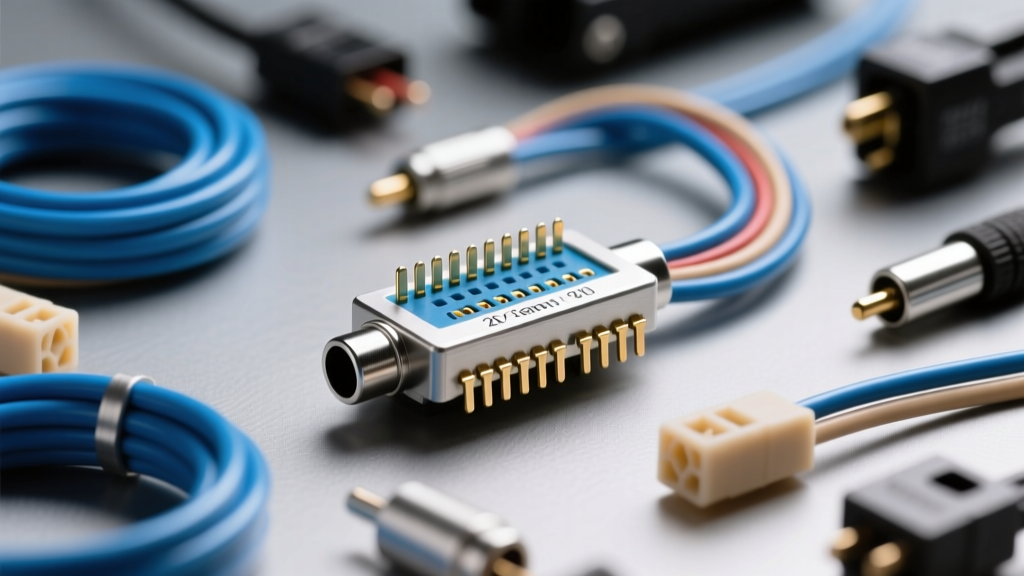
Understanding the 20-Pin OEM Audio Architecture
As automotive infotainment systems have evolved from simple analog radios to complex CAN-bus integrated command centers, the wiring harnesses supporting them have grown in complexity. The standard 8-pin ISO connector is largely obsolete in modern vehicles, replaced by high-density interfaces like the Molex MX150 or TE Connectivity MCON series. When diagnosing audio failures, installing aftermarket head units, or integrating DSP amplifiers, referencing an accurate 20 pin car audio connector diagram is mandatory. This guide provides a comprehensive pinout reference alongside a rigorous cost and tool requirements analysis to ensure your modification or repair is executed to OEM standards.
20 Pin Car Audio Connector Diagram & Pinout Table
The 20-pin hybrid connector typically consolidates high-current power delivery, analog speaker outputs, and high-speed data networks (CAN/LIN) into a single cavity. Below is the industry-standard pinout configuration commonly found in late-model Asian and European imports utilizing a 20-pin Molex-style footprint. Always verify against your specific factory service manual, as OEM variations exist.
| Pin | Function | Wire Color (Typical) | AWG Size | Terminal Type |
|---|---|---|---|---|
| 1 | +12V Constant (B+) | Yellow | 16 AWG | MCON 2.8 |
| 2 | +12V Accessory (IGN) | Red | 16 AWG | MCON 2.8 |
| 3 | Chassis Ground | Black | 16 AWG | MCON 2.8 |
| 4 | Illumination / Dimmer | Orange | 20 AWG | MCON 1.2 |
| 5 | Amp Turn-On / P-Ant | Blue | 20 AWG | MCON 1.2 |
| 6 | CAN-High | Pink | 22 AWG | MCON 1.2 |
| 7 | CAN-Low | Purple | 22 AWG | MCON 1.2 |
| 8 | Steering Wheel Control | Brown | 22 AWG | MCON 1.2 |
| 9 | Front Left Speaker (+) | White | 18 AWG | MCON 1.2 |
| 10 | Front Left Speaker (-) | White/Black | 18 AWG | MCON 1.2 |
| 11 | Front Right Speaker (+) | Gray | 18 AWG | MCON 1.2 |
| 12 | Front Right Speaker (-) | Gray/Black | 18 AWG | MCON 1.2 |
| 13 | Rear Left Speaker (+) | Green | 18 AWG | MCON 1.2 |
| 14 | Rear Left Speaker (-) | Green/Black | 18 AWG | MCON 1.2 |
| 15 | Rear Right Speaker (+) | Violet | 18 AWG | MCON 1.2 |
| 16 | Rear Right Speaker (-) | Violet/Black | 18 AWG | MCON 1.2 |
| 17 | Reverse Gear Signal | Light Green | 22 AWG | MCON 1.2 |
| 18 | Vehicle Speed Sensor (VSS) | Dark Green | 22 AWG | MCON 1.2 |
| 19 | Mute / Telephone Mute | Light Blue | 22 AWG | MCON 1.2 |
| 20 | Diagnostic / Wake-Up | Yellow/Red | 22 AWG | MCON 1.2 |
Note: Pins 1, 2, and 3 utilize larger 2.8mm blade terminals to handle the current draw of internal amplifiers, while the remaining 17 pins use 1.2mm micro-terminals for signal and low-current data. For deeper insights into terminal specifications, refer to the TE Connectivity Automotive Connector Datasheets.
Cost Analysis: OEM Pigtails vs. Aftermarket Adapters
When replacing a damaged 20-pin connector or bypassing an OEM amplifier, the method of integration drastically impacts both cost and long-term reliability. Cutting and splicing the OEM harness is highly discouraged due to the risk of altering CAN-bus impedance and introducing voltage drops. Below is a cost breakdown of the three primary integration methods.
1. The OEM Pigtail Method (Recommended for Repairs)
- Parts Cost: $35 - $65 (Dealer-sourced 20-pin pigtail with 6-inch leads).
- Pros: Maintains factory wire gauges; allows for proper heat-shrink soldering or ultrasonic welding to the vehicle harness.
- Cons: Higher upfront part cost; requires advanced crimping/soldering skills.
2. Aftermarket T-Harness (Best for Head Unit Swaps)
- Parts Cost: $15 - $30 (e.g., Metra or Axxess 20-pin integration harness).
- Pros: Plug-and-play installation; no cutting of the vehicle's OEM wiring required; preserves resale value.
- Cons: T-harnesses often use undersized 18 AWG wire for the B+ and Ground circuits, which can bottleneck high-draw aftermarket amplifiers, necessitating a parallel 12 AWG power run.
3. Scotchlok / T-Tap Splicing (Not Recommended)
- Parts Cost: $5 - $10.
- Pros: Cheap and fast.
- Cons: High failure rate. T-taps frequently sever the 22 AWG CAN-bus wires (Pins 6 & 7), causing U-codes (network communication faults) and total infotainment blackouts. Always avoid this method on modern data networks.
Essential Tool Requirements for Harness Modification
Executing a professional-grade repair on a 20-pin Molex or TE harness requires specialized tooling. Standard electrical pliers will crush the micro-terminals, leading to poor retention and pin fretting. According to SAE J1113 standards for automotive electromagnetic compatibility, proper terminal crimping is critical to maintaining shielding integrity and preventing data bus interference.
Tooling Investment Breakdown
| Tool Category | Recommended Model | Estimated Cost | Purpose |
|---|---|---|---|
| Ratcheting Crimper | IWISS SN-48B or TE 58496-1 | $45 - $180 | Ensures precise bell-mouth crimps on MCON 1.2 and 2.8 open-barrel terminals without damaging the wire core. |
| Terminal Extractor | Molex 34954-0000 Kit | $25 - $40 | Depresses the micro-lances inside the 20-pin housing to safely remove pins for repinning or circuit testing. |
| Precision Wire Stripper | Knipex PreciStrip 16 | $60 - $85 | Strips 24-16 AWG automotive TXL/GXL wire without nicking the copper strands, which causes fatigue failures. |
| Digital Multimeter | Fluke 87V | $350 - $450 | Measures CAN-bus duty cycles, termination resistance (typically 60 ohms across Pins 6 & 7), and voltage drop. |
Total Initial Tool Investment: $130 - $305 (excluding the high-end multimeter, which is optional for DIYers but mandatory for professional diagnostic techs).
Step-by-Step Diagnostic & Repair Workflow
- Isolate the Network: Before probing Pins 6 and 7 (CAN-H and CAN-L), disconnect the negative battery terminal. Probing live CAN-bus lines with standard test lights or low-impedance multimeters can short the network and trigger a check engine light.
- Verify Terminal Retention: Use the extraction tool to gently pull back on each wire. Automotive vibrations can back out poorly crimped terminals. Ensure the primary and secondary locking lances engage with an audible click.
- Perform a Voltage Drop Test: Reconnect the battery and turn the ignition to the 'ON' position. Measure the voltage between the battery positive post and Pin 1 at the connector. A reading above 0.2V indicates excessive resistance in the B+ circuit, often caused by OEM corrosion or an undersized aftermarket T-harness.
- Crimp and Seal: When replacing a damaged pigtail, strip the wire to the exact depth specified by the terminal manufacturer. Crimp the wire barrel, then the insulation barrel. Apply dual-wall adhesive heat shrink (3:1 ratio) to prevent moisture ingress, which leads to copper oxidation and high-resistance faults.
Expert Troubleshooting & Real-World Failure Modes
CAN-Bus Wake-Up Failures and Battery Drain
Pin 20 is frequently utilized as a network wake-up or diagnostic line. If an aftermarket installer incorrectly ties Pin 20 to a constant 12V source instead of a switched accessory or data-triggered source, the vehicle's infotainment module will remain active on the CAN network. This prevents the vehicle's body control module (BCM) from entering sleep mode, resulting in a parasitic draw of 400mA to 800mA and a dead battery within 48 hours. Always verify the sleep-state current draw with an ammeter in series with the battery ground cable after any 20-pin harness modification.
Speaker Output Grounding Faults
Unlike older vehicles where speaker negatives were tied to a common chassis ground, modern 20-pin OEM audio systems utilize bridged (BTL - Bridge-Tied Load) amplifier outputs. Pins 9 through 16 carry independent positive and negative signals. Never ground any of the speaker negative wires (Pins 10, 12, 14, 16) to the chassis. Doing so will short the internal IC of the OEM head unit or DSP amplifier, resulting in catastrophic and irreversible hardware failure. For more installation safety protocols, consult the Crutchfield Car Audio Installation Guides.
Pin Fretting and Intermittent Audio Loss
In high-vibration environments, the micro-terminals on Pins 9-16 can suffer from fretting corrosion—a phenomenon where microscopic movements wear away the tin plating, creating an insulating layer of tin oxide. This manifests as intermittent audio dropouts in specific channels when hitting bumps. The fix is not simply tightening the wire, but replacing the female terminal with a gold-plated variant or applying a dielectric de-oxidizer (such as Stabilant 22) directly into the connector cavity before mating.