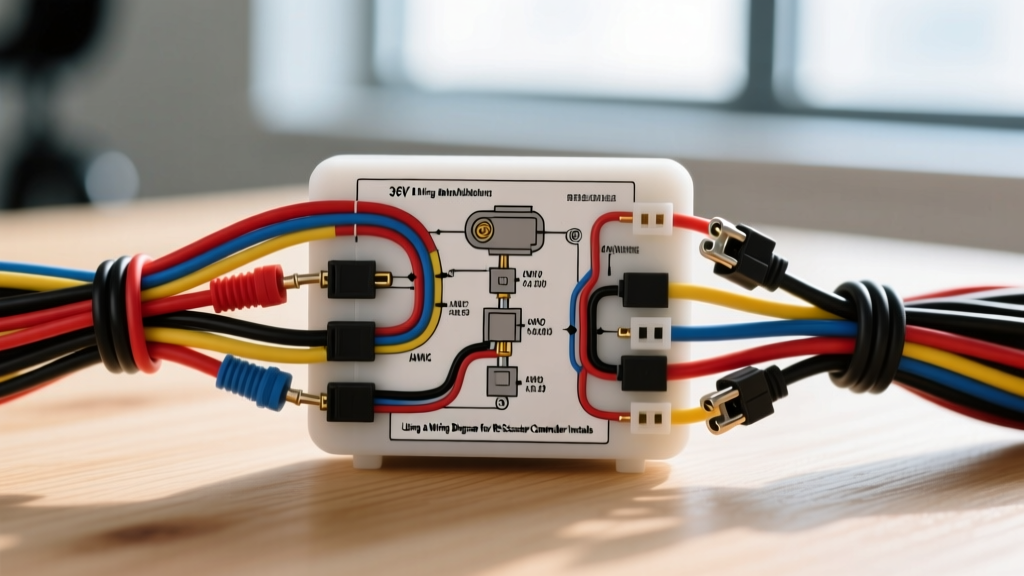
Understanding the Core Mobility Scooter Wiring Diagram
Upgrading or replacing the main speed controller on a 24V or 36V mobility scooter requires more than just matching wire colors. Unlike standard automotive 12V DC systems, mobility scooters utilize high-current traction circuits paired with low-voltage logic networks. When consulting a wiring diagram for mobility scooter platforms, you are essentially looking at two distinct circuits: the high-amperage traction loop (battery to motor) and the low-amperage logic loop (throttle, electromagnetic brake, and key switch). Misinterpreting these diagrams is the leading cause of blown MOSFETs, melted harness connectors, and runaway throttle conditions.
This practical installation guide focuses on the industry-standard 36V brushed motor controller architecture found in many mid-size and heavy-duty mobility scooters (such as generic JFY platforms and Pride Mobility equivalents). We will break down the exact wire gauges, pinout configurations, and electromagnetic brake calibrations required for a safe, OEM-compliant installation.
Essential Tools and Wire Gauge Specifications
Before cutting or crimping any wires, verify your materials against the SAE J1128 standard for low-tension primary cable. Voltage drop in the main traction loop will severely limit your scooter's torque and range. According to SAE J1128 guidelines, wire insulation must withstand high-temperature engine compartment equivalents, though in EV applications, we prioritize flexible, high-strand-count silicone or XLPE insulation to handle constant DC vibration.
| Circuit Application | AWG Size | Standard Color Code | Connector Type | Max Continuous Load |
|---|---|---|---|---|
| Main Battery to Controller | 8 AWG | Red (+) / Black (-) | Anderson SB50 | 80A |
| Controller to Drive Motor | 10 AWG | Yellow (A) / Blue (B) | Ring Terminal / Spade | 45A |
| Electromagnetic Brake | 18 AWG | Brown (+) / White (-) | 2-Pin Molex .062 | 3A |
| Throttle / Hall Sensor | 22 AWG | Red / Green / Black | 4-Pin JST-XH | 50mA |
| Charging Port (XLR) | 12 AWG | Red (+) / Black (-) | 3-Pin XLR Male | 15A |
Step-by-Step Controller and Traction Harness Installation
Follow this sequence strictly. Bypassing the pre-charge or brake-wiring steps can result in catastrophic controller failure or a vehicle that fails to stop when the throttle is released.
Step 1: Isolation and Capacitor Pre-Charge
Disconnect the main Anderson SB50 battery connector. Critical Safety Step: The internal capacitors of a 36V mobility scooter controller can hold a lethal charge or cause a massive arc upon reconnection. Before touching any main power lugs, use a 12V automotive test light or a multimeter to verify 0V across the main B+ and B- terminals. If installing a new controller, you must pre-charge the capacitors by bridging the B+ terminal with a 50-ohm, 10-watt resistor for 5 seconds before making the final solid connection. This prevents the inrush current from welding the main contactor or damaging the battery pack's BMS.
Step 2: Main Power Lug Termination
Strip exactly 5/8 inch of insulation from the 8 AWG main power wires. Crimp using a closed-barrel hex crimp tool, followed by an adhesive-lined heat shrink tube. When securing the ring terminals to the controller's M8 threaded studs, apply exactly 15 Nm (132 in-lbs) of torque. Over-torquing will strip the soft brass internal bus bars; under-torquing will cause high resistance, leading to localized melting of the terminal block.
Step 3: Electromagnetic Brake Wiring
Mobility scooters use a spring-applied, electrically-released electromagnetic brake mounted directly to the motor transaxle. Even on a 36V scooter system, the brake coil is almost universally rated for 24V DC. The wiring diagram will show the brake tapping into the series connection of the first two 12V batteries, or utilizing a dedicated 24V step-down output on the controller. Measure the brake coil resistance with a multimeter before connecting; a healthy 24V brake coil should read between 20 and 30 ohms. If it reads infinite (open) or near zero (shorted), replace the brake assembly before proceeding.
Step 4: Throttle Potentiometer Calibration
The throttle is a linear potentiometer. Connect the 4-pin JST-XH plug to the controller. Before applying main power, back-probe the signal wire (usually Green or White) at the controller harness. Turn the key switch to 'ON'. At zero throttle (resting state), the multimeter should read exactly 1.1V ± 0.1V. At full forward depression, it should sweep smoothly to 4.3V ± 0.1V. If the resting voltage is below 0.8V or above 1.4V, the controller's internal safety watchdog will trigger an error code (usually indicated by a flashing LED sequence) and disable the drive motor to prevent runaway acceleration.
Pinout Reference: 36V Brushed Controller to Throttle & Motor
Referencing accurate pinouts is vital, as Chinese-manufactured generic controllers often use non-standardized color codes despite using identical connector housings. Always verify by function rather than color alone. The Scooter Doc service database is an excellent secondary verification resource for OEM harness variations.
| Pin Number | Function | Typical Wire Color | Voltage / State |
|---|---|---|---|
| Pin 1 | 5V Reference (VCC) | Red | Constant 5.0V DC |
| Pin 2 | Throttle Signal | Green / White | 1.1V (Rest) to 4.3V (Full) |
| Pin 3 | Sensor Ground | Black | 0V (Logic Ground) |
| Pin 4 | Battery Level LED | Yellow | PWM Signal to Dash |
| Brake 1 | Brake Interrupt | Orange | Normally Closed (NC) to Ground |
| Brake 2 | Brake Logic | Blue | Pulls High when lever squeezed |
Troubleshooting Common Installation Faults
When the scooter fails to operate post-installation, use this decision tree to isolate the fault without blindly replacing components.
- Symptom: Scooter powers on, but motor does not engage and brake does not click.
- Cause: The controller is not sending 24V to the electromagnetic brake, keeping the motor mechanically locked.
- Fix: Check the 15A inline blade fuse on the brake positive wire. Verify the controller's brake output terminal is receiving the logic signal from the key switch.
- Symptom: Motor stutters or cuts out under heavy load (e.g., climbing an incline).
- Cause: Voltage drop across the Anderson SB50 battery connector due to loose #10-32 set screws or oxidized contacts.
- Fix: Perform a dynamic voltage drop test. Place multimeter probes on the battery side and controller side of the SB50 connector while the motor is under load. A drop greater than 0.2V indicates the connector must be disassembled, cleaned, and re-torqued to 45 in-lbs, as specified by Anderson Power Products.
- Symptom: Throttle feels 'dead' and dashboard LED flashes 4 times.
- Cause: Throttle potentiometer out of calibration range or signal wire shorted to 5V reference.
- Fix: Inspect the JST-XH connector for pushed-back pins. If wiring is intact, open the throttle housing and adjust the physical resting stop-screw until the signal wire reads exactly 1.15V at rest.
Final Verification and Road Testing
Before placing the user in the mobility scooter, elevate the rear drive wheels on a sturdy maintenance stand. Power on the unit and listen for the distinct, sharp 'click' of the electromagnetic brake releasing. Slowly depress the throttle to verify smooth RPM ramp-up. Engage the manual brake levers; the motor controller should instantly cut power to the traction motor via the brake interrupt switch before the mechanical brake fully engages. Finally, lower the scooter and perform a low-speed test in a controlled environment, verifying that the regenerative braking or dynamic electronic braking effectively slows the unit when the throttle is released.