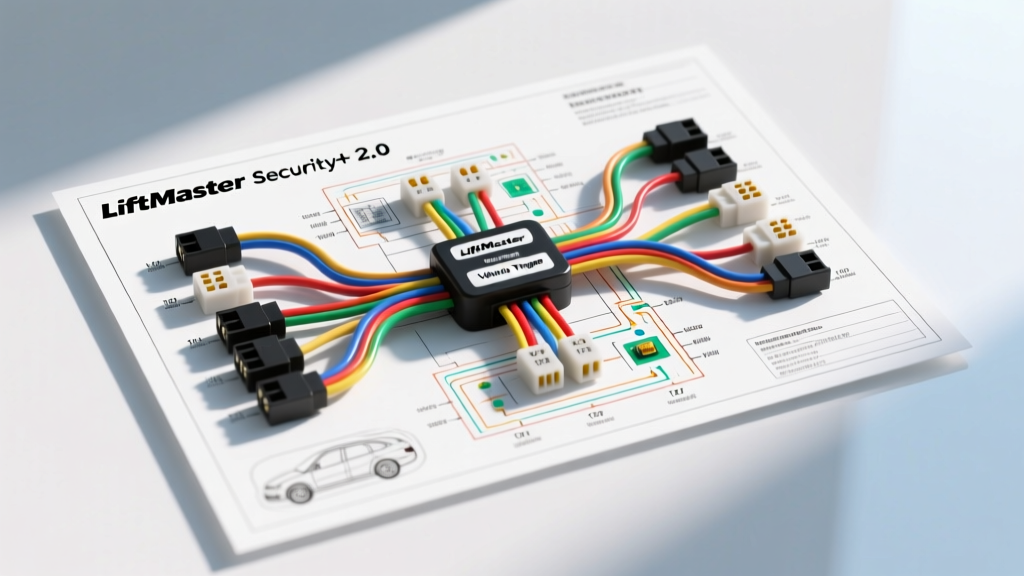
Introduction to Vehicle-to-Gate Integration
Integrating a vehicle's electrical system with a LiftMaster Security+ 2.0 gate or garage door operator requires a precise understanding of both automotive 12V architectures and the operator's low-voltage logic circuits. Whether you are wiring a Ford Super Duty Upfitter switch, a Ram 2500 auxiliary switch, or troubleshooting a HomeLink/Car2Cloud dry-contact emulator, the intersection of high-current automotive systems and sensitive logic boards is a common point of failure. This guide provides a comprehensive LiftMaster Security+ 2.0 wiring diagram perspective, focusing on step-by-step troubleshooting flows for vehicle-triggered relay harnesses, wire gauge limitations, and CAN-bus isolation techniques.
The LiftMaster Security+ 2.0 Wiring Diagram Explained
The Security+ 2.0 logic board (found in models like the 8500W, HSL10, and 8160W) utilizes a proprietary serial data bus for its safety sensors and wall controls. However, for vehicle integration and external dry-contact triggers, the logic board provides specific screw terminals that operate on a 5V DC logic circuit. Understanding these terminals is critical before connecting any automotive 12V source.
- Terminal 1 (Red): The primary command input. Internally pulled up to ~5V DC.
- Terminal 2 (White): The logic ground/reference. Shorting Terminal 1 to Terminal 2 triggers the door/gate command.
- Terminal 3 (Grey): Accessory power output (typically 12V DC or 5V DC depending on the specific board revision and adapter, used for gate loops or external locks).
Warning: Never connect a vehicle's 12V battery or CAN-bus signal directly to Terminals 1 or 2. Doing so will instantly destroy the logic board's microprocessor. All vehicle triggers must be isolated using an automotive SPDT relay or an opto-isolator module.
Automotive Relay Isolation Harness (Bosch-Style)
To safely bridge a vehicle's 12V upfitter switch to the Security+ 2.0 dry contact, we use a standard Bosch ISO mini relay (SPDT). This harness isolates the vehicle's noisy electrical system from the sensitive gate operator.
Relay Pinout & Wire Color Codes
- Pin 86 (Coil +): Connected to the vehicle's 12V Upfitter/Aux switch output. Use 16 AWG GXL wire.
- Pin 85 (Coil -): Connected to a clean, dedicated chassis ground. Use 16 AWG GXL wire with a ring terminal.
- Pin 30 (Common): Connected to Logic Board Terminal 1 (Red). Use 22 AWG stranded copper.
- Pin 87 (Normally Open): Connected to Logic Board Terminal 2 (White). Use 22 AWG stranded copper.
When the driver activates the vehicle's switch, 12V energizes the relay coil, closing the contact between Pin 30 and Pin 87. This shorts Terminal 1 to Terminal 2 on the LiftMaster board, emulating a physical push-button press without transferring voltage.
Step-by-Step Troubleshooting Flow
When a vehicle-integrated gate trigger fails, technicians must follow a systematic decision tree to isolate the fault to either the vehicle side, the relay harness, or the logic board. Use a digital multimeter (DMM) with a high-impedance input for these tests.
Phase 1: Vehicle-Side 12V Verification
- Test the Trigger Source: Set your DMM to DC Volts. Probe the wire at the relay socket corresponding to Pin 86 while an assistant holds the vehicle's Upfitter switch. You should read between 12.2V and 14.4V (depending on alternator state).
- Check for PWM Interference: Modern vehicles (especially GM and Ford models post-2015) sometimes use Pulse Width Modulation (PWM) for auxiliary circuits to manage electrical loads. If your DMM shows a fluctuating voltage (e.g., bouncing between 6V and 12V), the circuit is PWM-controlled. You must relocate the trigger wire to a constant 12V ignition-switched source or install a PWM filter capacitor (1000µF, 25V) across Pins 85 and 86.
- Verify Chassis Ground: Move the black DMM probe to the battery negative terminal and the red probe to the relay socket Pin 85 wire. Activate the switch. If you read 12V+ at Pin 85, your ground circuit is open or corroded. Clean the ground point to bare metal and apply dielectric grease.
Phase 2: Relay Continuity & Isolation Test
- The Click Test: With the relay seated, activate the vehicle switch. You should hear a distinct mechanical click. If silent, replace the relay.
- Continuity Check (Power Off): Remove the relay. Set the DMM to Ohms/Continuity. Probe the harness wires leading to the gate operator (Pins 30 and 87). They should read infinite resistance (OL). If you read continuity, the relay contacts are welded shut, or the wire is pinched and shorted in the conduit.
Phase 3: Logic Board Terminal Diagnostics
- Voltage Verification: Set the DMM to DC Volts. Place the red probe on Security+ 2.0 Terminal 1 (Red) and the black probe on Terminal 2 (White). You should read approximately 5.0V to 5.2V DC. If you read 0V, the logic board's internal 5V regulator has failed, or the serial bus is shorted elsewhere.
- The Manual Short Test: Disconnect the vehicle harness from the logic board. Using a jumper wire, briefly short Terminal 1 to Terminal 2. If the gate operator activates, the logic board is functional, and the fault lies in the vehicle relay harness or wire run.
Technical Specifications & Wire Gauge Chart
Adhering to proper wire gauge and run length limits is critical to prevent voltage drop and signal degradation, which can cause the Security+ 2.0 system to register 'ghost' commands or fail to trigger entirely.
| Application | Wire Gauge (AWG) | Wire Type | Max Run Length | Terminal Torque |
|---|---|---|---|---|
| Vehicle 12V to Relay Coil (Pins 85/86) | 16 AWG to 14 AWG | GXL (Cross-linked) | 15 ft | N/A (Crimp) |
| Relay to Logic Board (Terminals 1 & 2) | 22 AWG to 18 AWG | Stranded Copper (PVC) | 250 ft (22 AWG) 400 ft (18 AWG) |
4.5 in-lbs |
| Accessory Power (Terminal 3) | 18 AWG | Stranded Copper | 50 ft | 4.5 in-lbs |
Advanced Diagnostics: CAN-Bus & HomeLink Issues
For vehicles utilizing integrated HomeLink or Car2Cloud modules rather than physical upfitter switches, the troubleshooting flow shifts to radio frequency (RF) and data-bus integration. The Security+ 2.0 system uses rolling-code technology (868 MHz or 310/315/390 MHz depending on region). If a vehicle's built-in transmitter fails to trigger the gate:
- Check the 88LM Adapter: Many commercial gates use the 88LM Security+ 2.0 to dry-contact adapter. Ensure the adapter's LED is flashing during vehicle transmission. If not, the vehicle's HomeLink module may require a hard reset (hold buttons 1 and 3 for 20 seconds) and reprogramming to the 88LM's learn button.
- Ground Loop Interference: If the gate triggers randomly when the vehicle is parked nearby but not transmitting, suspect a ground loop. This occurs when the vehicle harness shield wire (if using shielded cable for long runs) is grounded at both the vehicle chassis and the gate operator. Fix: Only ground the shield wire at the gate operator side; leave the vehicle side floating and wrapped in heat shrink.
Authoritative Sources & Further Reading
For deeper electrical standards and OEM integration protocols, refer to the following resources:
- LiftMaster Technical Support & Operator Manuals - Official wiring schematics for 8500W and HSL10 logic boards.
- SAE J1113 Electromagnetic Compatibility Standards - Guidelines for preventing RF and CAN-bus interference in automotive upfitter circuits.
- HomeLink Vehicle Integration Guide - Protocols for pairing OEM vehicle transmitters with rolling-code security operators.