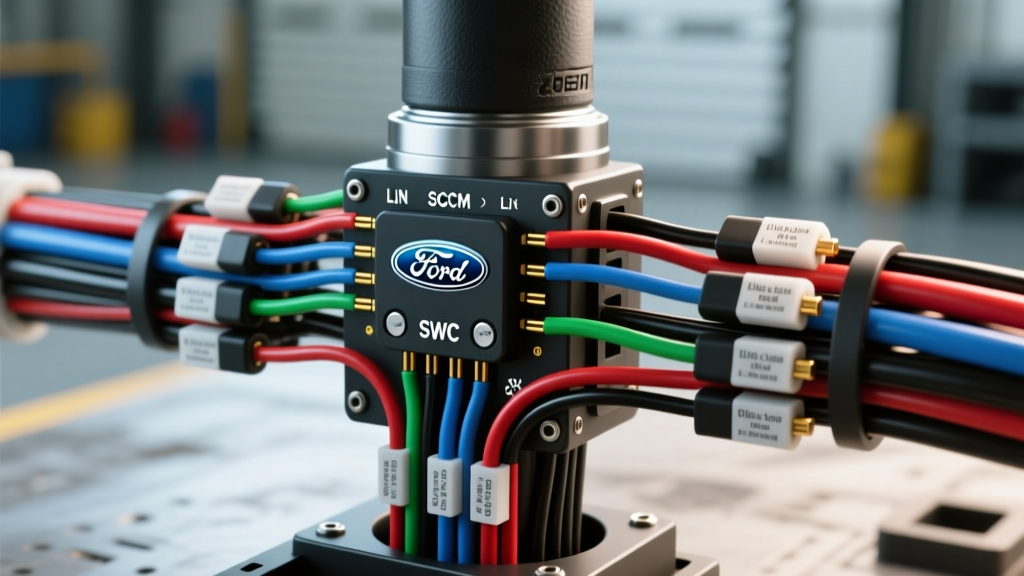
Project Overview: Upgrading Base F-150 Steering Column Controls
Retrofitting Steering Wheel Controls (SWC) onto a base-model XL trim F-150 is one of the most rewarding interior modifications you can undertake. However, modern Ford trucks do not use simple resistor-ladder networks for steering wheel buttons. Instead, they rely on complex multiplexed networks routed through the steering column. When tackling a steering wheel control retrofit, referencing an accurate f150 ford steering column wiring diagram is the difference between a seamless OEM-style integration and a dashboard full of fault codes.
This guide focuses on the 13th-generation F-150 (2015-2020) platform, detailing the wiring architecture of the Steering Column Control Module (SCCM), the clockspring rotary connector, and the necessary LIN bus (Local Interconnect Network) integration required to add volume, voice, cruise, and information display controls to a non-equipped steering wheel.
Understanding the SCCM and LIN Bus Architecture
Unlike older vehicles where every button on the steering wheel had a dedicated wire running down the column, the modern F-150 uses a centralized SCCM located directly behind the steering wheel hub. The buttons on the left and right spokes communicate with the SCCM via a single-wire LIN bus. The SCCM then translates these serial commands into High-Speed or Medium-Speed CAN (Controller Area Network) messages, broadcasting them to the Instrument Panel Cluster (IPC), the Accessory Protocol Interface Module (APIM/SYNC), and the Powertrain Control Module (PCM).
Because of this architecture, your physical wiring project is surprisingly minimal. The primary challenge lies in ensuring the LIN bus circuit is intact between the clockspring and the SCCM, and subsequently using diagnostic software to enable the modules to listen for these commands.
Clockspring Connector C218A: Pinout & Wire Colors
The rotary electrical connector (commonly called the clockspring) bridges the gap between the stationary steering column harness and the rotating steering wheel. Below is the critical pinout for Connector C218A, which interfaces directly with the steering wheel airbag, horn, and SWC LIN bus.
| Pin | Wire Color | AWG | Circuit Function | Notes / Modification Action |
|---|---|---|---|---|
| 1 | Dark Green / Yellow (DG/YE) | 18 AWG | Horn Relay Ground | Verify continuity to ground when horn pad is pressed. |
| 2 | Violet / Orange (VT/OG) | 22 AWG | SWC LIN Bus Signal | Critical: Must be continuous from wheel hub to SCCM Pin 3. |
| 3 | Black / White (BK/WT) | 20 AWG | SWC / LIN Bus Ground | Shared signal ground for steering wheel button array. |
| 4 | Yellow Jacket (White Trace) | 18 AWG | Driver Airbag Squib (+) | Do not probe with standard multimeter; use SAE J2174 compliant tools. |
| 5 | Yellow Jacket (Black Trace) | 18 AWG | Driver Airbag Squib (-) | Shorting bar engages when connector is unplugged. |
Reference: Wire color codes and pin configurations are derived from the Ford Motor Company Official Service Manuals. Always verify with a vehicle-specific wiring schematic before cutting or splicing.
Step-by-Step Wiring Integration for SWC Upgrade
If you are swapping a base XL steering wheel for an XLT/Lariat wheel with integrated controls, the physical wiring in the column is usually already present from the factory, even if the buttons were not installed. Ford frequently uses a universal column harness to save on assembly line part numbers. However, if your truck lacks the C218A pigtail extensions, follow these steps:
- Depower the SRS System: Disconnect the negative battery terminal and wait a minimum of 60 seconds. According to SAE International standards for airbag circuit testing, probing airbag squib pins with a standard digital multimeter can supply enough current to deploy the pyrotechnic charge.
- Steering Wheel Removal: Remove the T30 Torx bolts on the back of the steering wheel. Disconnect the airbag and SWC connectors. Mark the steering shaft and wheel with a paint pen before pulling the wheel to maintain clockspring alignment.
- Inspect the Clockspring Pigtail: Unclip the C218A connector from the SCCM. Check for the presence of the Violet/Orange (LIN) and Black/White (Ground) wires. If they are missing, you will need to source a Motorcraft WPT-1246 pigtail and pin it directly into the SCCM harness connector.
- Clockspring Centering Procedure: If the clockspring was removed or rotated, it must be re-centered. Rotate the hub clockwise until it gently stops. Then, rotate it counter-clockwise exactly 2.5 turns until the yellow alignment arrow on the hub aligns with the mark on the casing. Failure to do this will result in a snapped clockspring ribbon cable on the first full lock-to-lock turn.
- Torque Specifications: Reinstall the steering wheel and torque the center M16 steering shaft nut to 35 lb-ft (47 Nm). Do not use an impact wrench, as over-torquing will crush the column bearing.
FORScan As-Built Programming: Waking Up the Modules
Physical wiring is only half the battle. The F-150's IPC and APIM modules are programmed at the factory based on the vehicle's build sheet (As-Built data). If the truck left the factory without SWC, the modules will ignore the LIN bus signals even if the wiring is perfect. You must use an OBD-II adapter (like the OBDLink EX) and FORScan software to modify the module configurations.
Required Module Configuration Changes:
- SCCM (Steering Column Control Module): Access the As-Built hex data. Locate block
724-01-01. You must change the specific byte corresponding to "Steering Wheel Controls" from0(Not Equipped) to1(Equipped). - IPC (Instrument Panel Cluster): Access block
726-09-01. Enable the cruise control and information display button acknowledgments so the dash will display volume and cruise set-speed indicators. - APIM (SYNC Module): In the APIM configuration menu, ensure "Steering Wheel Controls" is set to "Ford OEM" rather than "Aftermarket / Resistor" to ensure the LIN bus is polled correctly by the SYNC head unit.
After writing the As-Built data, perform a "Module Reset" (Initialization) on the SCCM and IPC within FORScan to clear any temporary U-codes.
Airbag Squib Wiring & Safety Protocols
When modifying the steering column, you are working millimeters away from the driver's frontal airbag squib. The airbag circuits (Pins 4 and 5 on C218A) utilize a specialized shorting-bar connector. When the connector is unplugged, a metal bar physically bridges the positive and negative terminals inside the harness side. This prevents stray electromagnetic interference (EMI) or static discharge from triggering the airbag while the column is disassembled.
Expert Warning: Never attempt to repair a damaged yellow airbag wire using standard solder and heat shrink. SAE standards and Ford service procedures dictate that any damage to the SRS squib wiring requires the replacement of the entire column harness assembly. Splicing airbag wires introduces variable resistance, which will trigger a permanent B108D (Driver Airbag Squib Circuit Resistance High) diagnostic trouble code and disable the SRS system.
Troubleshooting Common Column Wiring Faults
If your SWC upgrade results in unresponsive buttons or dashboard warnings, use this decision tree to diagnose the fault:
- Symptom: Horn works, but no SWC functions and SYNC does not recognize volume buttons.
- Cause: LIN Bus open circuit or missing FORScan configuration.
- Fix: Check continuity on the Violet/Orange wire from the clockspring to SCCM Pin 3. Verify SCCM As-Built data.
- Symptom: Airbag warning light illuminated, DTC B108D or B0012 stored in the Restraints Control Module (RCM).
- Cause: Clockspring squib ribbon cable torn, or C218A connector not fully seated (shorting bar still engaged).
- Fix: Push the yellow connector firmly until the secondary lock clicks. Measure squib resistance (should be between 1.8 and 3.0 ohms). Replace clockspring if open.
- Symptom: Steering wheel buttons work intermittently when turning the wheel.
- Cause: Clockspring internal ribbon cable fatigued or clockspring was not centered during installation, causing it to over-rotate and bind.
- Fix: Remove steering wheel, re-center the clockspring hub, and verify column alignment.
By respecting the LIN bus architecture, adhering to strict SRS safety protocols, and properly configuring the SCCM via FORScan, your F-150 steering column upgrade will function exactly as it would have straight off the Dearborn assembly line.