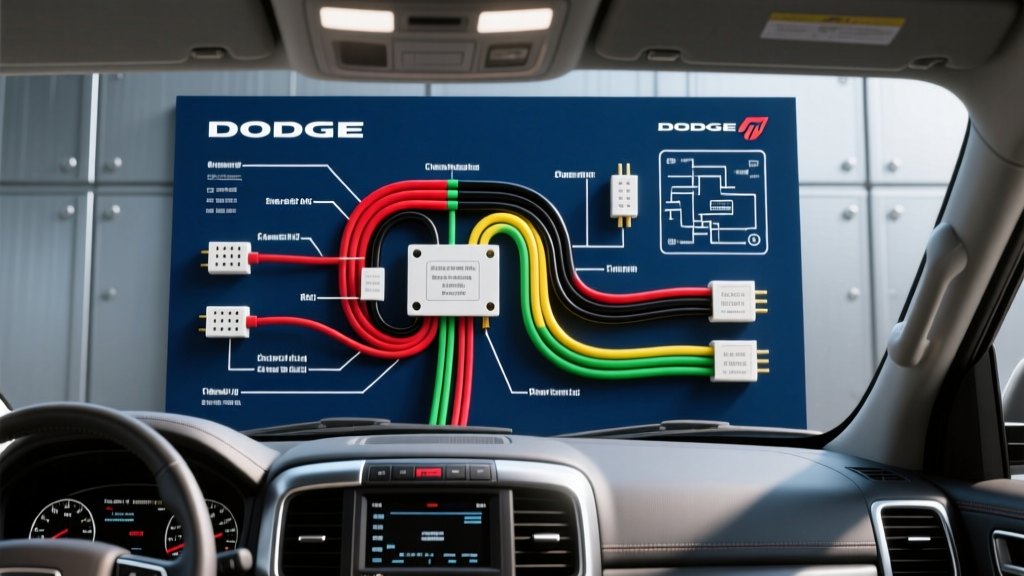
Introduction to the Ram 1500 Audio Architecture
Upgrading the infotainment system in a Dodge Ram 1500 requires far more than simply splicing wires together. Modern Mopar vehicles, particularly those equipped with Uconnect systems, rely heavily on a Controller Area Network (CAN-bus) to manage power states, audio routing, and vehicle settings. Consulting a generic Dodge Ram 1500 radio wiring diagram without understanding the underlying data network will almost certainly result in parasitic battery drains, non-functional steering wheel controls, or complete system failure.
This practical how-to guide focuses on the highly modified 4th-generation Ram 1500 (2009–2018). We will break down the standard 22-pin Chrysler harness, explain the critical role of CAN-bus interface modules, and provide a step-by-step installation procedure that adheres to SAE J1939 CAN-Bus Standards for automotive data integrity.
Essential Tools and Material Specifications
Before removing a single dash panel, ensure you have the correct materials. Using inferior connectors on a CAN-bus line can introduce resistance that corrupts data packets.
- Wire Strippers: Precision AWG 14-22 gauge automatic strippers.
- Soldering Station: Temperature-controlled iron (set to 350°C for 18 AWG OFC copper).
- Heat Shrink: MIL-SPEC 3M polyolefin dual-wall adhesive heat shrink (3:1 shrink ratio).
- Digital Multimeter: High-impedance DMM (minimum 10 Megohm input impedance) to prevent back-probing damage to the TIPM (Totally Integrated Power Module).
- Interface Module: iDatalink Maestro RR or PAC RP4-CH11 (mandatory for CAN-bus translation).
- Dash Kit: Metra 99-6532 or Scosche CR129B for double-DIN conversion.
The CAN-Bus Reality: Why Ignition Wires are Missing
The most common mistake DIY installers make when referencing a Dodge Ram 1500 radio wiring diagram is searching for a traditional 12V switched ignition wire (usually red). On 2013 and newer Ram models, the factory Uconnect radio does not receive a physical 12V ignition signal. Instead, it receives a digital 'wake-up' command via the CAN-High and CAN-Low data lines.
If you attempt to tap into a nearby fuse panel for switched power, you risk overloading a localized circuit or causing the TIPM to throw a hard fault code. You must use a data retention module that reads the CAN-bus signals and generates a clean 12V/10A switched output for your aftermarket head unit. This module also translates steering wheel control (SWC) resistive ladder signals into standard serial commands.
Dodge Ram 1500 Radio Wiring Diagram & Pinout Table
Below is the reference table for the standard 22-pin Chrysler/Mopar radio connector. Note that wire colors may feature a tracer stripe. Always verify with a high-impedance DMM before making connections.
| Pin Number | Wire Color | Function / Signal | AWG / Notes |
|---|---|---|---|
| 1 | Pink / Yellow | 12V Constant Battery (B+) | 16 AWG (Fused at TIPM) |
| 12 | Black / Light Green | Chassis Ground | 16 AWG |
| 9 | Red / White | 12V Switched (Pre-CAN Only) | Verify with DMM; often absent |
| 15 | Dark Green | Front Left Speaker (+) | 18 AWG OFC |
| 10 | Brown / Red | Front Left Speaker (-) | 18 AWG OFC |
| 16 | Purple | Front Right Speaker (+) | 18 AWG OFC |
| 11 | Dark Blue | Front Right Speaker (-) | 18 AWG OFC |
| 18 | Brown / Yellow | Rear Left Speaker (+) | 18 AWG OFC |
| 13 | Brown / Light Blue | Rear Left Speaker (-) | 18 AWG OFC |
| 19 | Dark Blue / White | Rear Right Speaker (+) | 18 AWG OFC |
| 14 | Dark Blue / Orange | Rear Right Speaker (-) | 18 AWG OFC |
| 3 & 4 | White / Green | CAN-High / CAN-Low Data | Twisted pair, 120-ohm term. |
Reference: Pinout configurations verified against Stellantis TechAuthority Service Manuals for 2009-2018 Light Duty platforms.
Step-by-Step Installation Procedure
Step 1: Dash Disassembly and Safety Protocols
Disconnect the negative battery terminal at the under-hood fuse box and wait 15 minutes. This allows the SRS (airbag) capacitors to discharge and forces the CAN-bus network into 'sleep' mode, preventing module bricking during disconnect. Use a non-marring nylon trim tool to pry the climate control bezel upward, starting from the bottom edge. Remove the four 7mm hex-head screws securing the factory Uconnect mounting brackets. Carefully slide the unit out and depress the locking tab on the rear 22-pin connector to release it.
Step 2: Interface Module Integration
Connect the T-harness from your PAC or iDatalink module between the vehicle's factory 22-pin plug and the module's input. Route the data cable to the OBD-II port area if required by your specific module for firmware flashing. Connect the generated 12V switched wire from the module to the red ignition wire on your aftermarket head unit's pigtail. Do not skip this step.
Step 3: Soldering and Heat Shrinking the Pigtail
Strip 5mm of insulation from the 18 AWG speaker wires. Twist the strands tightly to prevent stray copper filaments from causing short circuits against the chassis. Apply rosin-core solder to the twisted joint, ensuring the solder wicks entirely through the copper strands via capillary action. Slide the pre-cut dual-wall adhesive heat shrink over the joint and apply heat until the adhesive seals the edges. This prevents moisture intrusion and copper oxidation, which are primary causes of high-frequency audio degradation.
Bypassing the Factory Alpine Amplifier
If your Ram 1500 is equipped with the premium Alpine audio system (RPO code RC1 or similar), the factory head unit outputs low-level, equalized pre-amp signals to an external amplifier located under the passenger seat or behind the rear cab wall. If you connect a standard aftermarket head unit's high-level speaker outputs to this factory wiring, you will hear severe distortion or no audio at all.
The Fix: You must bypass the factory amplifier. This requires running new 16 AWG OFC speaker wires from the dash directly to each door speaker, bypassing the factory amp harness entirely. Alternatively, use an amplifier bypass harness (like the Metra 70-6510) which plugs into the factory amp connector and routes standard high-level signals back through the factory wiring. Ensure you also run a dedicated 14 AWG remote turn-on wire from the head unit's blue/white terminal to the factory amp's wake-up pin if you intend to keep the OEM subwoofer.
Troubleshooting Common Electrical Faults
Parasitic Battery Drain (CAN-Bus Wake Fault)
Symptom: The truck battery dies after sitting for 24-48 hours.
Cause: The aftermarket radio or interface module is keeping the CAN-bus network awake by back-feeding voltage into the data lines.
Fix: Verify that the interface module is configured with the exact vehicle firmware. Check for voltage on the CAN-High wire with the truck off and doors closed; it should read near 0V. If it reads 2.5V or higher, the module is failing to sleep.
Right Channel Audio Dropout
Symptom: Front and rear right speakers intermittently cut out over bumps.
Cause: The 22-pin Mopar connector is notorious for loose terminal tension on pins 16, 11, 19, and 14.
Fix: Use a micro-terminal pick to gently lift the retention tangs on the female terminals inside the OEM harness plug. Apply dielectric grease (Nyogel 760G) to prevent fretting corrosion.
Authoritative References
- Stellantis TechAuthority Service Manuals - Official wiring schematics and CAN-bus topology maps for Mopar vehicles.
- SAE J1939 CAN-Bus Standards - Engineering specifications for high-speed automotive data networks.
- Metra Electronics Installation Guides - Verified dash kit fitments and amplifier bypass harness documentation.