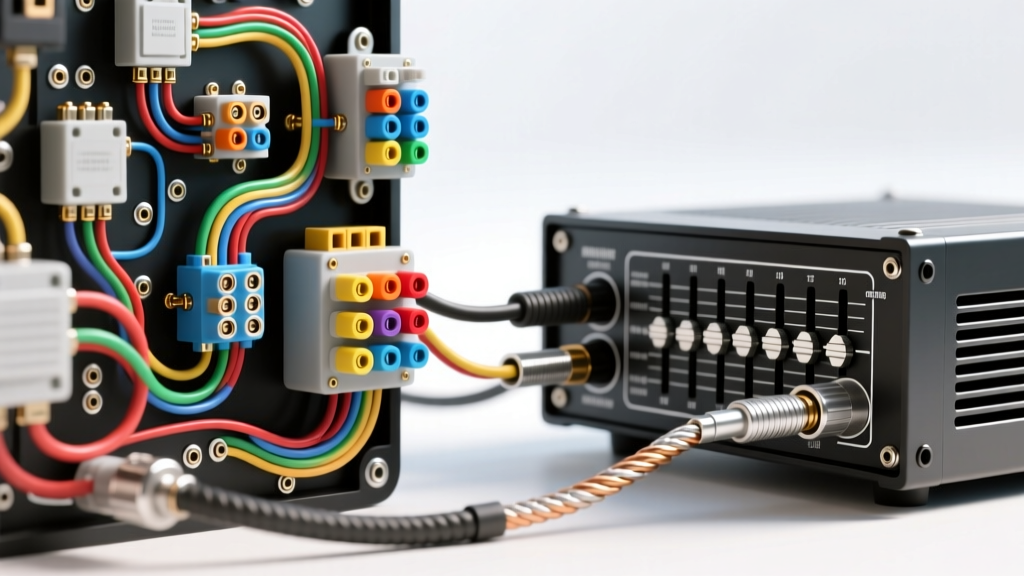
The 12V DC Automotive Audio Environment
Integrating a graphic equalizer into a vehicle's audio system is not as simple as plugging in RCA cables. Unlike home audio systems that benefit from clean, regulated 120V AC power, a vehicle operates on a noisy, unregulated 12V to 14.4V DC electrical system. The alternator generates massive electromagnetic interference (EMI), and the chassis serves as a shared, often compromised, ground return path. Many installers search for a wiring diagram graphic equalizer guide to learn how to connect equalizer to amplifier networks, but few understand the critical noise floor and safety parameters of the 12V DC environment.
As an automotive electrical specialist, I have diagnosed countless aftermarket audio systems suffering from alternator whine, clipped signals, and burnt-out remote turn-on transistors. This guide breaks down the most common wiring mistakes and safety warnings when routing power, ground, and signal between your head unit, graphic EQ, and external amplifiers.
Critical Safety Warnings Before You Strip a Single Wire
Before cutting into any factory harness or running new 12V lines, adhere to these non-negotiable safety protocols:
- Disconnect the Negative Battery Terminal: Always isolate the vehicle's battery to prevent short circuits, especially when routing power wires through the firewall or under dash panels.
- Avoid SRS (Airbag) Harnesses: Never zip-tie, splice into, or route audio wiring alongside yellow-jacketed SRS wiring. A short circuit here can trigger airbag deployment or disable the supplemental restraint system.
- Capacitor Discharge: If the vehicle is equipped with a factory amplifier or active noise cancellation (ANC) module, wait 10 minutes after battery disconnection for internal capacitors to discharge before probing any OEM audio pins.
Top Wiring Mistakes (and How to Fix Them)
Mistake 1: The RCA Ground Loop and Alternator Whine
Alternator whine typically manifests as a 120Hz to 400Hz ripple that pitches up and down with engine RPM. This occurs when the head unit, graphic equalizer, and amplifier are grounded at different chassis points, creating a voltage potential difference between the RCA shield grounds. Current flows through the RCA shield to equalize this potential, introducing noise directly into the audio signal path.
The Fix: Implement a "Star Ground" topology. Run the ground wires for the head unit, EQ, and amplifier to a single, centralized chassis grounding point. If using an active crossover or DSP alongside your graphic EQ, ensure all RCA shields are grounded at the source (head unit) only. According to SAE J1113 standards for electromagnetic compatibility, maintaining a unified ground reference plane is essential for minimizing conducted emissions in low-voltage signal cables.
Mistake 2: Overloading the Head Unit Remote Turn-On (REM) Circuit
The blue/white striped remote turn-on wire from a standard aftermarket head unit is typically powered by an internal transistor rated for a maximum of 200mA to 500mA. A graphic equalizer requires roughly 50mA to trigger, while a multi-channel amplifier can draw 150mA+ to close its internal relays. Daisy-chaining the REM wire from the head unit to the EQ, and then to multiple amplifiers, will overload the head unit's internal transistor, leading to voltage drop, delayed amp turn-on, or permanent head unit failure.
The Fix: Use a 30A Bosch-style SPDT relay. Trigger the relay's coil (pins 85 and 86) using the head unit's low-current REM wire. Connect the relay's switched 12V+ (pins 30 and 87) to a dedicated fused 12V source, and use this high-current output to trigger the EQ and all amplifiers simultaneously. Use 18 AWG Oxygen-Free Copper (OFC) wire for all REM runs to prevent voltage drop over long distances.
Mistake 3: Routing Signal Cables Parallel to High-Current Power
Running RCA interconnects parallel to the main 12V power wire or the vehicle's factory ECU wiring harness will induce inductive noise into the audio signal. The high-current alternating magnetic fields from the alternator and ignition coils will couple directly into the RCA signal conductors.
The Fix: Route all 12V power and ground wires down the left side of the vehicle's cabin, and all RCA signal cables and REM wires down the right side. If a signal cable must cross a power cable or a factory wiring loom, it must do so at a strict 90-degree angle to minimize magnetic induction.
Mistake 4: Improper Chassis Grounding Techniques
Wrapping a ground wire around a random seatbelt bolt or attaching a ring terminal over painted metal or powder-coated surfaces guarantees a high-resistance connection. As the amplifier or EQ demands dynamic current, the voltage drop across this poor ground will cause the EQ's internal op-amps to starve, resulting in severe audio clipping and thermal shutdown.
The Fix: Use a 12 AWG OFC ground wire terminated with a tinned copper ring terminal (10-12 stud size). Sand away all paint, primer, and clear coat down to bare steel using 80-grit sandpaper. Secure the terminal with a factory bolt torqued to 10-15 ft-lbs, and coat the connection with dielectric grease or No-Ox-ID to prevent galvanic corrosion. Keep the ground wire under 18 inches in length.
Wire Gauge & Routing Specification Chart
Reference this chart to ensure your graphic equalizer and amplifier integration meets automotive electrical safety standards. For comprehensive installation best practices, refer to the Crutchfield EQ installation guidelines and MECP certification standards.
| Circuit Function | Recommended AWG | Standard Wire Color | Max Run Length | Fuse / Protection |
|---|---|---|---|---|
| Main 12V+ Power (EQ) | 12 AWG OFC | Red | 15 Feet | 15A ATC Inline (within 18" of battery) |
| Main Chassis Ground (EQ) | 12 AWG OFC | Black | 18 Inches | None (Ensure bare metal contact) |
| Remote Turn-On (REM) | 18 AWG OFC | Blue w/ White Stripe | 20 Feet | 1A Mini-Blade (at relay source) |
| RCA Audio Signal (In/Out) | Shielded Twisted Pair | Red/White (Shield: Bare) | 15 Feet (Keep as short as possible) | N/A (Shield grounded at source only) |
Step-by-Step Safe Power-Up and Testing Protocol
Once your wiring diagram graphic equalizer layout is physically installed, do not simply reconnect the battery and turn up the volume. Follow this gain-staging and testing protocol to protect your speakers and components:
- Set EQ to Flat: Ensure all graphic equalizer sliders are set to the 0dB (center) detent position. Set the input sensitivity/gain knob on the EQ to its minimum (fully counter-clockwise).
- Disconnect Amplifier Inputs: Unplug the RCA cables from the amplifier's input stage. This isolates the EQ for initial testing.
- Reconnect Battery & Power On: Reattach the negative battery terminal. Turn the head unit on. Verify the EQ's power LED illuminates and the amplifier's remote LED turns on (if using a shared relay).
- Check for DC Offset: Using a Digital Multimeter (DMM) set to DC Volts, probe the center pin of the EQ's RCA output jacks against the RCA outer shield. You should read less than 50mV. Any reading above 100mV indicates a faulty EQ op-amp or a severe ground loop that will instantly blow your subwoofers when connected.
- Check for AC Ripple (Noise): Switch the DMM to AC Millivolts. Start the vehicle. Probe the RCA outputs again. If you read more than 10mV AC with the engine running, you have alternator whine. Re-evaluate your star ground and RCA routing before proceeding.
- Final Connection: Once the signal is verified clean, turn the vehicle off, reconnect the RCA cables to the amplifier, and proceed with standard amplifier gain-matching using an oscilloscope or a 50Hz/1kHz test tone.
By respecting the 12V DC environment and avoiding these common integration errors, your graphic equalizer will provide pristine, noise-free signal processing to your amplifiers, unlocking the true potential of your vehicle's audio system.