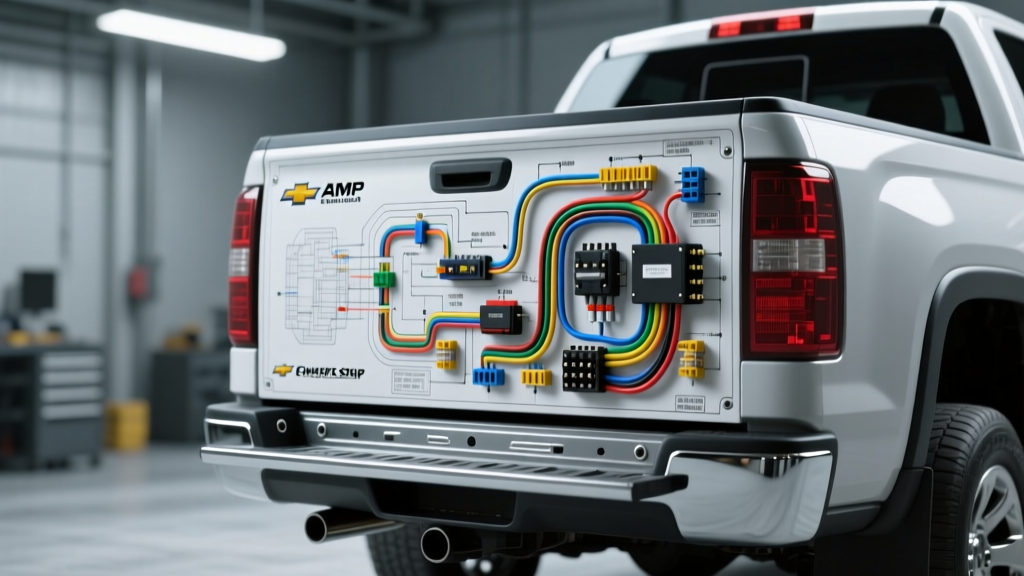
Decoding the AMP Research Power Step Wiring Diagram for Silverado
When integrating automatic running boards into a Chevy Silverado, understanding the underlying electrical architecture is critical. Unlike older vehicles that required splicing into door jamb switches, modern Silverados (K2XX and T1XX platforms) rely on multiplexed networks. The AMP Research Power Step system utilizes an OBD-II CAN bus interceptor module to read door ajar status directly from the Body Control Module (BCM). This guide provides a comprehensive step-by-step troubleshooting flow based on the official AMP Research Power Step wiring diagram Silverado technicians use to diagnose deployment failures, CAN bus communication drops, and motor stall conditions.
System Architecture & Wiring Overview
The AMP Research control module acts as the brain of the operation, requiring a stable 12V constant power source, a low-resistance chassis ground, and a clean CAN bus signal. Because the Silverado's BCM broadcasts door status over the High-Speed GMLAN (or standard CAN-C depending on the model year), splicing into factory wiring is not only unnecessary but can void warranties and trigger U-codes (network communication faults). The OBD-II port provides a standardized, non-invasive tap point for these data signals.
Silverado OBD-II & Power Pinout Specification Table
| Circuit Function | Wire Color / Gauge | Termination Point | Electrical Specification |
|---|---|---|---|
| Main Constant Power | Red / 10 AWG | Battery Positive (+) via 30A Maxi Fuse | 12.6V DC (Resting), 14.2V (Running) |
| Chassis Ground | Black / 10 AWG | Frame Rail (M6 or M8 Bolt) | < 0.1V Drop under peak load |
| CAN High (OBD-II) | Green / 20 AWG | OBD-II Pin 6 | 2.5V - 3.5V Differential |
| CAN Low (OBD-II) | Yellow / 20 AWG | OBD-II Pin 14 | 1.5V - 2.5V Differential |
| Motor A Drive (+/-) | White & Blue / 16 AWG | Control Module to Passenger Motor | Peak Inrush 15A |
| Motor B Drive (+/-) | White & Blue / 16 AWG | Control Module to Driver Motor | Peak Inrush 15A |
Step-by-Step Troubleshooting Flowchart
Use the following decision trees to isolate electrical and mechanical faults within the PowerStep system. Always use a digital multimeter (DMM) with a high-impedance input to avoid damaging the Silverado's sensitive CAN bus transceivers.
Symptom 1: Steps Do Not Deploy (Control Module LED is OFF)
Step 1: Verify Main Power and Ground Integrity
Set your DMM to DC Voltage. Probe the Red 10 AWG wire at the control module connector. You should read battery voltage (approx. 12.4V - 12.8V). If 0V, check the 30A inline Maxi fuse and inspect the battery terminal ring for corrosion.
Step 2: Perform Voltage Drop Test on Ground
Leave the DMM in DC Voltage. Place the red probe on the battery negative post and the black probe on the control module ground wire pin. Open a door to wake the module. A reading above 0.2V indicates a poor chassis ground. Remove the ground lug, clean the Silverado frame rail with a wire brush to bare metal, apply dielectric grease, and torque the hardware to 18 lb-ft.
Step 3: Check OBD-II Port Power
The AMP module also draws logic power from OBD-II Pin 16 (12V+). Verify this pin is live. If blown, check the Silverado's interior DLC (Data Link Connector) fuse in the instrument panel fuse block.
Symptom 2: Control Module LED Flashes 3 Times (CAN Bus Fault)
Step 1: Inspect OBD-II Connector Pins
A 3-flash code indicates the module cannot decode the Silverado's door ajar message. Visually inspect the OBD-II plug. Ensure Pins 6 (CAN High) and 14 (CAN Low) are not pushed back or bent.
Step 2: Measure CAN Bus Termination Resistance
Step 3: Verify Signal Differential
Symptom 3: Steps Deploy but Fail to Retract (Motor Stall / Bind)
Step 1: Perform Mechanical Linkage Inspection
The AMP module monitors current draw. If the motor exceeds 15 amps due to physical binding, the module cuts power to prevent wiring harness fires and flashes a 2-code LED error. Manually push the step up and down. Check for seized pivot bearings or mud/debris packed into the linkage arms.
Step 2: Test Motor Hall Effect Sensors
Modern AMP motors use internal Hall effect sensors to report position back to the module. If the module doesn't receive the 'fully retracted' signal, it will keep driving the motor until it times out. Disconnect the 16 AWG motor harness. Check the sensor signal wire for a 5V reference from the control module and a pulsing ground return as the step is moved manually.
Advanced Multimeter Diagnostics & Silverado BCM Quirks
On 2019+ Silverado T1XX platforms, the BCM utilizes a more aggressive sleep-mode protocol. If the AMP Research module is not configured correctly via the manufacturer's software update tool, it may keep the Silverado's CAN bus awake, leading to parasitic battery drain. Always ensure your AMP OBD-II interceptor firmware is updated to the latest GM-specific calibration.
When routing the 10 AWG power wire through the Silverado's firewall or underbody, always use split-loom tubing and secure it with UV-resistant zip ties away from the exhaust system. Maintain a minimum clearance of 6 inches from any exhaust components to prevent the wire insulation from melting and causing a dead short to the chassis.
Authoritative References & Wiring Standards
For further reference on GM chassis wiring, OBD-II physical layer standards, and manufacturer schematics, consult the following authoritative resources:
- GM Upfitter Integration Body Builder Manuals - Provides Silverado-specific BCM pinouts, CAN bus topology maps, and upfitter power distribution guidelines.
- SAE J1962 Standard - Defines the physical OBD-II connector pinout, mechanical requirements, and CAN bus physical layer access points.
- AMP Research Technical Support - Manufacturer wiring schematics, firmware update tools, and LED error code matrices for PowerStep systems.