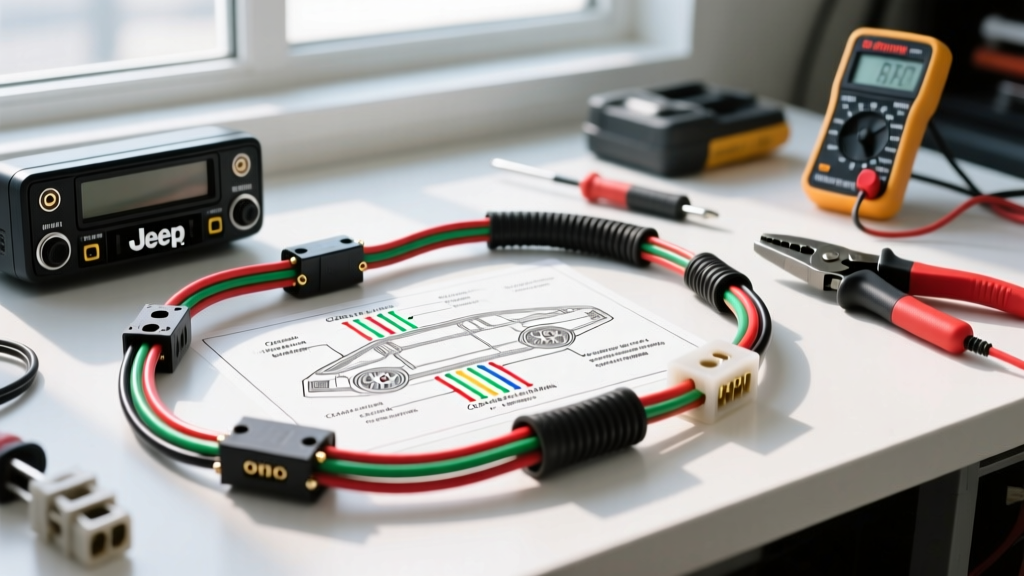
Understanding the Jeep JK Audio Architecture
Upgrading the stereo in a Jeep Wrangler JK (2007-2018) is fundamentally different from older vehicles due to its reliance on the Controller Area Network (CAN-C bus) and the Totally Integrated Power Module (TIPM). Unlike legacy vehicles that utilize a simple 12-volt switched ignition wire to wake the radio, the JK's factory head unit receives a digital wake-up signal via the CAN network. If you attempt to wire an aftermarket radio using a cheap, generic harness without a CAN-bus interface, you risk severe parasitic battery draws, TIPM lockouts, and the loss of steering wheel controls.
This comprehensive guide breaks down the exact Jeep JK radio wiring diagram, analyzes the true cost of a reliable installation, and details the specialized tools required to interface with Chrysler's multiplexed electrical system safely. For authoritative connector cavity data, technicians frequently reference the Mopar Connection Repair Kit to verify pin tension and wire gauge specifications.
Total Cost Breakdown: Upgrading the JK Radio
Many enthusiasts underestimate the cost of properly integrating an aftermarket head unit into a JK Wrangler. Bypassing the CAN-bus or the factory amplifier leads to degraded audio and electrical gremlins. Below is a realistic cost analysis for a professional-grade installation.
| Component Category | Recommended Solution | Estimated Cost | Technical Justification |
|---|---|---|---|
| CAN-Bus Interface | iDatalink Maestro RR or PAC RP4-CH11 | $120 - $180 | Translates CAN-C digital wake signals, retains SWC, and outputs amp turn-on. |
| Wiring Harness | OEM-to-Interface T-Harness | $40 - $60 | Prevents cutting the factory 22-pin C3 connector; maintains OEM wire loom integrity. |
| Antenna Adapter | Motorola to DIN with Amplified Booster | $25 - $35 | JK antenna signals are weak; an amplified 12V adapter is required for acceptable AM/FM gain. |
| Dash Kit | Metra or Scosche JK-968B | $30 - $50 | Accommodates the tapered JK dash bezel and provides secure DIN mounting brackets. |
| Consumables | Adhesive-lined heat shrink, T-taps | $20 - $30 | Prevents moisture ingress and wire oxidation in the open-air Jeep environment. |
Essential Tool Requirements for JK Wiring
Working with the Jeep JK's 18 to 22 AWG multiplexed wiring requires precision. Nicking a single strand of copper on a 20 AWG CAN-bus wire alters the impedance, causing signal reflection and communication faults. Ensure your workbench includes the following:
- Precision Wire Strippers: Use a tool calibrated for 10-22 AWG (e.g., Klein Tools 11063W). Standard automotive strippers often crush 20 AWG data wires.
- Digital Multimeter (DMM): Required for verifying CAN-H and CAN-L voltages. A true-RMS meter is necessary to read the high-frequency square waves of the CAN network.
- Adhesive-Lined Heat Shrink & Crimpers: The JK is highly susceptible to water intrusion when the top is down. All splices must be sealed with 3M adhesive-lined heat shrink to prevent galvanic corrosion.
- Nylon Trim Panel Tools: The JK dash utilizes fragile plastic push-clips and brittle sun-baked polymers. Metal pry tools will permanently mar the soft-touch dashboard.
- Pin Extraction Tool: For depinning the 22-pin Chrysler connector if you need to swap ignition feeds on early 2007-2010 models.
The Core Jeep JK Radio Wiring Diagram & Pinout
The factory radio connects to the vehicle via a 22-pin Chrysler C3 connector. Note that not all cavities are populated; base models will have fewer wires than premium Uconnect models. The following table outlines the critical power, ground, and data circuits.
| Pin | Wire Color | Function | AWG | Notes & Troubleshooting |
|---|---|---|---|---|
| 1 | Red/Light Green | Fused Battery (+) | 18 | Constant 12V from TIPM. Maintains radio memory. |
| 2 | Red/White | Fused Ignition (+) | 18 | Only present on 2007-2010 models. 2011+ relies on CAN wake. |
| 3 | Black/Light Green | Ground (-) | 18 | Must show less than 0.05V drop to chassis ground. |
| 4 | Orange | Panel Illumination | 20 | Variable voltage based on dimmer switch. |
| 7 | White | CAN-C High (+) | 20 | Twisted pair. Idle voltage ~2.5V. Active ~3.5V. |
| 8 | White/Black | CAN-C Low (-) | 20 | Twisted pair. Idle voltage ~2.5V. Active ~1.5V. |
| 11 | Dark Green | Right Front Speaker (+) | 18 | Low-level signal if equipped with factory Alpine amp. |
| 12 | Dark Green/Black | Right Front Speaker (-) | 18 | Low-level signal if equipped with factory Alpine amp. |
For deeper network topology and CAN-bus protocol standards, refer to the SAE J1939 / J1979 CAN standards documentation, which governs how the TIPM arbitrates data requests from the head unit.
Navigating the CAN-Bus and Amplifier Bypass
The most complex aspect of the Jeep JK radio wiring diagram is managing the factory Alpine premium audio system. If your JK is equipped with the premium package, the radio does not output high-level (speaker-level) signals. Instead, it outputs low-level pre-amp signals to a factory amplifier located in the passenger-side rear cargo area. The amplifier then drives the speakers and the subwoofer.
Option A: Retaining the Factory Amplifier
To keep the factory amp, you must use a specialized interface like the iDatalink Maestro RR with the correct T-harness. The interface intercepts the CAN-bus turn-on command and converts it to a standard 12V remote turn-on wire (Blue/White) for your aftermarket radio. It also routes the RCA pre-amp outputs from your new radio back into the factory amp's input harness.
Option B: Bypassing the Factory Amplifier
If the factory amp is blown or you want to run high-power aftermarket speakers, you must bypass it. Warning: You cannot simply plug a standard wiring harness into the dash and expect sound. The factory speaker wires in the dash only run from the radio to the rear amplifier, not to the doors. To bypass the amp, you must:
- Locate the factory amplifier in the rear cargo panel.
- Cut the speaker output wires leaving the amplifier.
- Splice new 16 AWG speaker wires and route them through the JK's rubber door boots and under the carpet all the way to the dash.
- Connect these new runs directly to the aftermarket radio's speaker outputs.
Common Wiring Failure Modes & Troubleshooting
When working with the JK's sensitive electrical network, improper wiring manifests in specific, diagnosable ways. Use this decision tree to troubleshoot installation errors.
Symptom: Parasitic Battery Draw (Dead Battery Overnight)
- Cause: The aftermarket radio is not receiving the CAN-bus sleep signal, or a generic harness is back-feeding 12V into the illumination circuit.
- Fix: Verify that the CAN interface is flashing its status LED upon vehicle shutdown, indicating it has sent the sleep command to the TIPM. Ensure no 12V accessories are tapped into the radio's constant 12V memory wire without an isolated relay.
Symptom: U0155 or U0184 Diagnostic Trouble Codes (DTCs)
- Cause: Lost communication with the Instrument Panel Cluster or Radio. This occurs when the CAN-H and CAN-L wires are shorted together, or the twisted pair has been untwisted by more than 1 inch, destroying the noise cancellation.
- Fix: Use a DMM to check Pins 7 and 8. With the key ON, you should read approximately 2.5V on both lines relative to ground. If you read 12V or 0V, the CAN transceiver in the radio or interface is shorted, or the harness is pinched behind the dash bracket.
Symptom: Steering Wheel Controls (SWC) Unresponsive
- Cause: SWC data on the JK is multiplexed over the CAN network, not a dedicated analog resistance wire like older Chrysler models.
- Fix: You must program the CAN interface (via USB or web portal) with the exact VIN and trim level of the Jeep. If using an analog SWC adapter (like the Axxess ASWC-1) on a JK, it will fail; you must use a digital CAN-bus translator.
Final Installation Best Practices
Always disconnect the negative battery terminal before unpinning the 22-pin C3 connector. The TIPM is highly sensitive to voltage spikes and can be permanently damaged if a 12V source shorts to the CAN data lines during installation. Wrap all unused OEM wires in Tesa tape to prevent rattles against the metal dash support beam, and ensure your aftermarket ground wire is sanded down to bare metal on a verified chassis point to prevent alternator whine in the audio signal.