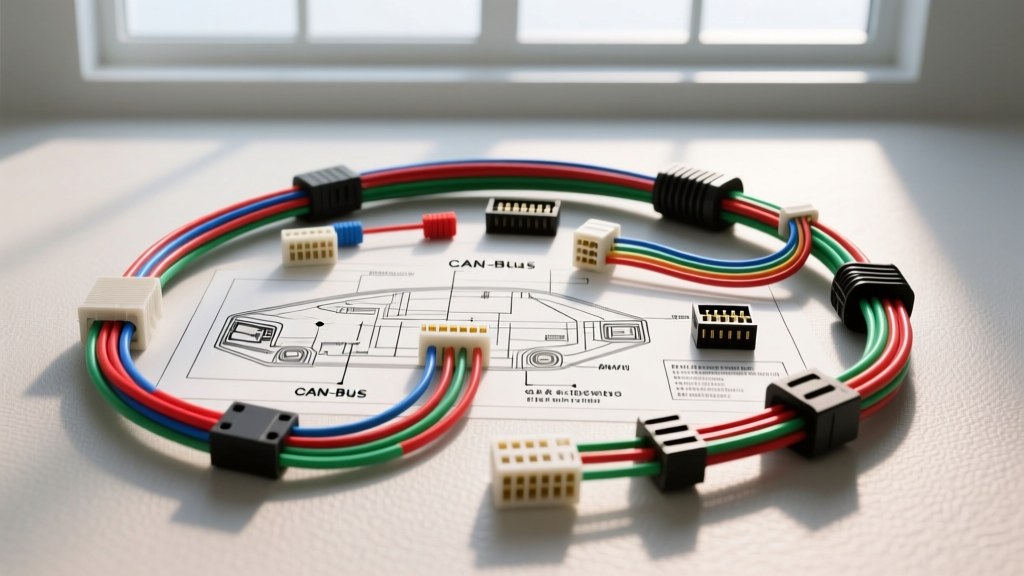
Decoding the Modern Wiring Diagram for Head Unit Integration
Modern car audio integration requires far more than matching red to red and black to black. When interpreting an advanced wiring diagram for head unit replacements in late-model vehicles, technicians must navigate multiplexed data networks, Class 2 serial communications, and resistive steering wheel control (SWC) ladders. The days of the simple 16-pin ISO 10487 harness are over. Today's OEM infotainment systems act as nodes on the vehicle's Controller Area Network (CAN), meaning a misinterpreted pinout can trigger check engine lights, disable OnStar, or cause severe parasitic battery draws.
This technical deep dive explores the architecture of modern head unit wiring, focusing on CAN-bus integration, AWG power delivery specifications, and the translation of OEM proprietary connectors to aftermarket EIA/CEA-764 standards.
Beyond the Standard ISO 10487 Harness
The legacy ISO 10487 standard defines a basic 16-pin layout: eight pins for speaker outputs and eight for power/ground/accessories. However, modern OEMs utilize high-density connectors from manufacturers like TE Connectivity, Molex (MX150 series), and Yazaki. A typical 2015+ GM Global A platform radio, for example, uses a 10-pin power/speaker connector paired with a separate 20-pin data and SWC connector.
When reviewing the wiring diagram for head unit applications on these platforms, you will rarely find a traditional 12V Accessory (ACC) wire. Instead, the radio is powered by a constant 12V Battery (B+) feed and is "woken up" via a High-Speed CAN (HS-CAN) or Single Wire CAN (GMLAN) data message sent by the Body Control Module (BCM) when the ignition cylinder or push-button start is engaged.
OEM vs. EIA/CEA-764 Color Code Translation
Aftermarket head units adhere strictly to the EIA/CEA-764 color code standard. Integrating these with OEM harnesses requires a bypass module or hardwiring via the vehicle-specific schematic.
| Function | EIA/CEA-764 Aftermarket Color | Typical OEM Wire Color (Varies by Make) | Technical Notes |
|---|---|---|---|
| Constant 12V (B+) | Yellow | Orange / Red (Heavy Gauge) | Provides memory and CAN-bus keep-alive power. |
| Switched 12V (ACC) | Red | Rarely present; Data Wake via CAN | Requires CAN-bus decoder (e.g., PAC RP5-GM31) to generate 12V ACC. |
| Chassis Ground | Black | Black / Black-White Trace | Must be terminated to bare chassis metal using a star washer. |
| Amp Turn-On | Blue | Class 2 Serial Data / GMLAN | OEM amps wake via data; aftermarket requires a 12V trigger relay. |
| Left Front Speaker (+/-) | White / White-Black | Tan / Gray (GM) or Pink / Purple (Toyota) | Verify with a multimeter; OEM colors are highly inconsistent. |
CAN-Bus and GMLAN Data Line Pinouts
The most critical aspect of a modern wiring diagram for head unit integration is the data bus. According to the SAE International J1939 standard, CAN networks utilize differential signaling to reject electromagnetic interference (EMI).
High-Speed CAN (HS-CAN) Architecture
HS-CAN operates at 500 kbps and requires a twisted pair of wires (CAN-High and CAN-Low) with a 120-ohm termination resistor at each end of the bus. In many Ford and Chrysler infotainment systems, the head unit is a critical node. If the aftermarket harness adapter fails to pass the CAN-H and CAN-L lines through to the vehicle's harness, the BCM will log a U-code (Network Communication Fault), which can disable the instrument cluster chimes or steering wheel controls.
- CAN-High Voltage: Recessive 2.5V, Dominant 3.5V
- CAN-Low Voltage: Recessive 2.5V, Dominant 1.5V
- Physical Layer: Unshielded Twisted Pair (UTP), typically 20-22 AWG.
Single Wire CAN (SW-CAN / GMLAN)
General Motors heavily utilizes GMLAN for comfort and infotainment modules. SW-CAN operates at 33.3 kbps or 83.3 kbps and requires only a single data wire. On a GM radio schematic, this is often identified as the "Serial Data" line. Splicing into this line requires a high-impedance CAN-bus interface module to avoid dragging down the network voltage and crashing the BCM.
Power Delivery and AWG Specifications
Modern aftermarket head units with built-in 4x50W RMS amplifiers can draw upwards of 15 to 20 Amps at peak volume. Relying on the OEM 18 AWG constant power wire is a common failure point that leads to voltage sag, audio clipping, and head unit reboots. The Mobile Electronics Certification Professional (MECP) guidelines mandate proper wire gauge sizing based on total current draw and run length.
AWG Sizing Chart for Head Unit Power Routing
| Wire Gauge (AWG) | Max Current (Chassis) | Voltage Drop per 10 ft (Round Trip) | Application |
|---|---|---|---|
| 18 AWG | 5 Amps | 0.12V | OEM Data lines, SWC, Illumination, Power Antenna. |
| 16 AWG | 10 Amps | 0.08V | Standard aftermarket head units (No internal amp). |
| 14 AWG | 15 Amps | 0.05V | Head units with 4x50W RMS internal amplifiers. |
| 12 AWG | 20+ Amps | 0.03V | High-current DSP/Head units or direct battery runs for external amps. |
Expert Tip: When running a new 14 AWG or 12 AWG constant power wire directly to the battery for a high-draw head unit, you must install an inline AGU or ANL fuse within 18 inches of the battery positive terminal to protect the vehicle from a dead short in the event of a collision.
Steering Wheel Controls (SWC) and Resistive Ladders
Older vehicles utilized a resistive ladder network for SWC. The wiring diagram for head unit SWC integration in these vehicles will show two wires (SW1 and SW2). Pressing a button on the steering wheel changes the resistance on the circuit. The aftermarket head unit reads this voltage drop via an internal analog-to-digital converter (ADC) to trigger a command.
However, late-model vehicles route SWC commands through the Steering Angle Sensor (SAS) module onto the Local Interconnect Network (LIN) or HS-CAN bus. In these cases, hardwiring the analog SW1/SW2 wires will yield no response. A digital interface module (such as the Axxess ASWC-1 or PAC SWI-CP5) is required to sniff the CAN-bus data packets, translate the button press, and output the correct analog resistance or secondary data command to the aftermarket radio.
Troubleshooting Data Line Failures and Parasitic Draws
A frequent issue when bypassing OEM wiring diagrams is the "parasitic draw" phenomenon. Modern CAN-bus networks require all modules to go to "sleep" (drawing less than 20mA) after the ignition is turned off and the doors are locked.
Diagnostic Decision Tree for CAN-Bus Wake Issues
- Symptom: Vehicle battery dies overnight after head unit installation.
- Test 1: Connect a digital multimeter (DMM) in series with the negative battery terminal. Wait 20 minutes for the CAN-bus sleep timer to expire. If draw remains above 50mA, proceed to Test 2.
- Test 2: Disconnect the aftermarket head unit harness. If the draw drops to normal, the head unit or its CAN-bus interface module is failing to sleep.
- Fix A (Hardwired ACC): If the installer tapped into a data wire or a BCM "keep-alive" circuit to simulate a 12V ACC feed, the head unit will never receive the sleep command. Reroute the ACC wire through a proper CAN-bus ignition interface.
- Fix B (Illumination Wire Backfeed): OEM dimmer circuits often pulse via PWM (Pulse Width Modulation) to control dash lighting. Connecting an aftermarket head unit's "Illumination" (typically Orange/White) wire directly to an OEM PWM dimmer circuit can backfeed voltage into the radio, keeping it awake. Isolate the illumination wire or connect it to a true 12V parking light circuit.
Summary of Best Practices
Successfully executing a complex wiring diagram for head unit installation requires treating the radio not as a standalone accessory, but as an integrated network module. Always verify pinouts with a digital multimeter and an oscilloscope rather than relying solely on wire colors. Utilize high-quality T-harness adapters that preserve OEM CAN-bus termination resistors, adhere to AWG sizing charts for power delivery, and ensure all ground points are sanded to bare metal to prevent ground-loop alternator whine in the audio signal path.