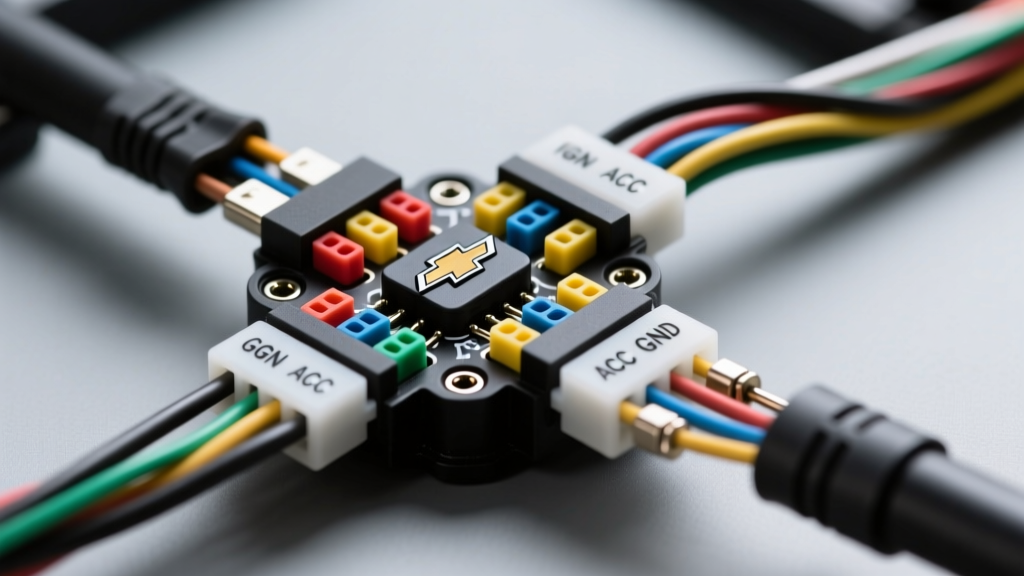
The GMLAN Challenge: Understanding the 2012 Chevy Cruze Audio System
Upgrading the infotainment system in a first-generation Chevrolet Cruze requires more than just matching wire colors. When consulting a 2012 Chevy Cruze radio wiring diagram, the most critical detail to understand is that this vehicle is built on GM's Delta II platform, which relies heavily on the GMLAN (Global Controller Area Network) single-wire serial data bus. Unlike older vehicles that use a dedicated 12V accessory wire to turn the radio on and off, the 2012 Cruze radio receives a digital 'wake-up' command from the Body Control Module (BCM) via the data bus.
If you attempt a traditional hardwire installation by splicing into the cigarette lighter fuse for a switched 12V source, the aftermarket radio will power on, but you will immediately lose your door chimes, OnStar functionality, and steering wheel audio controls. Worse, you risk triggering a U0184 diagnostic trouble code (Lost Communication With Radio) and causing a parasitic battery drain because the BCM will not register the radio entering 'sleep' mode when the vehicle is parked. To do this correctly, you must use a GM-specific data bus interface module alongside the wiring diagram provided below.
OEM Connector Layout & Pinout Specifications
The base and mid-tier 2012 Cruze head units utilize a two-connector setup at the rear of the chassis: an X1 connector for power and speakers, and an X2 connector for serial data, OnStar, and auxiliary inputs. Below are the exact OEM pinouts and wire color codes. Note that GM standard pin lettering skips the letters 'I' and 'O' to prevent confusion with the numbers 1 and 0.
X1 Connector (10-Pin): Power, Ground, and Speakers
This connector handles the high-current power delivery and the analog speaker outputs. The power and ground circuits utilize 16 AWG wire to handle the draw of the internal amplifier and memory retention, while speaker wires are standard 18 AWG.
| Pin | Function | OEM Wire Color | Wire Gauge |
|---|---|---|---|
| A | Battery Positive (B+ / Constant 12V) | Yellow | 16 AWG |
| B | Chassis Ground | Black/White | 16 AWG |
| C | Left Front Speaker (+) | Tan | 18 AWG |
| D | Left Front Speaker (-) | Gray | 18 AWG |
| E | Right Front Speaker (+) | Light Green | 18 AWG |
| F | Right Front Speaker (-) | Dark Green | 18 AWG |
| G | Left Rear Speaker (+) | Brown | 18 AWG |
| H | Left Rear Speaker (-) | Yellow | 18 AWG |
| J | Right Rear Speaker (+) | Dark Blue | 18 AWG |
| K | Right Rear Speaker (-) | Light Blue | 18 AWG |
X2 Connector (16-Pin): Data Bus, OnStar, and Accessories
This is where the installation becomes complex. The GMLAN wires are highly sensitive to voltage fluctuations and must not be spliced using traditional T-taps. According to SAE J2411 standards governing Single Wire CAN (SWC) networks, improper splicing can alter the bus termination resistance, causing network-wide communication failures.
| Pin | Function | OEM Wire Color | Notes |
|---|---|---|---|
| 1 | GMLAN Serial Data (+) | Light Green/Black | Connect to Data Interface Module |
| 2 | GMLAN Serial Data (-) | Light Blue/Black | Connect to Data Interface Module |
| 5 | OnStar / Audio Mute | Dark Green | Mutes radio during phone calls |
| 8 | USB / Aux Data Shield | Bare/Drain | Requires proper grounding for Aux |
Required Tools & Interface Modules
To retain factory features like the steering wheel controls (SWC), door chimes, and safety warning tones, a standard wiring harness is insufficient. You must integrate a Class 2 / GMLAN data interface. As noted in PAC Automotive's technical installation bulletins for the RP5-GM31 interface, these modules translate the digital GMLAN wake-up signals into a standard 12V accessory output for your aftermarket radio, while simultaneously generating the analog chime signals through the vehicle's left-front speaker or a dedicated dash chime module.
- Data Interface Module: PAC RP5-GM31 or Axxess GMOS-LAN-03 (Required for 2010-2015 Cruze models with or without OnStar).
- Antenna Adapter: Metra 40-GM10 (Standard GM antenna to Motorola male).
- Dash Kit: 99-3011G or 95-3011G (Depending on single-DIN or double-DIN preference).
- Trim Tools: Nylon pry tools (GM soft-touch dash plastics scratch easily with metal tools).
- Fastener Tools: 7mm socket and 1/4-inch ratchet for radio bracket bolts.
- Wiring Supplies: Rosin-core solder, adhesive-lined marine-grade heat shrink (3M or equivalent), and a digital multimeter.
Step-by-Step Installation Procedure
Step 1: Trim Panel Removal & Dash Disassembly
Begin by opening the passenger side door and using a nylon pry tool to pop off the dash end-cap on the passenger side. This exposes the first set of retaining clips for the center stack bezel. Carefully pry upward along the trim strip that runs above the glovebox and under the radio climate controls. Once the clips are disengaged, pull the bezel toward you and disconnect the hazard light switch and traction control harnesses. Finally, locate and remove the four 7mm hex bolts securing the factory radio mounting bracket. Slide the OEM unit out and disconnect the X1, X2, and antenna connectors.
Step 2: Programming the Data Interface Module
Before wiring the new head unit, the interface module (e.g., PAC RP5-GM31) must be flashed and configured for the 2012 Cruze. Connect the module to your PC via USB and use the manufacturer's software to select the exact vehicle year, make, model, and trim level. This ensures the module outputs the correct resistance ladder values for the steering wheel controls and correctly configures the OnStar retention protocols. Skipping this step is the number one cause of erratic volume controls and missing Bluetooth audio routing.
Step 3: Soldering the Harness (No Crimp Caps!)
Match the wires from your aftermarket radio's pigtail to the output side of the data interface module. Never use twist-on crimp caps or electrical tape in an automotive environment. The cabin of the Cruze experiences extreme temperature swings, which causes copper to expand and contract, eventually working crimp caps loose and causing shorts. Strip 1/4 inch of insulation, twist the strands in a MIL-SPEC 'X' cross, apply rosin-core solder, and seal with adhesive-lined heat shrink. Pay special attention to the Yellow (Constant 12V) and Black/White (Ground) wires; ensure your ground is tied to the interface module's ground wire, which will ultimately ground through the vehicle's chassis via the OEM X1 harness.
Step 4: GMLAN Splicing and Shielding
When tapping into the Light Green and Light Blue GMLAN wires on the vehicle's X2 harness, use the 'Y-splice' method. Strip a small window of insulation without cutting the copper strands. Loop your interface module's data wires through the window and solder. Once heat-shrunk, wrap the data wires in Tesa fleece tape to prevent them from vibrating against the metal dash support bracket, which can cause CAN-bus interference and result in the radio randomly rebooting while driving.
Troubleshooting Common 2012 Cruze Audio Issues
Even with a proper 2012 Chevy Cruze radio wiring diagram, installers frequently encounter specific electrical anomalies. Use this decision matrix to diagnose post-installation faults.
| Symptom | Probable Cause | Expert Fix |
|---|---|---|
| Radio turns on, but no door chimes or turn signal clicks. | Data interface module not receiving GMLAN wake-up signal or incorrect firmware. | Verify GMLAN connections on X2 Pin 1 & 2. Re-flash interface module with latest Cruze-specific firmware. |
| Parasitic battery drain overnight (Battery dead in morning). | Aftermarket radio not receiving 'sleep' command; interface module holding bus awake. | Check that the interface module's 'Accessory Out' wire drops to 0V when the door is closed and ignition is off. Ensure no 12V fuse taps are backfeeding the CAN bus. |
| Steering wheel volume buttons behave erratically or skip tracks. | Resistance ladder mismatch between SWC and interface module. | Enter the interface module's SWC learning mode. Press and hold each steering wheel button until the module's LED confirms the resistance value is mapped. |
| Alternator whine in speakers that pitches up with engine RPM. | Ground loop between radio chassis, interface module, and amplifier. | Ensure all audio grounds and the interface module ground are tied to a single, bare-metal star ground point on the chassis. Do not ground to painted dash brackets. |
Expert Tips for Retaining OnStar and Backup Cameras
If your 2012 Cruze is equipped with the UE8 premium audio package and a factory backup camera, the video signal is routed through the radio's internal processing board. When removing the OEM unit, you lose the camera display. To retain this, you must purchase a dedicated GM camera retention module (such as the PAC GM-CH02). This module intercepts the camera's LVDS (Low-Voltage Differential Signaling) or standard RCA composite signal from the rear hatch harness and converts it to a standard yellow RCA plug that can be fed into your aftermarket head unit's reverse camera input.
Furthermore, always reference the Metra Electronics vehicle application guide before purchasing harnesses, as mid-year 2012 production run changes occasionally altered the X2 connector pinout for vehicles equipped with the premium Pioneer-branded amplifier system. If your Cruze has a factory amplifier in the trunk, the speaker wires at the back of the radio are actually low-level pre-outs, and you will need a line-output converter (LOC) or an amplifier integration module like the Axxess AX-ADDCAM to properly interface with the trunk-mounted amp without introducing severe audio distortion.
By respecting the GMLAN architecture and utilizing the correct interface modules, your aftermarket installation will function seamlessly, retaining all factory safety warnings and delivering superior audio quality without compromising the Cruze's complex electrical network.