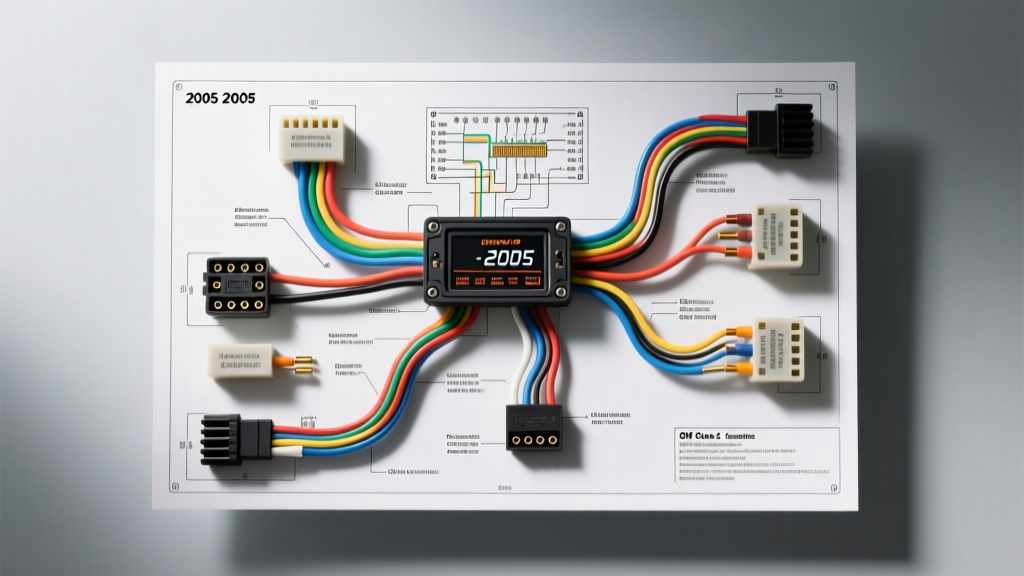
Project Overview: The GMT355 Electrical Architecture
The 2005 Chevrolet Colorado, built on General Motors' GMT355 platform, represents a transitional era in automotive electrical engineering. For enthusiasts undertaking an audio upgrade or modification project, the 2005 Chevy Colorado radio wiring diagram presents a unique set of challenges compared to older, analog-logic vehicles. The most critical factor to understand before cutting a single wire is that this truck utilizes the GM Class 2 Serial Data bus for accessory power signaling. Unlike older vehicles that provide a physical 12V ignition-switched wire at the back of the head unit, the 2005 Colorado's Body Control Module (BCM) sends a digital wake-up signal to the factory radio over a single data line.
If you attempt a traditional aftermarket stereo installation using a generic GM wiring harness adapter without a data bus interface, your new head unit will not turn on, or worse, it will cause a parasitic draw that drains your battery overnight. This guide provides the exact pinouts, wire color codes, AWG specifications, and integration strategies required to successfully upgrade your 2005 Colorado's audio system while retaining critical vehicle functions like door chimes, OnStar, and steering wheel controls.
The Class 2 Data Bus Hurdle (And How to Bypass It)
According to the SAE J1850 standard, which governs the Class 2 Variable Pulse Width (VPW) data network, the BCM and the radio communicate via a single wire operating at 10.4 kbps. When you turn the ignition key to the 'ACC' or 'RUN' position, the BCM transmits a digital message telling the radio to power up. When the key is removed, the BCM sends a sleep command.
To install an aftermarket double-DIN touchscreen or a high-fidelity digital media receiver, you must use a specialized GM Class 2 data interface module, such as the Axxess GMOS-04 or the PAC RP5-GM11. These modules intercept the serial data stream, translate the BCM's digital wake/sleep commands, and output a traditional 12V switched accessory signal (Red wire) for your aftermarket radio. Furthermore, these interfaces generate the necessary door chime tones, which are normally routed through the factory radio's internal amplifier and front-left speaker.
2005 Chevy Colorado Radio Wiring Diagram & Pinout Table
The factory radio in the 2005 Colorado connects via a 24-pin GM modular connector block. Note that not all 24 cavities are populated; the pinout varies slightly depending on whether your truck is equipped with the base audio system or the uplevel premium audio package. Below is the definitive pinout reference for the standard non-amplified 24-pin GM harness.
| Pin Cavity | Function | OEM Wire Color | AWG Size |
|---|---|---|---|
| A1 | Left Rear Speaker (+) | Brown | 20 AWG |
| A2 | Left Rear Speaker (-) | Yellow | 20 AWG |
| A3 | Right Rear Speaker (+) | Dark Blue | 20 AWG |
| A4 | Right Rear Speaker (-) | Light Blue | 20 AWG |
| A5 | Left Front Speaker (+) | Tan | 20 AWG |
| A6 | Left Front Speaker (-) | Gray | 20 AWG |
| A7 | Right Front Speaker (+) | Light Green | 20 AWG |
| A8 | Right Front Speaker (-) | Dark Green | 20 AWG |
| B9 | Battery 12V+ Constant | Orange | 16 AWG |
| B10 | Chassis Ground | Black/White | 16 AWG |
| B11 | Class 2 Serial Data | Yellow/Black | 22 AWG |
| B12 | Illumination / Dimmer | Gray/Black | 20 AWG |
| B13 | Right Steering Wheel Control | Dark Blue/White | 22 AWG |
| B14 | Left Steering Wheel Control | Dark Green/White | 22 AWG |
Modification Note: If your 2005 Colorado has the premium audio system with the external factory amplifier (usually located under the center console or behind the rear seat in extended cabs), the speaker wires listed above will carry low-level pre-out signals, and you will also find an Amp Turn-On wire (typically Pink or Blue/White, 18 AWG) in the secondary harness block. When bypassing the factory amp, you must run new 16 AWG speaker wire directly from your aftermarket head unit to the door and pillar speakers.
Speaker Impedance & Aftermarket Head Unit Matching
A common failure point in GMT355 stereo upgrades is ignoring speaker impedance. The Crutchfield vehicle research database notes that some GM premium audio packages utilized 2-ohm speakers to extract more wattage from the small, low-voltage factory amplifier. If you wire 2-ohm factory speakers directly to a modern aftermarket head unit designed for 4-ohm loads, the head unit's internal IC amplifier will overheat, triggering thermal protection shutdowns or causing permanent silicon failure.
Before connecting your new harness, use a digital multimeter (DMM) to measure the DC resistance of the factory speaker circuits at the radio plug. A 4-ohm speaker will read approximately 3.2 to 3.8 ohms on a DMM. A 2-ohm speaker will read 1.2 to 1.6 ohms. If you discover 2-ohm speakers, you must either replace the door speakers with 4-ohm aftermarket equivalents or use an external 4-channel amplifier capable of driving 2-ohm loads.
Amplifier Integration & Power Wire Routing
For modification projects involving a 4-channel amplifier to drive upgraded component speakers and a subwoofer, proper power wire routing is essential. The 2005 Colorado's engine bay firewall features a dense rubber grommet located directly behind the brake master cylinder and brake booster on the driver's side.
AWG Specifications for Amplifier Power
Never use Copper Clad Aluminum (CCA) wire for high-current automotive audio applications. Always specify Oxygen-Free Copper (OFC). Use the following chart to determine the correct AWG based on your total amplifier RMS wattage and the approximate 12-foot run from the Colorado's battery to the cabin.
| Total RMS Wattage (at 14.4V) | Recommended OFC Power/Ground AWG | Inline Fuse Rating (at Battery) |
|---|---|---|
| Up to 400W | 8 AWG | 40A AGU/ANL |
| 400W - 800W | 4 AWG | 80A ANL |
| 800W - 1500W | 1/0 AWG | 150A ANL |
When passing the power wire through the firewall grommet, use a stiff wire coat hanger as a guide, and lubricate the rubber with a silicone-based spray to prevent tearing the firewall seal, which could lead to water intrusion into the BCM area. Always ground your amplifier to bare, unpainted sheet metal in the cabin, sanding away the zinc coating and applying dielectric grease over the bolt to prevent oxidation.
Troubleshooting Common Post-Upgrade Electrical Gremlins
Even with the correct Metra or Axxess integration modules, 2005 Colorado owners frequently encounter specific electrical anomalies after completing the wiring. Use this diagnostic decision tree to resolve them:
- Symptom: Battery Drains Overnight (Parasitic Draw)
- Cause: The aftermarket radio's internal capacitor or microprocessor is backfeeding 12V onto the Class 2 Data line (Pin B11), keeping the BCM awake and preventing the truck from entering 'sleep' mode.
- Fix: Verify that the interface module's diode protection is intact. Ensure the aftermarket radio's Red (Accessory) and Yellow (Constant) wires are NOT spliced together and connected to the Orange constant 12V wire. The radio must receive its turn-on signal exclusively from the interface module's switched 12V output.
- Symptom: Door Chimes and Seatbelt Alarms are Missing
- Cause: The BCM routes all warning chimes through the factory radio, which then plays them through the Left Front Speaker. If you used a cheap, non-data-bypass harness adapter, the chime circuit is severed.
- Fix: Install a GMOS-04 interface. This module contains a dedicated piezoelectric buzzer that physically mounts under the dash to replicate the factory chimes, completely independent of the audio system's speakers.
- Symptom: Steering Wheel Controls (SWC) Intermittently Fail
- Cause: The resistance ladder network in the Colorado's steering wheel clock spring degrades over time, or the ASWC-1 module was not programmed with the correct pull-down resistor.
- Fix: Test Pins B13 and B14 for continuity while pressing the volume buttons. If resistance values fluctuate wildly, the clock spring assembly requires replacement. If the wiring is solid, manually map the SWC module using the secondary programming sequence outlined in the module's manual.
Final Wiring Best Practices
When splicing the interface module to your aftermarket radio's harness, abandon the use of twist-caps and electrical tape. The vibration profile of a mid-size pickup truck like the Colorado will eventually cause twist-caps to loosen, leading to intermittent speaker cut-outs or data bus faults. The only acceptable method for joining 18 to 22 AWG automotive wire is the solder-and-shrink method. Use a temperature-controlled soldering iron, apply rosin-core solder to the twisted copper strands, and seal the connection with 3M dual-wall heat shrink tubing containing an internal polyamide adhesive lining. This ensures a moisture-proof, vibration-resistant connection that will outlast the vehicle itself.