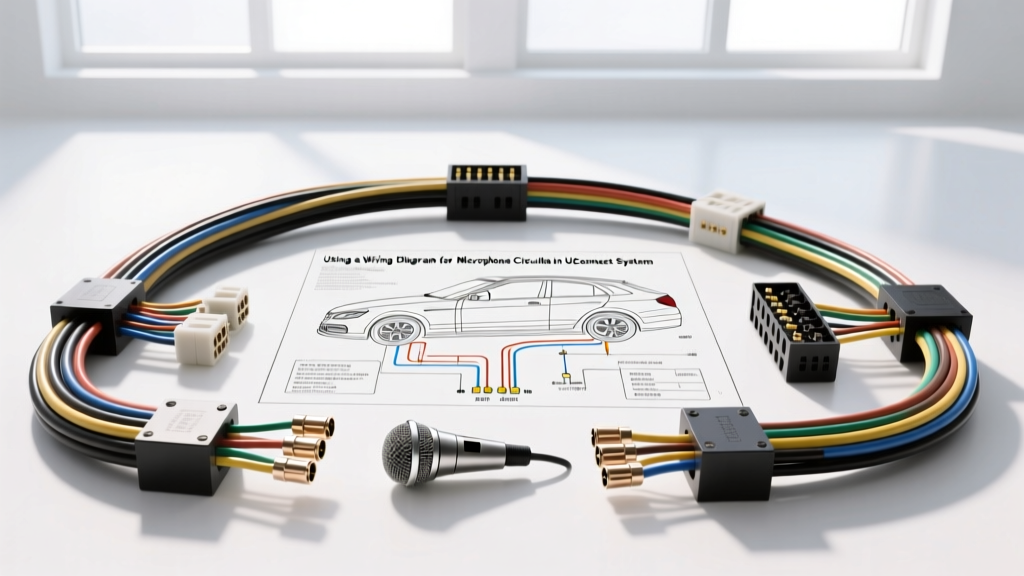
Diagnosing OEM Hands-Free Audio: A Technical Approach
When diagnosing hands-free communication failures, voice command dropouts, or severe static in modern infotainment setups, interpreting the wiring diagram for microphone circuits is the critical first step. Unlike simple 12V accessory circuits, OEM hands-free microphones—such as those integrated into the overhead consoles of Chrysler, Jeep, and Dodge vehicles equipped with Uconnect—rely on sensitive analog audio signals, DC bias voltages, and strict electromagnetic interference (EMI) shielding. A failure anywhere in this low-voltage architecture will result in the Radio Frequency (RF) Hub or amplifier rejecting the audio input.
This guide provides a step-by-step troubleshooting flow for automotive technicians and advanced DIYers to systematically isolate faults in shielded twisted-pair (STP) microphone harnesses, utilizing OEM schematic logic and precision multimeter testing.
Architecture of the OEM Microphone Circuit
The typical Uconnect overhead microphone utilizes an electret condenser capsule with an integrated solid-state pre-amplifier. Because the audio signal generated by the capsule is exceptionally weak (measured in millivolts), it cannot travel through the vehicle's unshielded cabin environment without picking up high-frequency noise from the CAN bus, ignition coils, and alternator. Therefore, the wiring diagram for microphone routing will always specify a Shielded Twisted Pair (STP) configuration.
According to SAE J1113 standards for automotive electromagnetic compatibility, low-level analog audio lines must be twisted at a minimum rate of 3 to 4 twists per inch and wrapped in a braided copper or aluminum foil shield to reject common-mode noise. The RF Hub or the dedicated amplifier supplies a DC bias voltage (typically 5V to 8V) to power the microphone's internal FET (Field Effect Transistor) impedance converter.
OEM Pinout and Wiring Specifications
Before beginning the diagnostic flow, reference the schematic table below. This represents a standard 4-pin Molex MX150 or TE Connectivity automotive header found at the overhead console (Connector C3) routing to the RF Hub or Alpine/Harman Kardon amplifier.
| Pin | Circuit Designation | Function | Wire Color (Typical) | AWG / Type |
|---|---|---|---|---|
| 1 | X3 | DC Bias Voltage (8V) | White / Light Blue | 22 AWG (Primary) |
| 2 | X1 | Mic Audio Signal (+) | Light Green / Dark Blue | 22 AWG (STP Core) |
| 3 | X2 | Mic Audio Signal (-) / Ref | Dark Green / Orange | 22 AWG (STP Core) |
| 4 | Z1 | Shield Drain / Chassis Ground | Black (Bare Copper Drain) | 24 AWG (Shield) |
Note: Always verify exact wire colors against the vehicle-specific service manual, as mid-year harness revisions by Mopar Wiring Repair Centers frequently update jacket colors.
Step-by-Step Troubleshooting Decision Tree
Follow this sequential diagnostic flow to isolate the root cause of the microphone failure. Do not skip steps, as a failing bias circuit can mask itself as a dead microphone capsule.
Phase 1: DC Bias Voltage Verification
The internal pre-amplifier of the electret microphone requires DC power to operate. If the bias voltage is missing, the microphone is effectively dead, regardless of the capsule's condition.
- Preparation: Turn the ignition to the RUN position. Ensure the Uconnect system is fully booted.
- Back-Probing: Using a high-impedance digital multimeter (DMM) and fine T-pin back-probes, access Pin 1 (X3 Bias) and Pin 4 (Z1 Ground) at the overhead console connector. Do not pierce the wire insulation, as this compromises the STP shielding and invites future corrosion.
- Measurement: Read the DC voltage. A healthy Uconnect system will show a steady 7.8V to 8.2V DC.
- Diagnostic Branch:
- If 0V: You have an open circuit in the bias feed. Trace the X3 circuit back to the RF Hub or Amplifier. Check for blown internal module fuses or a severed wire in the A-pillar hinge area.
- If 3V - 5V: The RF Hub is likely detecting a short to ground or an over-current condition on the signal lines and is pulling the voltage down to protect the module. Proceed to Phase 3.
- If 8V is present: The power feed is intact. Proceed to Phase 2.
Phase 2: Shield and Ground Integrity Testing
A compromised shield ground will not kill the audio signal entirely, but it will introduce severe alternator whine, HVAC blower motor static, and CAN bus digital hash into the voice stream, causing the Uconnect voice recognition software to fail.
- Continuity Check: Turn the ignition OFF. Set your DMM to the Ohms (Ω) setting.
- Probe: Measure resistance between Pin 4 (Z1 Shield Drain) at the microphone connector and a known clean, unpainted chassis ground point on the roof bow.
- Specification: Resistance must be less than 0.5 Ω.
- Diagnostic Branch:
- If > 0.5 Ω or OL (Open): The shield drain wire is broken or the grounding point at the RF Hub/Amp is corroded. Repair the Z1 ground circuit using an OEM-approved crimp-and-seal method.
- If < 0.5 Ω: The shield is intact. Proceed to Phase 3.
Phase 3: Signal Pair Continuity & Short Testing
The twisted pair (X1 and X2) carries the differential or single-ended analog audio signal. A short between these wires, or a short to the shield, will result in zero audio transmission.
- Isolation: Disconnect both the overhead microphone connector and the RF Hub/Amplifier connector to prevent module damage during testing.
- Short-to-Ground Test: Measure resistance from Pin 2 (X1) to Chassis Ground, and Pin 3 (X2) to Chassis Ground. Both should read OL (Infinite).
- Short-to-Shield Test: Measure resistance from Pin 2 and Pin 3 to Pin 4 (Shield). Both should read OL.
- Wire-to-Wire Test: Measure resistance between Pin 2 and Pin 3. Should read OL. (If the mic capsule is still connected and you are not testing at the module end, you may read a high impedance, typically >10k Ω, due to the internal FET. Always test harness-only for accurate short detection).
- Diagnostic Branch:
- If any test reads < 10 Ω: The STP harness is compromised. Common failure points include the hinge grommet between the headliner and the A-pillar, where repeated door closures or headliner removals pinch the 22 AWG wires.
Phase 4: Audio Signal Injection & Oscilloscope Analysis
If all wiring tests pass but the Uconnect system still reports "Voice Recognition Unavailable," the fault lies in either the microphone capsule itself or the RF Hub's analog-to-digital converter (ADC).
- Scope Setup: Connect an automotive oscilloscope to Pin 2 (Signal +) using a BNC-to-piercing probe (or back-probe). Set the scope to AC Coupling, 50mV/div, and a timebase of 5ms/div.
- Stimulus: Reconnect the module and microphone. Speak directly into the overhead console at a normal conversational volume (approx. 65 dB SPL).
- Waveform Analysis: You should observe a clean, sinusoidal AC waveform oscillating around the 0V centerline (since the scope is AC coupled), with peak-to-peak voltages ranging from 20mV to 150mV depending on vocal volume.
- Diagnostic Branch:
- Flatline (0mV): The microphone capsule or internal pre-amp has failed. Replace the overhead console microphone assembly.
- Clipped/Square Wave: The internal pre-amp is saturating, often due to moisture intrusion or a failing bias capacitor inside the mic housing.
- High-Frequency Hash on Waveform: EMI intrusion. Verify the STP twist rate has not been unraveled during previous repairs.
Critical Repair Rules for STP Microphone Harnesses
When the wiring diagram for microphone routing indicates a break that requires repair, standard soldering or butt-splicing is strictly prohibited. As outlined in Haynes Technical Tutorials on Automotive Electrical Systems, untwisting a shielded pair to solder it destroys the common-mode rejection ratio (CMRR). This will immediately introduce alternator whine into the Uconnect Bluetooth stream.
Correct Repair Protocol:
- Use only OEM-specified shielded twisted-pair repair wire (e.g., Mopar 22 AWG STP patch cable).
- Maintain the 3-to-4 twists-per-inch ratio right up to the crimp barrel.
- Utilize adhesive-lined heat-shrink crimp terminals (e.g., Deutsch or TE Connectivity) to ensure environmental sealing.
- Solder the shield drain wire separately to a dedicated pigtail, ensuring the foil or braid shield makes 360-degree contact with the drain wire before sealing.
Summary
Troubleshooting hands-free audio requires moving beyond basic 12V continuity checks. By systematically verifying the 8V DC bias, validating the shield ground integrity, and analyzing the STP signal pair with an oscilloscope, technicians can accurately pinpoint failures in the Uconnect microphone circuit. Always respect the physical architecture of the STP harness to maintain the EMI rejection required for flawless voice recognition.