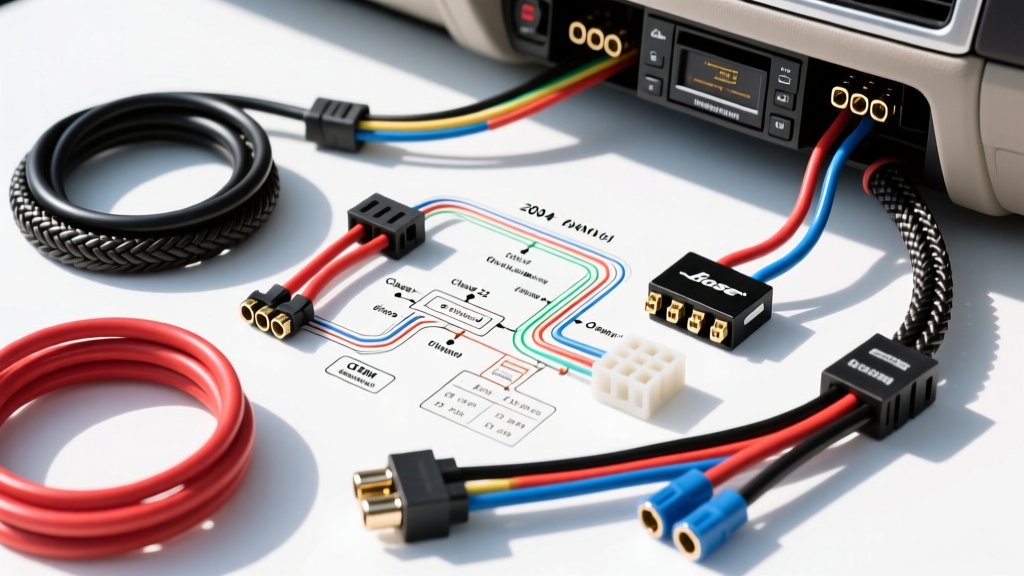
Understanding the 2004 Chevy Avalanche Audio Architecture
The 2004 Chevrolet Avalanche, built on General Motors' robust GMT800 platform, features a complex electrical architecture that deeply integrates the audio system with the vehicle's Body Control Module (BCM). Unlike older vehicles where the radio was a standalone, electrically isolated unit, the Avalanche's factory head unit acts as a critical node on the GM Class 2 serial data bus. This means that simply cutting and splicing wires using a generic harness will result in lost door chimes, disabled steering wheel controls, and potential BCM communication faults.
This comprehensive guide and 2004 Chevy Avalanche radio wiring diagram will walk you through the exact pinouts, wire color codes, and interface modules required for a flawless aftermarket installation. Whether you are upgrading to a modern double-DIN touchscreen or simply replacing a failed factory unit, understanding the Delphi 24-pin connector and the nuances of the GMT800 data bus is mandatory for a successful swap.
2004 Chevy Avalanche Radio Wiring Diagram (Base Audio)
The standard 2004 Avalanche without the premium Bose package utilizes a single 24-pin Delphi/Packard connector (C1). The speaker wires are typically 18 AWG stranded copper, while the power and ground circuits utilize 16 AWG to handle the current draw of the internal amplifier and display illumination. Below is the definitive OEM pinout chart for the C1 harness.
| Pin | Function | Wire Color | AWG |
|---|---|---|---|
| 1 | Left Rear Speaker (+) | Brown | 18 |
| 2 | Left Rear Speaker (-) | Yellow | 18 |
| 3 | Right Rear Speaker (+) | Dark Blue | 18 |
| 4 | Right Rear Speaker (-) | Light Blue | 18 |
| 5 | Right Front Speaker (+) | Light Green | 18 |
| 6 | Right Front Speaker (-) | Dark Green | 18 |
| 7 | Left Front Speaker (+) | Tan | 18 |
| 8 | Left Front Speaker (-) | Gray | 18 |
| 9 | Switched 12V+ (Ignition) | Brown/White | 16 |
| 10 | Constant 12V+ (Battery) | Orange/Black (or Yellow) | 16 |
| 11 | Ground | Black/White | 16 |
| 12 | Class 2 Serial Data | Yellow | 20 |
| 13 | Illumination / Dimmer | Gray | 20 |
| 14 | Amp Turn-On (Base Audio) | Brown | 18 |
The Importance of Pin 12: Class 2 Serial Data
Pin 12 is the most misunderstood wire in the GMT800 harness. Operating under the SAE J1850 standard, the GM Class 2 serial data bus communicates at 10.4 kbps. The BCM uses this single 20 AWG yellow wire to send door chime, seatbelt warning, and check-engine light audible alerts to the factory radio. The radio then synthesizes these sounds and plays them through the Left Front Speaker (Pins 7 and 8). If you disconnect Pin 12 without installing a data-retention interface module, you will permanently lose your vehicle's audible safety warnings.
Base Audio vs. Bose Premium System (RPO UQ4)
Before ordering your wiring harness adapter, you must identify whether your 2004 Avalanche is equipped with the Bose premium audio system. The Bose system utilizes an external amplifier (typically located under the center console or behind the rear seat) and active noise cancellation circuitry.
Why You Cannot Hardwire a Bose Avalanche
The factory Bose head unit outputs low-level, balanced differential audio signals (typically 2V to 4V max) rather than standard high-level speaker outputs. Furthermore, the Bose amplifier does not use a traditional 12V remote turn-on wire. Instead, it is 'woken up' via a specific hexadecimal command sent over the Class 2 data bus (Pin 12). Attempting to wire an aftermarket radio directly to a Bose harness will result in severely distorted audio, blown speaker outputs on the new head unit, and an amplifier that refuses to power on.
The Solution: You must use a specialized Bose bypass and chime retention interface, such as the Metra GMOS-04 or the PAC RP5-GM11. These modules intercept the Class 2 data bus, extract the amp turn-on command, convert it to a standard 12V+ remote wire, and provide a line-level converter to safely step down the aftermarket radio's RCA pre-outs or high-level speaker outputs for the factory amplifier.
Step-by-Step Aftermarket Radio Installation
Follow this professional installation sequence to ensure a reliable, noise-free audio upgrade.
1. Dash Disassembly and Harness Extraction
- Use a nylon plastic trim pry tool to carefully pop off the silver trim bezel surrounding the radio and HVAC controls. Start at the bottom corners to avoid snapping the delicate retention clips.
- Remove the four 7mm hex head bolts securing the factory radio to the dash bracket.
- Slide the radio outward and press the release tab on the 24-pin Delphi connector. Squeeze the tab firmly and pull the harness straight back—never pull by the wires themselves, as the 20 AWG data wire is highly susceptible to internal copper fracturing.
- Disconnect the GM-specific antenna cable. You will need a Metra 40-GM10 antenna adapter to convert the GM proprietary plug to a standard Motorola plug used by aftermarket radios.
2. Wiring the Harness Adapter (Soldering vs. Crimping)
Automotive environments subject wiring to extreme thermal cycling and high-frequency vibration. Twist-and-tape connections will inevitably fail, leading to intermittent shorts and potential BCM damage.
- Strip: Use precision wire strippers to remove exactly 5/16" of insulation from the 18 AWG speaker wires and 16 AWG power wires.
- Join: Slide a piece of 3M marine-grade adhesive-lined heat shrink tubing over the wire. Twist the copper strands together, apply rosin-core solder, and heat the tubing until the internal adhesive seals the connection.
- Protect: Wrap the entire adapter harness in Tesa cloth automotive tape to prevent rattling behind the dash and to provide an extra layer of abrasion resistance against the metal dash bracing.
3. Addressing Steering Wheel Controls (SWC)
If your Avalanche features steering wheel audio controls, they operate on a resistor ladder network. To retain these, install an interface like the Axxess ASWC-1. You will need to tap into the SWC wire (typically a Brown/White or Purple/White wire on the secondary harness or Pin 13 on specific GMT800 sub-harnesses) and route it to the ASWC-1 module, following the manufacturer's LED programming sequence for GM Class 2 resistance protocols.
Troubleshooting Common Avalanche Audio Issues
Even with the correct wiring diagram, GMT800 platforms can present unique electrical gremlins. Use this diagnostic tree to resolve common post-installation issues.
Symptom: Radio Will Not Power On
- Cause A: Blown factory inline fuse. Check the 'RADIO' or 'HVAC/RLY' fuse in the driver's side dash fuse block.
- Cause B: Voltage drop on Pin 10. Use a digital multimeter to verify you have at least 11.8V on the Orange/Black constant 12V wire relative to a known good chassis ground. GM's 16 AWG power wire can suffer from galvanic corrosion at the bulkhead connector over 20 years.
Symptom: High-Pitched Alternator Whine in Speakers
- Cause: Ground loop. This occurs when the aftermarket radio's ground and an external amplifier's ground are tied to different chassis points with varying electrical potentials.
- Fix: Ensure the aftermarket radio's Black/White ground wire is tied directly to the vehicle's main ground distribution block behind the kick panel, or run a dedicated 12 AWG ground wire to a sanded, bare-metal bolt on the steel dash cross-brace. Apply dielectric grease to the bolt threads to prevent future oxidation.
Symptom: Door Chimes Are Missing or Distorted
- Cause: The interface module (e.g., PAC RP5-GM11) has lost its memory or failed to handshake with the BCM.
- Fix: Disconnect the vehicle's negative battery terminal for 10 minutes to force a hard reset of the BCM and the interface module. Reconnect the battery, turn the ignition to the 'ON' position (without starting the engine), and allow the module 60 seconds to re-scan the Class 2 data bus and configure its internal DIP switches automatically.
Authoritative References
For further technical validation, consult the following automotive electrical standards and manufacturer documentation: