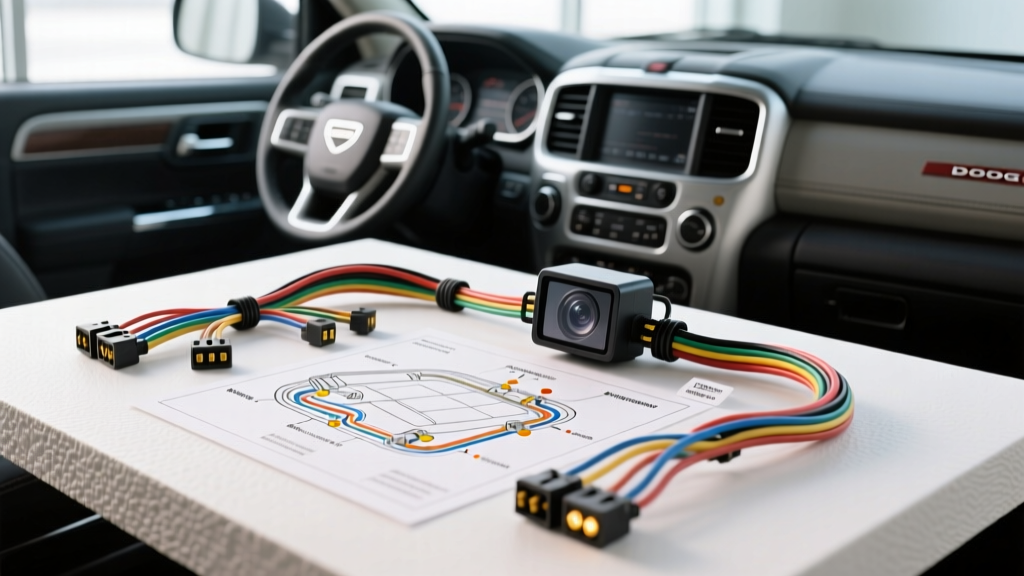
Understanding the Ram DS Electrical Architecture
Executing a flawless Dodge Ram backup camera install on the 2013–2018 DS platform (1500, 2500, and 3500 models) requires more than simply splicing into a tail light bulb. Modern FCA/Stellantis vehicles utilize a complex multiplexed network governed by the Totally Integrated Power Module (TIPM) and the Body Control Module (BCM). The factory lighting circuits are not simple 12V switched feeds; they are heavily monitored for current draw and often utilize Pulse Width Modulation (PWM) for diagnostics and LED integration. If you attempt a standard aftermarket camera install without accounting for the TIPM's bulb-outage detection algorithms, you will encounter flickering video, camera boot failures, or phantom 'bulb out' warnings on your EVIC (Electronic Vehicle Information Center).
This complete wiring diagram walkthrough details the exact pinouts, wire color codes, and signal filtering techniques required to integrate an aftermarket backup camera into both factory Uconnect 5.0/8.4 systems and aftermarket head units using the standard FCA 22-pin integration harness.
Required Components and Wiring Specifications
Before beginning the teardown, ensure your bench is stocked with the correct gauge wiring and filtering components. Adhering to SAE J1128 standards for low-tension primary cable ensures your harness can withstand the high-temperature, high-vibration environment of a truck chassis.
| Component / Wire Type | Specification / Rating | Application in Ram Install |
|---|---|---|
| Camera Power Feed (12V+) | 18 AWG Stranded Copper | Primary power from reverse trigger or upfitter switch |
| Camera Ground | 16 AWG Stranded Copper | Chassis ground (must be sanded to bare metal) |
| Reverse Trigger Signal | 20-22 AWG | Tapping the WT/LG (White/Light Green) reverse feed |
| Video Coaxial Cable | RG-59 or Shielded RCA | Routing single-ended video to the head unit |
| PWM Filter Capacitor | 1000µF 25V Electrolytic | Smoothing TIPM PWM ripple to steady DC voltage |
| Isolation Diode | 1N4004 Rectifier | Preventing back-feed into the TIPM lighting circuit |
Phase 1: Routing the Video and Power Harness
The most reliable path for routing your camera's RCA video and 18 AWG power harness from the tailgate to the cab is through the factory rubber grommet located on the driver's side of the bed bulkhead, or by following the main chassis harness along the driver-side frame rail.
- Tailgate Pass-Through: Remove the interior tailgate access panel. Route the camera's RCA and power pigtail through the flexible rubber loom that bridges the gap between the tailgate and the bed. Use a silicone-based wire pulling lubricant to avoid tearing the factory weather seal.
- Frame Rail Routing: Follow the main chassis harness on the driver's side. Secure your new RCA and 18 AWG power wires using Tesa tape (fuzzy harness tape) every 12 inches. Never use standard zip-ties directly on coaxial video cables, as the sharp edges will crush the RG-59 dielectric shielding, resulting in signal degradation and alternator whine.
- Cab Entry: Pierce the main rubber floor grommet located under the driver's side kick panel or pass the harness through the factory parking brake cable grommet. Reseal the puncture with RTV silicone to prevent carbon monoxide and water intrusion.
Phase 2: The Reverse Trigger and PWM Dilemma
This is where 90% of DIY Dodge Ram backup camera installs fail. The reverse lamp feed wire on the 2013-2018 Ram is White with a Light Green tracer (WT/LG). You will find this wire at the rear taillight harness or at the TIPM under the hood. However, the TIPM uses a Pulse Width Modulation (PWM) signal to monitor the resistance of the reverse bulbs. Because an aftermarket LED camera draws significantly less current than a halogen 921 bulb, the TIPM will either cut power entirely (thinking the bulb is blown) or send a rapid PWM pulse that causes the camera's internal voltage regulator to constantly reset.
Wiring the PWM Filter Capacitor and Diode
To solve this without purchasing an expensive CAN-bus decoder module, you must build a low-pass filter to smooth the PWM ripple into a clean 12V DC signal. According to FCA TechAuthority diagnostic principles, stabilizing the voltage at the load prevents module reset loops.
- Tap the WT/LG Wire: Use a Posi-Tap connector to tap the White/Light Green reverse wire at the rear taillight harness. Do not use scotch-locks, as they invite corrosion on the CAN-bus adjacent lines.
- Install the Diode: Solder a 1N4004 diode in series with the tapped 12V+ feed. The silver band (cathode) must point away from the TIPM and toward the camera. This prevents the capacitor from discharging back into the truck's lighting circuit.
- Install the Capacitor: Solder the 1000µF 25V electrolytic capacitor in parallel with the camera's 12V+ and Ground wires. The capacitor's negative stripe must connect to the chassis ground. The capacitor will absorb the PWM peaks and fill in the valleys, outputting a steady 11.5V - 12.1V to the camera.
- Establish Ground: Sand a 1-inch circle of paint off the bed bolt or frame rail near the camera. Secure the 16 AWG ground wire with a stainless steel ring terminal and a star washer to ensure a zero-ohm connection to the chassis.
Phase 3: Head Unit Integration (Fakra Z vs. 22-Pin)
Your final connection depends entirely on whether you are retaining the factory Uconnect radio or installing an aftermarket unit (Pioneer, Kenwood, Alpine).
Scenario A: Aftermarket Radio via FCA 22-Pin Harness
If you are using a standard integration harness (such as the Metra 70-6524 or Scosche CR02B), the reverse trigger is already isolated for you.
- Pin 22 (Light Green/White): This is your reverse trigger input on the aftermarket harness. Connect this to your head unit's 'Reverse' or 'Camera Trigger' wire (usually purple or orange/white).
- Video Input: Plug the camera's RCA directly into the head unit's dedicated 'Rear Camera In' port. Do not plug it into a standard 'Video In' port, as the head unit requires the reverse trigger to automatically switch the display matrix.
Scenario B: Factory Uconnect 5.0 / 8.4 Integration
Factory Uconnect systems do not use standard RCA connectors. They utilize a Fakra Z (Cream colored) coaxial connector located on the back of the radio chassis. Furthermore, Uconnect uses a differential video signal (Camera + and Camera -), while aftermarket cameras output a single-ended RCA signal.
- Physical Adapter: You must purchase a 'Fakra Z Female to RCA Male' adapter harness. Plug the Fakra end into the Uconnect camera port.
- Signal Conversion: Because Uconnect expects a differential signal, plugging a single-ended RCA camera directly into a Fakra adapter will often result in a rolling picture or a 'No Signal' message. You must install a Differential to Single-Ended Video Converter (such as the PAC VEM-3 or a dedicated FCA camera bypass module) between your camera's RCA and the Fakra adapter.
- BCM Activation: On 2015+ Rams, the camera input may be disabled in the Body Control Module if the truck was not built with the factory camera option. You may need to use an OBDII tool like AlfaOBD to toggle the 'Sales Code XAC' (Rear Back Up Camera) to 'Present' in the BCM configuration.
Diagnostic Troubleshooting Matrix
| Symptom | Probable Cause | Verified Fix |
|---|---|---|
| Camera flickers rapidly or reboots when shifted into Reverse. | TIPM PWM signal interfering with camera voltage regulator. | Install the 1000µF capacitor and 1N4004 diode filter on the 12V+ feed. |
| Uconnect displays 'No Signal' or Camera Not Available. | BCM Sales Code not enabled, or single-ended vs differential mismatch. | Enable XAC code via AlfaOBD; install differential video converter. |
| Alternator whine or rolling horizontal bars on the video feed. | Ground loop caused by using a taillight ground instead of chassis ground. | Run a dedicated 16 AWG ground wire directly to a sanded bare-metal chassis point. |
| Camera stays on while driving forward. | Reverse trigger wire shorted to 12V+ or head unit settings misconfigured. | Verify WT/LG wire drops to 0V in Park/Drive; check head unit 'Camera Battery' setting. |