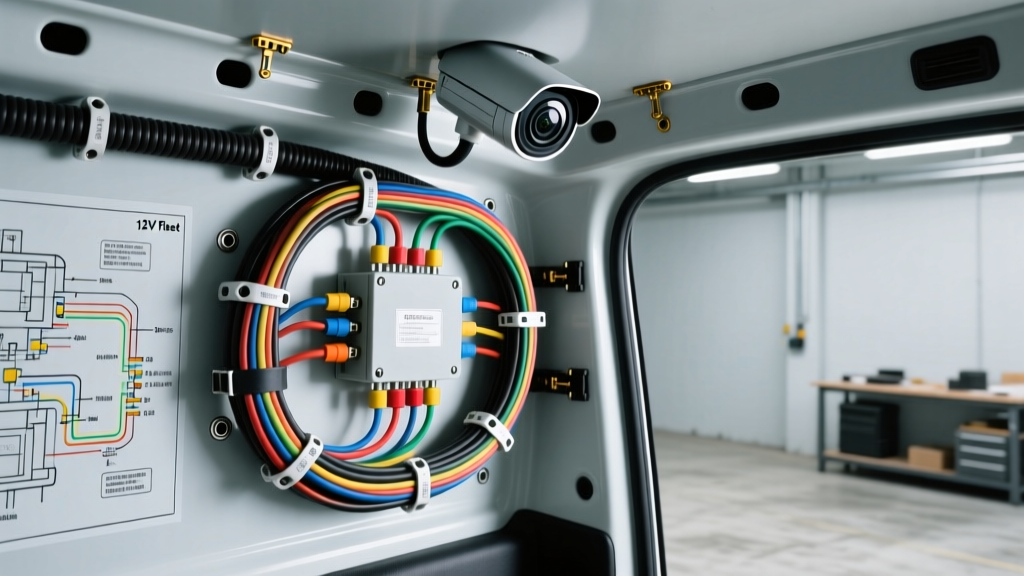
The Challenge: Translating Office Security Camera Installation to 12V DC
Fleet managers and mobile command center upfitters frequently attempt to replicate a standard office security camera installation inside cargo vans, RVs, and tactical vehicles. While commercial IP cameras (such as Axis or Hikvision PoE models) offer superior resolution, remote access, and NVR integration, their native 802.3af/at Power over Ethernet (PoE) requirements clash violently with 12V and 24V automotive electrical systems. A traditional office security camera installation relies on 120V AC power feeding a managed PoE switch, utilizing standard RJ45 connectors and unshielded Cat6 cables routed through climate-controlled drop ceilings. In a mobile environment, you are battling alternator noise, severe vibration, voltage spikes during load dumps, and extreme temperature fluctuations.
To successfully integrate commercial IP surveillance into a vehicle like a Ford Transit or Mercedes-Benz Sprinter, you must completely redesign the power delivery and data topology. This complete wiring diagram walkthrough details how to bridge the gap between commercial IT infrastructure and ruggedized automotive DC systems, ensuring your mobile surveillance network remains stable under all operating conditions.
System Architecture: Bridging Commercial IP Cameras to Automotive DC
The core of any mobile IP camera system is the power conversion stage. Standard PoE requires 48V DC, while the vehicle operates on a nominal 12V DC system (fluctuating between 11.5V during cranking and 14.4V during alternator charging). You cannot simply wire a 12V line to a 48V camera. Furthermore, sensitive IT equipment like Network Video Recorders (NVRs) will hard-reboot if the vehicle voltage dips below 11V during engine cranking.
Step 1: Power Conversion and Stabilization
For the NVR and networking switch, you must install an isolated 12V-to-12V DC-DC buck-boost converter. This device maintains a steady 12V output regardless of whether the alternator is pushing 14.4V or the starter motor is dragging the system down to 9V. For the cameras, you will utilize a 12V-to-48V isolated DC-DC PoE injector. According to the Ford Motor Company Body Builder Layout Book, all auxiliary upfitter circuits must be tied to the secondary battery system to prevent draining the primary cranking battery. We recommend pulling power from the auxiliary AGM battery via a 15A ATO fuse, utilizing 14 AWG TXL (Cross-linked polyethylene) wire for its superior heat and abrasion resistance compared to standard PVC wire.
Step 2: Vibration-Proofing the Data Connection
The standard RJ45 connector used in almost every office security camera installation is a catastrophic failure point in vehicles. The plastic retaining clips snap under high-frequency vibration, and the copper contacts oxidize rapidly in humid environments. To meet automotive reliability standards, the RJ45 connection at the camera end must be adapted to an M12 X-coded connector. M12 connectors feature a threaded metal coupling ring that locks securely to the camera housing, maintaining an IP67 environmental seal and resisting vibration indefinitely.
Complete Wiring Diagram Walkthrough
Below is the step-by-step electrical pathway from the vehicle battery to the camera sensor.
- Power Source: 12V Auxiliary AGM Battery (Positive Terminal).
- Overcurrent Protection: 15A ATO Blade Fuse, mounted within 18 inches of the battery terminal.
- Main Power Run: 14 AWG TXL Red wire routed through the B-pillar and roof ribs, secured with adhesive-backed cable mounts every 12 inches.
- PoE Injection: 12V-to-48V DC-DC PoE Injector (30W capacity for 802.3at support). The injector steps up the 12V DC to 48V DC and superimposes it onto the Ethernet data pairs.
- Data/PoE Transmission: Shielded Cat6 (F/UTP) cable. The foil shielding is critical for blocking Electromagnetic Interference (EMI) generated by the vehicle's alternator and ignition system.
- Termination: M12 X-coded to RJ45 adapter cable at the camera end, utilizing a threaded locking mechanism.
Technical Specifications: M12 X-Coded Pinout & Wire Sizing
When terminating the M12 X-coded connectors, precision is mandatory. The X-coding standard separates the 8 data pins into four distinct pairs, allowing for Gigabit Ethernet speeds while preventing crosstalk. Below is the standard pin configuration for M12 X-coded Ethernet connections.
| M12 Pin Number | Signal / Function | Standard Cat6 Wire Color | Torque Specification |
|---|---|---|---|
| Pin 1 | TX+ (Transmit Positive) | White/Orange | 0.6 Nm (Hand-tighten plus 1/4 turn) |
| Pin 2 | TX- (Transmit Negative) | Orange | |
| Pin 3 | RX+ (Receive Positive) | White/Green | |
| Pin 4 | RX- (Receive Negative) | Green | |
| Pin 5 | TX/RX+ (Bi-Directional) | White/Blue | |
| Pin 6 | TX/RX- (Bi-Directional) | Blue | |
| Pin 7 | TX/RX+ (Bi-Directional) | White/Brown | |
| Pin 8 | TX/RX- (Bi-Directional) | Brown |
Wire Gauge and Voltage Drop Calculations
Voltage drop is the silent killer of mobile PoE systems. If the 12V feed to your DC-DC injector drops below 10.5V due to undersized wiring, the injector will shut down, dropping the camera offline. Refer to the SAE International J1113 Electromagnetic Compatibility Standards for guidelines on maintaining signal integrity in high-noise automotive environments.
| Circuit Segment | Recommended AWG | Wire Type | Max Run Length |
|---|---|---|---|
| Battery to PoE Injector (12V) | 12 AWG or 14 AWG | TXL (Cross-linked) | 15 ft (14 AWG) / 25 ft (12 AWG) |
| PoE Injector to Camera (48V PoE) | 23 AWG (Standard Cat6) | F/UTP Shielded | 300 ft (Standard Ethernet limit) |
| Battery to NVR / Switch (12V) | 10 AWG | TXL (Cross-linked) | 20 ft |
Grounding and EMI Shielding Best Practices
One of the most common mistakes upfitters make when adapting an office security camera installation to a vehicle is improper grounding of the shielded Ethernet cable. In a building, the building's copper grounding grid handles stray voltage. In a vehicle, the steel chassis is the ground return path, but it is highly susceptible to alternator ripple and ignition noise.
When using Shielded Cat6 (F/UTP), the cable contains a bare copper drain wire running the length of the foil shield. You must ground this drain wire at the NVR/Switch end ONLY. If you ground the drain wire at both the NVR and the camera end, you create a ground loop. The vehicle's chassis will act as an antenna, picking up alternator whine and inducing it directly into your video feed, resulting in rolling horizontal bars or complete data packet loss. Terminate the drain wire into the metal chassis of the NVR rack or the grounding lug of the PoE injector, and trim it back (insulated with heat shrink) at the camera end.
Troubleshooting Mobile PoE Failures
Even with a perfect diagram, mobile environments present unique failure modes. Use this diagnostic matrix to resolve common issues encountered when migrating commercial IT gear to automotive platforms.
- Symptom: NVR or PoE Switch reboots randomly when the engine is cranked.
Cause: Voltage dip below 11V during starter engagement triggers the equipment's internal low-voltage protection.
Fix: Install a 12V-to-12V isolated buck-boost converter with integrated hold-up capacitors between the vehicle battery and the IT equipment. This bridges the 2-3 second cranking voltage dip. - Symptom: Camera feeds drop out or show severe artifacting at high engine RPM.
Cause: Alternator EMI is inducing noise into unshielded data cables, or a ground loop is present on the shielded cable.
Fix: Verify the use of F/UTP shielded Cat6. Ensure the drain wire is grounded at one end only. Route data cables at least 6 inches away from primary 12V power harnesses and ignition coils, per NFPA 70 National Electrical Code (NEC) Article 800 separation guidelines adapted for mobile chassis. - Symptom: Camera fails to negotiate 802.3at (PoE+) and defaults to low-res mode or fails to power on.
Cause: Excessive voltage drop on the 12V feed to the DC-DC injector, causing the 48V output to sag under load.
Fix: Upgrade the 12V feed wire from 14 AWG to 12 AWG or 10 AWG TXL. Check all crimp terminals for cold crimps or corrosion, which add unseen resistance to the circuit.
Summary
Successfully executing a mobile surveillance build requires abandoning the assumptions of a traditional office security camera installation. By utilizing isolated DC-DC power conversion, M12 X-coded vibration-proof connectors, properly grounded shielded cabling, and automotive-grade TXL wiring, you can create a mobile command center that rivals any fixed commercial facility in reliability and uptime. Always consult the specific Body Builder Layout Book for your vehicle chassis to ensure all upfitter modifications comply with manufacturer safety and warranty requirements.