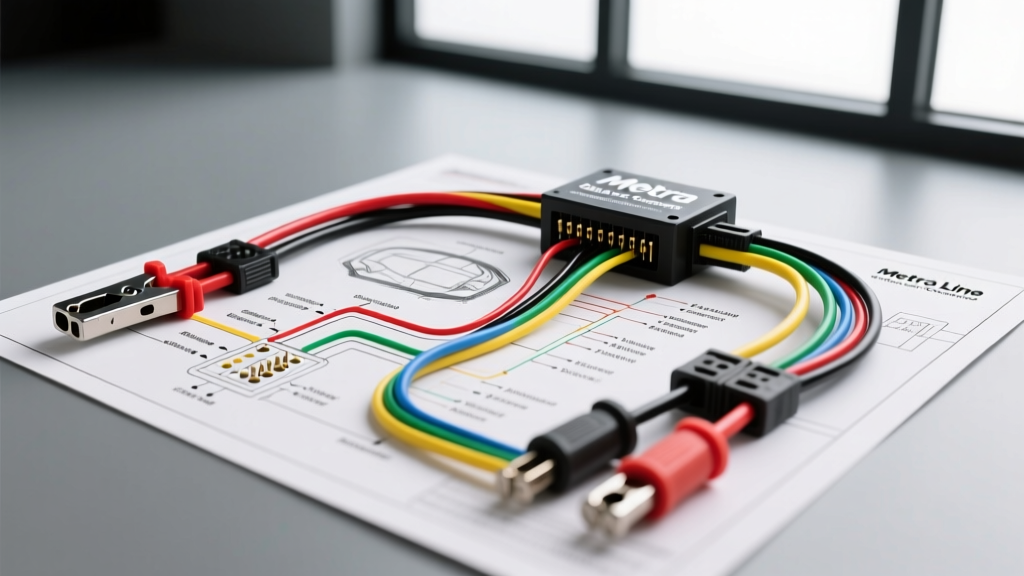
Integrating a Metra LOC for Backup Camera Trigger Isolation
When upgrading the infotainment system in modern vehicles equipped with premium factory audio (such as Bose, Harman Kardon, or Sony/B&O), installing an aftermarket backup camera presents a unique electrical challenge. Factory reverse light circuits in late-model vehicles (2015 and newer) rarely provide a clean, analog 12V signal. Instead, they utilize Pulse Width Modulation (PWM) to monitor bulb health and reduce power consumption. Connecting a standard aftermarket backup camera trigger directly to a PWM reverse wire will result in a flickering monitor, rolling video lines, or complete trigger failure.
This is where a Metra line output converter (LOC) becomes an indispensable tool beyond its primary audio function. By leveraging the LOC's internal signal-sensing relay and regulated remote turn-on output, installers can generate a clean, isolated 12V trigger for the camera monitor. This comprehensive Metra line output converter wiring diagram walkthrough details how to map the pinouts, manage wire gauges, and integrate a Bosch-style relay to guarantee a flawless reverse camera activation sequence.
Core Wiring Diagram Walkthrough: Pinout and Wire Colors
A standard Metra active 2-channel or 4-channel LOC features a specific color-coded harness. Understanding the exact function and current capacity of each wire is critical to preventing voltage drops and ground loops that degrade camera video quality.
Power and Ground Architecture
- Red Wire (+12V Switched): This must be connected to an ignition-switched 12V source or the factory head unit's accessory wire. Do not connect this to a constant 12V battery source, as the LOC's internal circuitry will drain the vehicle's battery over time. Use 18 AWG wire for the connection, stepping up to 12 AWG if you are also using this circuit to trigger a high-draw relay coil.
- Black Wire (Chassis Ground): The most critical connection for preventing alternator whine in your camera's audio pass-through and video rolling. Strip back the insulation, sand the chassis to bare metal, and secure using a ring terminal and self-tapping screw. Keep the ground wire under 18 inches and use 14 AWG stranded copper to minimize resistance.
Speaker Inputs and RCA Outputs
The high-level inputs accept amplified factory speaker signals, which can swing anywhere from 8V to 40V RMS depending on the factory amplifier. The Metra LOC steps this down to a standard 2V to 5V low-level RCA output.
- White / White with Black Stripe: Left Front Speaker (+ / -)
- Gray / Gray with Black Stripe: Right Front Speaker (+ / -)
- Green / Green with Black Stripe: Left Rear Speaker (+ / -)
- Purple / Purple with Black Stripe: Right Rear Speaker (+ / -)
Expert Note: Never use standard piercing T-taps for these connections. The micro-vibrations in a vehicle chassis will cause T-taps to loosen, leading to intermittent audio clipping and erratic LOC trigger behavior. Always use Posi-Tap connectors or solder and seal with adhesive-lined heat shrink.
Using the LOC Remote Turn-On for Backup Camera Triggers
The Blue Wire (Remote Turn-On Output) is the secret weapon for camera installations. When the LOC detects an audio signal (or when wired to a switched source), it outputs a regulated +12V signal on the blue wire. However, this blue wire is typically limited to 150mA - 300mA of current. While this is sufficient to wake up an aftermarket head unit's reverse input, it is often not enough to power a standalone rear-view mirror monitor or a heavy-duty camera relay directly without risking damage to the LOC's internal transistor.
Step-by-Step Reverse Signal Relay Integration
To safely trigger the backup camera's red RCA pigtail and the monitor simultaneously, we use the LOC's blue wire to switch a standard 12V automotive relay.
- Relay Pin 86 (Coil +): Connect to the Metra LOC's Blue Remote Turn-On Wire.
- Relay Pin 85 (Coil -): Connect to a clean chassis ground.
- Relay Pin 30 (Common): Connect to a fused, constant +12V battery source (use an inline 5A ATC fuse).
- Relay Pin 87 (Normally Open): Splice into the Red Trigger Pigtail on the backup camera's RCA cable, and connect to the monitor's reverse trigger input.
By routing the power through the relay, the camera and monitor draw their required amperage directly from the vehicle's battery via the fused constant 12V line, while the Metra LOC only has to supply the minimal milliamps required to energize the relay coil. This completely isolates the camera's power draw from the sensitive audio signal processing inside the LOC.
Technical Specifications and Wire Mapping Chart
| Wire Color | Function | Recommended AWG | Connection Target | Max Current / Voltage |
|---|---|---|---|---|
| Red | +12V Switched Power | 18 AWG | Ignition / ACC Circuit | 14.4V / 2A |
| Black | Chassis Ground | 14 AWG | Bare Metal Chassis | N/A |
| Blue | Remote Turn-On Out | 18 AWG | Relay Pin 86 / HU Reverse | 12V / 300mA Max |
| Gray / Black | Right Front Input (+/-) | 18 AWG | Factory RF Speaker | 40V RMS Max |
| White / Black | Left Front Input (+/-) | 18 AWG | Factory LF Speaker | 40V RMS Max |
Troubleshooting Common LOC and Camera Trigger Issues
Even with a perfect wiring diagram, real-world vehicle environments introduce electrical noise and variable tolerances. Use this diagnostic tree to resolve common integration failures.
Symptom: Backup Camera Flickers or Shows 'No Signal'
Cause: The factory reverse circuit is still bleeding PWM noise into the system, or the relay is chattering due to voltage spikes. Fix: Verify that the camera's red trigger wire is connected only to Relay Pin 87, and completely isolated from the factory reverse bulb wiring. If the relay chatters, solder a 1N4001 diode across relay pins 85 and 86 (stripe facing pin 86) to suppress the inductive kickback from the relay coil collapsing.
Symptom: Alternator Whine in Camera Audio Pass-Through
Cause: A ground loop exists between the factory amplifier's ground reference and the Metra LOC's ground reference. Fix: Ensure the LOC's black ground wire and the camera monitor's ground wire share the exact same star-ground point on the chassis. According to SAE J1113 standards for automotive electromagnetic compatibility, maintaining a single-point ground reference minimizes common-mode noise. Additionally, verify that the RCA cables are routed down the opposite side of the vehicle's cabin from the factory wiring harness and power cables.
Symptom: Camera Stays On After Shifting Out of Reverse
Cause: The factory audio system features a 'fade-out' delay, keeping the audio signal active for 5-10 seconds after the vehicle is shifted out of reverse, which keeps the LOC's signal-sensing circuit engaged. Fix: Most premium Metra LOCs feature an internal delay adjustment potentiometer. Use a small flathead screwdriver to turn the delay pot counter-clockwise to its minimum threshold. If the LOC lacks this feature, wire the LOC's red power wire to a dedicated reverse-light circuit using a PWM-to-12V filter module rather than relying on audio signal sensing.
Authoritative References and Further Reading
For advanced diagnostics and OEM integration protocols, consult the following resources:
- Metra Electronics Technical Support & Wiring Repositories - Official documentation for LOC gain staging and vehicle-specific harness adapters.
- Crutchfield Line Output Converter Installation Guide - Comprehensive breakdown of signal-to-noise ratio optimization and RCA shielding techniques.
- SAE J1113: Electromagnetic Compatibility Measurement Procedures - Industry standards for preventing RF interference in automotive video and low-voltage signal cables.
By strictly adhering to this Metra line output converter wiring diagram and utilizing a relay for the camera trigger, you ensure a robust, noise-free installation that protects both the vehicle's delicate CAN-bus network and your aftermarket camera hardware.