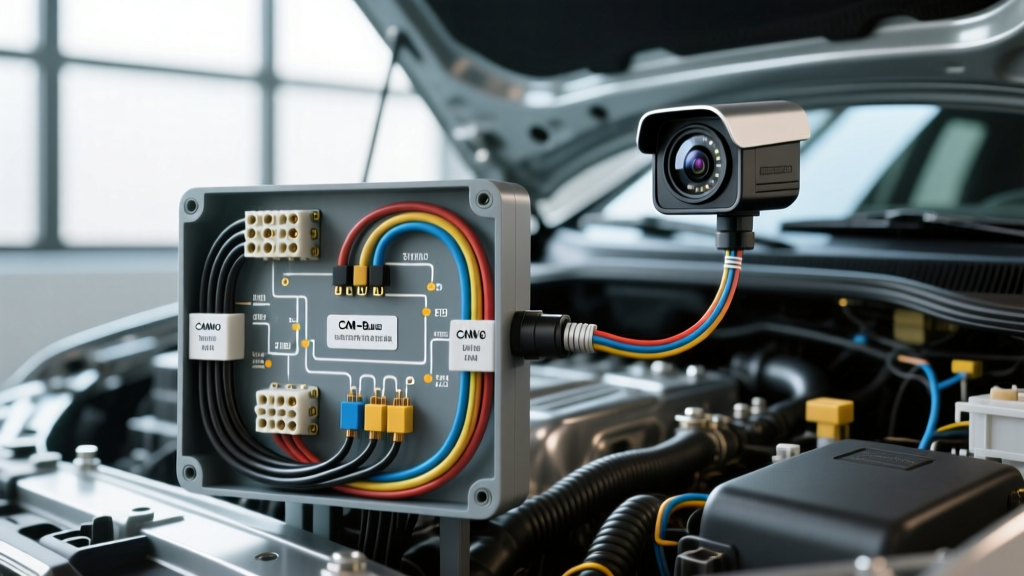
System Architecture: Multi-Channel Automotive Security Surveillance
Integrating a multi-channel automotive security camera system (front, rear, and interior cabin) requires a fundamental understanding of vehicle telematics, parasitic draw limits, and data-bus wake-up protocols. Unlike standard dash cams that rely solely on ignition-switched power, a true vehicle security camera wiring diagram incorporates a hardwire kit with a low-voltage cutoff module and, in advanced setups, a CAN-bus interface for radar or G-sensor event wake-up. This guide provides an advanced technical deep dive into the electrical topography required to deploy a 24/7 parking mode surveillance system without compromising the vehicle's primary ECU networks or draining the primary starter battery below critical Cold Cranking Amp (CCA) thresholds.
Primary Power Hardwire Diagram & Pinout Specifications
The foundation of any automotive security camera wiring diagram is the 3-wire hardwiring harness. This harness bridges the vehicle's fuse panel to the camera's voltage regulation module. Standard industry color codes dictate the following pinout logic:
- Yellow Wire (BATT / Constant 12V): Connects to an unswitched, always-hot fuse circuit (e.g., interior lighting, power seats, or OBD-II diagnostic port). This provides continuous power for parking mode recording and memory retention.
- Red Wire (ACC / Switched 12V): Connects to an ignition-switched circuit (e.g., windshield wipers, radio, or 12V accessory socket). This signals the camera to transition from low-power parking mode to high-bitrate driving mode.
- Black Wire (GND / Chassis Ground): Must be terminated to a bare, unpainted metal chassis point or a dedicated OEM ground bus bar. Never ground to plastic trim, seat rails with nylon bushings, or painted surfaces, as this introduces resistance that will cause voltage drop and random camera reboots.
SAE J1128 Wire Gauge & Voltage Drop Matrix
According to SAE J1128 standards for low-tension primary cable, selecting the correct American Wire Gauge (AWG) is critical. Multi-channel security cameras (e.g., 4K front + 1080p rear + IR interior) can draw peak currents of 2.5A to 3.5A during active recording and Wi-Fi data offloading. Using undersized wire over long routing distances (e.g., from the engine bay fuse box to the rear hatch) results in severe voltage drop, triggering the camera's low-voltage protection prematurely.
| Wire Gauge (AWG) | Max Current Capacity | Voltage Drop per 10ft (at 3A) | Recommended Application |
|---|---|---|---|
| 18 AWG | 4.0 Amps | 0.19V | Short runs, single-channel front dash cams |
| 16 AWG | 6.0 Amps | 0.12V | Standard multi-channel security camera kits |
| 14 AWG | 10.0 Amps | 0.07V | Long runs to rear hatch, commercial 24V systems |
For most passenger vehicles, 16 AWG primary wire is the optimal choice for the main power trunk, stepping down to 18 AWG only for the final branch into the camera's proprietary 4-pin or 5-pin micro-connector.
The Add-A-Circuit Fuse Orientation Logic
The most common point of failure in aftermarket security camera installations is the incorrect orientation of fuses within the Add-A-Circuit (fuse tap) adapter. Power flows from the vehicle's bus bar into the plug blades of the fuse tap. It then travels upward through the first fuse slot, branches to the accessory wire, and continues through the second fuse slot to the top blades.
Master Technician Rule for Fuse Placement:
- Bottom Slot (Closest to Plug Blades): Insert the OEM vehicle fuse here. This ensures the vehicle's original circuit is protected by its factory-rated amperage before any power is siphoned off.
- Top Slot (Closest to Accessory Wire): Insert the camera hardwire kit fuse (typically 2A or 3A) here. If the camera experiences an internal short circuit, only the top fuse will blow. The OEM vehicle circuit will remain fully operational.
If reversed, a short in the security camera will blow the bottom fuse, killing both the camera and the critical OEM circuit (such as the ABS module or ECU ignition relay).
CAN-Bus Data Line Integration for Event Wake-Up
Advanced security camera wiring diagrams utilize the vehicle's Controller Area Network (CAN-bus) to detect door unlock events, impact vibrations, or OBD-II port polling without relying on a constant high-draw ACC circuit. This requires tapping into the high-speed CAN network, typically found at the OBD-II diagnostic port (SAE J1962 connector).
- OBD-II Pin 14 (CAN-High): Typically White or Green wire. Dominant state voltage ~3.5V.
- OBD-II Pin 6 (CAN-Low): Typically White/Black or Green/Black wire. Dominant state voltage ~1.5V.
- OBD-II Pin 16 (BATT+): Constant 12V for the camera's CAN-bus transceiver module.
- OBD-II Pin 4/5 (Signal/Chassis Ground): Transceiver ground reference.
When splicing into CAN-H and CAN-L, you must maintain the twisted-pair geometry to prevent electromagnetic interference (EMI). As outlined by SAE J1113 standards for electromagnetic compatibility, failing to preserve the twist rate (typically 1 twist per inch) or introducing stub lengths greater than 0.3 meters can cause CAN-bus reflection errors, triggering check engine lights or disabling the vehicle's ADAS (Advanced Driver Assistance Systems) lane-keep assist features. Always use solder-seal heat shrink connectors; never use Scotchloks or T-taps on data lines.
Voltage Cutoff Thresholds & Battery Chemistry
The hardwire module's voltage cutoff switch must be calibrated to the specific chemistry of the vehicle's 12V battery to prevent stranding the driver. A standard flooded lead-acid battery rests at 12.6V, while an Absorbent Glass Mat (AGM) battery rests at 12.8V.
- 12.0V Setting: Dangerous. Will drain the battery below 40% State of Charge (SoC), severely reducing CCA and risking sulfation in lead-acid batteries.
- 12.2V Setting: Acceptable for AGM batteries in warm climates; provides roughly 8-12 hours of parking mode recording.
- 12.4V Setting (Recommended): Safest threshold for daily drivers. Cuts power while the battery retains ~70% SoC, guaranteeing sufficient cranking amps for engine ignition.
Troubleshooting Parasitic Draw & Sleep Mode Failures
If the vehicle's battery is dying despite correct voltage cutoff settings, the issue often lies in CAN-bus wake-up loops or module sleep failures. Modern vehicles require the CAN-bus to enter 'sleep mode' (dropping network voltage to 0V and parasitic draw below 50mA) within 15-30 minutes of locking the doors. If an aftermarket security camera module continuously polls the OBD-II port or sends keep-alive frames on the CAN-High line, it will prevent the vehicle's Body Control Module (BCM) from sleeping, resulting in a parasitic draw of 200mA to 500mA, which will kill a battery in 48 hours.
To diagnose this, use a digital multimeter with a millivolt/milliamp clamp meter across the negative battery terminal after the vehicle has been locked for 45 minutes. If the draw remains above 80mA, disconnect the camera's CAN-bus transceiver. If the draw drops to <30mA, the camera module lacks proper galvanic isolation or sleep-logic programming, and must be replaced or reconfigured to use a simple timer-based hardwire kit instead of data-bus polling.
Environmental Sealing & Connector Integrity
For security cameras mounted in exterior-adjacent zones (e.g., rear hatch, side mirrors for 360-degree birdseye systems), all wiring harness connectors must be sealed against moisture ingress. Apply dielectric grease to all 12V power splices and use dual-wall, polyolefin-lined heat shrink tubing. The inner lining melts to form a waterproof adhesive barrier, preventing capillary action from wicking water from an exterior trunk seal into the vehicle's interior headliner, which is a common cause of BCM corrosion in modern SUVs and hatchbacks. For deeper architectural references on vehicle network topologies, consult the Bosch Mobility Solutions CAN-bus documentation to ensure your aftermarket security integration respects OEM data priority protocols.