Overview of Furrion Side Marker Camera Systems
Integrating a Furrion side camera into a travel trailer, fifth wheel, or motorhome requires a precise understanding of low-voltage DC power delivery and coaxial video transmission over extended distances. Unlike standard backup cameras that operate on short 10-foot runs, Furrion Vision S and Eagle side marker cameras often require cable routing spanning 30 to 45 feet from the observation monitor to the exterior side markers. This technical specification reference details the exact 4-pin connector pinouts, AWG wire sizing requirements to prevent voltage drop, and the relay logic required to convert switched clearance light circuits into constant 12V observation feeds.
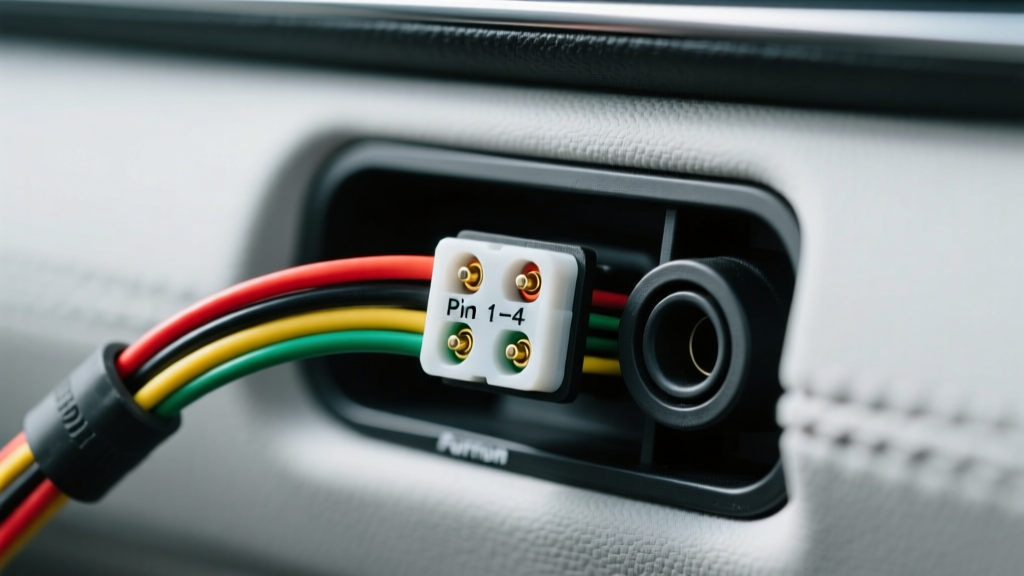
Furrion 4-Pin Proprietary Connector Pinout
Furrion utilizes a proprietary 4-pin square connector with a keyed corner to prevent reverse-polarity damage. The connector carries both 12V DC power and the analog video signal. When splicing or fabricating extension harnesses, it is critical to maintain the exact pin-to-wire mapping to avoid shorting the video signal to the 12V power rail, which will instantly destroy the monitor's video input IC.
| Pin Number | Function | Standard Wire Color | Specification / Notes |
|---|---|---|---|
| Pin 1 | 12V DC Power (+) | Red | Requires 11.5V - 14.5V DC at the camera pigtail under load. |
| Pin 2 | System Ground (-) | Black / White | Must terminate to a clean chassis ground or dedicated DC return. |
| Pin 3 | Video Signal (+) | Yellow (Coax Core) | Analog CVBS signal. Impedance: 75 Ohms. |
| Pin 4 | Video Shield / Ground | Bare / Copper Braid | Coaxial shield. Must not be bridged with Pin 2 at the camera end to prevent ground loops. |
Connector Termination and Waterproofing
The Furrion 4-pin connector is rated for IP65 when mated, but the rear wire-entry points are vulnerable to capillary action moisture ingress. Always inject dielectric grease into the connector housing before mating, and seal the rear wire loom with dual-wall adhesive-lined heat shrink (3:1 shrink ratio) to ensure a watertight environmental seal.
Power Delivery: Constant 12V vs. Switched Clearance Circuits
The most common failure point in a Furrion side camera installation is improper power sourcing. Side marker cameras are designed to replace standard RV clearance lights. However, OEM clearance lights are typically wired to a switched circuit that only receives 12V when the tow vehicle's headlights or running lights are activated. Because Furrion side cameras are intended for continuous blind-spot observation while driving in daylight, relying on a switched circuit is inadequate.
SPDT Relay Wiring Diagram for Constant Power
To achieve constant 12V at the camera while utilizing the existing marker light wiring as a trigger (or to protect the monitor from back-feeding), you must install a standard automotive SPDT (Single Pole Double Throw) 12V relay. This isolates the high-current battery feed from the delicate camera circuitry.
- Relay Pin 30 (Common): Connect to a fused constant 12V battery source (Use a 5A inline ATC fuse).
- Relay Pin 87 (Normally Open): Connect to the Red (12V+) wire of the Furrion 4-pin camera harness.
- Relay Pin 86 (Coil +): Connect to the OEM switched 12V marker light wire (acts as the trigger).
- Relay Pin 85 (Coil -): Connect to a reliable chassis ground.
- Relay Pin 87a (Normally Closed): Leave insulated and unused.
By wiring the system this way, the camera receives robust, unswitched 12V power directly from the battery bank whenever the relay coil is energized by the running lights, or you can wire Pin 86 to a dedicated interior toggle switch for on-demand observation without turning on the exterior trailer lights.
AWG Wire Sizing & Voltage Drop Specifications
Voltage drop is the primary adversary in long-run RV camera installations. According to ABYC E-11 standards for 12V DC systems, a maximum voltage drop of 3% (0.36V) is recommended for critical electronics. While a Furrion camera draws approximately 250mA (0.25A) during daylight operation, the current draw spikes to 500mA (0.5A) or higher when the infrared (IR) LEDs activate at night. If the voltage at the camera drops below 10.5V due to undersized wiring, the camera's internal IR cut filter will rapidly oscillate (clicking noise), or the unit will enter a continuous reboot loop.
Use the following reference chart to select the correct American Wire Gauge (AWG) based on the total round-trip circuit length (distance from power source to camera and back to ground).
| Total Circuit Length (Round Trip) | 18 AWG (Standard Furrion Cable) | 16 AWG (Upgraded) | 14 AWG (Heavy Duty) |
|---|---|---|---|
| 20 Feet | 0.12V Drop (Acceptable) | 0.08V Drop (Optimal) | 0.05V Drop (Optimal) |
| 40 Feet | 0.25V Drop (Marginal) | 0.15V Drop (Acceptable) | 0.10V Drop (Optimal) |
| 60 Feet | 0.38V Drop (FAIL - IR Click) | 0.24V Drop (Marginal) | 0.15V Drop (Acceptable) |
| 80 Feet | 0.50V Drop (FAIL - Reboot) | 0.32V Drop (FAIL - IR Click) | 0.20V Drop (Acceptable) |
Note: Furrion's proprietary extension cables are typically 18 AWG. For trailers exceeding 35 feet in length, it is highly recommended to splice into 16 AWG or 14 AWG marine-grade tinned copper wire for the main trunk line, stepping down to 18 AWG only for the final 3-foot pigtail connection at the camera housing.
Cable Routing, Shielding, and EMC Compliance
Analog video signals are highly susceptible to Electromagnetic Interference (EMI). Routing the Furrion video cable parallel to 120V AC shore power lines or high-current DC inverter cables will induce severe rolling bars or static on the observation monitor. Adhering to SAE J1113 Electromagnetic Compatibility guidelines requires physical separation of low-voltage signal cables from high-voltage AC lines by a minimum of 18 inches. Where crossing is unavoidable, the cables must intersect at a strict 90-degree angle.
Chassis Grounding and Signal Integrity
When routing the Furrion cable through the aluminum or steel chassis of a travel trailer, the metal framework can act as an antenna for alternator whine and inverter noise. Always use the Furrion-provided rubber grommets when passing the cable through sheet metal. If the proprietary 4-pin cable is damaged and you must fabricate a replacement, you must use a shielded 4-conductor cable where the video signal is carried by a dedicated 75-ohm RG59 coaxial core, completely isolated from the DC power conductors.
Diagnostic Troubleshooting Matrix
When a Furrion side camera installation fails to perform, use the following symptom-cause-fix decision tree to isolate the electrical fault. Always test with a digital multimeter (DMM) set to DC Voltage, probing directly at the back of the camera's 4-pin connector while the system is under load.
| Symptom | Probable Electrical Cause | Diagnostic & Repair Action |
|---|---|---|
| Rapid clicking sound from camera housing at dusk/night. | Voltage drop below 10.5V causing the mechanical IR cut filter to oscillate between day and night modes. | Measure DC voltage at Pin 1 and Pin 2 under load. If below 11V, upgrade the main trunk wiring to 14 AWG or check for corroded inline splices. |
| Monitor displays 'No Signal' but camera feels warm. | Video Signal+ (Pin 3) shorted to Ground, or coaxial core severed inside the silicone jacket. | Perform a continuity test on Pin 3. Check for pinch points where the cable passes through the RV exterior wall or aluminum framing. |
| Image is present but has horizontal rolling bars. | Ground loop on the video shield (Pin 4) or EMI from adjacent 120V AC wiring. | Ensure Pin 4 is only grounded at the monitor end, not the camera end. Reroute cable away from AC shore power lines and inverter grounds. |
| Camera powers on only when tow vehicle headlights are active. | Camera is wired directly to the switched OEM clearance light circuit instead of a constant 12V source. | Install an SPDT relay to isolate the camera power from the switched marker light circuit, utilizing the marker wire only as a relay trigger. |
| Monitor displays a black-and-white image during broad daylight. | Photoresistor is obstructed, or Pin 1 voltage is hovering near the 11.2V threshold, tricking the camera into night mode. | Clean the camera lens housing. Verify alternator output and check for excessive resistance in the ground return path (Pin 2). |
Final Verification Protocol
Before sealing the exterior wall penetration with butyl tape or Dicor self-leveling lap sealant, perform a 15-minute burn-in test. Activate the monitor, cover the camera's photoresistor with a dark cloth to force the IR LEDs to engage, and monitor the voltage at the camera pigtail. If the voltage remains stable above 11.5V and the image remains clear of artifacts, the installation meets all technical specifications for long-term reliability.