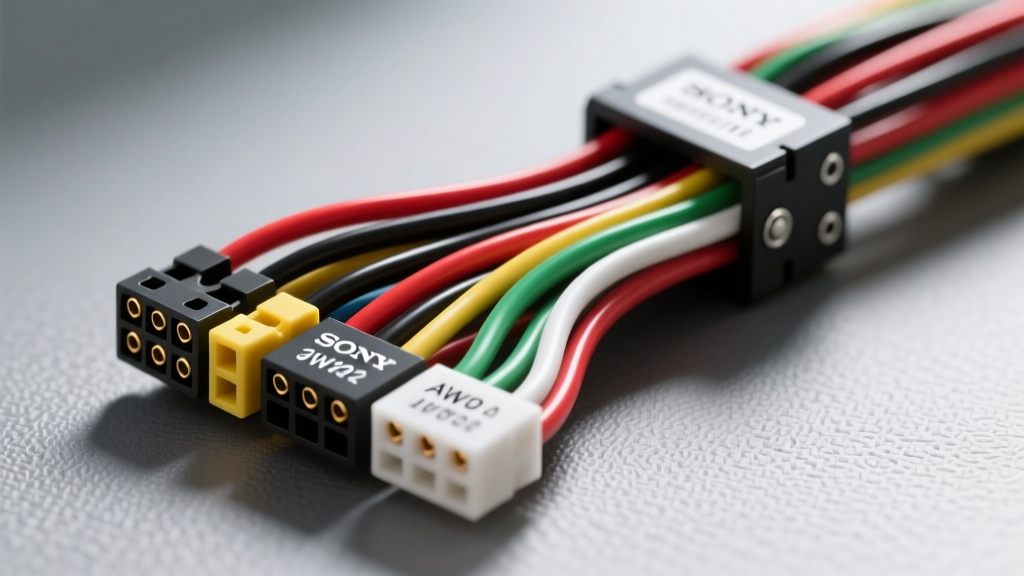
The Anatomy of a Sony Head Unit Upgrade
When executing a comprehensive audio modification project, integrating a new Sony head unit—whether it is a multimedia XAV-AX series receiver or a high-power MEX-N series CD receiver—requires more than just plugging in a generic wiring harness. While the mobile electronics industry largely adheres to the CTA-739 (formerly EIA/CEA-739) color standard, Sony utilizes specific pinouts and proprietary trigger wires that can easily trap inexperienced installers. Misinterpreting Sony car stereo wiring color codes can result in blown internal amplifiers, parasitic battery drains, or non-functional steering wheel controls.
In this upgrade guide, we will decode the standard Sony 16-pin ISO-style main harness, explore the critical differences between antenna and amplifier triggers, and detail how to properly upgrade the power delivery circuit to support Sony's high-current internal amplification.
Sony 16-Pin Main Harness: Pinout and Color Code Matrix
The primary power and speaker block on almost all modern Sony aftermarket stereos utilizes a 16-pin ISO 10487-style connector. Below is the definitive reference chart for the standard Sony power and speaker wiring configuration.
| Pin | Wire Color | Function | Standard AWG | Modification Notes |
|---|---|---|---|---|
| 1 | Yellow | +12V Constant (Memory) | 18 AWG | Connect directly to battery for high-draw units. |
| 2 | Red | +12V Switched (Ignition) | 18 AWG | Must read 12V only in ACC/ON positions. |
| 3 | Black | Chassis Ground | 18 AWG | Upgrade to 12 AWG and ring terminal to bare chassis. |
| 4 | Blue/White Stripe | System Remote (Amp Turn-On) | 18 AWG | Provides +12V whenever the unit is powered on. |
| 5 | Blue | Power Antenna Trigger | 18 AWG | Only outputs +12V in AM/FM tuner modes. |
| 6 | Orange/White Stripe | Illumination / Dimmer | 18 AWG | Triggers dashboard dimming when headlights are on. |
| 7 | White | Front Left Speaker (+) | 18 AWG | Standard CTA-739 speaker phase. |
| 8 | White/Black Stripe | Front Left Speaker (-) | 18 AWG | Do not ground to chassis; use isolated return. |
| 9 | Gray | Front Right Speaker (+) | 18 AWG | Standard CTA-739 speaker phase. |
| 10 | Gray/Black Stripe | Front Right Speaker (-) | 18 AWG | Isolated return required. |
| 11 | Green | Rear Left Speaker (+) | 18 AWG | Standard CTA-739 speaker phase. |
| 12 | Green/Black Stripe | Rear Left Speaker (-) | 18 AWG | Isolated return required. |
| 13 | Purple | Rear Right Speaker (+) | 18 AWG | Standard CTA-739 speaker phase. |
| 14 | Purple/Black Stripe | Rear Right Speaker (-) | 18 AWG | Isolated return required. |
| 15 | Purple/White Stripe | Reverse Camera Trigger | 18 AWG | Receives +12V from reverse light circuit (XAV series). |
| 16 | Orange/Black Stripe | Parking Brake / Video Lockout | 18 AWG | Must be grounded to enable video playback. |
Reference: For a broader look at industry standards, consult the Crutchfield Official Car Audio Wiring Guide, which extensively covers CTA-739 compliance across major brands.
The Blue vs. Blue/White Trap: Amp Turn-On Modification
One of the most common modification failures when installing a Sony head unit involves the remote turn-on wire. Many installers mistakenly connect the aftermarket amplifier's REM terminal to the Solid Blue wire, assuming it is the amplifier trigger. On Sony units, the solid blue wire is strictly for the Power Antenna.
The power antenna wire only outputs +12V when the head unit is actively in AM/FM radio mode. The moment you switch to Bluetooth, USB, or Apple CarPlay, the Sony unit drops the voltage on the solid blue wire to retract the antenna. If your amplifier is wired to this circuit, it will shut off the moment you start streaming music, causing severe audio clipping and potential damage to your subwoofers.
The Fix: Always use the Blue/White Stripe wire (Pin 4) for your amplifier turn-on lead. This is the 'System Remote Control' wire, which maintains a steady +12V output (up to 300mA) regardless of the active source mode. If you are integrating multiple amplifiers or a DSP that exceeds the 300mA limit, use the Blue/White wire to trigger a 12V automotive relay (like a standard Bosch 30A relay) to distribute the turn-on signal safely.
Upgrading the Power Circuit: Overcoming 18 AWG Limitations
Sony's modern head units, particularly those boasting 'High Power' 4x55W or 4x100W internal amplifiers, draw significant current. The stock 18 AWG wiring harness provided in the box is sufficient for basic 18W RMS units, but it introduces unacceptable voltage drop under heavy bass transients.
According to the SAE J1128 Low Tension Primary Cable Standard, 18 AWG copper wire has a resistance of approximately 6.38 ohms per 1,000 feet. In a typical vehicle with a 10-foot run from the fuse box (20 feet round-trip), the resistance is roughly 0.127 ohms. At a peak current draw of 15 amps, this results in a voltage drop of nearly 1.9 volts. This drop can cause the Sony head unit's internal protection circuitry to engage, resulting in audio cut-outs or sudden reboots.
The 12 AWG Power Upgrade Protocol
For high-fidelity modification projects, we recommend bypassing the factory 18 AWG yellow and black wires entirely. Here is the professional protocol for upgrading the power delivery:
- Run 12 AWG Primary Wire: Route a dedicated 12 AWG oxygen-free copper (OFC) wire directly from the positive battery terminal to the dashboard cavity.
- Inline Fusing: Install a 25A MAXI or ANL fuse within 8 inches of the battery positive terminal to protect the cable from short circuits.
- Solder the Connection: Cut the Yellow (+12V Constant) wire on the Sony harness, leaving enough length to strip and tin. Solder the 12 AWG power wire directly to the Sony Yellow wire using rosin-core solder and a high-wattage iron (minimum 60W).
- Seal with Marine Heat Shrink: Cover the solder joint with 3:1 ratio adhesive-lined marine heat shrink to prevent moisture ingress and wire oxidation.
- Chassis Grounding: Do not rely on the factory radio ground point. Fabricate a dedicated ground using 12 AWG wire and a heavy-duty ring terminal. Scrape away all paint and primer to expose bare steel, secure the bolt with a star washer, and torque to 12 Nm.
Steering Wheel Control (SWC) Integration
Sony head units do not use a standardized data bus for steering wheel controls; instead, they utilize a resistance-based analog input via a dedicated pigtail or a 3.5mm jack. The hardwired SWC pigtail typically features three wires:
- Brown: SWC 1 (Key 1 / Analog Input 1)
- Brown/White Stripe: SWC 2 (Key 2 / Analog Input 2)
- Brown/Black Stripe: SWC Ground (Shield)
To retain factory steering wheel buttons, you must interface these wires with an adapter such as the PAC SWI-JACK or Axxess ASWC-1. The PAC Audio SWC Integration Guide provides the exact resistor ladder mapping required to program the Sony head unit to recognize your vehicle's specific button resistance values. Never connect the SWC ground wire to the main chassis ground; it must terminate exclusively at the SWC interface module to prevent ground loop noise from bleeding into the audio signal path.
Termination Standards: Why T-Taps Fail
In the realm of automotive electrical modifications, 'scotch locks' and T-taps are strictly forbidden. These connectors rely on a small metal prong to pierce the wire insulation, which inevitably severs strands of copper and creates a micro-gap. Over time, thermal expansion, chassis vibration, and moisture intrusion cause these connections to corrode, leading to intermittent speaker pops, dimming illumination circuits, and parasitic draws.
Professional Sony stereo installations demand either soldered connections sealed with adhesive heat shrink, or high-quality, nylon-insulated crimp connectors utilizing a precision ratcheting crimp tool. When splicing the Sony harness to a vehicle-specific T-harness (such as those from Metra or Axxess), stagger your solder joints by an inch to prevent the bulk of the heat shrink from creating a rigid, unmanageable knot behind the DIN sleeve.
Final Verification Before Seating the DIN Sleeve
Before pushing the Sony head unit into the dashboard and securing the trim ring, perform a rigorous multimeter verification. Set your digital multimeter to DC Voltage. With the ignition in the ACC position, verify 12.4V at the Red wire and 12.4V at the Yellow wire. Switch the head unit to Bluetooth mode and verify that the Blue/White wire holds a steady 12V, while the solid Blue wire drops to 0V. Finally, engage the reverse gear (with the vehicle safely elevated or rear wheels off the ground) and confirm that 12V reaches the Purple/White reverse camera trigger. Only after these parameters are validated should you wrap the harness in Tesa tape to eliminate dash rattles and slide the unit into the chassis.