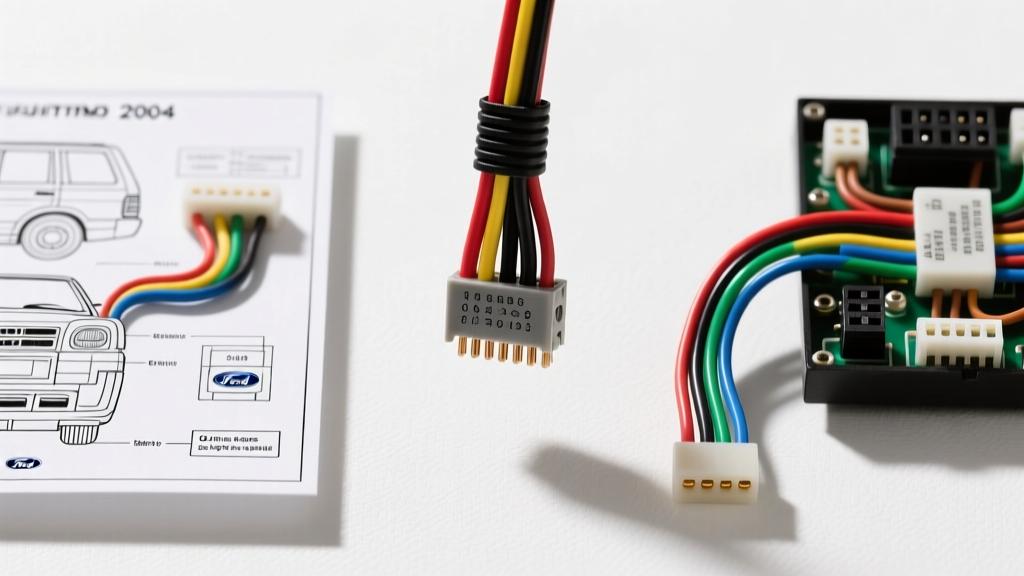
Understanding the 2004 Ford Explorer Audio Architecture
The 2004 Ford Explorer (U251 platform) represents a transitional year in Ford’s audio engineering, offering two distinctly different factory stereo configurations: the Base AM/FM/CD system and the Premium Audiophile system. Before touching a single wire, identifying your factory system is critical. The base system utilizes a standard 16-pin Ford audio connector with high-level (speaker-level) outputs directly from the head unit. The Premium system, however, relies on a factory amplifier located in the rear passenger-side quarter panel, utilizing low-level (pre-amp) signals routed through a secondary harness.
This practical how-to guide provides the exact 2004 Ford Explorer stereo wiring diagram, pinout configurations, and step-by-step installation procedures required to safely integrate an aftermarket Double-DIN or Single-DIN head unit while retaining factory functionality and avoiding common electrical pitfalls.
Required Tools and Harness Adapters
Attempting a factory wire splice without the proper adapters and tools leads to voltage drops, copper oxidation, and intermittent audio failures. Gather the following before beginning:
- Dash Kit: Metra 95-5026G (Double-DIN) or 99-5027 (Single-DIN with pocket)
- Wiring Harness (Base Audio): Metra 70-1771 or Scosche F02B
- Wiring Harness (Premium Audio Bypass): Metra 70-5511 (Steps up low-level signals to high-level)
- Tools: Plastic panel pry tools, 7mm socket and ratchet, wire strippers (18-22 AWG), rosin-core solder, and dual-wall adhesive-lined heat shrink.
2004 Ford Explorer Stereo Wiring Diagram: Base System
The table below outlines the factory wire colors exiting the vehicle's main audio plug and their corresponding EIA-standard aftermarket harness colors. Always verify with a multimeter before making permanent connections, as previous owners or dealerships may have modified the harness.
| Function | Factory Wire Color | Aftermarket Harness Color | Notes / Pin Configuration |
|---|---|---|---|
| Constant 12V (Memory) | Yellow / Light Green | Yellow | Hot at all times. Powers memory and CAN-bus sleep states. |
| Switched 12V (Accessory) | Light Green / Purple | Red | Hot only in ACC or RUN positions. |
| Chassis Ground | Black / Light Green | Black | Must be tied to harness ground, NOT chassis metal. |
| Illumination | Light Blue / Red | Orange | Variable voltage based on headlight dimmer switch. |
| Left Front Speaker (+) | White | White | 18 AWG Standard |
| Left Front Speaker (-) | White / Black Stripe | White / Black Stripe | 18 AWG Standard |
| Right Front Speaker (+) | Gray / Black Stripe | Gray | Note the inverted factory stripe logic. |
| Right Front Speaker (-) | Gray | Gray / Black Stripe | Verify with 9V pop test if unsure. |
| Left Rear Speaker (+) | Green / Black Stripe | Green | 18 AWG Standard |
| Left Rear Speaker (-) | Green | Green / Black Stripe | 18 AWG Standard |
| Right Rear Speaker (+) | Purple / White Stripe | Purple | 18 AWG Standard |
| Right Rear Speaker (-) | Purple | Purple / White Stripe | 18 AWG Standard |
Step-by-Step Head Unit Removal and Installation
Step 1: Battery Disconnect and SRS Depower
Disconnect the negative battery terminal. The 2004 Explorer is equipped with a Supplemental Restraint System (SRS) and the Personal Anti-Theft System (PATS). Wait a minimum of 5 minutes after disconnecting the battery to allow the SRS backup capacitor to discharge, preventing accidental airbag deployment or PATS lockout while working near the steering column and lower dash.
Step 2: Center Console Bezel Removal
The 2004 Explorer features a large, integrated center stack bezel. Using a plastic trim removal tool, gently pry upward starting from the bottom edge near the climate control panel. Work your way around the perimeter. Warning: The ABS plastic clips become brittle with age and heat exposure. Apply even pressure to avoid snapping the mounting tabs. Once the clips release, pull the bezel rearward and disconnect the climate control illumination harness and 12V accessory socket.
Step 3: Unbolting the Factory Radio
The factory head unit is secured to the sub-dash metal bracket by four 7mm hex bolts. Use a 7mm socket with a 3-inch extension to remove these bolts. Slide the radio straight out of the dash and disconnect the main 16-pin audio harness, the antenna lead, and the secondary premium audio harness (if equipped).
Step 4: Harness Preparation and Soldering
According to SAE J1128 standards for low-tension primary automotive cables, mechanical crimps alone are susceptible to vibration-induced fatigue and moisture ingress. We strongly recommend the Western Union splice method followed by rosin-core soldering. Strip 3/8" of insulation from both the factory adapter harness and the aftermarket head unit harness. Twist the copper strands together, apply solder until it wicks into the braid, and seal with 3M dual-wall adhesive heat shrink. This creates a watertight, vibration-proof seal that matches the longevity of the vehicle's OEM wiring.
Bypassing the Premium Factory Amplifier
If your 2004 Explorer is equipped with the Audiophile or Mach audio system, the factory head unit outputs low-level (RCA-equivalent) signals to an external amplifier located behind the rear right quarter-panel trim. If you plug a standard 70-1771 harness into this vehicle, you will experience zero audio output or severe distortion.
The Solution: You have two options. The first is running new 16 AWG speaker wire from the dash to all four doors, which requires removing door panels and navigating the fragile rubber door-jamb boots. The second, and highly recommended method, is using the Metra 70-5511 Premium Bypass Harness. This harness intercepts the low-level signals and utilizes built-in step-up transformers to convert them to high-level speaker outputs, allowing you to use the factory speaker wiring without running new cables. You must also connect the aftermarket head unit's Blue/White (Remote Turn-On) wire to the corresponding trigger wire on the bypass harness to wake the factory amplifier.
Troubleshooting Common Installation Failures
Even with a perfect wiring diagram, real-world variables can cause issues. Use this decision tree to diagnose common post-installation faults:
Symptom: Radio Presets and Clock Reset Every Time the Vehicle is Turned Off
- Cause: The Constant 12V (Yellow) and Switched 12V (Red) wires are swapped.
- Fix: Use a digital multimeter to probe the vehicle's harness with the key OFF. The pin reading 12.4V is your Constant memory wire. Re-pin or re-solder the connections accordingly.
Symptom: High-Pitched Alternator Whine in Speakers that Revs with the Engine
- Cause: Ground loop caused by improper grounding. This happens when the aftermarket radio is grounded to the metal dash chassis instead of the factory harness ground wire, creating a ground potential difference between the head unit and the factory antenna ground.
- Fix: Ensure the Black (Ground) wire from the head unit is soldered directly to the Black/Light Green wire on the Ford adapter harness. Do not use a ring terminal to chassis metal.
Symptom: Loss of Door Chime and Seatbelt Warning Tones
- Cause: The 2004 Explorer routes critical vehicle warning chimes through the left-front speaker circuit via the factory radio or a dedicated chime module.
- Fix: If using a standard bypass harness, chimes are usually retained. However, if you have hardwired the system or used an incompatible CAN-bus adapter, you must install a dedicated chime retention module (such as the AXXESS XSV-04) to restore safety warnings.
Authoritative References
For further verification on vehicle-specific fitments and electrical standards, consult the following resources: