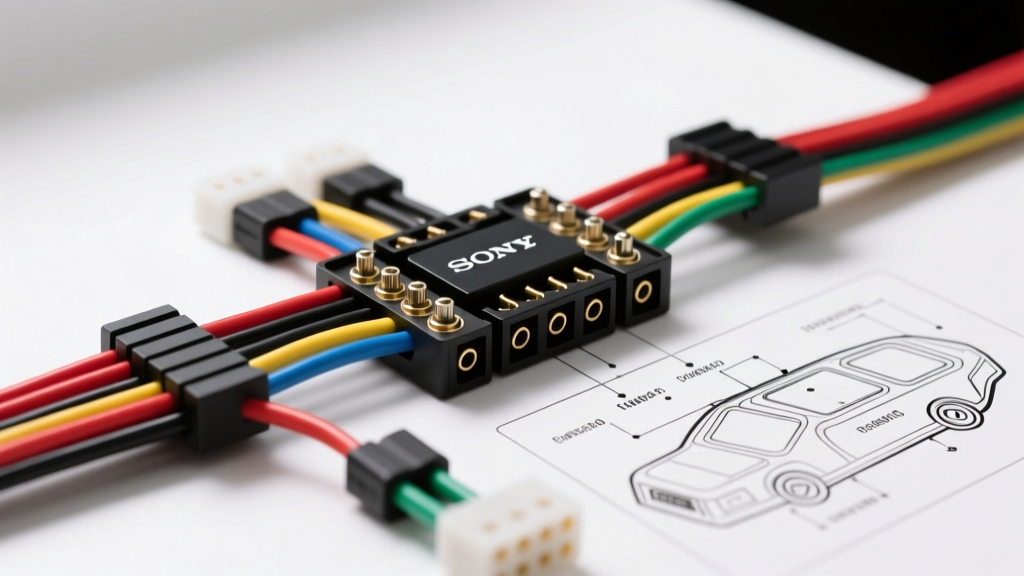
Introduction to Sony Head Unit Wiring Architecture
Installing an aftermarket head unit requires a precise understanding of the vehicle's electrical system and the receiver's specific pinout. Unlike older universal ISO 10487 connectors, modern Sony receivers—particularly the XAV, DSX, and MEX series—utilize a proprietary 16-pin pigtail harness that breaks out into industry-standard color codes. This complete Sony stereo wiring diagram walkthrough will dissect the power, ground, speaker, and accessory circuits, providing the technical depth necessary for a flawless, noise-free installation.
Decoding the Standard Sony 16-Pin Harness
The 16-pin connector on the back of a Sony head unit serves as the primary artery for power, ground, and speaker-level outputs. While the physical plastic housing is proprietary to Sony, the wire colors exiting the pigtail strictly adhere to the Consumer Technology Association (CTA) and Mobile Electronics Certified Professional (MECP) standards. Understanding these circuits is critical before integrating an aftermarket vehicle-specific adapter (such as a Metra or Axxess harness).
Power, Ground, and Accessory Circuits
The power circuit consists of three primary wires: Yellow (Constant 12V+), Red (Switched 12V+), and Black (Chassis Ground). The Yellow wire supplies continuous current to the head unit's volatile memory, preserving radio presets and equalizer settings. It draws a minimal standby current, typically under 5mA. The Red wire triggers the unit's main power relay and internal Class-D amplifier, drawing between 8A and 15A depending on volume levels and speaker impedance. The Black wire must be terminated to a bare metal chassis point. Upgrading the factory 18 AWG ground wire to 16 AWG or 14 AWG is highly recommended to minimize voltage drop, which can cause the internal amplifier to clip and trigger thermal protection circuits during high-output bass transients.
Speaker Output Matrix and Phase
Sony utilizes the standard EIA/CEA color coding for speaker outputs. The solid colors represent the positive (+) terminals, while the corresponding wires with a black tracer (stripe) represent the negative (-) terminals. Maintaining correct phase is critical for acoustic imaging and bass response. Reversing the polarity on even a single speaker will result in acoustic cancellation, severely degrading the low-frequency output of the system.
Sony Stereo Wiring Diagram: Master Pinout Table
The following table details the exact pinout, wire color, and function for the standard Sony 16-pin harness. Use this as your primary reference when verifying continuity with a digital multimeter (DMM).
| Pin | Function | Wire Color | Standard AWG |
|---|---|---|---|
| 1 | Left Rear Speaker (+) | Green | 18 AWG |
| 2 | Left Rear Speaker (-) | Green w/ Black Stripe | 18 AWG |
| 3 | Right Rear Speaker (+) | Purple | 18 AWG |
| 4 | Right Rear Speaker (-) | Purple w/ Black Stripe | 18 AWG |
| 5 | Right Front Speaker (+) | Gray | 18 AWG |
| 6 | Right Front Speaker (-) | Gray w/ Black Stripe | 18 AWG |
| 7 | Left Front Speaker (+) | White | 18 AWG |
| 8 | Left Front Speaker (-) | White w/ Black Stripe | 18 AWG |
| 9 | Ground (Chassis) | Black | 18 AWG (Upgrade to 14 AWG) |
| 10 | Switched 12V+ (Ignition) | Red | 18 AWG |
| 11 | Constant 12V+ (Memory) | Yellow | 18 AWG |
| 12 | Illumination / Dimmer | Orange | 20 AWG |
| 13 | Power Antenna / Amp Turn-On | Blue / White Stripe | 18 AWG |
| 14 | Mute Control (External) | Brown (Rarely Used) | 22 AWG |
| 15 | Steering Wheel Control (SWC) | Blue / Yellow Stripe | 22 AWG |
| 16 | Reserved / CAN-bus Data | Varies by Model | N/A |
Advanced Integration: Steering Wheel Controls and CAN-bus
Modern Sony XAV-AX series receivers feature a dedicated 3.5mm input jack for Steering Wheel Controls (SWC). This analog circuit requires an interface module, such as the PAC SWI-RC or Axxess ASWC-1, to translate the vehicle's resistive ladder network into digital commands the Sony unit can process. When wiring the SWC harness, never connect the vehicle's SWC wires directly to the Sony head unit without an interface, as the voltage variations can damage the receiver's logic board.
For vehicles utilizing CAN-bus data networks (common in late-model Chrysler, Ford, and Volkswagen platforms), the Sony stereo wiring diagram must be integrated with a digital interface like the iDatalink Maestro RR. The Maestro connects via a proprietary 10-pin data port on the rear of the Sony chassis, bypassing the standard 16-pin harness for accessory triggers. This allows the head unit to read vehicle telemetry, such as door ajar status, check engine lights, and climate control settings, displaying them directly on the Sony touchscreen.
Amplifier Turn-On and RCA Pre-Out Routing
When expanding the system with external amplifiers, the Blue/White wire (Pin 13) serves as the System Remote Control turn-on lead. It is crucial to distinguish this from a solid Blue wire (Power Antenna), which some older or specific OEM-integration harnesses use. The Power Antenna lead drops to 0V when the head unit is switched away from the AM/FM tuner to CD or Bluetooth, which will cause your amplifiers to shut off mid-song. Always use the Blue/White wire, which maintains a continuous +12V output whenever the unit is powered on.
Sony limits the current output of the Blue/White remote lead to approximately 300mA. If you are triggering multiple high-draw amplifiers or a cooling fan, this lead cannot handle the inrush current. You must use a standard 12V automotive relay (Bosch-style 5-pin, 30A rating) triggered by the Blue/White wire to switch the main 12V+ battery feed to the amplifiers' remote terminals. Failure to do so will blow the internal trace on the Sony head unit's PCB, requiring a costly board-level repair.
Avoiding Alternator Whine in Sony Pre-Outs
Sony receivers typically output between 2.0V and 5.0V RMS on their RCA pre-outs. To maintain a high signal-to-noise ratio, route the RCA cables down the opposite side of the vehicle's cabin from the factory wiring harness and power cables. If you encounter alternator whine, verify your chassis ground using a DMM. According to SAE J1113 Electromagnetic Compatibility Standards, a ground potential difference of more than 50mV between the head unit and the amplifier will induce common-mode noise into the RCA shields. Sanding the paint down to bare metal at the grounding point is mandatory.
Common Sony Harness Pitfalls and Troubleshooting
Memory Loss and the Red/Yellow Swap
The most frequent error encountered when referencing a Sony stereo wiring diagram is swapping the Yellow (Constant) and Red (Switched) wires. While the head unit will turn on and function normally, it will lose all radio presets, clock settings, and custom EQ profiles every time the ignition is turned off. This occurs because the vehicle's ignition circuit is cutting power to the volatile memory chip. Always test the vehicle's harness with a multimeter before connecting; the wire that shows 12V with the key OFF is Constant (connect to Sony Yellow), and the wire that shows 12V only with the key ON is Switched (connect to Sony Red).
Illumination Wire Ground Faults
The Orange wire (Pin 12) is the illumination/dimmer circuit. In many factory harnesses, this wire provides a variable voltage (typically 12V down to 2V) when the headlights are turned on. If the Orange wire accidentally touches the chassis ground, it will not only dim the Sony display to its lowest setting but can also blow the vehicle's interior lighting fuse or cause the head unit to continuously reboot due to a logic-level short. Cap and tape this wire if your aftermarket vehicle harness adapter does not require it.
Expert Installation and Termination Standards
Proper wire termination is just as critical as following the correct pinout. Twisting wires together and wrapping them in electrical tape is strictly prohibited in professional mobile electronics. According to CTA Car Audio Standards and MECP best practices, all connections should be made using solder and adhesive-lined heat shrink tubing, or high-quality closed-barrel crimp connectors. Solder provides a permanent, oxidation-free metallurgical bond, while the adhesive heat shrink creates a watertight seal that prevents copper corrosion from humidity and temperature cycling inside the dashboard cavity.
Furthermore, when securing the Sony head unit into the DIN sleeve, ensure that the wiring harness is neatly bundled and secured with Tesa tape (fuzzy tape) to prevent rattling against the metal HVAC ducts behind the dash. A properly executed installation, guided by a thorough understanding of the Sony stereo wiring diagram, will yield a reliable, high-fidelity audio system that performs flawlessly for the life of the vehicle. Always consult the Crutchfield Car Stereo Wiring Guide for vehicle-specific adapter nuances before making your final connections.