Introduction to the Monsoon Audio System
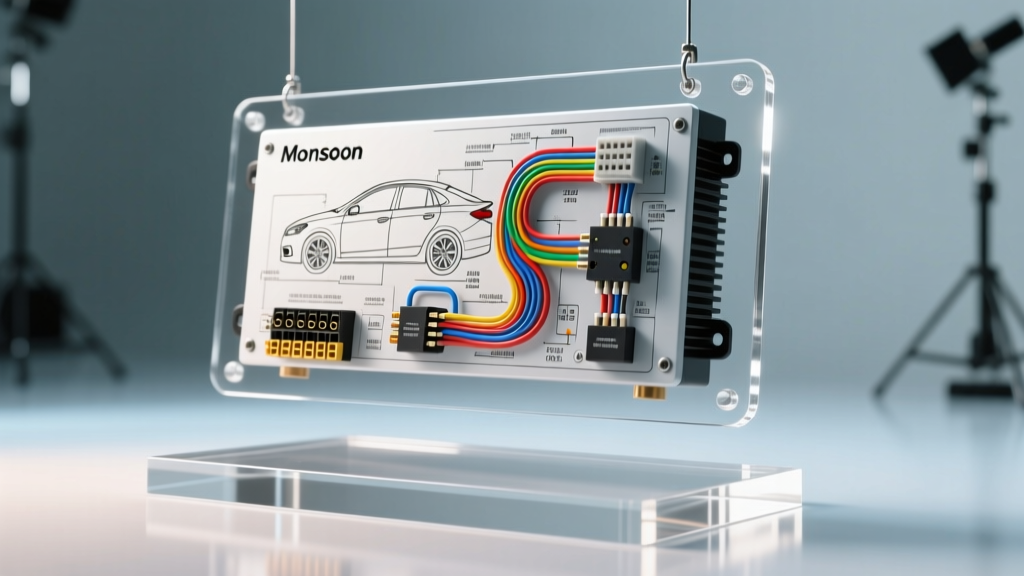
For automotive enthusiasts and beginner modders, upgrading the stereo in a vehicle equipped with a premium factory sound system can feel like navigating a maze. The Monsoon audio system, prominently featured in 1990s and early 2000s General Motors vehicles (like the Pontiac Firebird, Trans Am, and Grand Am) as well as select Volkswagen models, is notorious for its proprietary integration. If you are staring at a tangled mess of harnesses trying to decipher a monsoon amp wiring diagram, you are not alone. Unlike standard aftermarket amplifiers that rely on simple RCA pre-outs and a 12V remote turn-on wire, factory Monsoon amplifiers utilize speaker-level inputs, proprietary data-bus triggers, and specific Delco pin configurations.
This beginner-friendly guide breaks down the fundamentals of Monsoon amplifier wiring. Whether your goal is to bypass a blown factory amp to run new speakers directly from an aftermarket head unit, or you want to retain the factory Monsoon amplifier while upgrading your radio, understanding the underlying electrical architecture is critical. We will cover wire color codes, AWG specifications, and step-by-step integration strategies to ensure your audio upgrade is both safe and functional.
Decoding the Monsoon Amp Wiring Diagram
Before cutting or splicing a single wire, it is vital to understand how the Monsoon system differs from a standard aftermarket setup. In a typical aftermarket car audio system, the head unit sends a low-level signal via RCA cables to the amplifier, and a dedicated blue/white remote wire tells the amp to turn on. The factory Monsoon system operates differently:
- Speaker-Level Inputs: The factory head unit outputs a high-level (speaker-level) signal. The Monsoon amplifier accepts these speaker wires directly, steps them down internally, amplifies them, and sends them out to the door and deck speakers.
- Amplifier Turn-On Signal: Depending on the exact year and vehicle platform, the Monsoon amp is triggered either by a dedicated 12V accessory wire (often Brown or Pink) or via the vehicle's Class 2 Serial Data bus. If you install an aftermarket radio without addressing this trigger, the amplifier will never wake up, resulting in zero sound.
- Power and Ground Distribution: The Monsoon amp draws significant current. Factory power wires are typically 12 AWG, routed directly from the vehicle's underhood fuse block to the trunk or rear hatch area.
Essential Wire Gauge and Routing Rules
When modifying or extending factory wiring, adhering to SAE J1128 automotive wire standards is non-negotiable. Never use household wire or undersized cables. For power and ground runs up to 15 feet, 12 AWG oxygen-free copper (OFC) wire is the minimum requirement for a Monsoon amplifier. For speaker-level signal routing, 18 AWG stranded copper is standard. Always route power wires down the opposite side of the vehicle from speaker wires and data lines to prevent electromagnetic interference (EMI), which manifests as a high-pitched alternator whine in your audio system.
GM F-Body Monsoon Amplifier Pinout Chart
The following table details the standard 24-pin Delco connector found on 1995-2002 GM F-Body (Camaro/Firebird) Monsoon amplifiers. This reference is crucial for identifying which wires carry power, ground, and audio signals.
| Pin | Wire Color | Function | AWG Size |
|---|---|---|---|
| A1 | Brown | Left Rear Speaker Input (+) | 18 AWG |
| A2 | Yellow | Left Rear Speaker Input (-) | 18 AWG |
| A3 | Dark Blue | Right Rear Speaker Input (+) | 18 AWG |
| A4 | Light Blue | Right Rear Speaker Input (-) | 18 AWG |
| A7 | Orange | Battery Positive (+12V Constant) | 12 AWG |
| A8 | Black | Chassis Ground | 12 AWG |
| A12 | Brown / Pink | Amplifier Turn-On / Accessory | 18 AWG |
| B1 | Tan | Left Front Speaker Input (+) | 18 AWG |
| B2 | Gray | Left Front Speaker Input (-) | 18 AWG |
| B3 | Light Green | Right Front Speaker Input (+) | 18 AWG |
| B4 | Dark Green | Right Front Speaker Input (-) | 18 AWG |
Note: Output pins to the physical speakers mirror these inputs but pass through the amplifier's internal crossover and gain stages. Always verify with a digital multimeter (DMM) before splicing, as previous owners may have altered the harness.
Beginner Path 1: Bypassing the Factory Monsoon Amp
If your factory Monsoon amplifier has failed (a common issue due to aging internal capacitors and corroded heat sinks), the most reliable beginner fix is to bypass it entirely. This allows a new aftermarket head unit to power the speakers directly, provided you are using efficient component or coaxial speakers (ideally 90dB+ sensitivity).
- Disconnect the Battery: Always disconnect the negative terminal to prevent shorting the 12V constant Orange wire against the chassis.
- Locate the Amplifier: In F-Body vehicles, the Monsoon amp is typically mounted in the rear hatch area or behind the rear seat backrest.
- Cut and Cap the Power: Cut the 12 AWG Orange power wire and 12 AWG Black ground wire at the amp connector. Cap them securely with heat shrink and electrical tape.
- Splice Inputs to Outputs: Using the pinout chart above, connect the incoming speaker wires (from the front of the car) directly to the outgoing speaker wires (leading to the door pods and sail panels). For example, splice the incoming Tan (Left Front +) directly to the outgoing Left Front + wire leading to the door.
- Use a Bypass Harness: For a plug-and-play solution without cutting factory wires, purchase a dedicated Monsoon bypass harness (often available via Crutchfield or specialized GM audio retailers). These harnesses plug into the factory amp connectors and internally bridge the inputs to the outputs.
Beginner Path 2: Integrating an Aftermarket Head Unit
If you want to keep the factory Monsoon amplifier to maintain high volume levels but want to upgrade to a modern Bluetooth/Apple CarPlay head unit, you must solve two problems: signal conversion and amplifier turn-on.
1. Signal Routing
Because the Monsoon amp expects speaker-level inputs, you cannot use standard RCA pre-outs from your new stereo. Instead, you must wire the aftermarket head unit's speaker outputs directly into the factory Monsoon input harness. Use a vehicle-specific wiring interface harness (like those made by Metra or Scosche) that plugs into the dash and routes the speaker outputs back to the trunk via the factory data ribbon or a custom-run 16 AWG speaker wire harness.
2. The Turn-On Signal Challenge
Modern aftermarket radios output a 12V remote turn-on signal on a Blue/White wire. However, plugging this directly into the Monsoon's Brown/Pink turn-on wire often results in a loud, damaging "pop" through the speakers when the car starts, due to voltage spikes. To fix this, use a delayed turn-on relay module or a PAC TRUNK-LOK interface. These devices read the 12V remote signal but delay the power delivery to the Monsoon amp by 2-3 seconds, allowing the head unit's internal circuits to stabilize before the amplifier engages.
Troubleshooting Common Monsoon Wiring Failures
Even with a perfect wiring diagram, beginners frequently encounter specific failure modes. Use this diagnostic tree to identify your issue:
- Symptom: Head unit turns on, but zero sound from any speaker.
Cause: The Monsoon amplifier is not receiving the turn-on signal, or the internal protection mode has tripped due to a shorted speaker wire.
Fix: Use a DMM to check for 12V at Pin A12 (Turn-On) with the key in the "ACC" position. If 12V is present but the amp is silent, check the 12 AWG Orange power wire for blown inline fuses. If power and turn-on are good, disconnect all speaker outputs; if the amp turns on (you hear a faint click), you have a shorted speaker voice coil in one of the doors. - Symptom: Audio plays for 5 minutes, then cuts out completely until the car is restarted.
Cause: Thermal protection shutdown caused by inadequate grounding or failing internal amplifier solder joints.
Fix: Scrape away paint and rust at the factory ground location. Sand the chassis down to bare metal, apply dielectric grease to the ring terminal, and secure it with a stainless steel bolt. If the issue persists, the amp's internal thermal sensor has likely failed and requires replacement. - Symptom: Loud alternator whine that increases with engine RPM.
Cause: Ground loop or EMI interference.
Fix: Ensure the aftermarket head unit ground and the Monsoon amp ground are tied to the same chassis ground point. Verify that RCA cables (if using a line output converter) are not zip-tied to the vehicle's main power harness.
Conclusion and Further Resources
Working with a Monsoon amp wiring diagram does not have to be an overwhelming experience. By understanding the distinction between speaker-level inputs and data-bus triggers, respecting AWG requirements, and utilizing the correct bypass or integration harnesses, you can successfully modernize your vehicle's audio system. Always consult vehicle-specific forums and verified wiring databases before making permanent cuts to your factory harness. For deeper dives into GM electrical architectures, the ThirdGen F-Body Audio Archives remain an invaluable, community-driven resource for pinout verification and real-world installation photos.