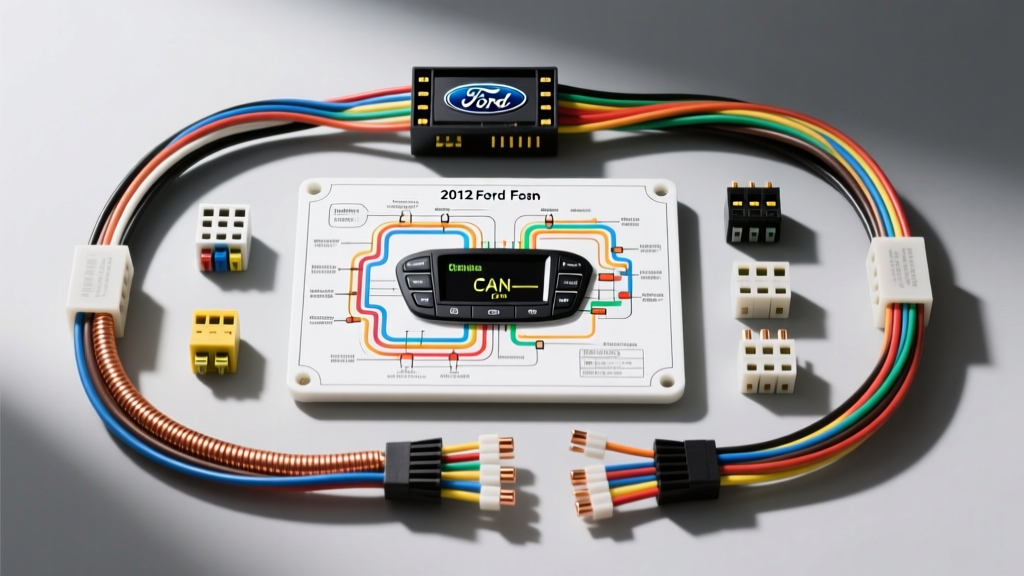
Mastering the 2012 Ford Fusion Audio Electrical Architecture
The 2012 Ford Fusion represents the final model year of the highly successful CD3 platform. While mechanically robust, its electrical architecture—specifically the integration of the MS-CAN (Medium Speed Controller Area Network) bus and the optional Sony Premium Audio system—presents unique challenges for aftermarket stereo installations and OEM audio troubleshooting. When a customer complains of a dead head unit, parasitic battery drain, or complete loss of audio after a swap, relying on a generic 2012 Ford Fusion radio wiring diagram is rarely enough. You must understand the signal flow, data bus voltages, and amplifier logic.
This guide provides a senior-level, step-by-step troubleshooting flow designed for automotive electrical technicians and advanced DIY installers. We will bypass the filler and dive directly into pin configurations, AWG requirements, multimeter diagnostic paths, and real-world failure modes.
Phase 1: Power, Ground, and Parasitic Draw Verification
Before touching a single speaker wire or CAN-bus line, you must verify the foundational power delivery at the 22-pin OEM radio connector (Connector C240a). The 2012 Fusion routes power through the Smart Junction Box (SJB). A common failure mode is a blown SJB fuse or a voltage drop on the chassis ground, causing the radio to reboot when the bass hits.
Step 1: Voltage and Voltage Drop Testing
Set your Digital Multimeter (DMM) to DC Volts. Back-probe the 22-pin connector with the ignition in the 'ACC' position.
- Constant 12V+ (Memory): Probe Pin 16 (Yellow/Violet wire). You should read 12.2V - 12.6V. If 0V, check Fuse 29 (20A) in the Battery Junction Box (BJB).
- Switched 12V+ (Accessory): Probe Pin 18 (Green/Yellow wire). You should read 12.2V+ only when the key is in ACC or RUN. If dead, verify SJB relay logic and Fuse 22 (10A).
- Ground Integrity: Probe Pin 17 (Black/Yellow wire). Do not just check for continuity to the chassis. Perform a voltage drop test under load. Place your positive DMM lead on the battery negative post and the negative lead on Pin 17. Turn the radio on and crank the volume. A reading above 0.05V indicates a corroded ground splice (usually located behind the driver's side kick panel). Clean and re-terminate using 16 AWG wire.
Step 2: Diagnosing Parasitic Draws (The MS-CAN Sleep Issue)
If the 2012 Fusion battery is dead after sitting overnight, the aftermarket radio or integration harness may be keeping the MS-CAN bus awake. The MS-CAN bus requires a specific termination resistance and voltage state to allow the SJB to enter 'sleep' mode. If your aftermarket harness incorrectly bridges Pin 5 (MS-CAN High) or Pin 6 (MS-CAN Low) to 12V, the modules will stay awake, drawing 300mA+ continuously. Always use a CAN-safe interface module (like the PAC RPAC-FD01) rather than hardwiring CAN lines to toggle switches.
Phase 2: Speaker Routing and the Sony Premium Audio Bypass
The most frequent support ticket we see regarding the 2012 Fusion is 'No Sound After Head Unit Swap.' This is almost exclusively tied to the Sony Premium Audio system. Unlike the base 4-speaker model, the Sony head unit outputs low-level pre-amp signals through the standard 22-pin connector to an 8-channel external amplifier located in the trunk. Furthermore, the Sony amplifier does not use a traditional 12V remote turn-on wire; it is woken up via a CAN-bus command.
Troubleshooting the 'No Sound' Scenario
Symptom: Aftermarket radio powers on, UI works, but zero audio from any door speaker.
Cause: The standard aftermarket wiring harness is sending low-level signals to door speakers designed for amplified high-level signals, and the OEM Sony trunk amp remains asleep.
Fix Flow:
- Option A (The Clean Bypass): Abandon the OEM speaker wiring at the head unit. Run new 16 AWG Oxygen-Free Copper (OFC) speaker wire from the aftermarket radio directly to each door speaker. You must route the wire through the factory rubber door jamb grommets (A-pillar to B-pillar) to prevent moisture shorts. Use T-Taps only as a last resort; soldering and heat-shrinking at the speaker crossover is the SAE-standard best practice.
- Option B (The Integration Harness): Use a specialized Ford integration harness (such as the PAC FD7701 or Axxess FDTC-01). These modules intercept the CAN-bus data to send the 'wake up' command to the OEM Sony amplifier, while simultaneously converting the aftermarket radio's high-level speaker outputs back to low-level RCA signals to feed the trunk amp. If using this method, verify the RCA connections at the trunk amp and ensure the integration module's CAN-bus learning process was completed with the ignition cycling sequence.
Phase 3: Steering Wheel Controls (SWC) and Data Bus Diagnostics
The 2012 Fusion utilizes MS-CAN for steering wheel control inputs. If your SWC buttons are unresponsive after installing a new stereo, the issue lies in the data handshake between the clockspring, the SJB, and your SWC interface (e.g., Axxess ASWC-1).
MS-CAN Bus Voltage Verification
With the ignition ON and the radio connected, back-probe the CAN lines at the 22-pin connector:
- Pin 5 (MS-CAN High - White wire): Should read between 2.5V and 3.5V (typically ~3.1V at idle).
- Pin 6 (MS-CAN Low - White/Blue wire): Should read between 1.5V and 2.5V (typically ~1.9V at idle).
Diagnostic Note: If both pins read 12V or 0V, you have a short to power or ground in the clockspring ribbon cable. If the voltages are correct but SWC still fails, verify that the SWC interface module is wired to the correct CAN lines (not the HS-CAN lines used for the OBD2 port) and that the resistor network on the interface matches the Ford multiplexing standard.
2012 Ford Fusion 22-Pin Radio Connector Pinout Reference
Use this reference table when verifying continuity from the head unit to the SJB and door speakers. Wire colors are based on the standard Ford CD3 platform harness.
| Pin | Function | Wire Color | AWG / Notes |
|---|---|---|---|
| 1 | Left Rear Speaker (+) | White/Red | 18 AWG |
| 2 | Left Rear Speaker (-) | Brown/White | 18 AWG |
| 3 | Right Rear Speaker (+) | White/Black | 18 AWG |
| 4 | Right Rear Speaker (-) | Brown/Yellow | 18 AWG |
| 5 | MS-CAN High | White | 20 AWG (Data) |
| 6 | MS-CAN Low | White/Blue | 20 AWG (Data) |
| 7 | Left Front Speaker (+) | White/Violet | 18 AWG |
| 8 | Left Front Speaker (-) | White/Orange | 18 AWG |
| 9 | Right Front Speaker (+) | White/Green | 18 AWG |
| 10 | Right Front Speaker (-) | Brown | 18 AWG |
| 15 | Illumination / Dimmer | Brown/White | 20 AWG |
| 16 | Battery 12V+ (Memory) | Yellow/Violet | 16 AWG |
| 17 | Chassis Ground | Black/Yellow | 16 AWG |
| 18 | Accessory 12V+ | Green/Yellow | 16 AWG |
Symptom-Cause-Fix Decision Tree
Follow this logical diagnostic tree to isolate electrical faults in the 2012 Fusion audio system.
- Symptom: Radio turns off when engine cranks, but stays on in ACC.
- Cause: Voltage drop on Pin 16 (Constant 12V) dropping below the radio's 9V reset threshold during starter draw.
- Fix: Add a 1 Farad capacitor inline on the constant 12V feed, or run a dedicated 12 AWG constant power wire directly from the BJB with an inline 15A fuse.
- Symptom: Alternator whine in speakers that changes with engine RPM.
- Cause: Ground loop between the aftermarket head unit ground (Pin 17) and the trunk amplifier ground.
- Fix: Ensure both the head unit and the amplifier share the exact same chassis ground point. Sand away paint to bare metal and apply dielectric grease over the terminal.
- Symptom: SYNC / Bluetooth audio works, but FM/AM radio is completely dead.
- Cause: The 2012 Fusion uses an active antenna amplifier powered via the coaxial antenna cable (phantom power). If your aftermarket radio does not output 12V phantom power, or if you used an adapter without a dedicated antenna turn-on wire, the antenna amp is dead.
- Fix: Install a Motorola-to-Ford antenna adapter with a blue remote turn-on wire. Connect the blue wire to the aftermarket radio's 'System Remote Turn-On' (not the power antenna lead, to prevent the amp from turning off during AM/FM switching).
Authoritative References and Standards
For deeper exploration of Ford's multiplexing networks and automotive wiring standards, consult the following resources:
- SAE Technical Paper 2001-01-0254: Ford Motor Company Multiplexing Architecture - Details the foundational logic of Ford's MS-CAN and HS-CAN bus systems.
- AutoShop101: Automotive Wiring and Circuit Basics - Excellent reference for proper voltage drop testing and ground termination procedures.
- Crutchfield Vehicle Fit Database & Research - Industry-standard verification for aftermarket integration harness compatibility with the 2010-2012 Fusion Sony systems.