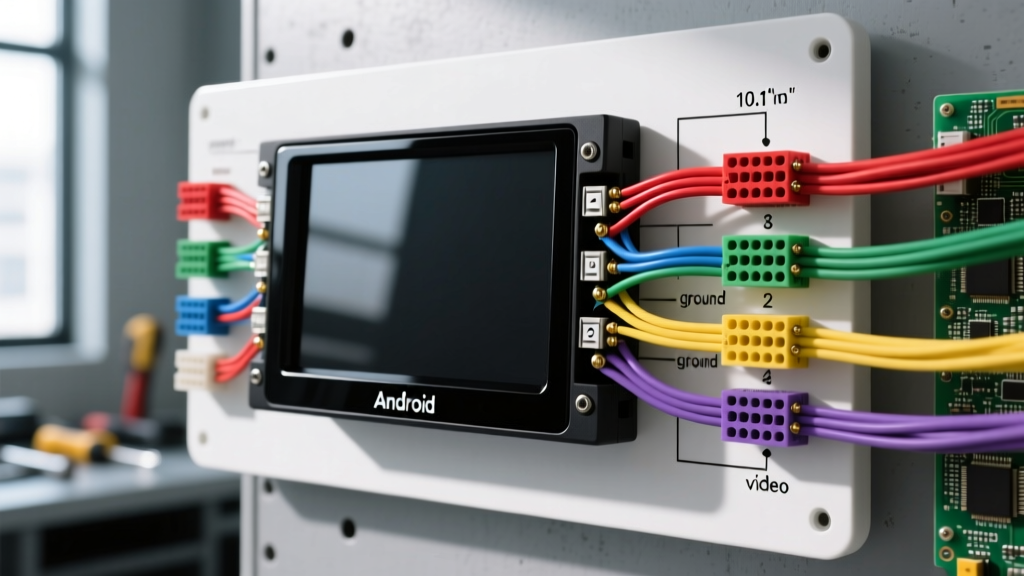
Understanding the 10.1 Android Head Unit Wiring Diagram
Upgrading to a 10.1-inch Android head unit offers massive functionality, but generic T3, T4, T5, and PX6-based chassis often suffer from vague documentation. When you rely on a standard 10.1 Android head unit wiring diagram, you are usually looking at a modified ISO 10487 harness or a proprietary Quadlock adapter. However, real-world installation failures rarely stem from the diagram itself; they stem from voltage drops, CANbus protocol mismatches, and improper grounding. This step-by-step troubleshooting flow is designed for automotive electrical technicians and advanced DIYers to diagnose and resolve the most common wiring faults associated with large-format Android stereos.
Core Power and Ground Circuit Specifications
Before diving into the decision tree, we must establish the baseline power requirements. Most 10.1 Android units feature built-in 4x50W TDA7851 MOSFET amplifiers. While the included wiring harness typically uses 18 AWG (0.82mm²) wire, these units can draw 12A to 15A peak during the initial boot sequence and heavy bass transients. According to Crutchfield's installation guidelines, relying on long runs of 18 AWG wire from the fuse box to the dash often results in a voltage drop below 11.0V, triggering the unit's internal low-voltage protection and causing a reboot.
Expert Recommendation: Upgrade the main Yellow (B+ / Constant 12V) and Black (Ground) circuits to 14 AWG (2.08mm²) wire. Ensure the ground terminates to bare, unpainted chassis metal using a crimped ring terminal, secured with an M6 bolt torqued to 8-10 Nm. Never ground an Android head unit to a factory plastic dash support or a daisy-chained cigarette lighter ground.
Step-by-Step Troubleshooting Decision Tree
Use the following symptom-based flow to isolate wiring faults. Always perform these tests with a digital multimeter (DMM) set to DC Volts or Ohms, referencing your specific 10.1 Android head unit wiring diagram.
Symptom 1: Unit Boots to Logo, Then Dies or Bootloops
- Cause: Voltage drop on the Red (ACC / Ignition) wire during the high-current boot sequence, or a poor ground connection.
- Diagnostic Step: Connect your DMM positive probe to the Red ACC wire at the ISO harness and the negative probe to the Black Ground wire. Turn the ignition to the ON position and watch the screen. If the voltage drops below 10.5V exactly when the unit attempts to load the Android OS, you have a voltage drop issue.
- Fix: The factory ACC circuit (often tied to a low-amperage radio fuse) cannot handle the inrush current. Splice the Red ACC wire into a higher-amperage ignition-switched circuit, such as the rear defroster relay trigger or the 12V accessory socket, using a Posi-Tap connector. Ensure the Yellow B+ wire maintains a steady 12.2V+ at all times.
Symptom 2: No Sound or Audio Cuts Out Randomly
- Cause: Missing factory amplifier turn-on signal, CANbus decoder asleep, or a speaker wire shorting to the chassis.
- Diagnostic Step: If the vehicle has a factory amplified system (e.g., JBL, Bose, Harman Kardon), the Android unit's Blue/White wire (Amp Turn-On) must output +12V when the unit powers on. If you are using a CANbus decoder box, verify that the CAN-H and CAN-L wires are correctly mapped and not crossed.
- Fix: Test the Blue/White wire with a DMM. If it reads 0V, check the Android settings menu for 'Factory Amp' or 'External Amp' and toggle it ON. If using a CANbus box, probe the CAN lines: CAN-H should read between 2.5V and 3.5V, and CAN-L should read between 1.5V and 2.5V relative to ground. If both read 12V or 0V, the CAN transceiver in the decoder box is dead or the twisted pair is severed. Replace the decoder box or repair the harness.
Symptom 3: Reverse Camera Won't Trigger Automatically
- Cause: The Reverse Trigger wire (usually Pink, Brown, or labeled 'BACK') is not receiving +12V from the vehicle's reverse light circuit, or the RCA ground shield is floating.
- Diagnostic Step: Put the vehicle in Reverse (with the parking brake engaged for safety). Probe the Pink/Brown trigger wire at the back of the head unit. It should read 12V-14V. If it does, but the screen remains black or displays 'No Signal', the issue is likely a video ground fault.
- Fix: Android units are notorious for poor internal RCA grounding, which causes switching power supply noise to interfere with the camera's video signal. Solder an 18 AWG pigtail wire directly to the outer metal shield of the RCA connector at the camera end, and run this wire back to the head unit chassis to create a dedicated, clean video ground. Ensure the trigger wire is connected to the reverse light +12V, not the backup sensor ground.
Symptom 4: Steering Wheel Controls (SWC) Are Unresponsive
- Cause: KEY1/KEY2 resistance mismatch, missing SWC ground, or incorrect CANbus protocol selection.
- Diagnostic Step: Most 10.1 Android units use an analog resistance ladder for SWC. Set your DMM to Ohms. Probe the factory SWC wire and Ground. Press the steering wheel buttons. You should see resistance values change (e.g., Volume Up = 320Ω, Volume Down = 150Ω). If the meter reads 'OL' (Infinite), the clock spring is broken or the wire is severed.
- Fix: If the resistance values are present but the head unit ignores them, connect the factory SWC wires to the Android harness KEY1 (usually Green/White) and KEY2 (usually Purple/White). Crucially, the SWC circuit requires a dedicated Ground reference (usually Black/White). Navigate to the Android 'Steering Wheel Learning' menu, clear the existing data, and manually map the buttons while pressing them on the wheel.
Standard ISO & Android-Specific Pinout Reference Table
The following table outlines the standard ISO 10487 pinout combined with the proprietary pigtail wires commonly found on 10.1 Android head unit wiring diagrams. Always verify with your specific manufacturer's schematic, as Chinese PCB revisions can occasionally swap wire colors.
| Pin / Wire | Color | Function | Spec / Notes |
|---|---|---|---|
| ISO A4 | Yellow | B+ / Constant 12V | Memory & Boot. Requires 14 AWG for high-draw units. |
| ISO A7 | Red | ACC / Ignition 12V | Triggers wake state. Prone to voltage drop. |
| ISO A8 | Black | Chassis Ground | Must be bare metal. Max resistance to battery (-) < 0.05Ω. |
| ISO A5 | Blue/White | External Amp Turn-On | Outputs +12V when unit is ON. Max draw 300mA. |
| Pigtail | Pink / Brown | Reverse Trigger | Receives +12V from backup light to switch video input. |
| Pigtail | Green/White | SWC KEY1 | Analog resistance ladder input for steering controls. |
| Pigtail | Purple/White | SWC KEY2 | Secondary analog resistance input (if equipped). |
| Pigtail | Orange | Illumination / Dimmer | Connect to factory dash dimmer circuit (variable 0-12V). |
Advanced Diagnostics: CANbus and GPS Antennas
When integrating a 10.1 Android unit into modern vehicles (2010+), the CANbus network handles everything from door chimes to factory backup camera triggers. Adhering to SAE J1113 Electromagnetic Compatibility standards is critical here. Never untwist the factory CAN-H and CAN-L wires for more than 2 inches when splicing in your Android CANbus decoder, as this alters the impedance and causes network reflections that can throw CEL (Check Engine Light) codes on the dash.
Regarding the GPS antenna: 10.1 Android units utilize active GPS pucks that require power from the head unit via the center pin of the SMA or Fakra connector. If your GPS fails to lock onto satellites, use a DMM to probe the center pin of the head unit's GPS port. It should output either 3.3V or 5.0V DC. If it reads 0V, the internal LNA (Low Noise Amplifier) power trace on the Android PCB is blown, and you will need to splice a 5V feed from a USB wire to the GPS antenna's power line to bypass the internal fault.
For complex data retention issues (like losing steering wheel volume controls upon engine start), consult the iDatalink Maestro technical documentation. Bypassing cheap CANbus boxes in favor of a Maestro RR or SR module ensures flawless translation of the vehicle's databus to the Android unit's discrete analog and digital inputs, eliminating 90% of the ghost faults associated with generic wiring harnesses.