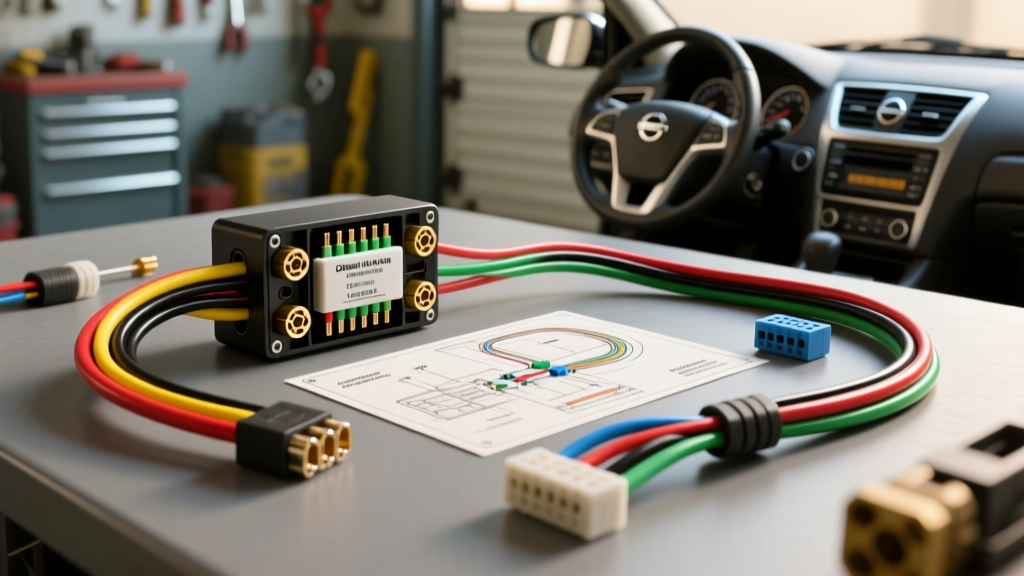
Introduction to the Nissan Altima Audio System
Upgrading the factory head unit in a Nissan Altima is one of the most rewarding DIY projects a car audio beginner can tackle. Whether you are working with the widely popular L33 generation (2013–2018) or the earlier L32 models, moving from a basic CD player to a modern touchscreen multimedia receiver vastly improves your daily commute. However, the foundation of any successful car audio installation relies on a thorough understanding of the vehicle's electrical architecture. Relying on a precise Nissan Altima radio wiring diagram is not just a recommendation; it is an absolute necessity to prevent blown fuses, damaged CAN-bus networks, or fried aftermarket amplifiers.
As a beginner, staring at a bundle of multicolored wires behind the dashboard can feel overwhelming. This guide breaks down the fundamentals of Nissan's wiring conventions, explains the critical differences between Bose and non-Bose systems, and teaches you how to properly integrate an aftermarket stereo without cutting a single factory wire.
Essential Tools and Safety Protocols
Before you even look at a wiring diagram, you must establish a safe working environment. Modern vehicles are essentially rolling computers, and the Altima is no exception. A short circuit in the dashboard harness can trigger expensive body control module (BCM) failures.
- Battery Disconnect: Always disconnect the negative terminal of your 12V battery before removing trim panels. Wait at least 10 minutes to allow the airbag system capacitors to discharge.
- Trim Removal Tools: Use nylon or plastic pry tools. Metal screwdrivers will permanently mar the Altima's soft-touch dashboard plastics and silver trim bezels.
- Digital Multimeter (DMM): Never assume a wiring diagram is 100% accurate for your specific build month. Always verify constant 12V, switched 12V, and ground with a DMM before making connections.
- Wire Strippers and Crimpers: Avoid 'Scotchlok' T-taps at all costs. They pierce wire insulation, inviting corrosion and eventual failure. Invest in a quality ratcheting crimp tool and adhesive-lined heat shrink.
The Nissan Altima Radio Wiring Diagram: Color Codes and Pinouts
Nissan typically utilizes a 40-pin main connector for the head unit, though not all pins are populated. For the non-Bose L33 Altima, the wiring follows a relatively standardized Japanese automotive color code. Below is the foundational reference chart for your aftermarket harness adapter.
| Function | Factory Wire Color | Aftermarket Standard Color | Notes / Pin Location |
|---|---|---|---|
| Constant 12V (Battery) | Yellow | Yellow | Pin 18 - Hot at all times |
| Switched 12V (ACC) | Green/White or Violet | Red | Requires CAN-bus module on newer models |
| Chassis Ground | Black | Black | Pin 17 - Verify continuity to chassis |
| Illumination | Red/Blue | Orange/White | Dims screen when headlights are on |
| Power Antenna / Amp Turn-On | Blue/White | Blue | Outputs 12V when radio is powered on |
| Front Left Speaker (+/-) | Pink / Blue | White / White w/ Black Stripe | Verify phase with a 9V battery test |
| Front Right Speaker (+/-) | White / Black | Gray / Gray w/ Black Stripe | Door panel wiring boot |
| Rear Left Speaker (+/-) | Light Green / Violet | Green / Green w/ Black Stripe | Rear deck or door depending on trim |
| Rear Right Speaker (+/-) | Brown / Gray | Purple / Purple w/ Black Stripe | Rear deck or door depending on trim |
Note: Always cross-reference these colors with the specific instruction sheet included with your aftermarket wiring harness adapter (such as those from Metra or Scosche), as mid-year production changes can occasionally alter factory wire colors.
The CAN-Bus Factor: Why Hardwiring Fails on Modern Altimas
Here is where many beginners hit a wall. If you are installing a stereo in a 2013 or newer Altima, you will quickly notice that the traditional 'Switched 12V' (Accessory) wire might not behave as expected. Nissan transitioned heavily to Controller Area Network (CAN-bus) data systems to manage electrical loads and accessory delay features.
In a CAN-bus system, the radio doesn't simply receive a 12-volt signal when you turn the key. Instead, the Body Control Module (BCM) sends a digital wake-up command over two twisted data wires. If you attempt to hardwire an aftermarket radio using only a basic 12-volt wiring guide, your new stereo will likely not turn on, or worse, it will stay on permanently and drain your battery.
The Solution: You must use a CAN-bus data interface module (such as the iDatalink Maestro RR or the PAC RP4-NI1). These modules translate the Nissan digital data commands into traditional 12V analog outputs that your aftermarket stereo can understand. Furthermore, they retain critical features like steering wheel audio controls, the backup camera trigger, and the factory USB port power.
Bose vs. Non-Bose System Integration
Before purchasing your wiring harness, you must determine if your Altima is equipped with the premium Bose audio package. The Bose system features a factory amplifier located under the passenger seat or behind the rear trunk panel, which completely changes the wiring strategy.
- Non-Bose Systems: The head unit outputs standard high-level (speaker level) analog signals directly to the door speakers. A standard 40-pin to aftermarket adapter harness works perfectly.
- Bose Systems: The factory head unit outputs low-level (pre-amp) signals to the Bose amplifier. If you plug a standard high-level aftermarket harness into a Bose Altima, the audio will be incredibly distorted, excessively loud, or completely silent. You will need a specific Bose integration harness (like the Metra 70-7552) that includes a step-up transformer or requires you to bypass the factory amplifier entirely and run new 16 AWG speaker wire directly from your new head unit to the door speakers.
Proper Splicing: AWG Sizes and SAE Standards
When connecting your aftermarket harness adapter to the new stereo's pigtail, wire gauge and connection integrity are paramount. According to the SAE J1128 standard for low-tension automotive cables, standard speaker wire in automotive applications is typically 18 AWG, while power and ground circuits utilize 16 AWG or thicker.
For a beginner-friendly yet professional installation, follow these splicing rules:
- Strip the Wire Correctly: Remove exactly 5/16ths of an inch of insulation. Do not nick the copper strands, as this creates a weak point that will snap under dashboard vibrations.
- The Twist and Crimp: Twist the bare copper strands tightly, insert them fully into a nylon-insulated butt connector, and use a ratcheting crimper. The ratchet ensures the exact amount of pressure is applied without crushing the wire.
- Heat Shrink: Apply a heat gun to adhesive-lined heat shrink tubing over every single connection. This creates a waterproof, vibration-proof seal that prevents copper oxidation over the lifespan of the vehicle.
Troubleshooting Common Installation Failures
Even with the correct Nissan Altima radio wiring diagram, things can go wrong. Here is a decision tree for the most common beginner pitfalls:
Symptom: The Stereo Will Not Power On
Cause: Blown factory fuse or incorrect CAN-bus wake-up.
Fix: Locate the IPDM (Intelligent Power Distribution Module) in the engine bay near the passenger strut tower. Check the 15A 'AUDIO' or 'ROOM' fuse. If the fuse is intact, verify that your data interface module is receiving CAN-High and CAN-Low signals. Reversing the CAN-bus wires will prevent the module from waking up the radio, though it rarely causes permanent damage.
Symptom: Alternator Whine or Engine Noise in Speakers
Cause: Ground loop or poor head unit grounding.
Fix: Ensure the black ground wire from your aftermarket harness is connected to a solid, unpainted chassis ground point behind the dashboard. Do not simply wrap it around a factory wire bundle. Use a multimeter to verify less than 0.2 ohms of resistance between your ground point and the negative battery terminal.
Symptom: Steering Wheel Controls Do Not Respond
Cause: Missing SWC (Steering Wheel Control) module or incorrect resistor programming.
Fix: If using an analog SWC adapter (like the Axxess ASWC-1), ensure the Key 1 and Key 2 wires are connected to the correct Nissan SWC pins. If using a digital module like the iDatalink Maestro, ensure you have flashed the correct firmware and completed the web-based vehicle configuration specifically for the Altima's trim level.
Final Thoughts for the DIY Installer
Taking the time to study the Nissan Altima radio wiring diagram and understanding the underlying electrical logic of your vehicle transforms a frustrating chore into an empowering mechanical victory. By respecting the CAN-bus data network, utilizing proper crimping techniques, and selecting the correct integration modules for your specific Bose or non-Bose configuration, you will achieve a clean, reliable, and factory-looking audio upgrade that will last for years to come.