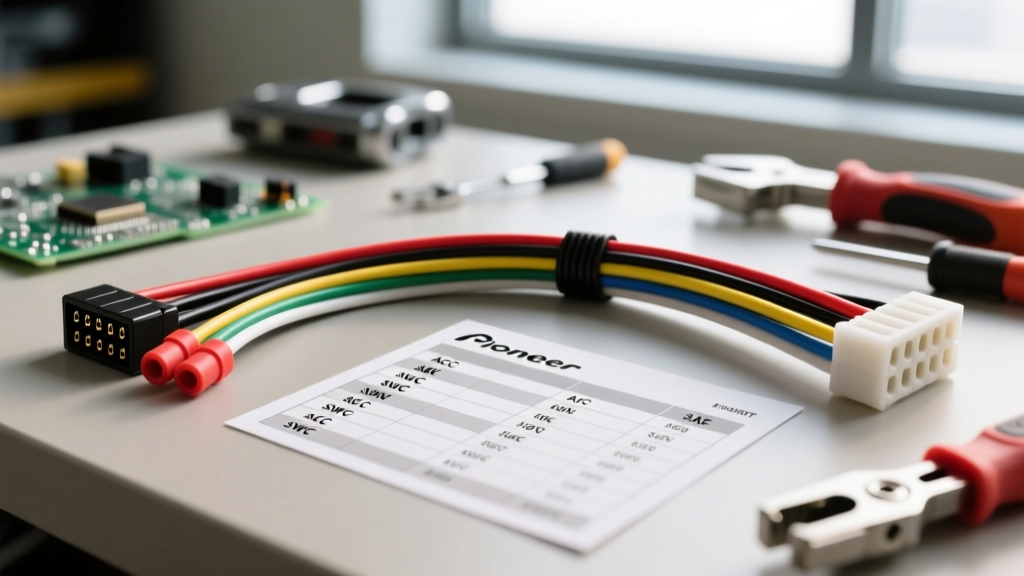
Understanding the Pioneer AVH-120BT Wiring Architecture
Upgrading your vehicle's infotainment system with the Pioneer AVH-120BT requires a precise understanding of its electrical architecture. Unlike older single-DIN units, this multimedia receiver relies on a dual-harness ecosystem: the proprietary 16-pin Pioneer pigtail and a vehicle-specific T-harness adapter (such as the Metra 70-1761 for GM or 71-1721 for Ford). Properly mating the Pioneer AVH-120BT wiring harness to your vehicle's OEM plug is critical for retaining steering wheel controls, amplifier turn-on signals, and backup camera functionality.
According to the Crutchfield Car Stereo Installation Guide, the most common point of failure in aftermarket installations is improper splicing of the 18 AWG primary power wires. This guide will walk you through the exact pinout configurations, SAE-compliant crimping methods, and advanced integration steps required for a professional-grade installation.
Essential Tools and SAE Wire Standards
Before touching a single wire, ensure your workbench is equipped with the correct tools. The Pioneer AVH-120BT harness utilizes 18 AWG stranded copper wire for power, ground, and speaker outputs. When splicing to a vehicle-specific harness, you are often mating 18 AWG wire to 16 AWG or 14 AWG OEM wiring.
- Wire Strippers: Precision strippers calibrated for 22-10 AWG (e.g., Klein Tools 11055) to avoid nicking the copper strands.
- Connectors: Adhesive-lined polyolefin heat shrink butt connectors. Avoid T-taps and scotch locks entirely; they cause micro-vibrations that fracture stranded wire over time.
- Heat Gun: For shrinking the polyolefin tubing, which seals out moisture and prevents copper oxidation.
- Multimeter: Essential for verifying 12V constant, 12V accessory, and ground continuity before plugging in the head unit.
For high-draw applications, the SAE J1128 Low Tension Primary Cable Standard dictates that voltage drop must be minimized. If you are powering external amplifiers via the head unit's internal circuitry, consider upgrading the Yellow (Constant 12V) and Black (Ground) wires on the Pioneer harness to 14 AWG to prevent voltage sag during heavy bass transients.
Pioneer AVH-120BT 16-Pin Pinout Configuration
The foundation of a successful install is understanding the exact pinout of the Pioneer 16-pin connector. Below is the definitive reference chart for the AVH-120BT primary power and accessory harness.
| Pin | Wire Color | Function | Technical Notes & Integration |
|---|---|---|---|
| 1 | Yellow | 12V Constant (Battery) | Supplies memory for presets and clock. Must have constant 12V even with key off. |
| 2 | Red | 12V Accessory (Ignition) | Turns the unit on/off with the key. Do not swap with Yellow. |
| 3 | Black | Chassis Ground | Must be tied to vehicle ground. Do not rely solely on the metal dash chassis. |
| 4 | Orange/White | Illumination / Dimmer | Connect to OEM dimmer circuit. Max current draw is typically 50mA. |
| 5 | Blue/White | Amp Turn-On / Power Antenna | Outputs +12V (max 300mA) when unit is on. Crucial for triggering external amps. |
| 6 | Green | Parking Brake Sense | Required for DVD/Video playback. Requires ground sequence or micro-bypass. |
| 7 | Purple/White | Reverse Gear Input | Receives +12V from reverse light circuit to trigger backup camera display. |
| 8 | Light Green | Mute Control | Used for OEM Bluetooth/Phone integration (rarely used in basic swaps). |
| 9-16 | White/Gray/Green/Purple | Speaker Outputs | Solid colors are Positive (+), Black tracers are Negative (-). |
Step-by-Step Harness Integration
Step 1: Bench Splicing the T-Harness
Never attempt to splice wires while leaning upside down inside the vehicle dashboard. Remove the OEM radio, unplug the vehicle-specific T-harness, and bring it to your workbench alongside the Pioneer AVH-120BT 16-pin pigtail. Match wire colors functionally, not just visually. For example, some OEM GM harnesses use Orange for Battery and Brown for Accessory, which contradicts the standard aftermarket color code. Always verify with a wiring diagram from Metra Electronics or a factory service manual before crimping.
Step 2: The Parking Brake Bypass (Green Wire)
The Pioneer AVH-120BT features a safety lockout that prevents video playback (and limits certain settings) unless the vehicle's parking brake is engaged. The Green wire on the harness monitors this. In a real-world installation, you have two options:
- The Micro-Bypass Module: Devices like the PAC TR-44 simulate the electrical resistance and ground-switching sequence of a physical e-brake pull-release-pull. This is the safest and most reliable method for retaining full video functionality.
- Chassis Ground (Firmware Dependent): On older firmware versions, grounding the Green wire directly to the chassis bypassed the lockout. However, Pioneer has updated the AVH-120BT firmware to require a specific ground-pulse sequence. If you hard-ground the Green wire and still see the 'Parking Brake Engaged' warning, you must install a sequence bypass module.
Step 3: Reverse Camera and PWM Taillights
The Purple/White wire requires a +12V signal to switch the AVH-120BT into camera mode. In older vehicles, tapping directly into the reverse light bulb socket is sufficient. However, modern vehicles (especially 2014+ Chrysler, Jeep, and Ford trucks) use Pulse Width Modulation (PWM) to power taillights. PWM sends rapid 12V pulses that average out to lower voltages, which will confuse the Pioneer's camera sense circuit and cause the screen to flicker or fail to trigger. If your vehicle uses PWM, you must wire a standard 12V automotive relay. Use the PWM reverse light wire to trigger the relay coil, and pull a clean 12V constant source to feed the relay's switched output to the Purple/White wire.
Step 4: Amplifier Turn-On and Illumination
Connect the Blue/White wire to your amplifier's remote turn-on terminal. Do not use the solid Blue wire (if present on other harnesses), as that is strictly for power antennas and will turn off when you switch to CD or Aux mode, causing your amplifier to shut down mid-drive. Connect the Orange/White wire to the vehicle's headlight dimmer circuit to allow the AVH-120BT screen brightness to adjust automatically at night.
Steering Wheel Control (SWC) Integration
The Pioneer AVH-120BT supports resistive steering wheel controls via a 3.5mm SWC input jack on the rear chassis. To retain your OEM volume and track buttons, you will need an interface module like the Axxess ASWC-1 or a PAC RP4-CH11 (for Chrysler). When wiring the SWC harness, pay close attention to the resistive ladder network. The ASWC-1 requires you to connect the vehicle's SWC 1 and SWC 2 wires to the corresponding pins on the interface. Do not solder these connections directly to the Pioneer harness; route the 3.5mm jack and the interface module into a serviceable area behind the dash so you can access the programming button without removing the entire radio.
Troubleshooting Common AVH-120BT Wiring Faults
Even with meticulous bench splicing, integration issues can arise. Use this diagnostic tree to resolve common electrical faults:
- Symptom: Radio presets and clock reset every time the vehicle is turned off.
Cause: The Yellow (Constant) and Red (Accessory) wires are swapped. The AVH-120BT is losing memory power when the ignition cuts off. Swap the pins or re-splice the wires. - Symptom: External amplifier turns on, but produces a loud alternator whine that increases with engine RPM.
Cause: Ground loop. The Black ground wire on the Pioneer harness is grounded to a different chassis point than the amplifier. Re-route the Pioneer ground to the exact same bare-metal bolt as the amplifier ground to equalize the reference voltage. - Symptom: Backup camera displays a 'No Signal' error or flickers wildly when in reverse.
Cause: PWM interference on the reverse trigger or a missing ground on the camera's RCA video shield. Verify the Purple/White wire is receiving a clean, non-pulsing 12V+ via a relay, and ensure the camera's RCA ground is intact. - Symptom: Unit powers on, but no audio from any speaker.
Cause: The Blue/White amplifier turn-on wire was not connected, or the OEM amplifier integration harness (if retaining a factory Bose/JBL amp) is missing the trigger signal. Check Pin 5 continuity with a multimeter while the unit is powered on.
By adhering to SAE crimping standards, respecting the AVH-120BT's specific pinout logic, and properly managing PWM signals, your Pioneer wiring harness installation will deliver flawless, factory-level performance for years to come.