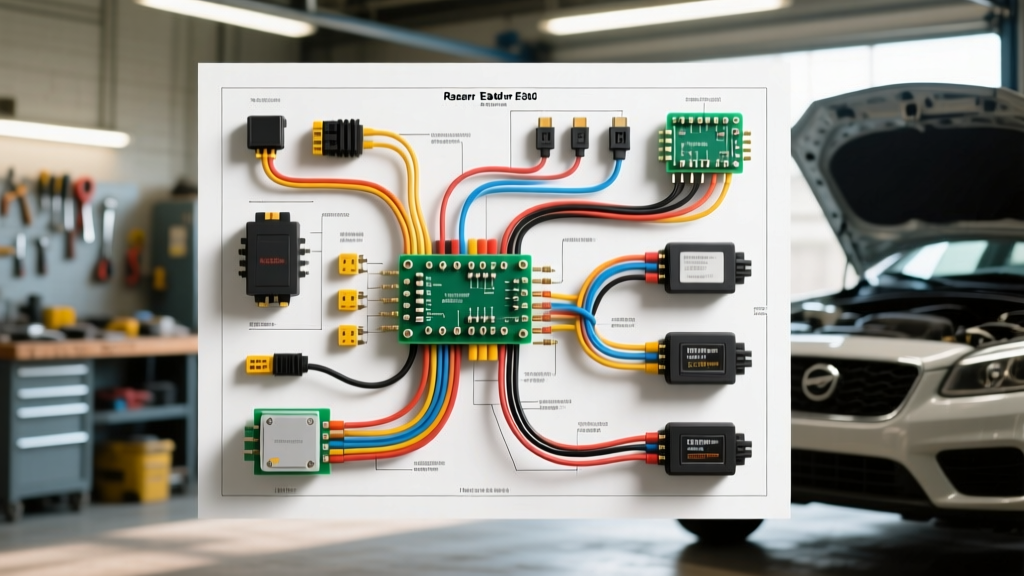
Understanding the Razor E300 24V Architecture
The Razor E300 electric scooter operates on a 24V nominal Sealed Lead-Acid (SLA) electrical architecture, powering a 250W brushed DC chain-driven motor. Unlike modern brushless hub motors, the E300 relies on a traditional brushed motor setup, meaning the speed controller only manages two main phase wires rather than a complex three-phase commutation sequence. However, diagnosing faults in the Razor E300 wiring diagram requires a systematic approach to the battery pack series jumper, the 24V speed controller logic, the variable throttle signal, and the safety brake inhibit loop.
When approaching any electrical fault on this platform, technicians must remember that a fully charged 24V SLA system actually rests at approximately 25.2V to 25.8V. If your multimeter reads exactly 24.0V or lower at the controller's main battery input terminals under zero load, the battery pack is heavily depleted or suffering from a bad cell in one of the two 12V 9Ah SLA blocks. According to Battery University's SLA charging guidelines, allowing these batteries to drop below 21.0V triggers sulfation, permanently increasing internal resistance and causing severe voltage sag under the 15-amp load of the E300 motor.
Razor E300 Wiring Harness & Color Code Matrix
Before initiating the troubleshooting flow, verify your harness against this OEM reference matrix. Wire colors can occasionally vary between manufacturing batches (e.g., Version 30 vs. Version 40 controllers), but the gauge and routing remain consistent. For further schematic verification, always cross-reference with the Razor Official Support Manuals.
| Wire Color | AWG Size | Function | Termination / Connector |
|---|---|---|---|
| Red | 12 AWG | Main Battery Positive (B+) | Ring Terminal to Controller / Fuse |
| Black | 12 AWG | Main Battery Negative (B-) | Ring Terminal to Controller |
| Blue | 14 AWG | Motor Positive (M+) | Spade Connector to Motor Brush |
| Yellow | 14 AWG | Motor Negative (M-) | Spade Connector to Motor Brush |
| Red (Thin) | 22 AWG | Throttle 5V Reference | 3-Pin JST / Molex Throttle Plug |
| Black (Thin) | 22 AWG | Throttle Ground | 3-Pin JST / Molex Throttle Plug |
| White/Green | 22 AWG | Throttle Signal (0.8V - 3.6V) | 3-Pin JST / Molex Throttle Plug |
| Orange | 18 AWG | Charge Port Positive | 3-Pin XLR or Barrel Charge Jack |
Step-by-Step Troubleshooting Decision Tree
Use the following diagnostic flow to isolate electrical faults. You will need a digital multimeter (DMM) capable of measuring DC voltage down to the millivolt range, as well as continuity testing.
Node 1: Complete Power Failure (No Dashboard Lights, No Motor)
Step 1: Check the Main Circuit Breaker. The Razor E300 utilizes a resettable thermal circuit breaker (usually rated for 20A or 30A) located inline on the main red positive battery lead. Set your DMM to continuity mode. Place one probe on each side of the breaker. If there is no continuity, press the reset button. If it immediately trips again, you have a dead short in the controller or motor.
Step 2: Inspect the Battery Series Jumper. The E300 uses two 12V batteries wired in series. The critical link is the short jumper wire connecting the negative terminal of Battery A to the positive terminal of Battery B. A loose spade connector here will result in an open circuit. Measure voltage across the main red and black leads exiting the battery box. If you read ~12.6V instead of ~25.2V, the series jumper has failed or vibrated loose.
Step 3: Test the Key Switch and Power Button. The logic circuit passes through the key switch and the deck-mounted push button. Back-probe the switch connectors with the DMM set to DC Volts. If 25.2V enters the switch but 0V exits when depressed, the internal contacts of the push-button switch are corroded and require replacement.
Node 2: Throttle Engagement Failure (Lights On, No Movement)
Step 1: Verify the Brake Inhibit Loop. The E300 features a safety brake switch that cuts the throttle signal or grounds the controller's inhibit pin when the brake lever is pulled. If the brake lever is slightly bent, or the switch is stuck in the 'closed' position, the controller will refuse to send PWM (Pulse Width Modulation) to the motor. Disconnect the brake switch harness from the controller. If the scooter immediately drives when the throttle is twisted, replace the brake switch.
Step 2: Back-Probe the Throttle Signal Wire. Turn the scooter on. Set your DMM to DC Volts. Pierce the insulation of the White/Green signal wire (or back-probe the connector). At idle, you should read approximately 0.8V to 1.1V. Slowly twist the throttle. The voltage should climb smoothly to 3.4V - 3.8V. If the voltage remains at 0V, the internal potentiometer or Hall sensor in the throttle housing has failed, or the 5V reference wire (Red) is broken.
Step 3: Controller MOSFET Test. If the throttle signal sweeps correctly but the motor does not spin, the controller's internal MOSFETs may be blown. Disconnect the motor wires (Blue and Yellow). Set your DMM to diode test mode. Place the red probe on the Battery Negative terminal and the black probe on the Motor Negative terminal. A reading of 'OL' (Open Loop) or a very high number is normal. If it reads near 0.000, the low-side MOSFET is shorted, and the controller must be replaced.
Node 3: Motor Stuttering and Thermal Cutoff
Step 1: Perform a Voltage Drop Test Under Load. Stuttering is rarely a motor issue; it is almost always a voltage sag issue triggering the controller's Low Voltage Cutoff (LVC). Connect your DMM to the main B+ and B- terminals at the controller. Have a rider sit on the scooter and apply full throttle. If the voltage instantly drops from 25.2V to below 21.0V, the batteries cannot sustain the amperage draw. This confirms dead SLA cells.
Step 2: Inspect Motor Brushes and Commutator. If the batteries hold steady above 22V under load but the motor stutters, remove the motor end-cap. The E300 uses carbon brushes. If the brushes are worn down to less than 5mm, or the spring tension is weak, they will bounce off the copper commutator under heavy vibration, causing rapid on-off stuttering. Clean the commutator with electrical contact cleaner and replace the brushes.
Testing the 24V Brushed DC Controller Pinout
When replacing or testing the speed controller, understanding the exact pinout is critical to avoid sending 24V directly into a 5V logic circuit, which will instantly fry the throttle. The standard Razor E300 24V controller terminal block is configured as follows:
- B+ (Red, 12 AWG): Connects directly to the positive terminal of the battery pack via the main fuse/breaker.
- B- (Black, 12 AWG): Connects to the main negative ground bus.
- M+ (Blue, 14 AWG): High-side PWM output to the motor. This wire will show pulsing DC voltage when the throttle is engaged.
- M- (Yellow, 14 AWG): Low-side ground return from the motor.
- Charge+ (Orange, 18 AWG): Routes from the charge port to the battery positive. Contains an inline diode or relay in some versions to prevent back-feeding the motor while charging.
- Logic/Throttle Harness (Multi-pin): Contains 5V out, Ground, Signal In, and Brake Inhibit.
Safety & Soldering Best Practices for SLA Systems
When repairing the Razor E300 wiring diagram, never rely solely on electrical tape for high-current connections. The 12 AWG and 14 AWG wires carrying motor current generate significant heat. All spade connectors on the motor and battery terminals must be crimped using a heavy-duty ratcheting crimping tool, followed by a heat-shrink application to prevent moisture ingress and corrosion. According to SAE J1128 standards for low-tension primary cable, stranded copper must be properly compressed to maintain conductivity and withstand the high-vibration environment of a chain-driven electric scooter.
If you must splice a broken signal wire (22 AWG) in the throttle harness, use a rosin-core solder and seal the joint with adhesive-lined marine heat shrink. The E300 deck is exposed to water, mud, and debris; standard crimp butt-connectors will quickly oxidize and fail on low-voltage logic circuits, resulting in erratic throttle behavior and runaway acceleration hazards.