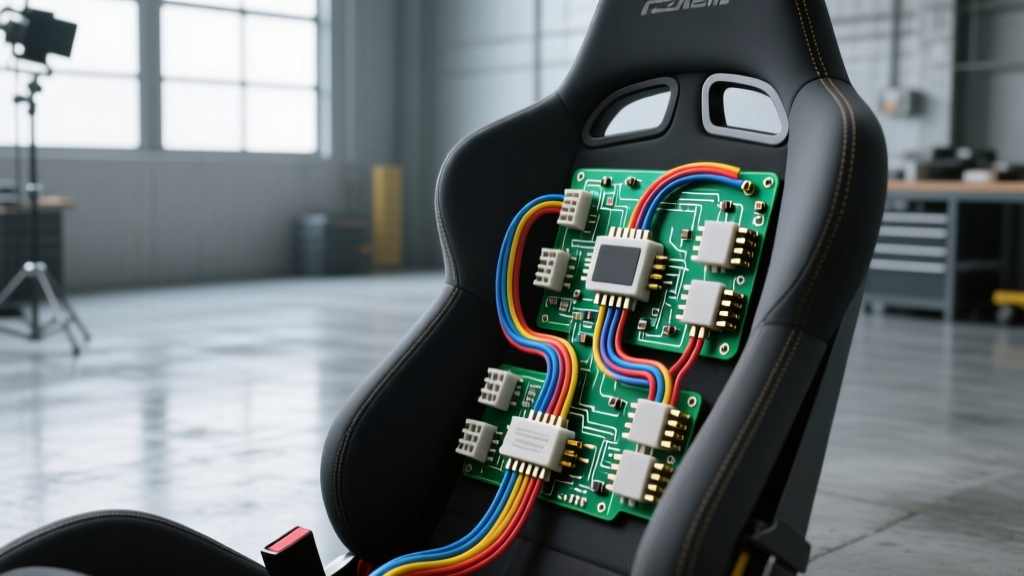
The SRS Dilemma: OEM Seats vs. Racing Buckets
Swapping heavy, motorized OEM seats for lightweight, fixed-back racing buckets is one of the most impactful track-day and off-road upgrades you can perform. However, if your vehicle was manufactured after 2006, you are dealing with a complex Supplemental Restraint System (SRS) mandated by FMVSS 208. Modern vehicles utilize an Occupant Classification System (OCS) to determine if the passenger seat is occupied by an adult, a child, or an empty space, thereby dictating the passenger airbag deployment strategy.
When you unbolt the OEM passenger seat to install a racing bucket and a 5-point harness, the SRS ECU immediately detects an open circuit or a missing sensor mat. This triggers a hard SRS airbag light on the dashboard and, in many vehicles, disables the entire passenger airbag system or limits the driver-side deployment. To complete your seat swap safely and legally for track use, you must understand the occupancy sensor wiring diagram and choose between transferring the OEM sensor or installing a digital bypass emulator.
Decoding the Occupancy Sensor Wiring Diagram
The OCS is not a simple on/off switch. It consists of a sensor mat (either strain-gauge or capacitive) embedded in the seat cushion foam, an Occupant Classification Module (OCSM) usually mounted under the seat, and the main SRS ECU. The occupancy sensor wiring diagram varies slightly by manufacturer (Ford, GM, Toyota, etc.), but the fundamental architecture remains consistent. The OCSM supplies a low-voltage reference signal to the mat, reads the return signal, processes the weight data, and transmits it to the SRS ECU via a LIN (Local Interconnect Network) bus or a dedicated CAN bus line.
According to NHTSA Airbag Safety Guidelines, tampering with or improperly bypassing SRS components on street-legal vehicles is a federal violation. Therefore, the bypass procedures detailed below are strictly intended for dedicated track, off-road, or competition vehicles where OEM airbags are being removed in favor of HANS devices and roll cages.
OCS Module (OCSM) Pinout and Wire Specifications
While you must consult the factory service manual for your specific make and model, the following table represents a typical 6-pin OCSM connector found in modern North American and import vehicles. SRS wiring is universally identifiable by its yellow or orange outer loom.
| Pin | Function | Typical Wire Color | AWG Size | Circuit Type |
|---|---|---|---|---|
| 1 | Ignition Power (12V) | Red / White Tracer | 18 AWG | Power |
| 2 | Chassis Ground | Black | 18 AWG | Ground |
| 3 | LIN / CAN High | Green | 20 AWG | Data Bus |
| 4 | LIN / CAN Low | Blue | 20 AWG | Data Bus |
| 5 | Sensor Signal (+) | Yellow / Orange | 22 AWG | Low Voltage Analog |
| 6 | Sensor Signal (-) | Orange / Black | 22 AWG | Low Voltage Analog |
Modification Route A: Transferring the OEM Sensor Mat
If you intend to keep the vehicle street-legal or want to retain full OEM SRS functionality, you must transfer the original sensor mat into the new racing seat. This is a delicate process; the mats are highly sensitive to folding, creasing, and moisture.
Step 1: Mat Extraction
Disconnect the negative battery terminal and wait a minimum of 15 minutes to allow the SRS backup capacitors to discharge, as outlined in standard SAE SRS Testing Standards. Carefully peel back the OEM upholstery. The mat is usually adhered to the foam base using a thin layer of double-sided tape or a spray adhesive. Use a heat gun on a low setting and a plastic trim tool to gently separate the mat from the foam. Do not pull from the wiring pigtail.
Step 2: Reinstallation and Strain Relief
Racing bucket seats feature rigid fiberglass or carbon-Kevlar bases with thin padding. You must place a layer of high-density closed-cell foam between the rigid base and the OCS mat to prevent the hard shell from crushing the sensor's strain gauges. Use 3M VHB tape to secure the mat. Crucially, you must create a strain relief loop for the wiring harness. Zip-tie the harness to the seat slider or mounting bracket so that seat adjustments or vehicle vibrations do not transfer tension to the fragile 22 AWG sensor pins.
Step 3: Zero-Point Calibration
Once reconnected, the SRS light will remain illuminated. The OCSM must undergo a zero-point calibration. Using a bidirectional OBD2 scanner (such as an Autel MaxiSYS, Snap-on Modis, or OEM software like FORScan/Tech2), navigate to the SRS/OCS module and select "Zero Point Calibration." Ensure the seat is completely empty, the doors are closed, and the battery voltage is above 12.5V during the 60-second calibration cycle.
Modification Route B: The Digital Emulator Bypass (Track-Only)
For dedicated track cars where the OEM seat is entirely discarded and the passenger airbag is being removed or disabled, transferring the mat is impractical. You must trick the SRS ECU into believing an adult occupant is present.
Why Resistor Bypasses Fail on Modern Vehicles
In older vehicles (pre-2010) with simple strain-gauge mats, technicians would splice a 2.2kΩ to 3.3kΩ 1/4-watt resistor across Pins 5 and 6 to simulate the resistance of a 150lb adult. However, modern vehicles use capacitive mats and LIN-bus communication. The OCSM actively monitors the impedance and capacitance of the circuit and sends a digital checksum to the SRS ECU. A simple resistor will immediately trigger a DTC (Diagnostic Trouble Code) for "Implausible Sensor Data" and fail to clear the airbag light.
Installing a LIN-Bus OCS Emulator
To bypass a modern OCS, you must install a digital OCS Emulator Module. These aftermarket modules intercept the LIN/CAN bus wires (Pins 3 and 4) and broadcast a continuous digital signal mimicking an occupied seat.
- Cut the OEM Harness: Snip the LIN High, LIN Low, Power, and Ground wires near the OEM OCSM. Remove the OCSM and sensor mat entirely.
- Splice the Emulator: Connect the emulator's Power and Ground to the 18 AWG OEM wires using adhesive-lined marine-grade heat shrink. Never use solder on SRS deployment loops, but soldering and heat-shrinking low-voltage data/signal wires is acceptable and preferred over crimping for long-term vibration resistance.
- Connect Data Lines: Splice the emulator's CAN/LIN High and Low wires to the corresponding 20 AWG OEM data wires.
- Module Mounting: Secure the emulator module high up under the dash or behind the kick panel to protect it from moisture and accidental kicks.
Critical SRS Wiring Rules and Connector Standards
When working with any wiring adjacent to the occupancy sensor diagram, you must respect OEM connector standards. SRS connectors (typically manufactured by TE Connectivity or Molex) are bright yellow and feature internal shorting bars. When you unplug an SRS connector, a metal clip automatically bridges the positive and negative pins on the harness side. This prevents accidental airbag deployment caused by static electricity or stray voltage while the connector is disconnected.
Furthermore, these connectors utilize CPA (Connector Position Assurance) clips. You must fully seat the connector until it clicks, then slide the CPA lock into place. If the CPA is not engaged, the SRS ECU will detect a high-resistance connection and throw an airbag fault code, even if the pins are making contact.
Troubleshooting Post-Swap SRS Airbag Lights
If you have completed your seat swap and the SRS light remains on, use this decision tree to diagnose the fault:
- DTC B121B / B2234 (Seat Weight Sensor Fault): The SRS ECU cannot read the mat or emulator. Check for a broken 22 AWG signal wire or verify that the emulator is receiving a solid 12V ignition source. A voltage drop below 10.5V on Pin 1 will cause the OCSM to shut down.
- DTC B1234 (OCS Calibration Incomplete): The module is online but lacks baseline data. Re-run the zero-point calibration via OBD2. Ensure no tools, blankets, or hands are resting on the seat during the process.
- DTC B0094 (Impact Sensor Communication Loss): You may have accidentally damaged the CAN/LIN bus wiring while routing the new seat harness or welding in a racing harness bar. Use a multimeter to check for continuity on the 20 AWG data lines back to the main SRS ECU under the center console.
Upgrading to racing seats drastically improves driver feedback and safety on the track, but it requires meticulous attention to the vehicle's electrical ecosystem. By understanding the occupancy sensor wiring diagram and utilizing the correct bypass or transfer techniques, you can ensure your track build remains safe, compliant, and free of dashboard warning lights. For further electrical diagnostics, refer to Haynes SRS Reset Procedures for model-specific reset sequences.