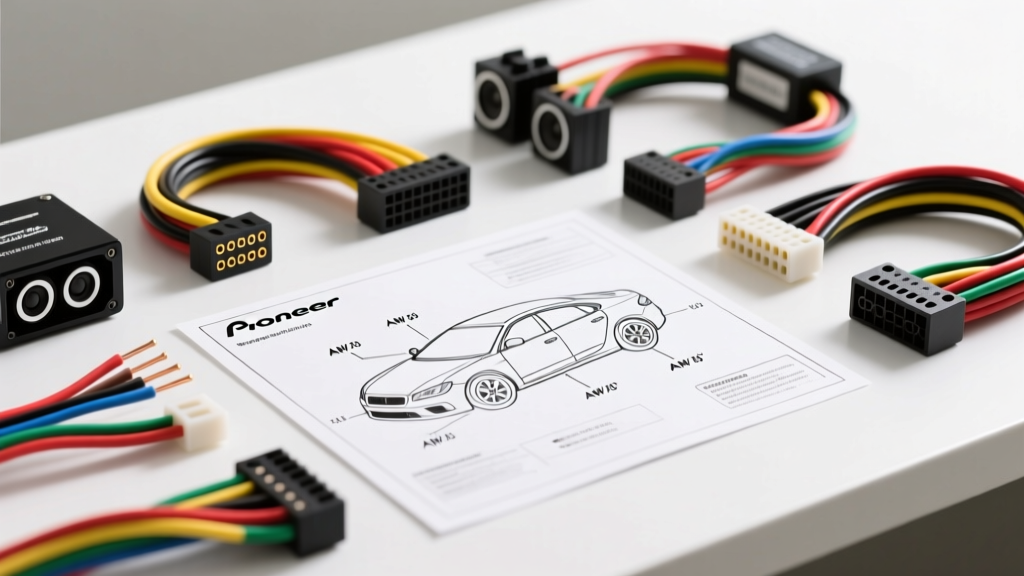
Introduction to Car Audio Electrical Schematics
Upgrading your vehicle's head unit is one of the most rewarding DIY automotive projects, but it can quickly turn into a frustrating ordeal if you misinterpret the electrical schematics. When you unbox a new Pioneer head unit, you are greeted with a dense harness of multi-colored wires. Understanding the diagram Pioneer stereo wiring layouts is the critical first step to ensuring your new deck powers on, retains its memory, and delivers phase-accurate sound without introducing alternator whine into your cabin.
For beginners, the transition from a factory radio to an aftermarket Pioneer unit relies on two distinct wiring standards: the proprietary Pioneer square connector and the universal EIA (Electronic Industries Alliance) color code standard. This guide breaks down the fundamentals of reading these diagrams, matching wire gauges, and avoiding the most common installation catastrophes.
The Anatomy of the Pioneer Head Unit Harness
Unlike older vehicles where wires were spliced directly into the back of the radio, modern Pioneer stereos utilize a standardized 16-pin ISO 10487 connector block, or a proprietary Pioneer plug that adapts to the ISO standard via a short pigtail harness. The ISO 10487 standard divides the connections into two primary blocks:
- Block A (Power & Auxiliary): Handles 12V constant, 12V accessory, ground, illumination, and remote turn-on signals.
- Block B (Speaker Outputs): Handles the low-voltage, amplified audio signals sent to the four main cabin speakers.
When reading your specific Pioneer installation manual, you will notice the diagram maps the internal PCB pins to the external pigtail wire colors. Never attempt to bypass the provided harness to wire directly into the back of the deck; doing so will void your warranty and risk shorting the surface-mount amplifier ICs.
Standard EIA Wire Color Codes for Pioneer Stereos
The aftermarket car audio industry relies on the EIA RS-774 standard for wire color coding. While Pioneer's internal schematics may vary slightly by model year, the external pigtail harness strictly adheres to these colors to ensure compatibility with vehicle-specific wiring adapters (like those from Metra or Scosche).
| Wire Color | Function | ISO Pin (Block A/B) | Standard AWG | Notes & Failure Modes |
|---|---|---|---|---|
| Yellow | 12V Constant (Memory) | Pin 7 (Block A) | 18 AWG | Supplies power to the EEPROM. Swapping with Red causes preset loss. |
| Red | 12V Switched (Accessory) | Pin 8 (Block A) | 18 AWG | Turns the unit on/off with the ignition. Must show 0V when key is off. |
| Black | Chassis Ground | Pin 4 (Block A) | 18 AWG | Must connect to bare, unpainted metal. Poor grounds cause thermal shutdown. |
| Blue | Power Antenna | Pin 5 (Block A) | 18 AWG | Outputs 12V only in AM/FM tuner mode. Drops to 0V in AUX/Bluetooth. |
| Blue w/ White Stripe | Amplifier Remote Turn-On | N/A (Pigtail) | 18 AWG | Outputs constant 12V whenever the unit is on. Used for external amps. |
| Orange / Orange-White | Illumination / Dimmer | Pin 6 (Block A) | 20 AWG | Orange is 12V on with headlights; Orange/White is variable PWM dimming. |
| White / White-Black | Front Left Speaker (+/-) | Pins 1 & 2 (Block B) | 16-18 AWG | Black stripe denotes negative. Do not ground the negative wire. |
| Gray / Gray-Black | Front Right Speaker (+/-) | Pins 3 & 4 (Block B) | 16-18 AWG | Out-of-phase wiring cancels low-frequency bass response. |
| Green / Green-Black | Rear Left Speaker (+/-) | Pins 5 & 6 (Block B) | 16-18 AWG | Bridged-Tied Load (BTL) amplifier outputs. Never tie to chassis ground. |
| Purple / Purple-Black | Rear Right Speaker (+/-) | Pins 7 & 8 (Block B) | 16-18 AWG | Shorting positive and negative will trigger the deck's protection mode. |
Critical Connections: Constant vs. Switched Power
The most common beginner mistake when interpreting a Pioneer stereo wiring diagram is swapping the Yellow and Red power wires. Both supply 12 volts, but their roles are vastly different. According to Crutchfield's car audio wiring guides, the Yellow wire (Constant 12V) provides a continuous trickle of current to the head unit's volatile memory and microprocessor. The Red wire (Switched 12V) acts as the trigger, telling the internal power supply to wake up and power the display and amplifier ICs.
The Failure Mode: If you wire the Yellow to the ignition-switched fuse and the Red to the constant battery fuse, the radio will turn on when the car is off (draining your battery) and will instantly lose all Bluetooth pairings, EQ settings, and radio presets the moment you turn the key to start the engine.
Proper Grounding Techniques
The Black wire must be terminated to a clean, unpainted metal surface on the vehicle's chassis. Factory radio brackets are often painted or powder-coated, which acts as an insulator. Use a wire brush or sandpaper to remove the coating before securing the ground ring terminal. A high-resistance ground will force the head unit's internal amplifier to clip at low volumes, generating excessive heat and potentially triggering the unit's thermal protection circuit.
Speaker Wire Polarity and Phase Issues
Unlike household AC wiring, car audio speaker outputs are DC-pulsed audio signals. Pioneer head units utilize a Bridged-Tied Load (BTL) amplifier topology. This means both the positive (solid color) and negative (black stripe) wires carry amplified voltage swings. Never ground the negative speaker wires to the vehicle chassis. Doing so will instantly short-circuit the BTL output stage and destroy the internal amplifier IC.
Testing Phase: If your bass sounds hollow or non-directional, your speakers are likely out of phase. To test this without a specialized phase tester, disconnect the speaker harness at the deck. Lightly tap the positive and negative wires of a single channel to the terminals of a standard 9V alkaline battery. If the speaker cone pushes outward, your polarity is correct. If it sucks inward, swap the positive and negative connections at the adapter harness.
The Remote Turn-On Trap: Blue vs. Blue/White
When adding an external amplifier or a powered subwoofer, beginners frequently confuse the Solid Blue wire with the Blue/White Stripe wire.
- Solid Blue (Power Antenna): This wire only outputs 12V when the head unit is in AM/FM Radio mode. If you switch to Bluetooth, Apple CarPlay, or AUX, this wire drops to 0V, shutting off your external amplifier.
- Blue/White Stripe (System Remote): This wire outputs a steady 12V, 300mA signal anytime the head unit is powered on, regardless of the source mode. Always use the Blue/White wire to trigger external amplifiers, DSPs, or line output converters.
Integrating Steering Wheel Controls (SWC)
Modern vehicles use data-bus systems (like CAN-bus or GMLAN) rather than simple resistance-based wires for steering wheel controls. To retain these functions with a Pioneer deck, you must integrate a digital interface module (such as those from PAC or Axxess). The Pioneer wiring diagram will feature a 3.5mm SWC input jack or a specific 3-wire harness (Ground, SW1, SW2). The interface module translates the vehicle's digital CAN signals into the analog resistance pulses the Pioneer head unit expects. Always consult the specific Pioneer installation manual PDF for your exact model number to determine if your deck requires a 3.5mm plug or a hardwired SWC connection.
Essential Tools for a Reliable Install
To ensure your wiring matches the schematic perfectly and lasts the lifespan of the vehicle, avoid cheap twist-on connectors and electrical tape. Automotive environments experience extreme temperature fluctuations and high-frequency vibrations, which will cause electrical tape to unspool and bare copper to oxidize.
- Wire Strippers: Use a precision stripper calibrated for 18 AWG and 16 AWG. Nicking the copper strands reduces the wire's current-carrying capacity and creates a hot spot.
- Crimpers & Connectors: Use nylon-insulated butt connectors and a proper ratcheting crimper. A solid mechanical crimp ensures low electrical resistance.
- Heat Shrink Tubing: Apply adhesive-lined marine-grade heat shrink over all crimped connections to seal out moisture and prevent corrosion.
- Digital Multimeter (DMM): Never guess wire functions in the vehicle's OEM harness. Use a DMM to verify the Constant 12V, Switched 12V, and Ground pins before making any connections.
Conclusion
Reading a wiring diagram is not just about matching colors; it is about understanding the flow of current, the logic of the vehicle's electrical system, and the specific requirements of the head unit's microprocessor. By respecting the EIA color codes, utilizing proper AWG wire sizes, and executing clean, soldered or crimped connections, you will guarantee a flawless installation of your Pioneer stereo. Take the time to verify every pinout with a multimeter, and your car audio system will deliver reliable, high-fidelity performance for years to come.