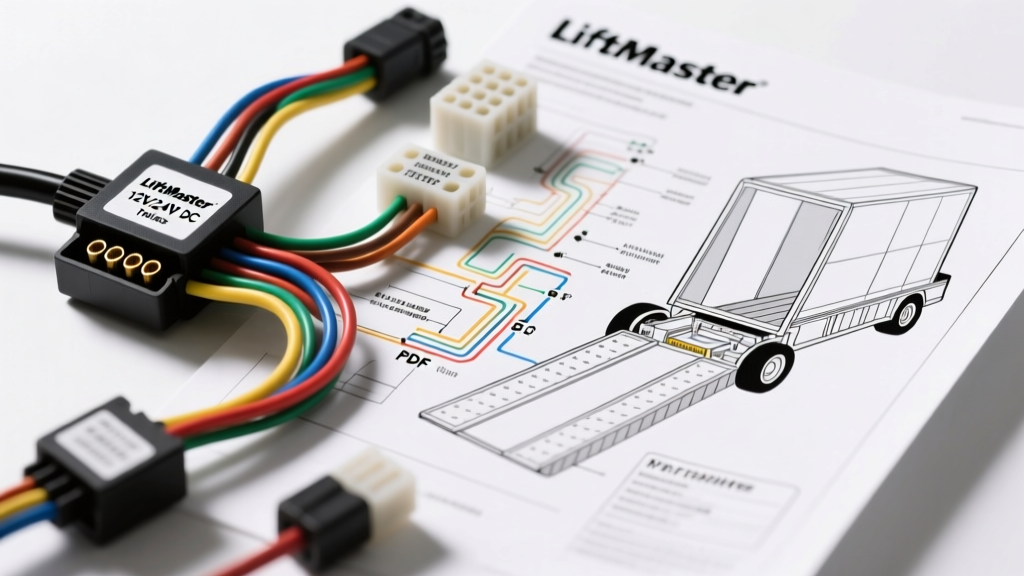
Why Fleet Vehicles and Custom Trailers Use LiftMaster DC Operators
Custom utility trucks, heavy-duty horse trailers, and expedition RVs frequently utilize robust 24V DC gate operators—like the LiftMaster CSL-24V or CSW24U—to automate heavy rear ramps and side-access doors. While these units are originally designed for commercial estate gates, their high-torque DC motors and weather-sealed logic boards make them perfect for demanding vehicular applications. However, bridging the gap between a commercial gate schematic and a 12V/24V automotive electrical system can be daunting for beginners.
If you are staring at a liftmaster wiring diagram pdf and wondering how to connect it to your truck’s upfitter switches or a trailer’s 7-way RV plug, this beginner-friendly guide will break down the fundamentals. We will cover wire gauge sizing, relay integration, and automotive-grade connector selection to ensure your ramp operator functions safely and reliably on the road.
Decoding the LiftMaster Wiring Diagram PDF: Beginner Fundamentals
When you first open a commercial LiftMaster wiring diagram PDF, the schematic can look like a labyrinth of capacitors, resistors, and terminal blocks. The key to adapting this for a vehicle is to separate the high-current motor circuit from the low-current logic circuit.
Logic Board Terminal Identification
Most LiftMaster DC slide and swing gate logic boards feature a standardized terminal strip for external controls. For vehicle integration, you will primarily focus on the following terminals:
- Terminals 1 & 2 (Open/Close Commands): These require a momentary ground or 12V/24V signal (depending on the specific board revision) to trigger the motor. In a truck, this connects to your auxiliary relay.
- Terminals 3 & 4 (Stop/Safety): Normally Closed (NC) circuits. If you are not using photoelectric safety eyes on a truck bed ramp, these must be jumpered with a 16 AWG wire to complete the circuit.
- Power Inputs (L1/L2 or DC+/DC-): The main power feed from the vehicle’s battery or trailer’s auxiliary power bank.
Sizing Automotive Wire for 24V DC Ramp Operators
The most common mistake beginners make when installing a ramp operator on a long-wheelbase truck or a 30-foot trailer is using wire that is too thin. DC motors experience a massive inrush current during startup (often 2 to 3 times the running amperage). If your wire is too thin, voltage drop will starve the logic board, causing the system to reset mid-cycle or fail to engage the brake solenoid.
According to SAE J1128 standards for low-tension primary automotive cable, you must size your wire based on the total round-trip distance (positive and ground) and the peak amperage. Below is a specification chart for wiring a 24V DC LiftMaster operator in a vehicular environment.
| One-Way Run Length | Motor Peak Draw | Recommended AWG (Primary) | Acceptable Voltage Drop |
|---|---|---|---|
| 0 - 10 ft (Cab to Bed) | 18A Peak | 10 AWG | < 2% (0.48V) |
| 10 - 20 ft (Standard Trailer) | 18A Peak | 8 AWG | < 3% (0.72V) |
| 20 - 35 ft (Gooseneck/RV) | 18A Peak | 6 AWG | < 3% (0.72V) |
| 35 - 50 ft (Heavy Hauler) | 18A Peak | 4 AWG | < 3% (0.72V) |
Note: Always use stranded, copper-core automotive wire with cross-linked polyethylene (XLPE) insulation to withstand the high heat and vibration of a truck chassis.
Integrating with Truck Upfitter Switches (Auxiliary Relays)
Modern heavy-duty trucks, such as the Ford F-250/F-350 Super Duty or Ram 2500/3500, come equipped with Upfitter Switches on the dash. These switches are not designed to carry the direct load of a motor or even the direct logic feed of some commercial gate boards. Instead, you must use an automotive relay to isolate the dash switch from the LiftMaster logic board.
Step-by-Step Relay Wiring Sequence
To safely trigger your ramp operator using a dash-mounted upfitter switch, wire a standard 40A Bosch-style automotive relay (or a solid-state equivalent) using the following pinout:
- Pin 86 (Coil Positive): Connect to the Upfitter Switch output (typically 12V, 20A max).
- Pin 85 (Coil Ground): Connect to a clean, bare-metal chassis ground.
- Pin 30 (Common / Power In): Connect to a fused 12V or 24V ignition-switched or battery source, depending on your logic board's command voltage requirements.
- Pin 87 (Normally Open / Output): Connect directly to Terminal 1 (Open Command) on the LiftMaster logic board.
When you press the Upfitter switch, Pin 30 connects to Pin 87, sending the precise momentary signal required by the logic board without risking feedback into your truck’s CAN bus system. For a deeper understanding of protecting modern vehicle data networks from aftermarket inductive loads, refer to the RV Industry Association (RVIA) guidelines on aftermarket 12V/24V DC integration.
Choosing the Right Connectors for Mobile Environments
Standard residential wire nuts or cheap butt connectors will fail rapidly due to the harmonic vibration of a diesel truck or the bouncing of a trailer. When adapting your LiftMaster wiring diagram for a vehicle, you must upgrade the connection points.
- Motor to Logic Board: Use Deutsch DT Series 4-pin connectors. These feature silicone seals and locking wedges that prevent moisture ingress and vibration-induced pin back-out.
- Chassis Pass-Through: If running power from the truck bed to the trailer, use a heavy-duty 7-Way RV Plug. Specifically, utilize Pin 4 (12V Auxiliary) and Pin 1 (Ground) for the logic board memory, while dedicating a separate Anderson Powerpole connector (rated for 50A+) for the main motor power feed.
- Logic Terminals: Use ferrule crimps on all stranded wires before inserting them into the LiftMaster screw-terminal blocks to prevent stray wire strands from causing short circuits on the PCB.
Real-World Troubleshooting: Voltage Drop and Grounding
Even if you follow the liftmaster wiring diagram pdf perfectly, mobile environments introduce unique failure modes. Here is a diagnostic decision tree for common vehicle-integration issues:
Symptom: Motor Hums but Ramp Does Not Move
- Cause: Severe voltage drop under load. The logic board has enough voltage to engage the relay, but the motor lacks the amperage to overcome the ramp's static friction.
- Fix: Check the main ground wire. Many beginners ground the motor to the truck bed sheet metal. The bed is often isolated from the chassis by rubber isolators. Run a dedicated 8 AWG ground wire directly from the motor/operator chassis to the vehicle's main battery negative terminal or a verified chassis ground stud.
Symptom: Logic Board Resets When Motor Engages
- Cause: Inductive voltage spike or shared power feed. The motor's startup draw is momentarily dropping the voltage below the logic board's minimum operating threshold (usually around 18V for a 24V system).
- Fix: Separate the power feeds. Run a dedicated, fused power line directly from the battery for the motor, and use a separate, smaller-gauge line with an inline noise filter for the logic board's DC+ and DC- terminals.
Symptom: Operator Works on Trailer but Not When Connected to Truck
- Cause: The 7-way trailer plug's auxiliary pin (Pin 4) is often wired through a 30A fuse in the truck's under-hood fuse box, which is insufficient for the operator's combined logic and motor draw.
- Fix: Bypass the 7-way plug for the main power. Install a dedicated 175A Mega Fuse and a heavy-duty quick-disconnect (like an Anderson SB175) between the truck and trailer specifically for the ramp operator.
Final Safety Considerations for Vehicular Ramp Operators
Unlike a stationary driveway gate, a truck ramp operator is subject to extreme weather, road salt, and physical impacts. Always enclose the LiftMaster logic board in a secondary NEMA 4X weatherproof enclosure if the factory housing is compromised or if it is mounted in an exposed truck bed toolbox. Furthermore, integrate an automotive-grade emergency stop (E-Stop) button on the exterior of the truck bed, wired in series with the logic board's Stop terminals (3 & 4), to ensure you can kill power instantly in the event of a mechanical bind or safety hazard. For comprehensive commercial operator safety standards and wiring schematics, always consult the official LiftMaster Commercial Support documentation specific to your board's revision number.