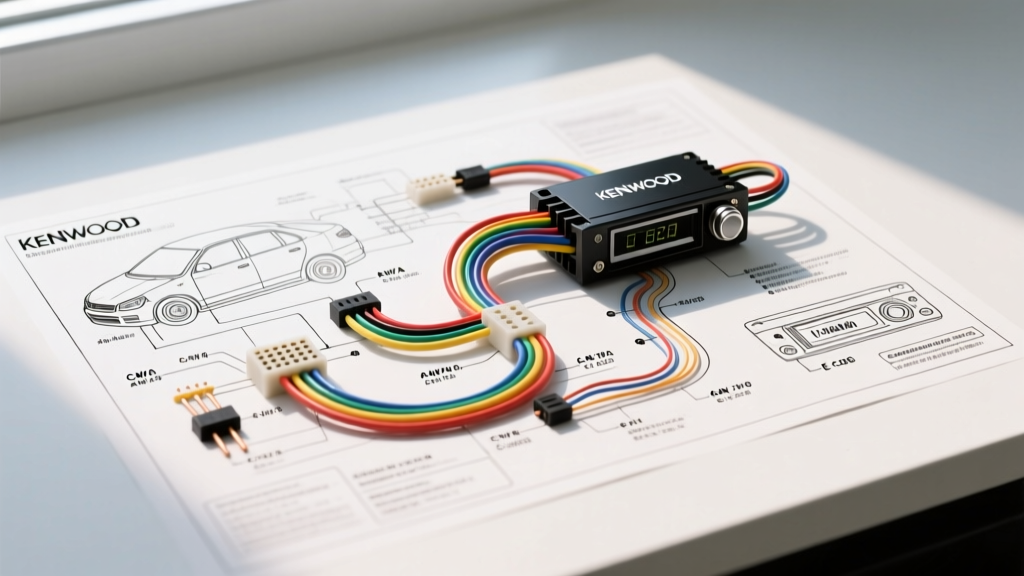
Decoding the Kenwood Stereo Wiring Diagram Color Code
Integrating an aftermarket head unit requires more than just matching red to red and black to black. For automotive electrical technicians and advanced DIY installers, understanding the precise Kenwood stereo wiring diagram color code is critical for preserving vehicle data networks, preventing parasitic battery drains, and protecting sensitive internal audio integrated circuits (ICs). Modern Kenwood and Excelon receivers utilize a blend of the Consumer Technology Association (CTA) CTA-1800 standard for primary analog connections, alongside proprietary high-density connectors for digital signal processing (DSP), CAN-bus integration, and high-definition video outputs.
Unlike legacy DIN units, contemporary Kenwood head units feature Bridge-Tied Load (BTL) internal amplifiers, complex microcontroller-driven power management systems, and low-voltage data lines that are highly susceptible to voltage spikes. This advanced technical deep dive dissects the exact pinouts, AWG requirements, and failure modes associated with Kenwood's primary and secondary wiring harnesses, referencing data from Kenwood USA Car Electronics Support and the CTA-1800 Mobile Audio Wiring Standard.
Primary Power Architecture: AWG, Voltage Drop, and CTA Standards
The foundation of any stable mobile audio system is its power delivery network. Kenwood's primary 16-pin ISO-style harness relies on specific color codes for power distribution. However, the physical properties of the wire are just as important as the color.
Constant vs. Switched Power Delivery
- Yellow Wire (+12V Constant / Memory): This circuit supplies power to the head unit's volatile memory (SRAM) and microcontroller standby mode. It must be connected to a circuit that maintains 12.6V at all times. Technical Note: Connecting this to a switched source will result in a complete DSP and equalizer settings reset upon every engine cycle.
- Red Wire (+12V Switched / Accessory): This triggers the main power relay inside the Kenwood unit. It should be tied to the ignition switch (ACC or IGN position).
- Black Wire (Chassis Ground): Completes the primary circuit.
AWG Specifications & Voltage Drop: Standard Kenwood harnesses utilize 18 AWG stranded oxygen-free copper (OFC) for the Yellow, Red, and Black wires. High-output Excelon models (featuring 50W x 4 RMS internal amplification) may step up to 16 AWG to mitigate voltage drop. According to SAE J1128 standards, 18 AWG wire can safely handle up to 16 amps over short chassis runs. However, if extending the power harness to the battery or a distant fuse block, you must upgrade to 12 AWG or 10 AWG primary wire to prevent a voltage drop below 11.5V under peak load, which will trigger the unit's internal undervoltage protection.
The Remote Turn-On Lead: Current Limiting and Relay Logic
The Blue/White wire (System Remote Control) and the Blue wire (Power Antenna) are frequently misused, leading to catastrophic PCB failures.
- Blue/White (Amplifier Turn-On): Outputs +12V when the unit is powered on. Critical Limitation: The internal switching transistor on this circuit is typically rated for a maximum of 300mA. If you use this wire to trigger multiple high-draw amplifiers, a cooling fan, and a line driver simultaneously, the inrush current will exceed 300mA, instantly vaporizing the surface-mount transistor on the Kenwood's mainboard.
- Blue (Power Antenna): Outputs +12V only when the AM/FM tuner is active. It drops to 0V when switching to Bluetooth or USB. Never use this to trigger an amplifier, or your subs will cut out when you switch audio sources.
Best Practice: Always use the Blue/White wire to trigger the coil (pins 85/86) of a standard Bosch-style 12V SPDT relay. Route your high-current amplifier remote turns through the relay's switched contacts (pins 30/87) powered directly from the battery via an inline 5A fuse.
High-Fidelity Speaker Outputs and Phase Mapping
Kenwood strictly adheres to the CTA-1800 Mobile Audio Wiring Standard for speaker output color codes. Proper phase alignment is critical for DSP time-alignment and crossover networks.
| Speaker Position | Positive (+) Wire Color | Negative (-) Wire Color | Pin Assignment (16-Pin) |
|---|---|---|---|
| Front Left | White | White w/ Black Stripe | Pin 1 / Pin 9 |
| Front Right | Gray | Gray w/ Black Stripe | Pin 2 / Pin 10 |
| Rear Left | Green | Green w/ Black Stripe | Pin 3 / Pin 11 |
| Rear Right | Purple | Purple w/ Black Stripe | Pin 4 / Pin 12 |
The BTL Amplifier Topology Warning
Modern Kenwood receivers do not use a common ground for speaker outputs. They utilize Bridge-Tied Load (BTL) ICs, meaning both the positive and negative wires carry an amplified, out-of-phase signal. Never ground the striped (negative) speaker wires to the vehicle chassis. Doing so will create a dead short across the BTL amplifier IC, resulting in immediate thermal shutdown, blown internal SMD fuses, or permanent destruction of the output chip. For detailed vehicle-specific mating procedures, the Crutchfield Vehicle Wiring Guide remains an indispensable resource for mapping factory speaker pins to these CTA standard colors.
CAN-Bus, Data Lines, and OEM Integration Harnesses
For late-model vehicles (2010+), the primary 16-pin harness is insufficient. Kenwood utilizes secondary high-density 20-pin or proprietary micro-USB/3.5mm connectors for iDatalink Maestro RR integration and CAN-bus communication.
- CAN-H (CAN High) & CAN-L (CAN Low): Found on Maestro integration harnesses. These twisted-pair data lines communicate with the vehicle's BCM (Body Control Module) to retain steering wheel controls, climate control overlays, and OEM backup camera triggering. They operate on a 2.5V to 3.5V differential signal. Splicing into these with standard T-taps introduces capacitance that can crash the vehicle's data network. Always use solder-seal splices or proper CAN-bus breakout T-harnesses.
- Purple/White (Reverse Gear Trigger): Supplies +12V when the vehicle is shifted into reverse. In CAN-bus vehicles, this wire is often driven by a data-to-analog converter box rather than tapping directly into the reverse light circuit, which may use PWM (Pulse Width Modulation) for LED bulbs, causing the Kenwood screen to flicker or fail to trigger.
- Orange/White (Illumination/Dimmer): Receives a variable voltage (usually 0V to 12V) or a PWM signal to dim the display. Connecting this to a constant 12V source will force the Kenwood display into its maximum brightness "Night Mode," disabling the daytime UI.
Advanced Troubleshooting: Kenwood "Protect" Mode and Parasitic Draw
When a Kenwood head unit displays "PROTECT" on the LCD or shuts down entirely, it is executing a microcontroller-level fault routine. Use the following decision tree to isolate the electrical fault:
Symptom-Cause-Fix Decision Tree
- Symptom: Unit displays "PROTECT" immediately upon engine start.
- Root Cause: Speaker wire short to ground or impedance mismatch (below 2 ohms).
- Diagnostic Test: Disconnect all speaker harnesses at the back of the radio. Power on the unit. If "PROTECT" clears, use a multimeter in continuity mode to test each speaker wire against chassis ground. Repair the pinched wire.
- Symptom: Unit loses all presets and DSP settings when the key is removed.
- Root Cause: Yellow (Constant) and Red (Switched) wires are reversed at the harness adapter.
- Diagnostic Test: Probe the vehicle-side harness with a multimeter. The wire showing 12.6V with the key OFF must connect to the Kenwood Yellow wire.
- Symptom: Parasitic battery drain (vehicle battery dies overnight).
- Root Cause: The head unit's internal power relay is failing to disengage, or an aftermarket CAN-bus interface is failing to enter sleep mode.
- Diagnostic Test: Perform a voltage drop test across the main battery fuse with the vehicle asleep. If drawing >50mA, isolate the CAN-bus adapter by unplugging its data cable.
Master Reference Table: Kenwood Auxiliary & Pre-Out Connections
| Wire / Connector | Color / Type | Function & Electrical Spec |
|---|---|---|
| Illumination | Orange / White | Display Dimmer (0-12V or PWM Input) |
| Steering Wheel Control | Brown / Yellow (Resistor) | Analog SWC Input (Requires interface adapter) |
| Mute Control | Brown | External Mute Trigger (Ground to activate) |
| RCA Pre-Outs | Shielded Coaxial | Line-Level Audio (4V RMS Max on Excelon) |
Mastering the Kenwood stereo wiring diagram color code requires respecting both the standardized CTA color mapping and the strict electrical limits of modern mobile electronics. By verifying AWG capacities, utilizing SPDT relays for remote triggers, and respecting BTL amplifier topologies, installers can ensure flawless integration, pristine audio fidelity, and long-term reliability of the vehicle's electrical ecosystem.